
4G+ AIRHOME 710 s odnímatelnými anténami 4G+
Všechny otázky
4G+ AIRHOME 710 s odnímatelnými anténami 4G+
Jak mohu obnovit tovární nastavení routeru? (Webové rozhraní)
Někdy se může stát, že vaše zařízení nefunguje správně a nemáte přístup k internetu. V takovém případě doporučujeme obnovit tovární nastavení zařízení a poté jej v případě potřeby aktualizovat.
Máte k dispozici dva způsoby, jak to provést: zařízení můžete resetovat stisknutím tlačítka pro resetování nebo prostřednictvím webového rozhraní.
1. Připojte sek síti Wi-Fi svého zařízení
Musíte se připojit k Wi-Fi svého zařízení.

2. Přejdětena IP adresu webového uživatelského rozhraní
Poté do prohlížeče zadejte následující IP adresu: 192.168.188.1

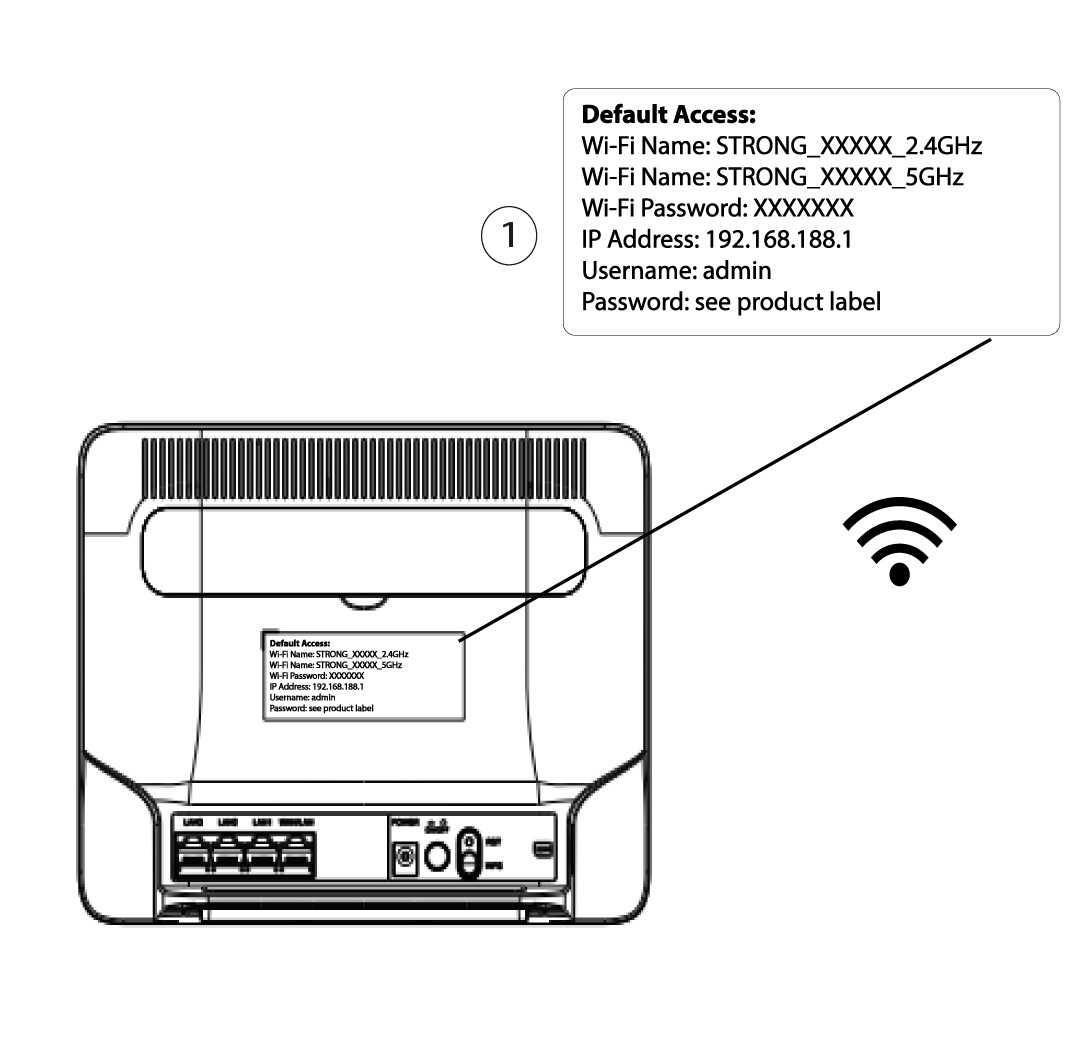
3. Najdětesvé přihlašovací údaje pro webové uživatelské rozhraní
Přihlašovací údaje najdete na štítku umístěném na zadní straně zařízení.
4Zadejtesvé přihlašovací údaje
Než kliknete na tlačítko „Přihlásit se“, musíte zadat uživatelské jméno a heslo.

5Resetovat
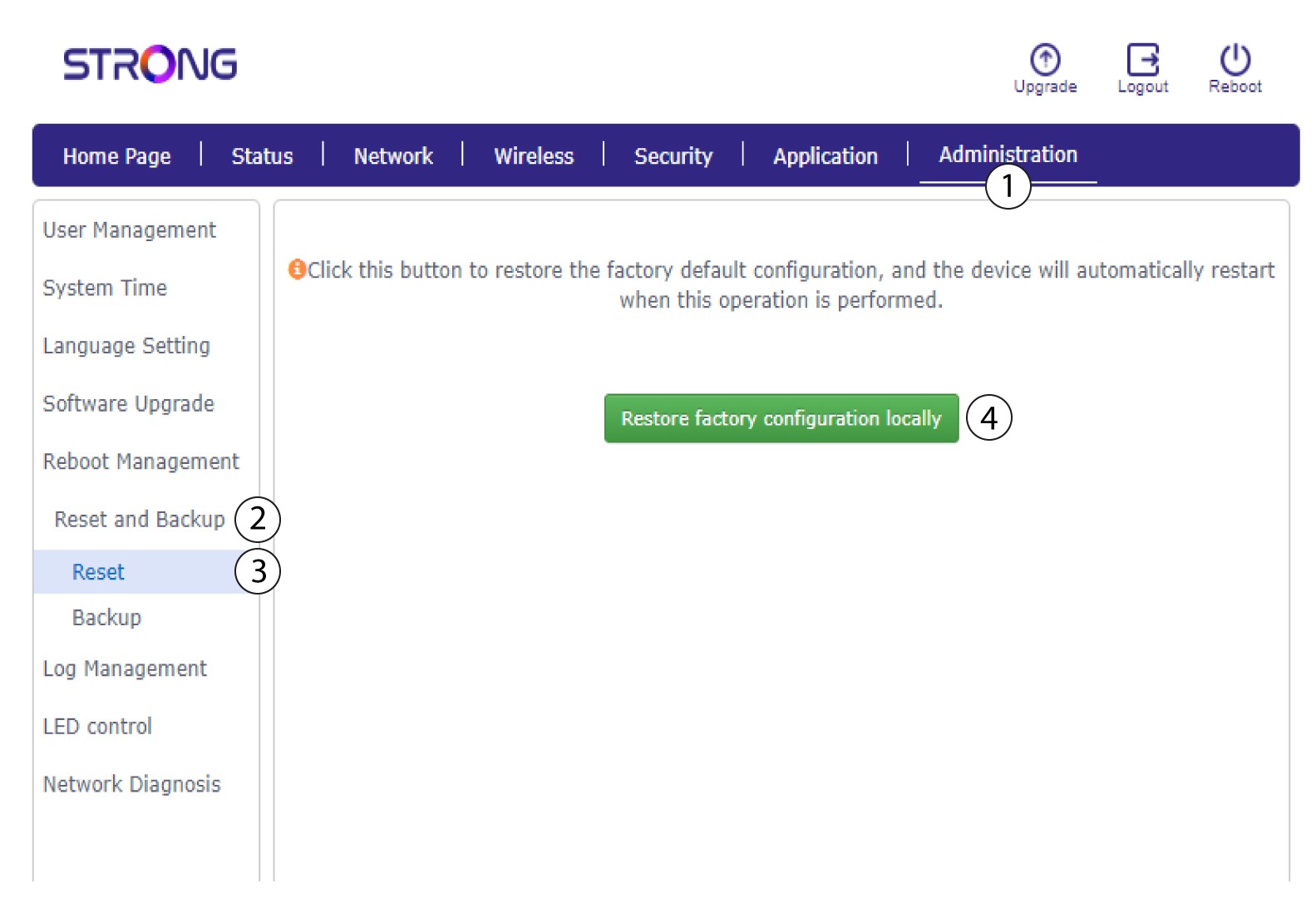
Poté klikněte na položku „Správa“ a „Obnovení a zálohování“. Následně klikněte na možnost „Obnovit a obnovit tovární nastavení lokálně“.
6 Potvrďteresetování
V zobrazeném vyskakovacím okně klikněte na tlačítko „Potvrdit “.
