
4G AIRHOME 310 s odnímatelnými 4G anténami
Všechny otázky
4G AIRHOME 310 s odnímatelnými 4G anténami
Jak mohu vypnout Wi-Fi?
Pokud dáváte přednost připojení routeru přímo k vašemu zařízení pomocí ethernetového kabelu, můžete Wi-Fi deaktivovat.
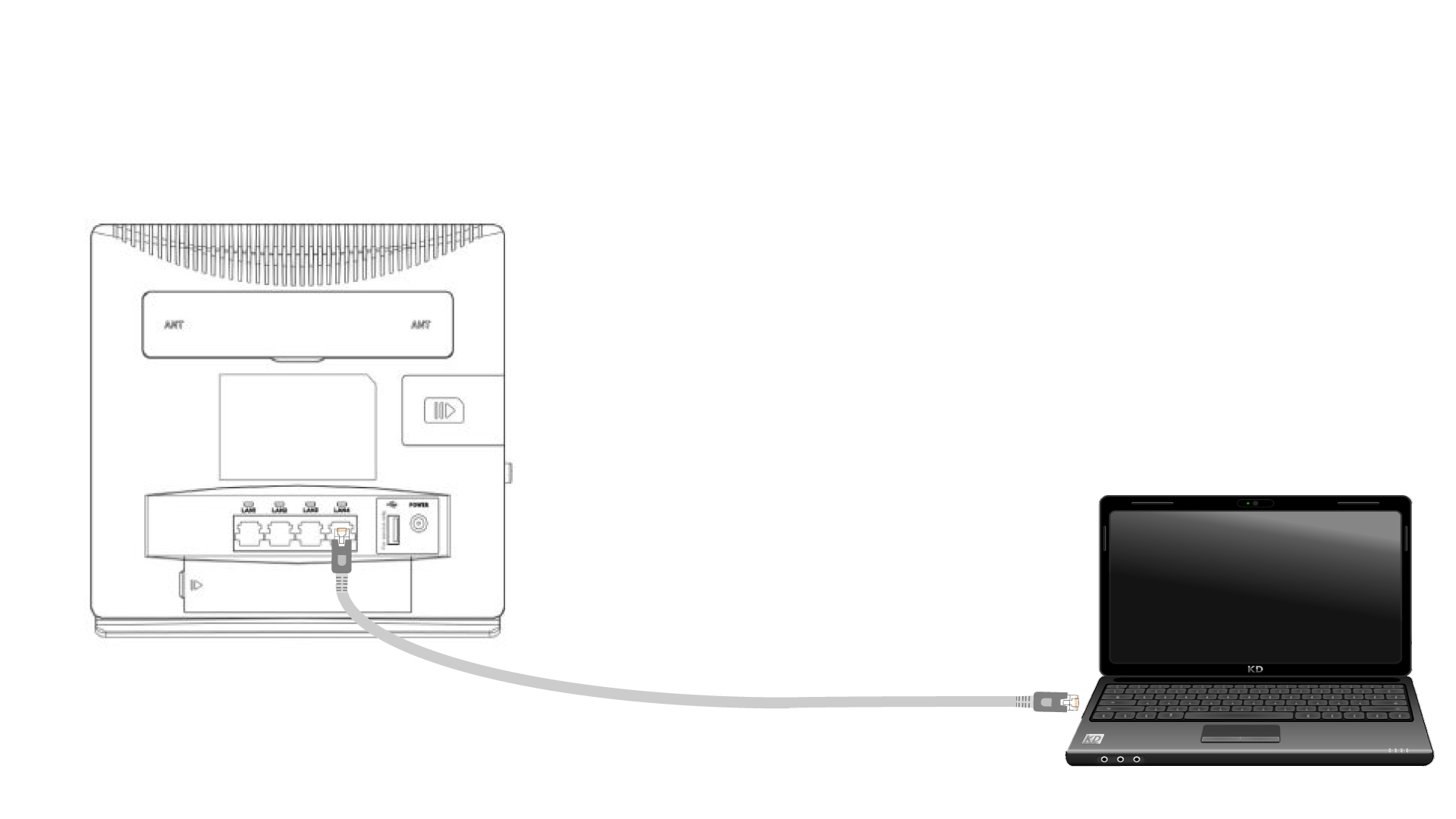
1. Připojte sek routeru pomocí ethernetového kabelu
Připojte kabel RJ45 k routeru, abyste získali přístup k webovému uživatelskému rozhraní. Pro připojení k webovému uživatelskému rozhraní postupujte podle níže uvedeného postupu (po kroku 2):
2. Nastavení Wi-Fi
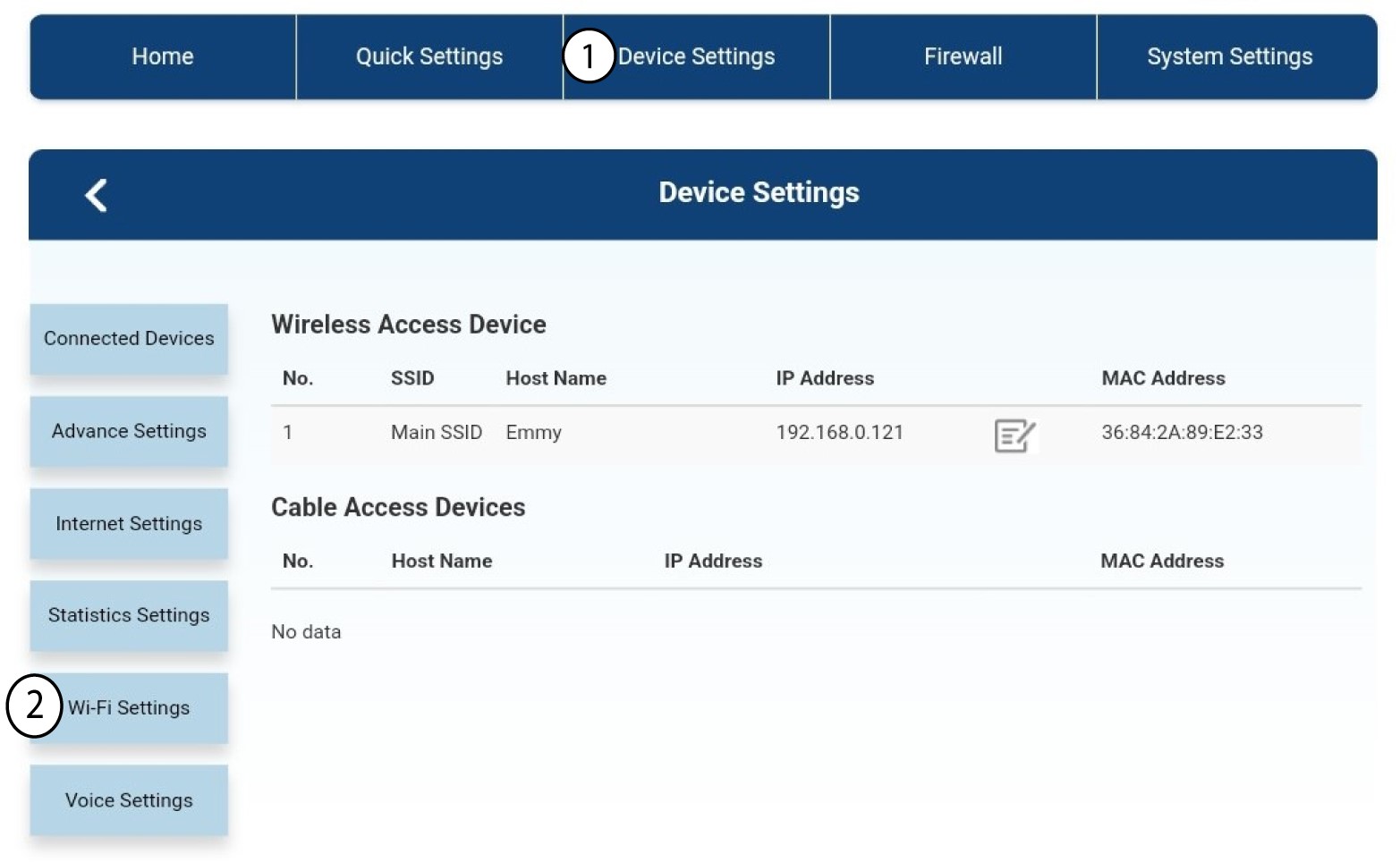
Poté klikněte na „Nastavení zařízení “ a následně vyberte „Nastavení Wi-Fi“.
3. VypnoutWi-Fi
V nastavení Wi-Fi vyberte možnost „Wi-Fi“ ( Switch). Poté klikněte na položku „Vypnuto“ ( box ) a na tlačítko „Použít“ (Apply).
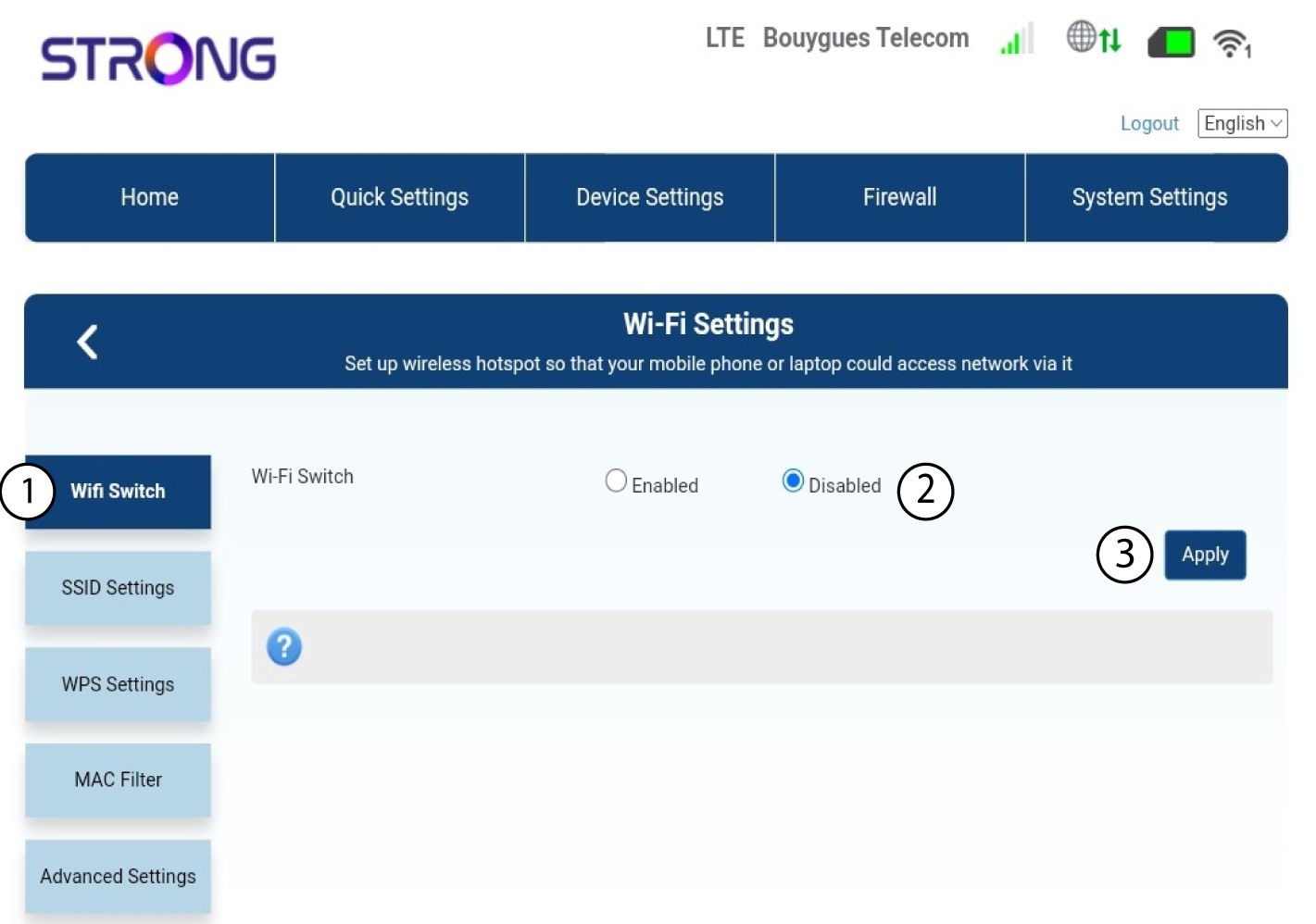

Síť Wi-Fi routeru je deaktivována. Všechna zařízení, která byla dříve připojena k této síti, budou automaticky odpojena. Chcete-li síť Wi-Fi znovu aktivovat, musíte přejít do webového rozhraní nebo můžete router obnovit do továrního nastavení.