
4G AIRHOME 310 s odnímatelnými 4G anténami
Všechny otázky
4G AIRHOME 310 s odnímatelnými 4G anténami
Jak mohu aktualizovat firmware zařízení?
Jakmile se přihlásíte do webového rozhraní, zkontrolujte verzi firmwaru, kterou vaše zařízení používá, pomocí možnosti online aktualizace v tomto rozhraní. Tímto způsobem se nainstaluje nejnovější verze firmwaru.
Pokud máte jinou verzi, postupujte podle níže uvedeného návodu k aktualizaci firmwaru.
1. Připojeník webovému uživatelskému rozhraní
Chcete-li se připojit k webovému uživatelskému rozhraní, postupujte podle následujících pokynů:
2. Pokročilánastavení
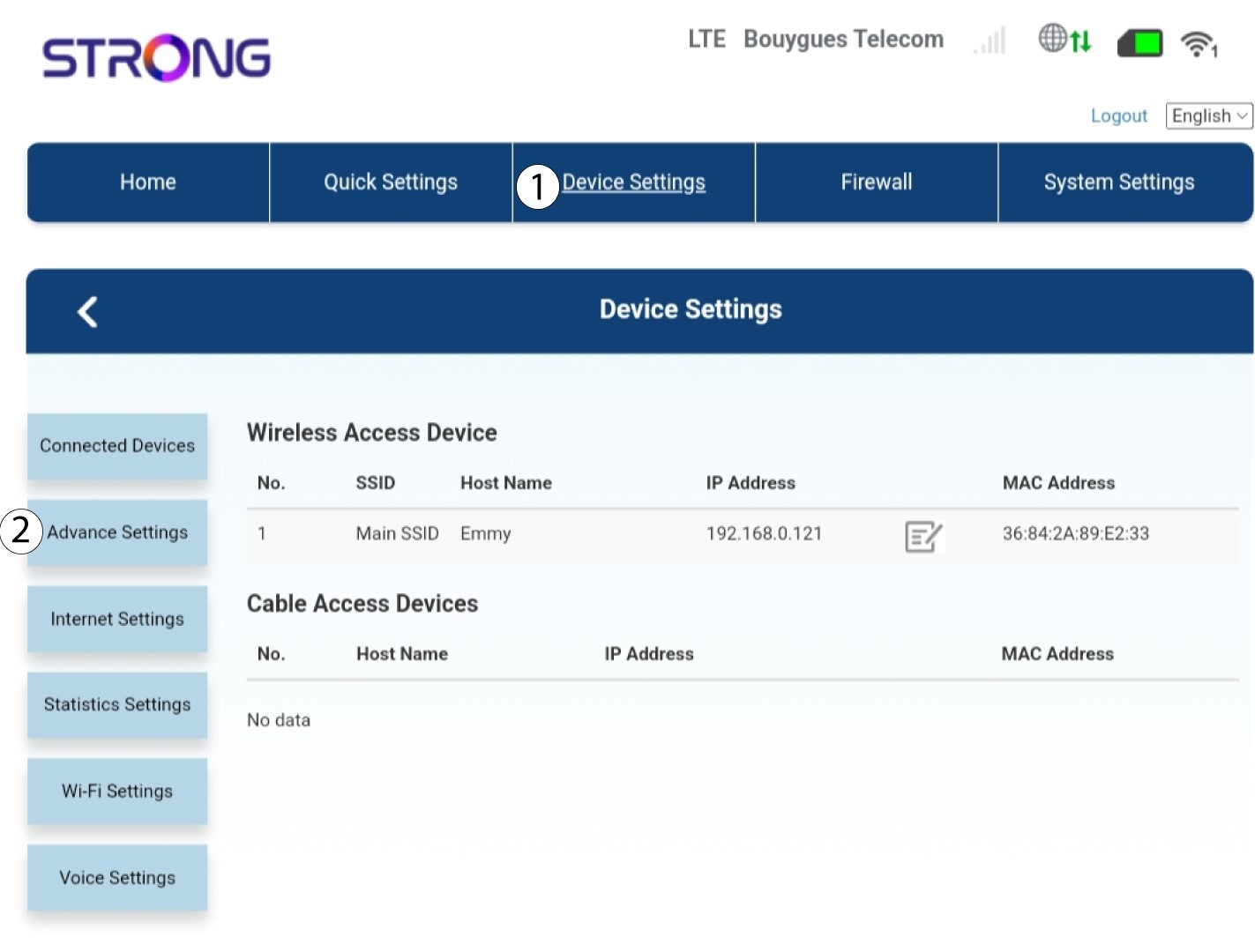
Klikněte na „Nastavení zařízení “ a vyberte možnost „Pokročilá nastavení“.
Aktualizace 3FOTA
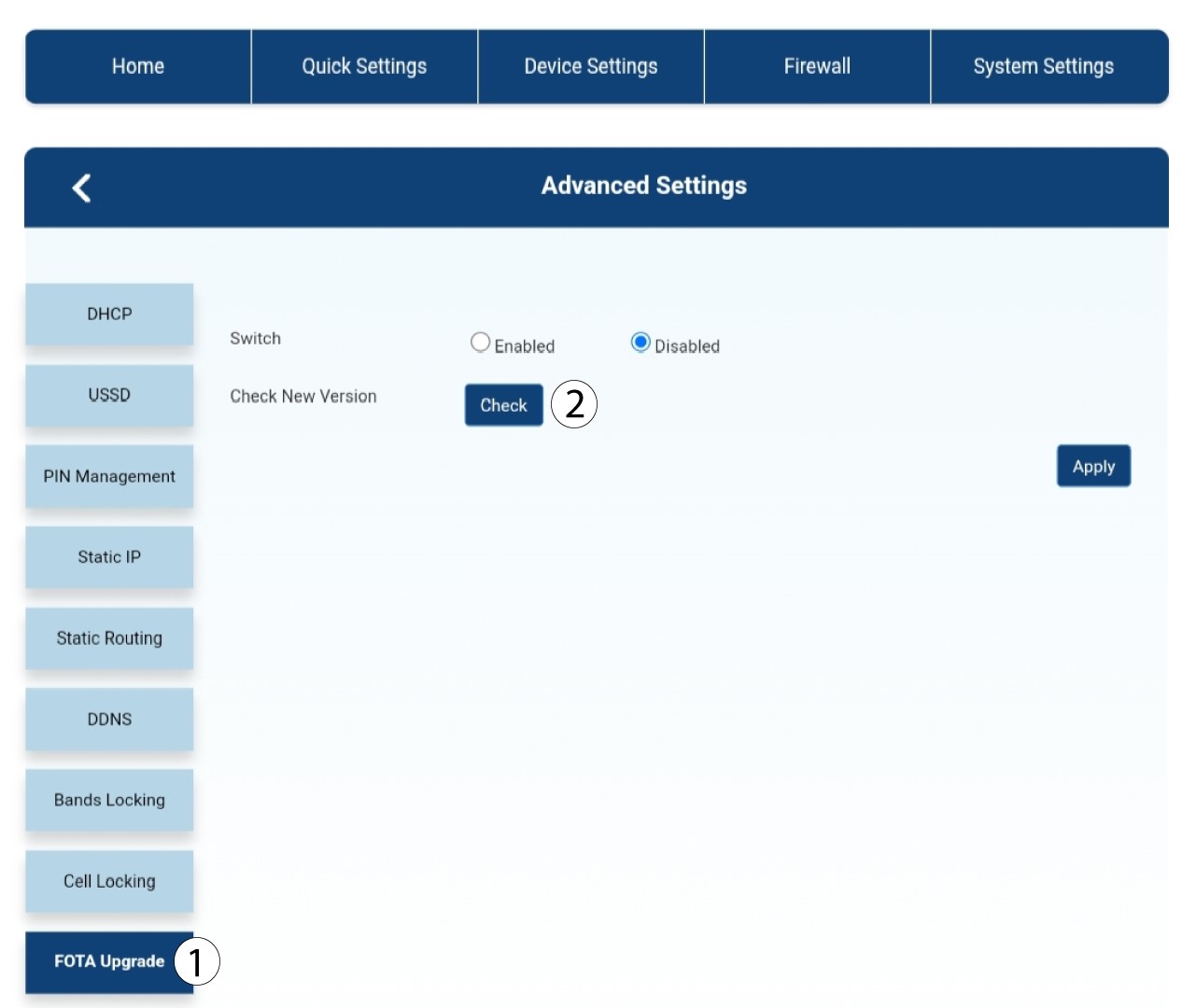
V části „Pokročilá nastavení“ klikněte na položku „Aktualizace FOTA a kontrola“.
4.Oznámení o aktualizaci
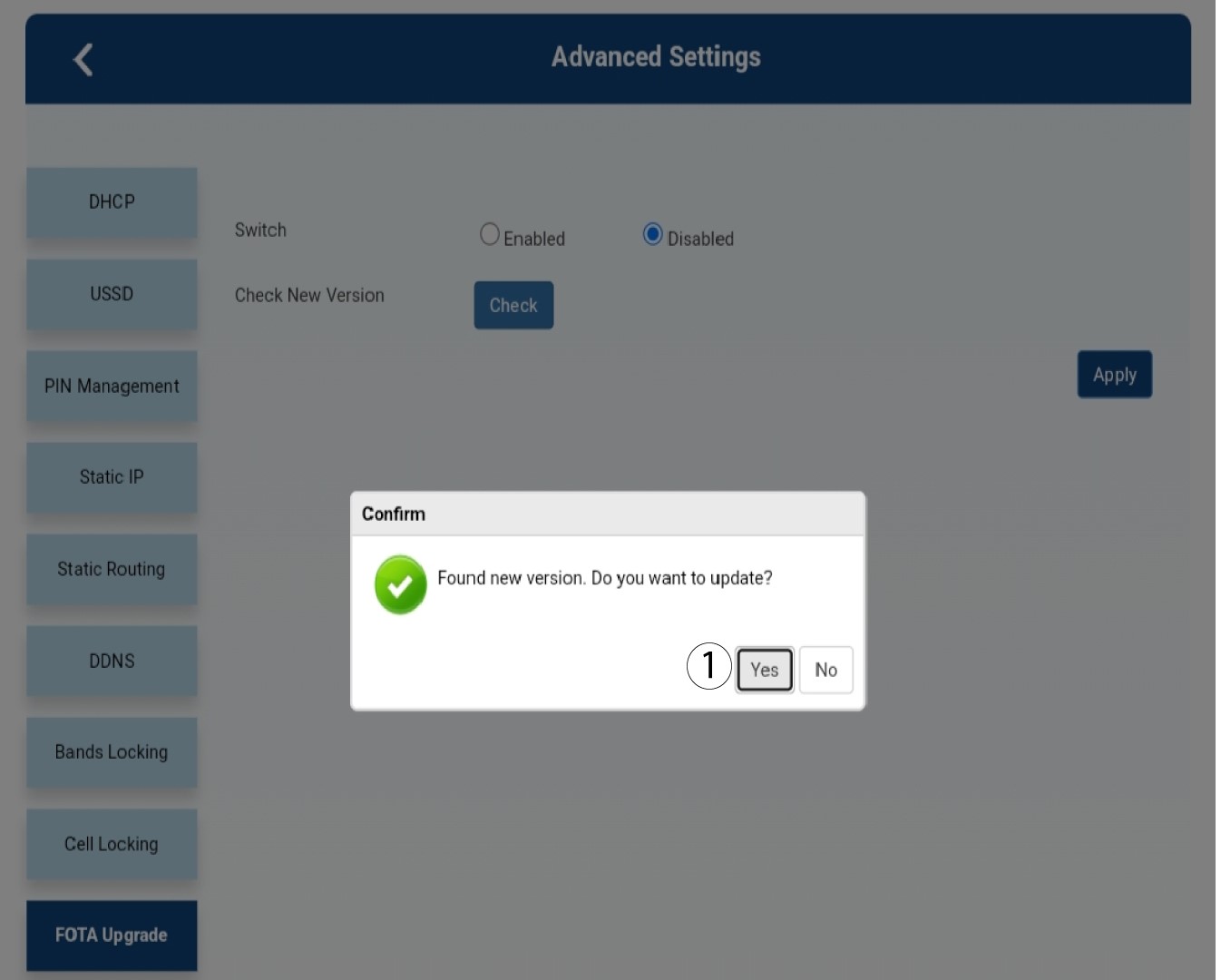
Vyskočí okénko se zprávou, klikněte na „Ano“.

Musíte počkat, až se aktualizace dokončí. Během aktualizace se LED diody na zařízeních rozsvítí modře a modré světlo se pohybuje zleva doprava od jedné ikony k druhé. Jakmile je aktualizace dokončena, ikony se vrátí ke své původní barvě. Aktualizace může trvat až 5 minut.