4G AIRSPOT 220 Mobil Wi-Fi med Display
Ingen varer fundet.
Ingen varer fundet.
Alle spørgsmål
4G AIRSPOT 220 Mobil Wi-Fi med Display
Ingen varer fundet.
Ingen varer fundet.
Hvordan tænder og slukker jeg for enheden?
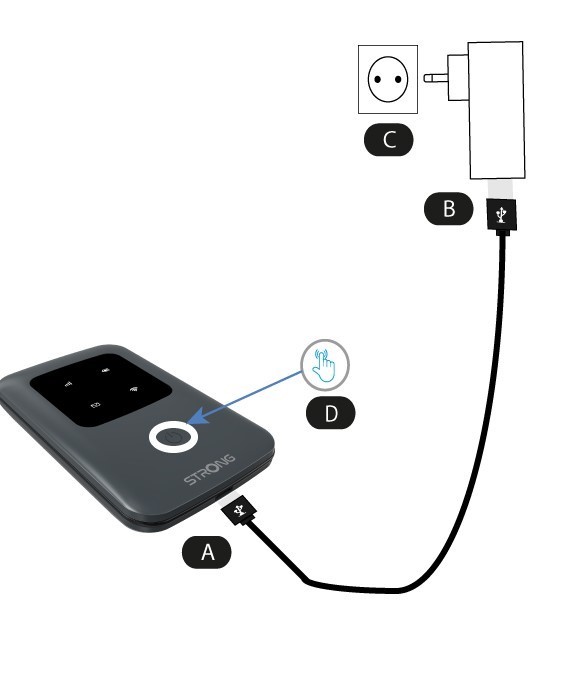
For at tænde enheden skal du oplade den, før du tager den i brug. For at gøre dette skal du sætte USB-kablet i enheden (A) og stikket (B).
1 Tænd/sluk-knap
Tilslut USB-kablet fra enheden (A) til strømforsyningen (B). Sæt derefter stikket i stikkontakten (C), og hold tænd/sluk-knappen nede i fem sekunder (D).
Efter et par sekunder lyser LED’erne på enheden.
For at slukke den skal du blot holde tænd/sluk-knappen nede i 5 sekunder.