4G AIRSPOT 220 Mobil Wi-Fi med Display
Ingen varer fundet.
Ingen varer fundet.
Alle spørgsmål
4G AIRSPOT 220 Mobil Wi-Fi med Display
Ingen varer fundet.
Ingen varer fundet.
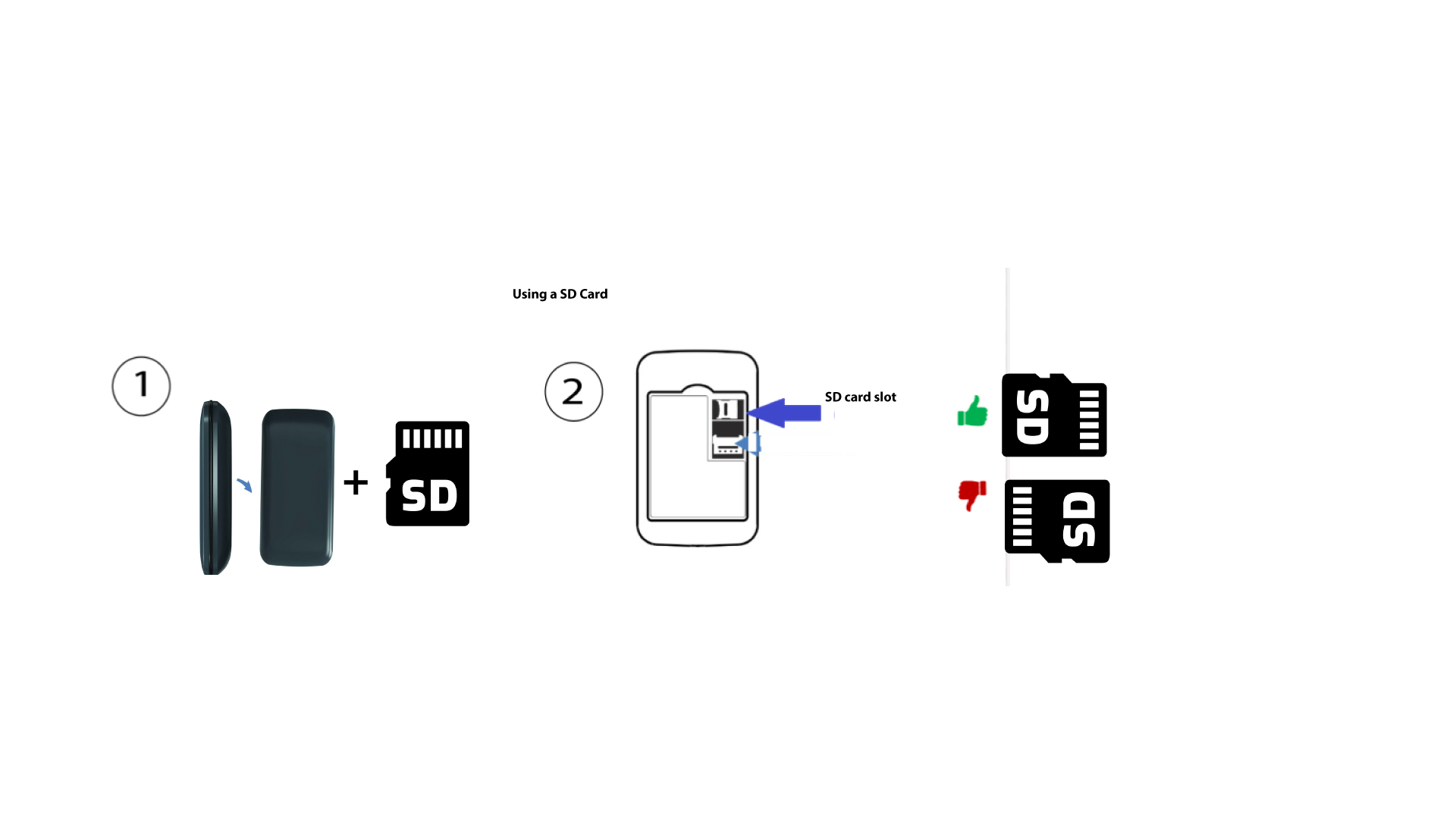
Hvordan sætter man SD-kortet i Hotspot 150?
Hvordan sætter man SD-kortet i Hotspot 150?
For at sætte SD-kortet i routeren skal du først slukke for enheden ved at holde tænd/sluk-knappen nede i fem sekunder.
1
Sæt SD-kortet i
Fjern derefter dækslet, og sæt SD-kortet i den dertil indrettede åbning i det øverste højre hjørne på enhedens bagside.