
4G AIRSPOT 220 Mobil Wi-Fi med Display
Alle spørgsmål
4G AIRSPOT 220 Mobil Wi-Fi med Display
Hvilken type SIM-kort kan jeg sætte i min router?
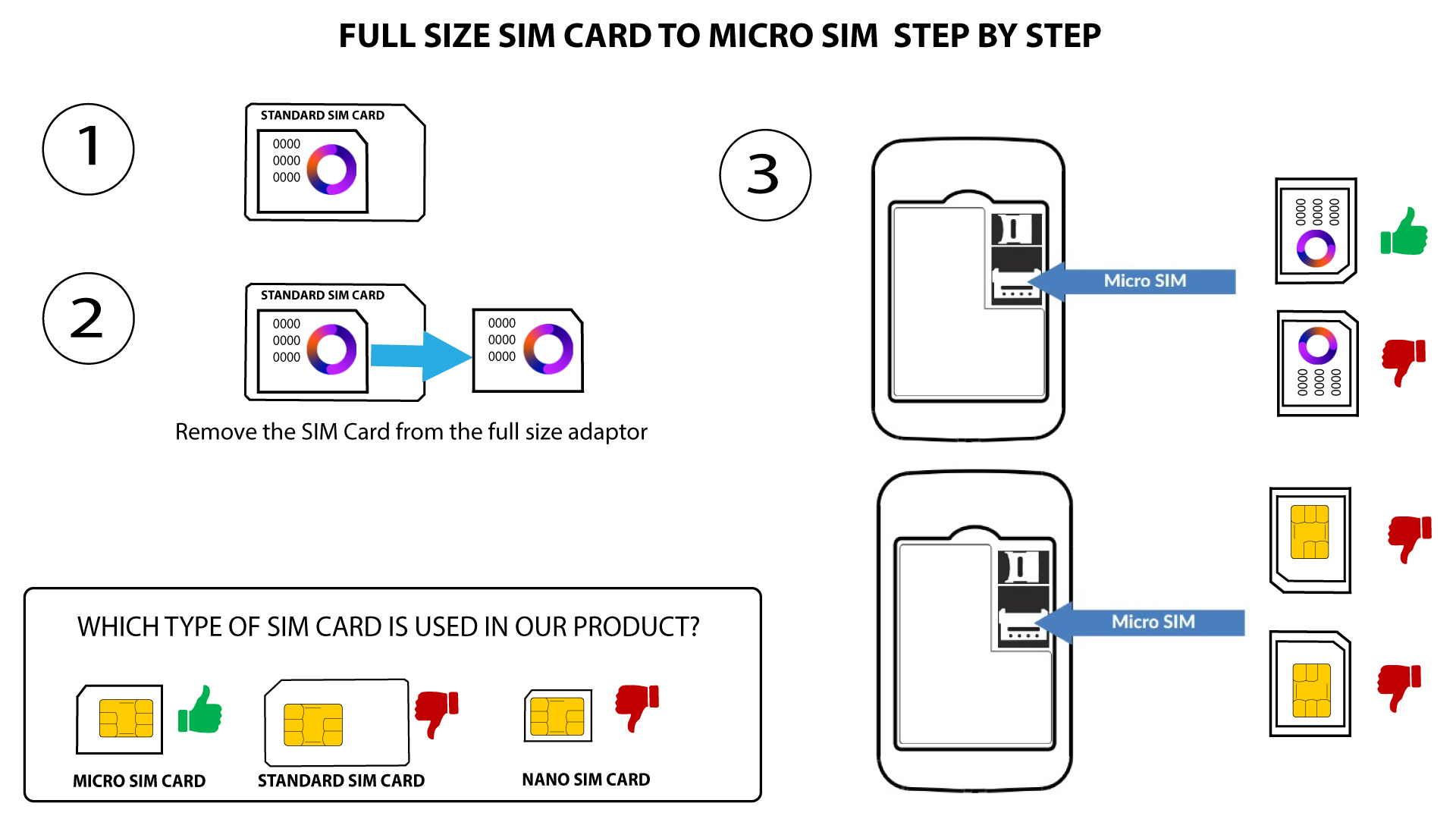
Der skal isættes et mikro-SIM-kort i SIM-kortåbningen på 4G PORTABLE HOTSPOT 150/4G PORTABLE HOTSPOT 150 MED SKÆRM. Du behøver ikke bekymre dig om størrelsen på dit SIM-kort, da der medfølger adaptere i routerens emballage, så du får den rigtige størrelse. Du skal isætte dit SIM-kort, før du tænder for enheden.
1. Eksempel1: SIM-kort i fuld størrelse til Micro-SIM-kort
Når du har sat SIM-kortet i adapteren, skal du trykke SIM-kortet fast i adapteren for at sikre, at det sidder ordentligt. Tag enheden i hånden, og sæt SIM-kortet i kortspalten i samme position som vist på skitsen nedenfor.
2. Eksempel2: Fra nano-SIM-kort til mikro-SIM-kort
Når du har sat SIM-kortet i adapteren, skal du trykke SIM-kortet fast i adapteren for at sikre, at det sidder korrekt. Tag enheden i hånden, og sæt SIM-kortet i kortsporet i samme position som vist på skemaet nedenfor.
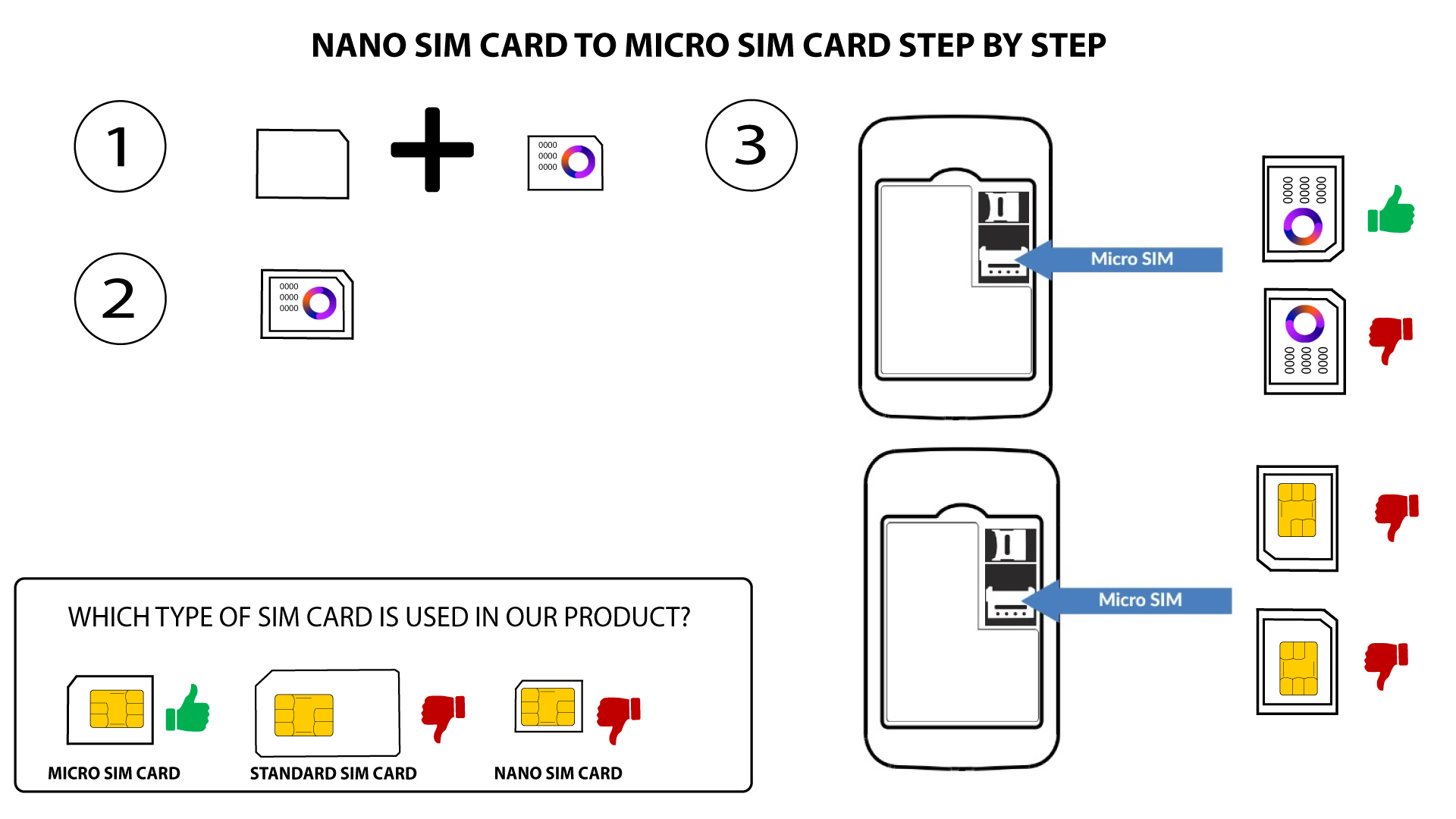

Advarsel: Sørg for, at dit SIM-kort sidder korrekt i adapteren, inden du sætter det i kortåbningen.
- Hvis enheden ikke genkender dit SIM-kort, skal du kontrollere, om det sidder korrekt, og om du har sat adapteren rigtigt i.