
4G+ AIRSPOT 510 WLAN-Hotspot
Keine Artikel gefunden.
Keine Artikel gefunden.
Alle Fragen
4G+ AIRSPOT 510 WLAN-Hotspot
Keine Artikel gefunden.
Keine Artikel gefunden.
Wie ändere ich das Administrator-Passwort?
1. Aufdie Web-Benutzeroberfläche zugreifen
Informationen zum Aufrufen der Web-Benutzeroberfläche finden Sie unter „Wie rufe ich die Web-Benutzeroberfläche auf?“.
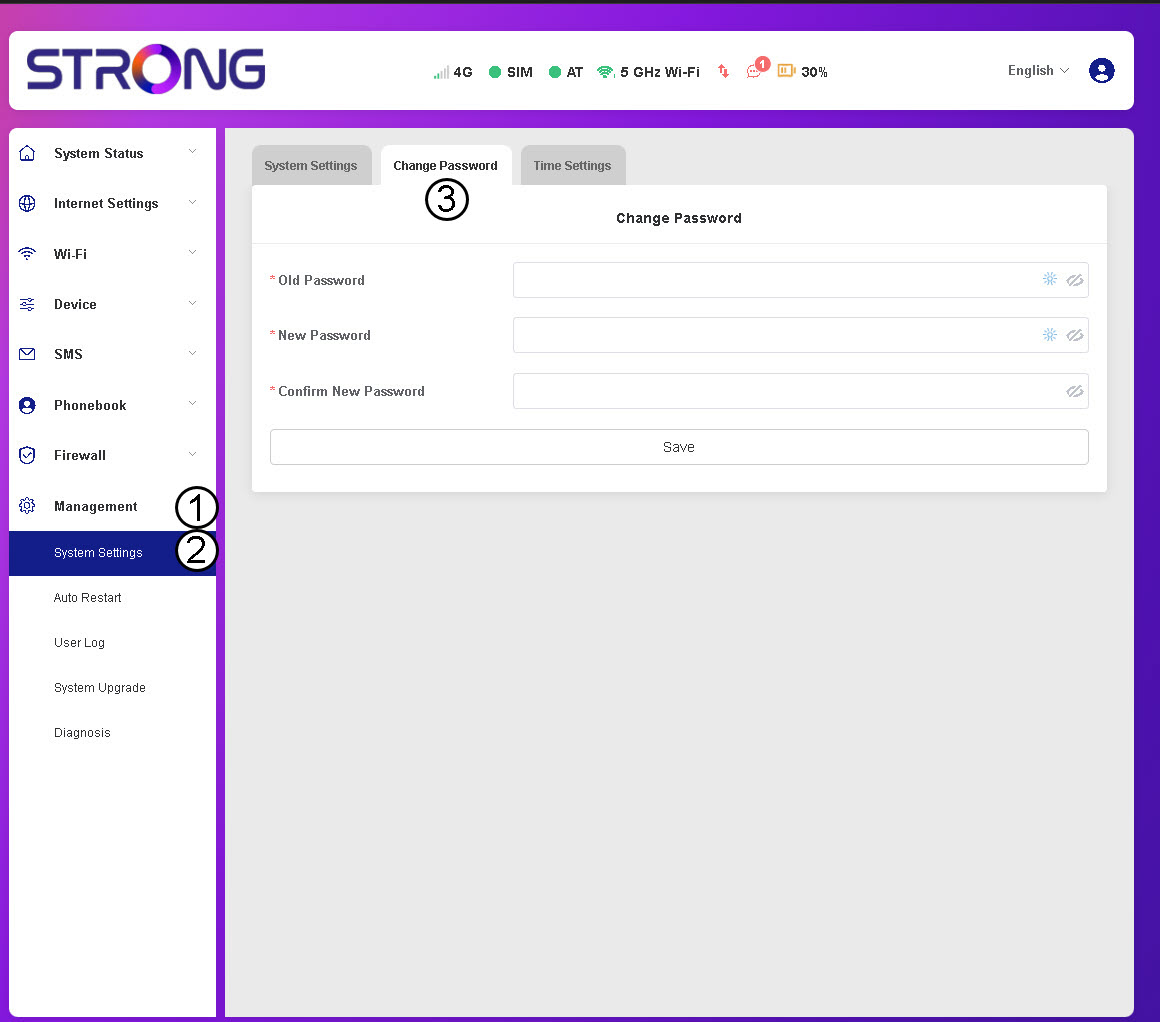
2Zu den Passwort-Einstellungen navigieren
Klicken Sie im Bereich „Verwaltung “ auf „Systemeinstellungen“ und dann auf „Passwort ändern“.
3. Passwortdaten eingeben
Geben Sie anschließend die folgenden Informationen ein, bevor Sie auf „Speichern“ klicken:
- Altes Passwort: Geben Sie Ihr aktuelles Passwort ein.
- Neues Passwort: Geben Sie ein Passwort ein, das mindestens 8 Zeichen lang ist und eine Kombination aus Großbuchstaben, Kleinbuchstaben, Ziffern und Sonderzeichen enthält. Es sind nur die folgenden Sonderzeichen zulässig: @$%*&.
- Neues Passwort bestätigen: Geben Sie dasselbe Passwort wie im vorherigen Feld ein.


WARNUNG: Wenn Sie Ihr aktuelles Passwort vergessen haben, müssen Sie das Gerät auf die Werkseinstellungen zurücksetzen.