
4G+ AIRSPOT 510 WLAN-Hotspot
Keine Artikel gefunden.
Keine Artikel gefunden.
Alle Fragen
4G+ AIRSPOT 510 WLAN-Hotspot
Keine Artikel gefunden.
Keine Artikel gefunden.
Welche Art von SIM-Karte kann ich in meinem Router verwenden?
Vor dem Einschalten des Geräts muss eine Nano-SIM-Karte in den SIM-Kartensteckplatz des 4G PORTABLE HOTSPOT 900 eingelegt werden.
Befolgen Sie die Schritte in der folgenden Abbildung:
- Nehmen Sie Ihre Nano-SIM-Karte zur Hand.
- Entfernen Sie die hintere Abdeckung, um den Akku freizulegen, und nehmen Sie den Akku heraus.
- Legen Sie die SIM-Karte ein.
- Setzen Sie den Akku, die Rückabdeckung und das „ switch “ auf das Gerät auf.
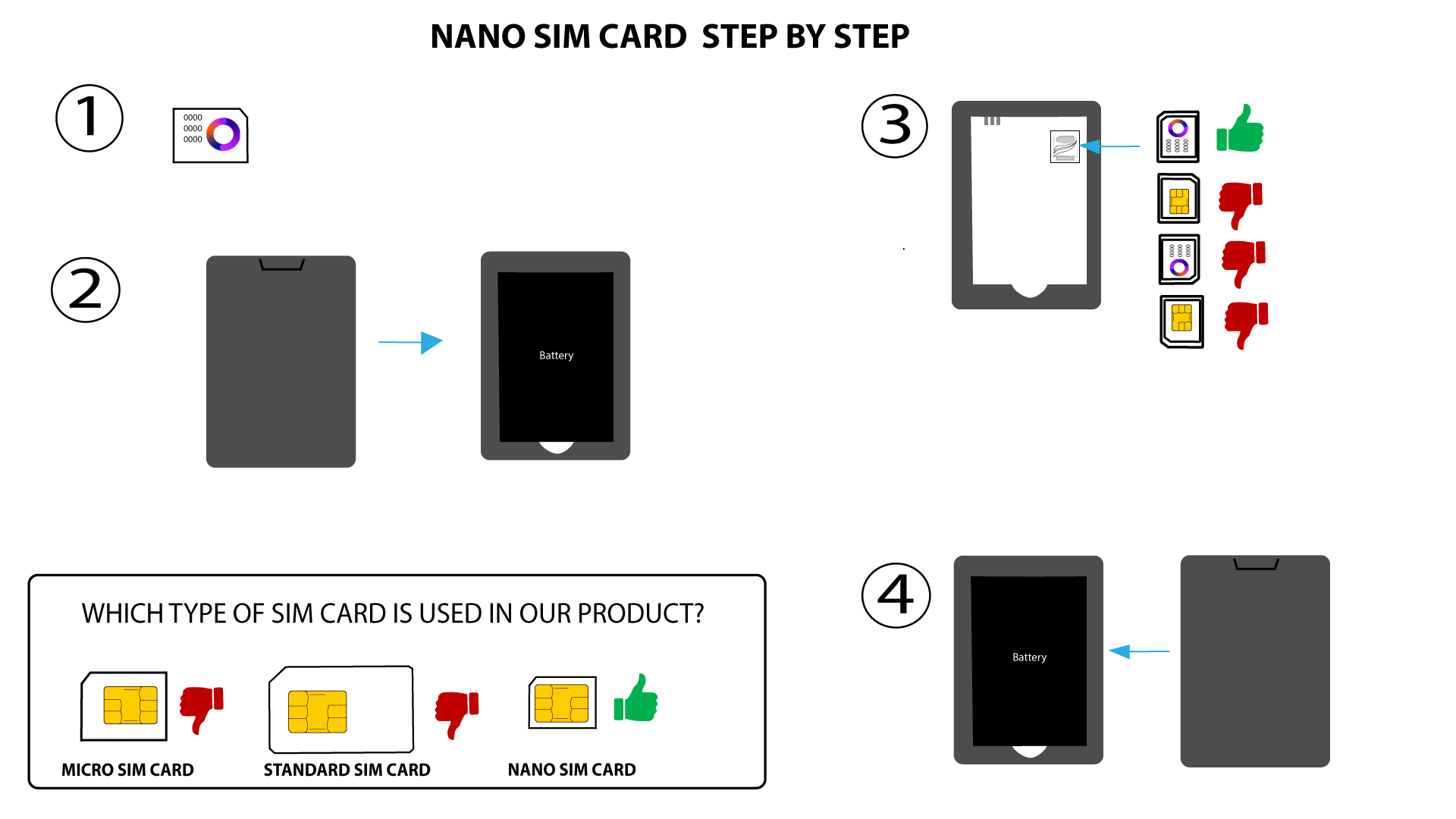

WARNUNG: Falls Ihre SIM-Karte vom Gerät nicht erkannt wird, überprüfen Sie bitte noch einmal, ob sie in der richtigen Ausrichtung eingelegt ist. Falls Sie einen Adapter verwenden, stellen Sie sicher, dass dieser vollständig eingesteckt ist.