4G AIRSPOT 220 Mobilni Wi-Fi sa zaslonom
Nema pronađenih stavki.
Nema pronađenih stavki.
Sva pitanja
4G AIRSPOT 220 Mobilni Wi-Fi sa zaslonom
Nema pronađenih stavki.
Nema pronađenih stavki.
Kako mogu promijeniti PIN kod SIM kartice?
PIN kod vaše SIM kartice možete promijeniti u web sučelju. Da biste to učinili, slijedite dolje navedeni postupak. Morate se povezati s web sučeljem.
1. Spojite se na Wi-Fi mrežu usmjerivača
1. Da biste to učinili, unesite SSID (naziv Wi-Fi mreže) i lozinku za Wi-Fi usmjerivač u svoj uređaj.

2. Pregledajte IP adresu web sučelja
Zatim unesite sljedeću IP adresu u svoj preglednik: 192.168.188.1

3 Prijava
Morate unijeti lozinku . Zatim kliknite Prijava .

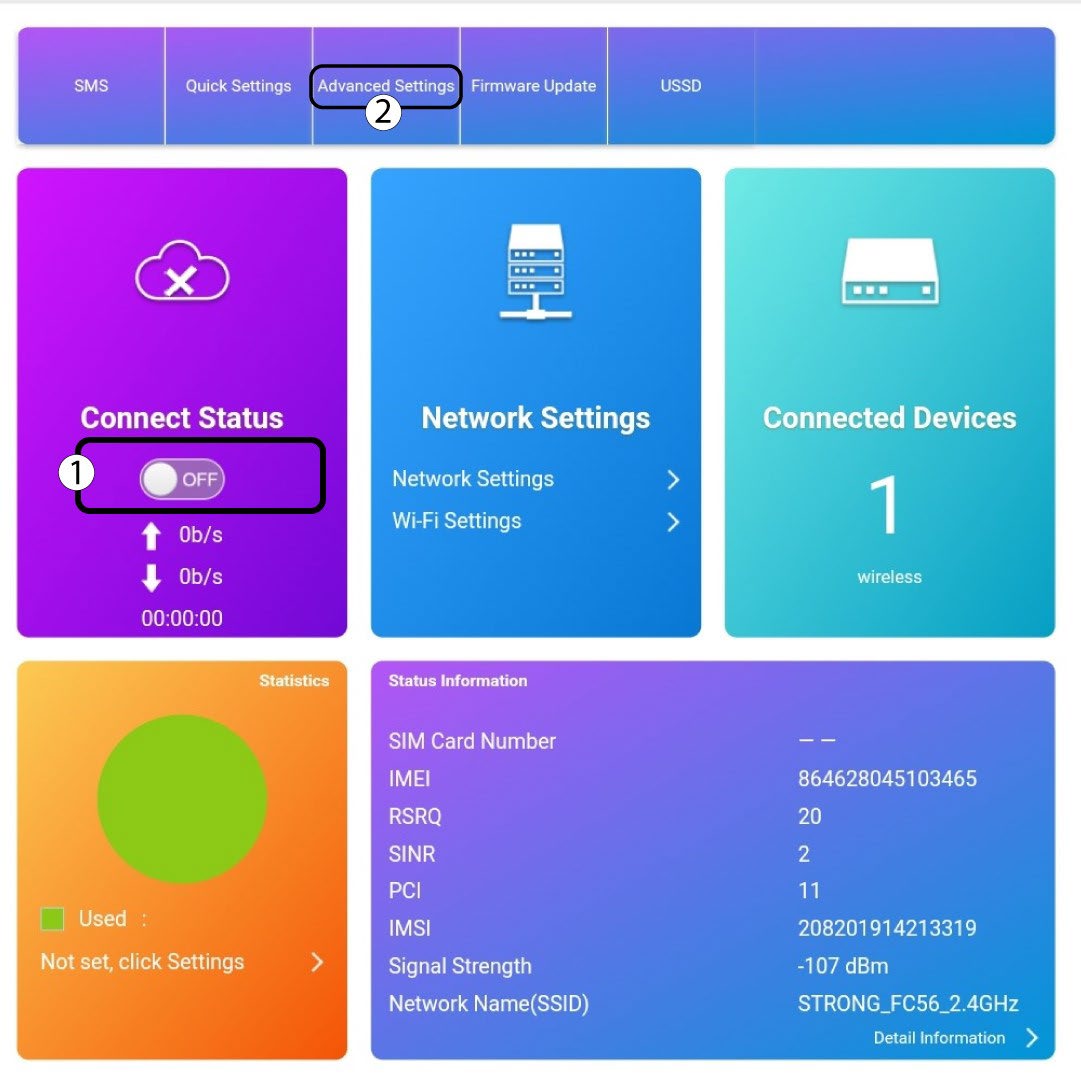
4 Status veze
Kliknite prekidač u odjeljku Status veze i kliknite Napredne postavke
5 Napredne postavke
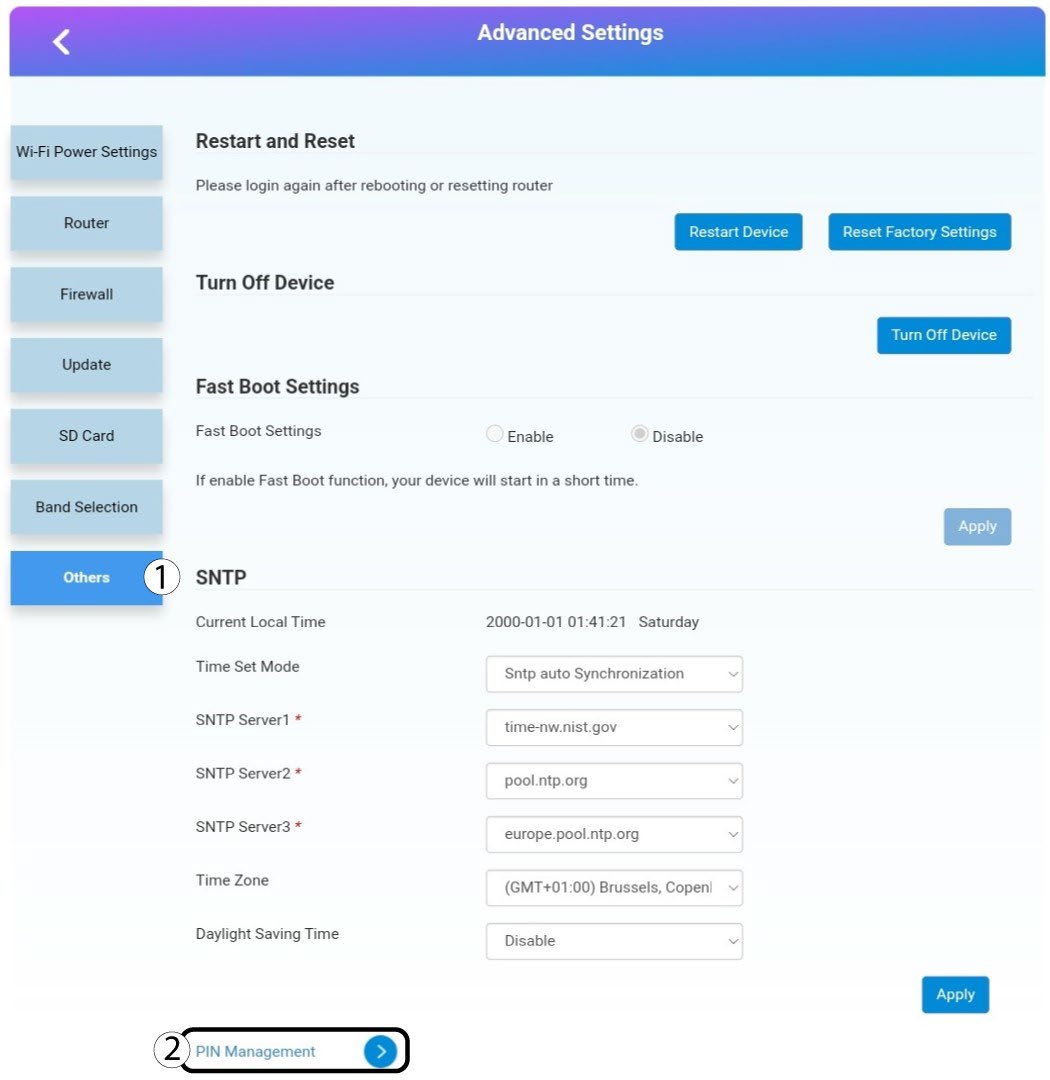
Kliknite Ostalo. Zatim kliknite Upravljanje PIN-ovima .
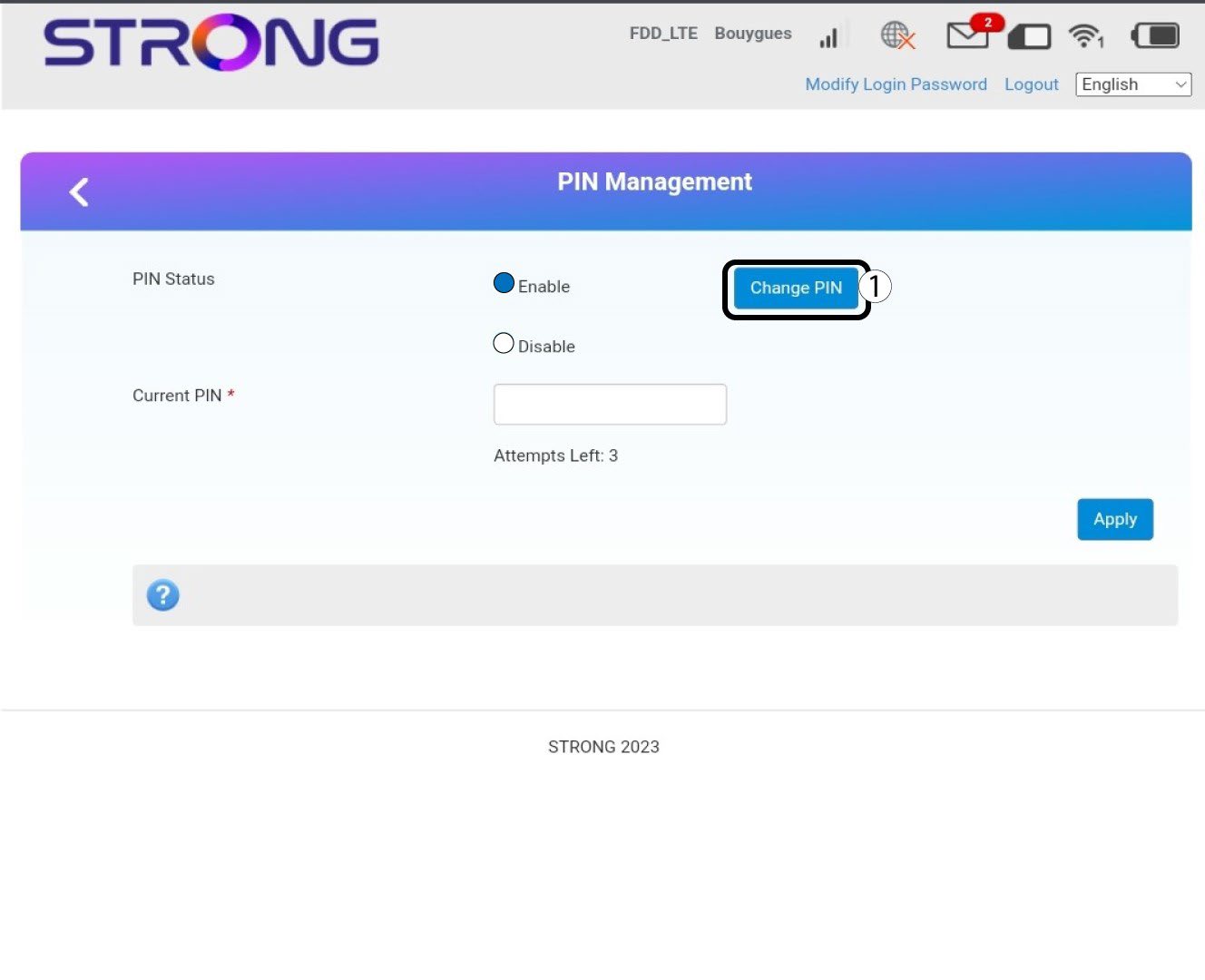
Upravljanje sa 6 pinova
Kliknite Promijeni PIN.
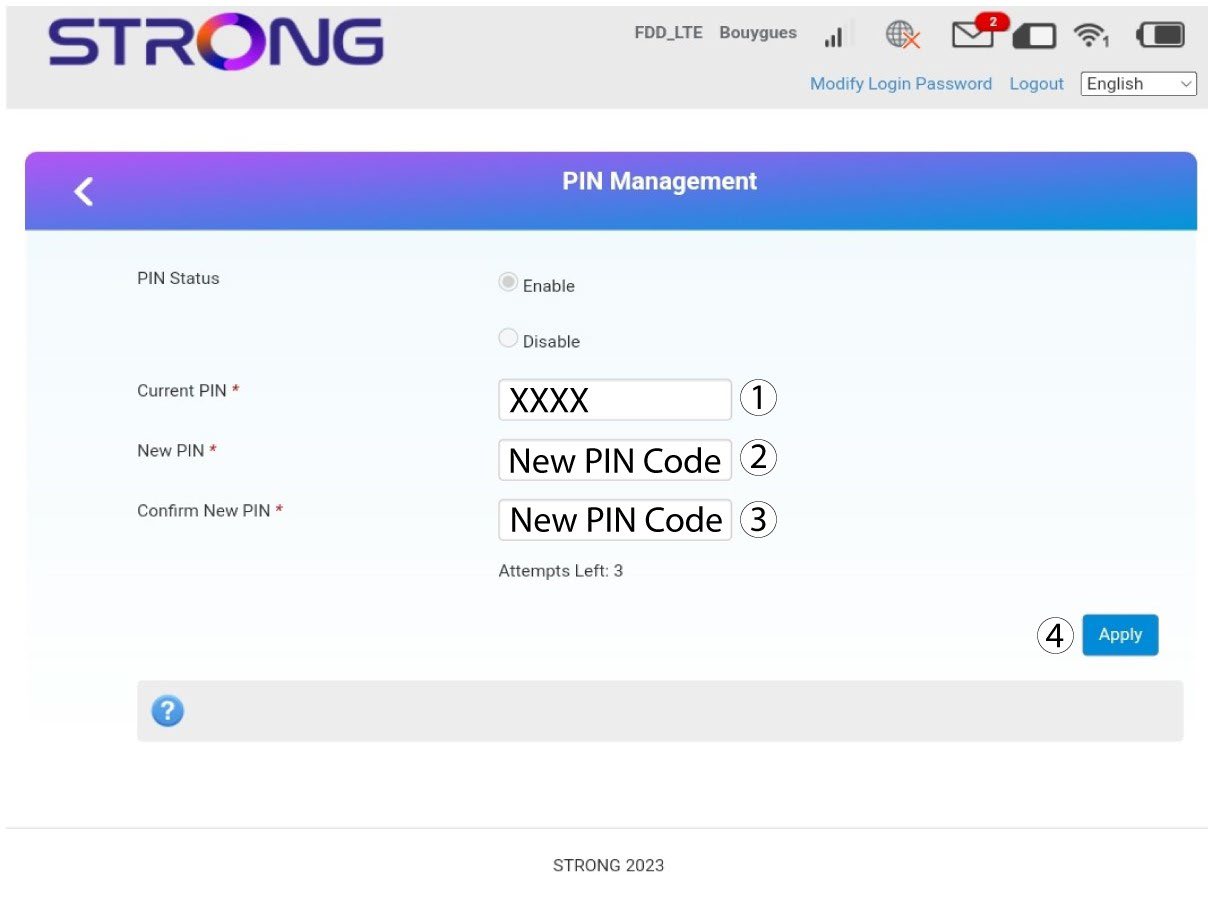
7 Unesite novi PIN kod
Unesite sljedeće podatke prije nego što kliknete Primijeni:
· Trenutni PIN: Unesite svoj trenutni PIN kod.
· Novi PIN: Unesite svoj novi PIN kod.
· Potvrdi novi PIN: Unesite novi PIN kod.