4G AIRSPOT 220 Mobilni Wi-Fi sa zaslonom
Nema pronađenih stavki.
Nema pronađenih stavki.
Sva pitanja
4G AIRSPOT 220 Mobilni Wi-Fi sa zaslonom
Nema pronađenih stavki.
Nema pronađenih stavki.
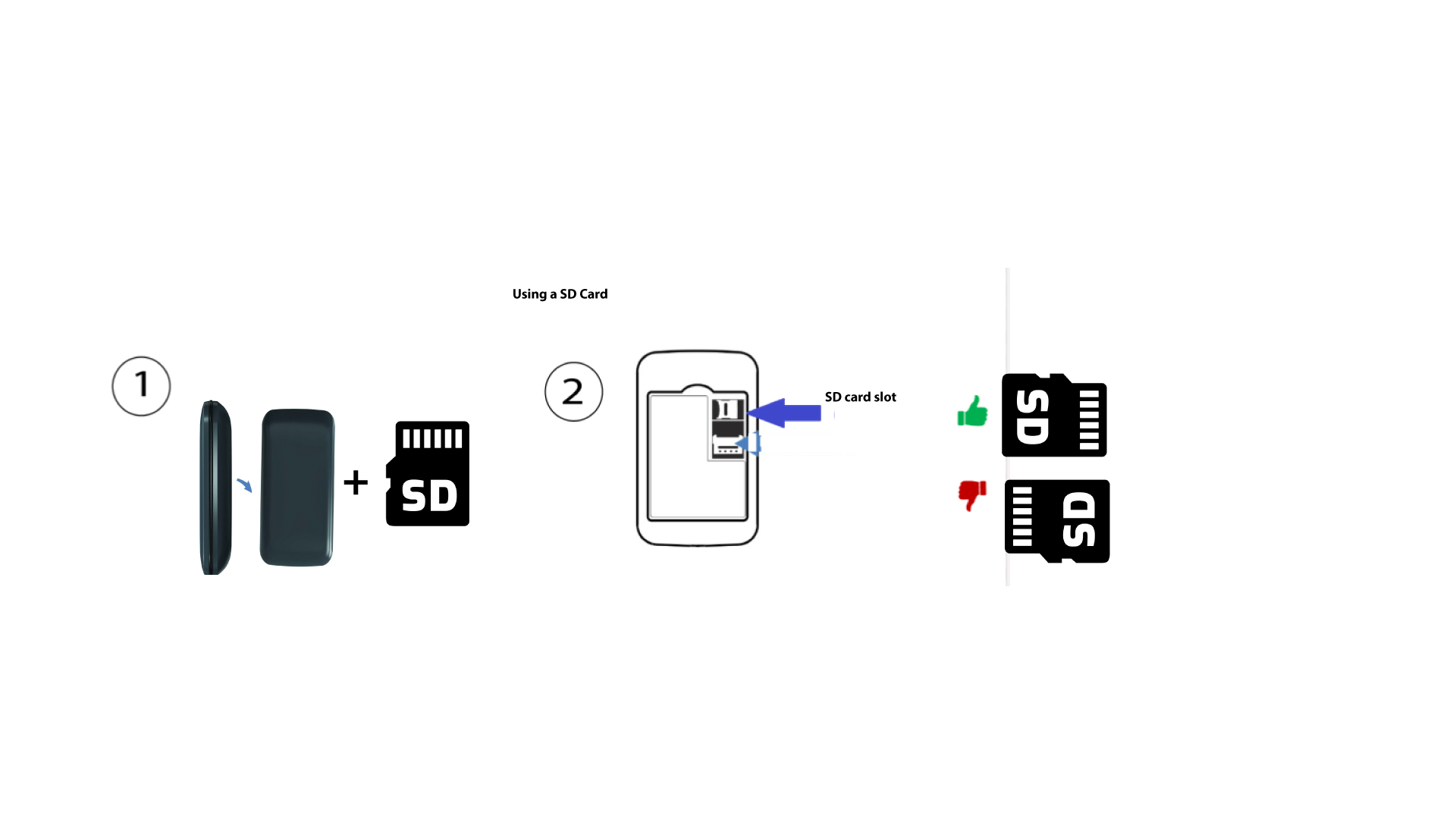
Kako umetnuti SD karticu u hotspot 150?
Kako umetnuti SD karticu u hotspot 150?
Za umetanje SD kartice u ruter, prvo morate isključiti uređaj pritiskom na gumb za napajanje pet sekundi.
1
Umetnite SD karticu
Zatim uklonite poklopac i umetnite SD karticu u utor u gornjem desnom kutu na stražnjoj strani uređaja.