
4G AIRSPOT 220 Mobilni Wi-Fi sa zaslonom
Sva pitanja
4G AIRSPOT 220 Mobilni Wi-Fi sa zaslonom
Kako mogu promijeniti SSID (naziv Wi-Fi mreže) i lozinku za Wi-Fi?
U web sučelju imate dva načina za promjenu SSID-a (naziva Wi-Fi mreže) i lozinke za Wi-Fi vašeg usmjerivača:
• Korištenjem Brzih postavki
• Ili putem postavki Wi-Fi-ja
1 SLUČAJ 1: Brze postavke
U web sučelju, Brze postavke omogućuju vam promjenu podataka o vašoj mreži: SSID-a (naziva Wi-Fi mreže) i lozinke za Wi-Fi.
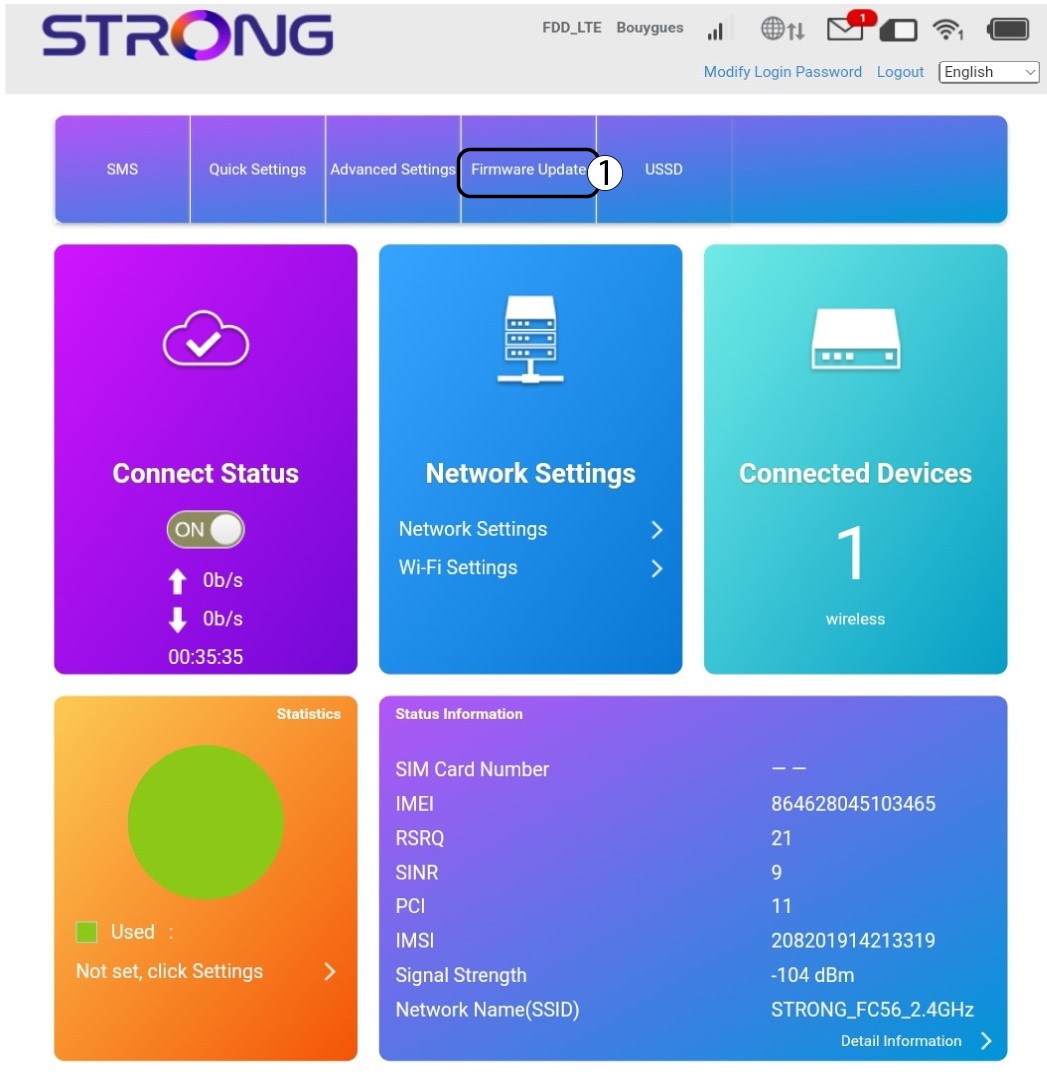
Da biste to učinili, kliknite Brze postavke u gornjoj traci.
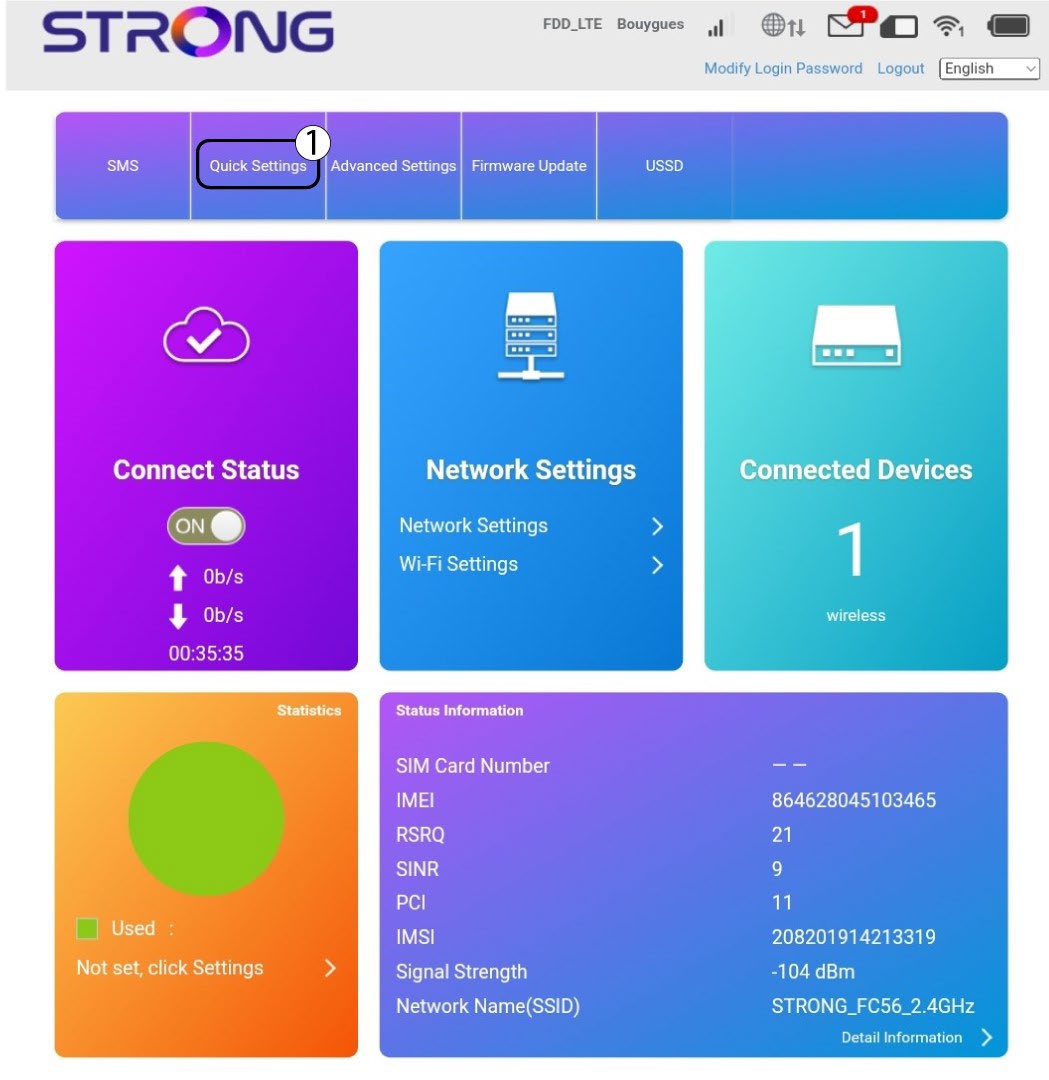
2 Postavljanje APN-a
Kliknite Dalje .

3 SSID-a
Unesite novi naziv mreže i kliknite Dalje .

4 Unesite novu lozinku
Kliknite Prikaži lozinku i unesite novu lozinku za Wi-Fi mrežu, a zatim kliknite Dalje.
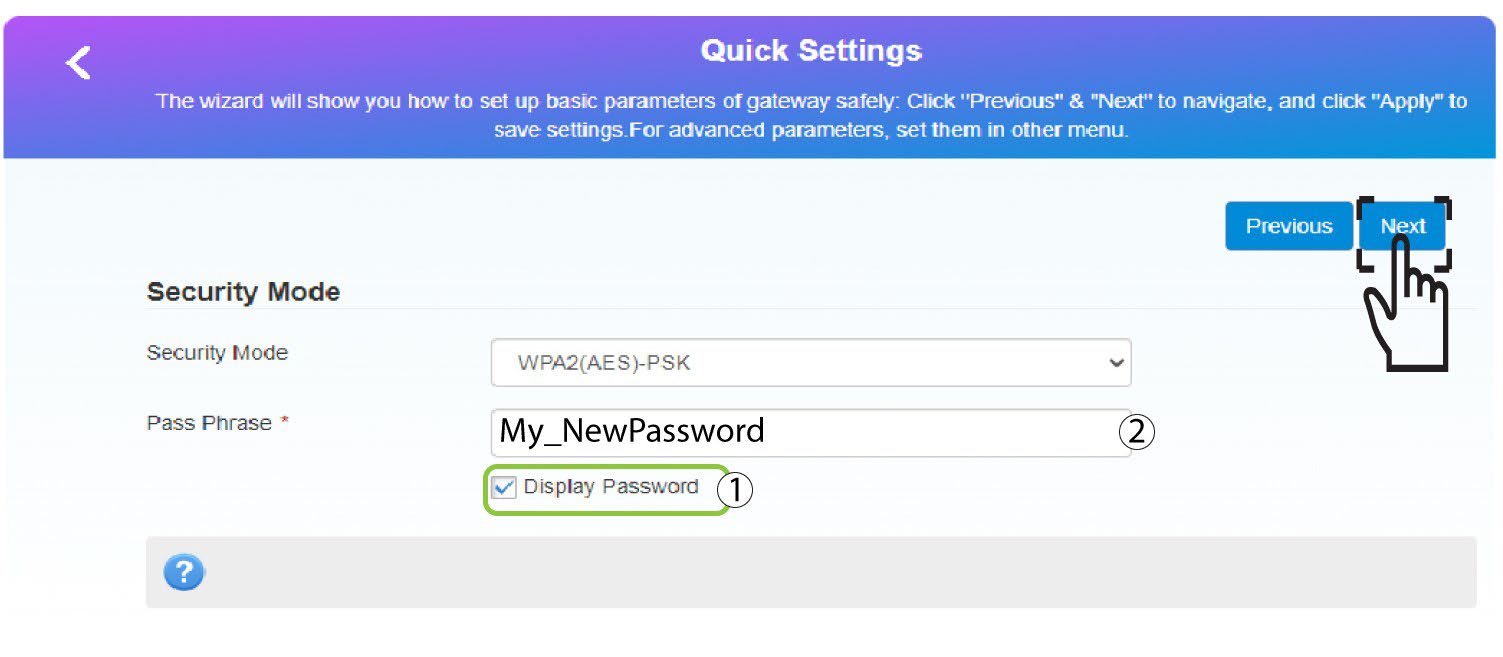
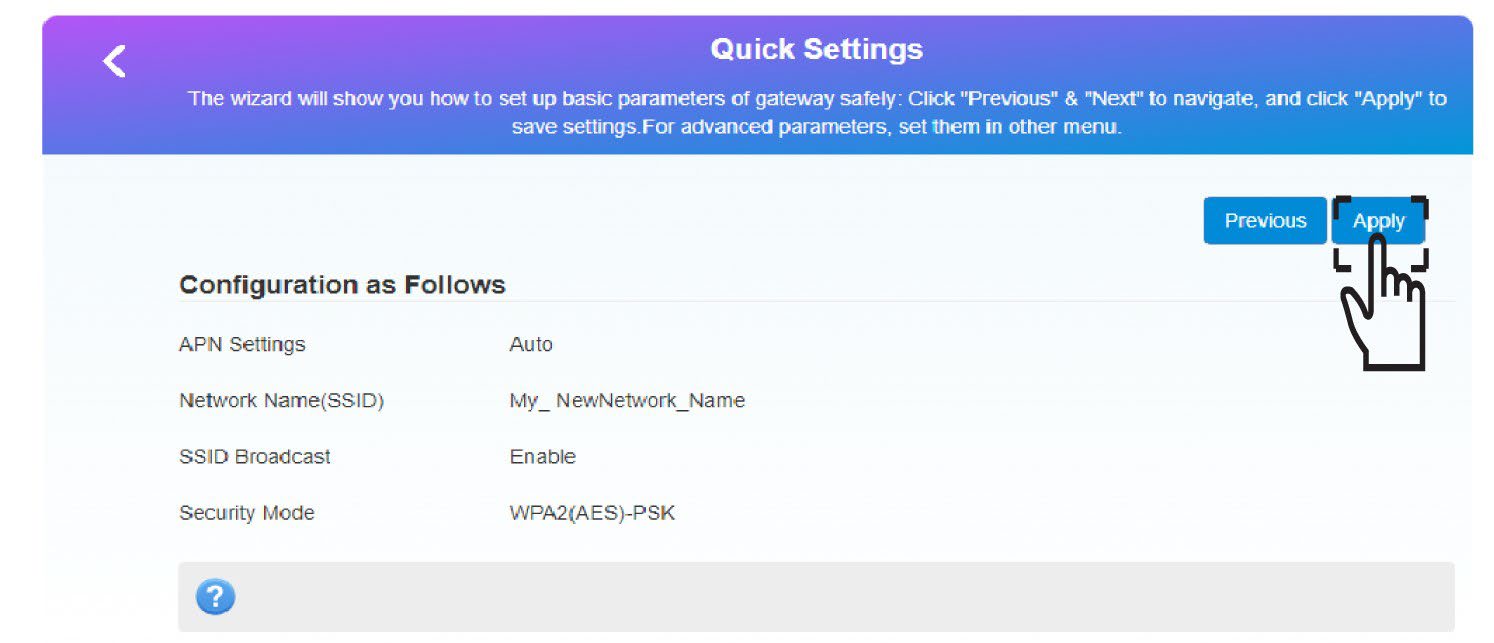
5 Spremite nove mrežne podatke
Kliknite Primijeni za spremanje promjena.
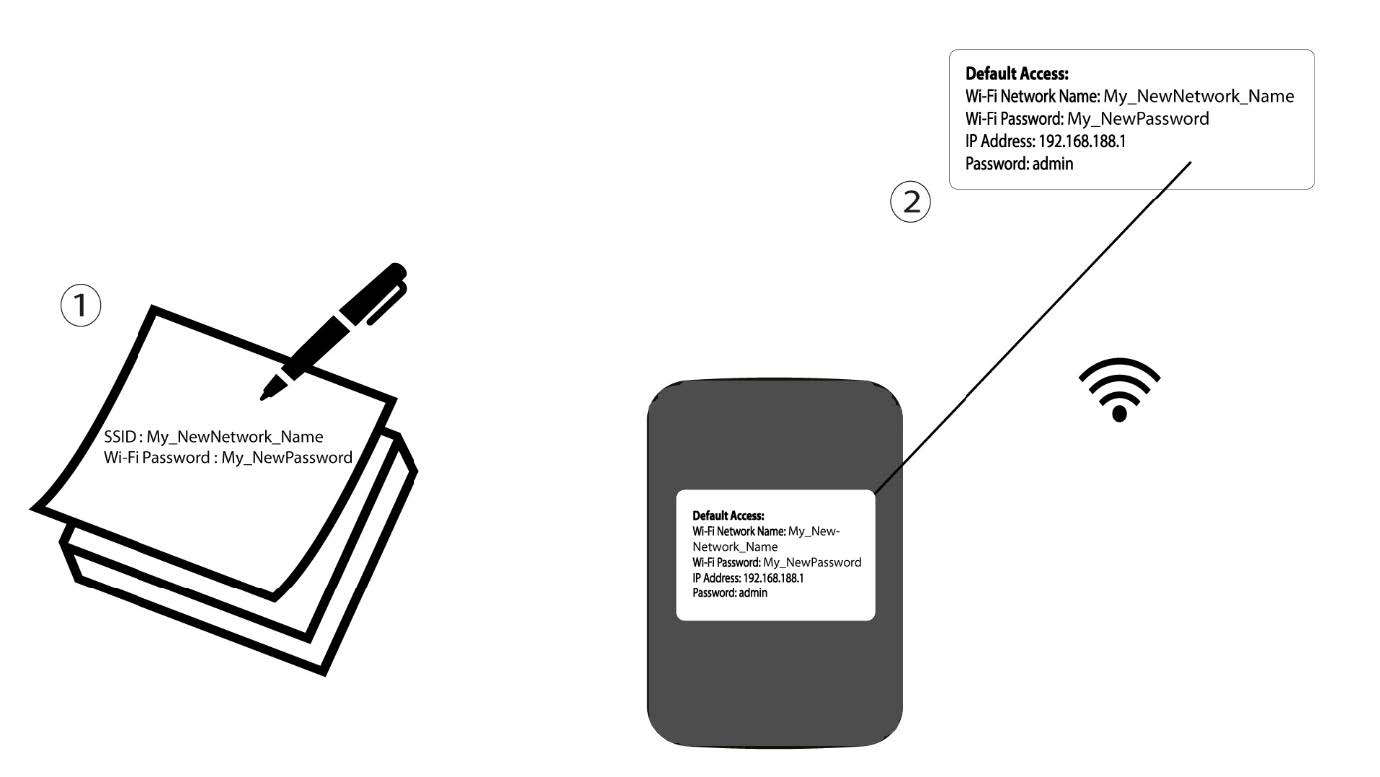
6 Zapišite nove podatke o mreži
Zapišite nove podatke o mreži na komad papira.
1 SLUČAJ 2: Postavke Wi-Fi mreže
Spojite se na Wi-Fi mrežu svog rutera.

2. Pregledajte IP adresu web sučelja
Zatim unesite sljedeću IP adresu: 192.168.188.1 u svoj preglednik.

3 Prijava
Morate unijeti Lozinku .

4 Wi-Fi postavke
Kliknite na Wi-Fi postavke u odjeljku Mrežne postavke.
5 Promjena lozinke
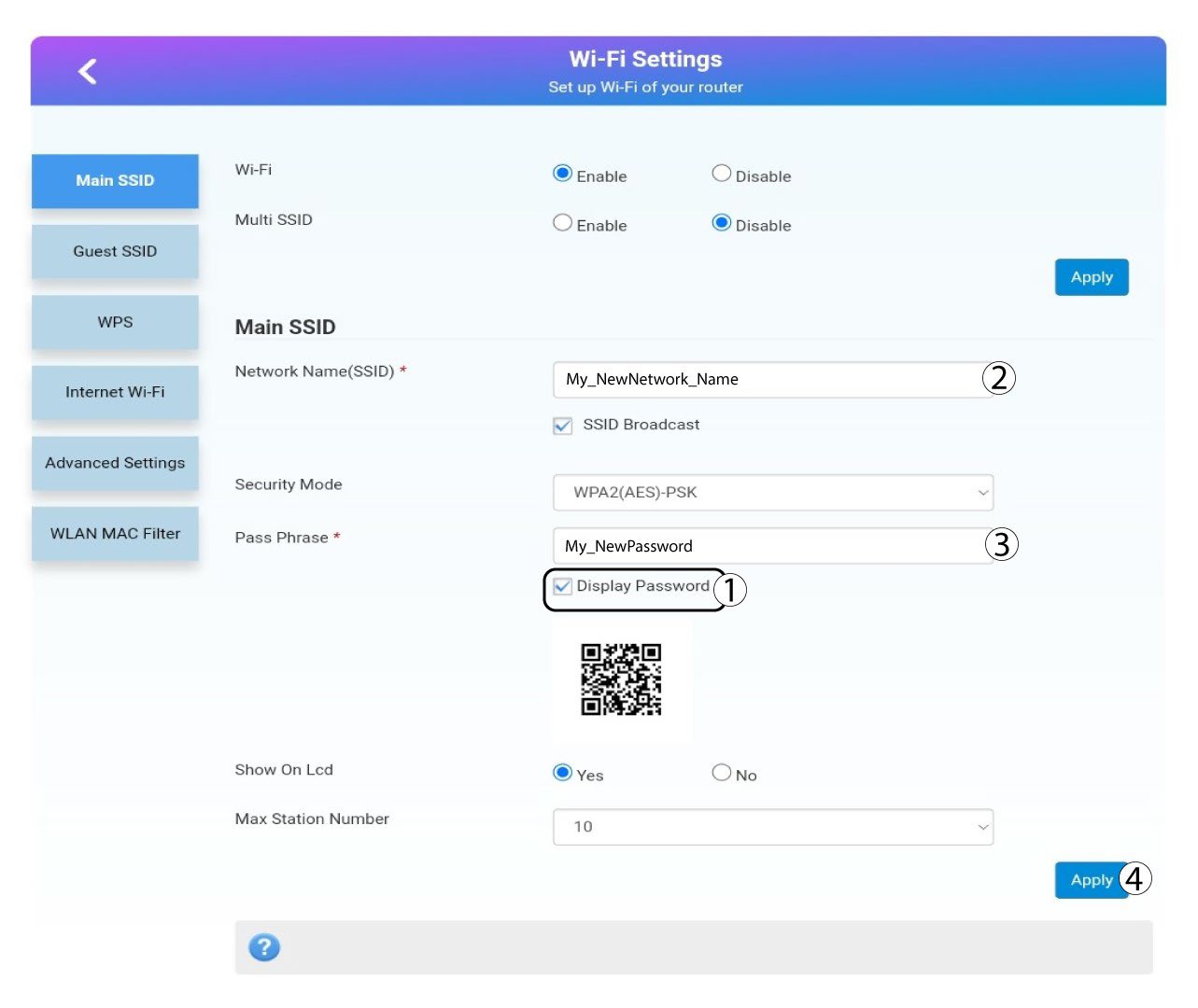
Klik prikaz lozinke i unesite sljedeće podatke prije nego što kliknete primijeniti:a. Unesite novi naziv mreže.b. Unesite novu lozinku za Wi-Fi.
6 Potvrda
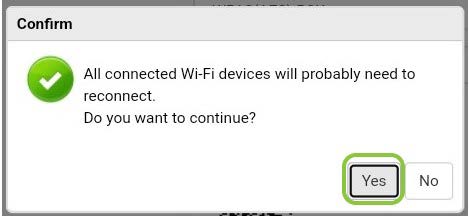
U skočnom prozoru s porukom kliknite Da da biste primijenili promjene.
7 Zapišite nove podatke o mreži
Zapišite nove podatke o mreži na komad papira.
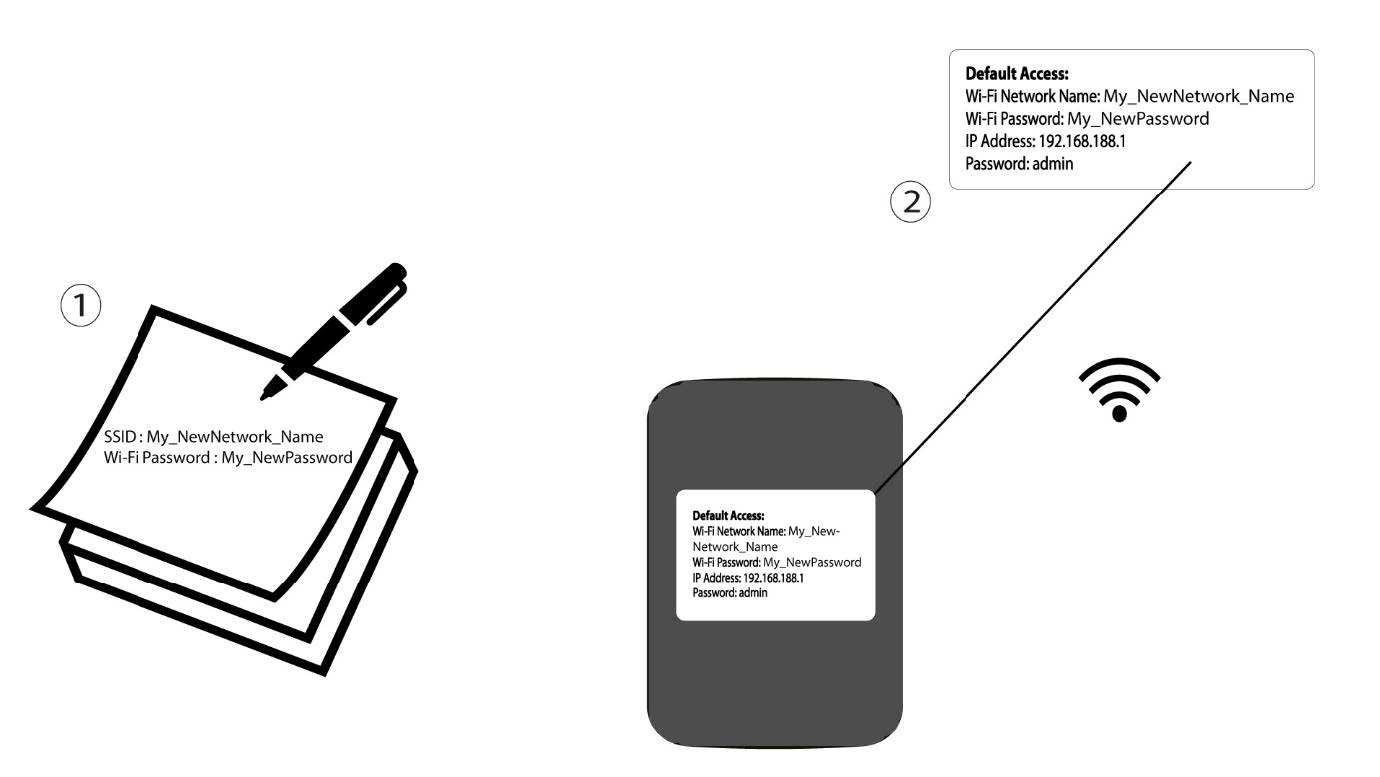

Upozorenje: Nakon promjene podataka o Wi-Fi mreži, svi uređaji koji su bili spojeni na mrežu automatski će se isključiti.