4G AIRSPOT 220 Mobilni Wi-Fi sa zaslonom
Nema pronađenih stavki.
Nema pronađenih stavki.
Sva pitanja
4G AIRSPOT 220 Mobilni Wi-Fi sa zaslonom
Nema pronađenih stavki.
Nema pronađenih stavki.
Kako ažuriram firmware uređaja
Kada ste spojeni na web-sučelje, morate provjeriti verziju firmvera koju koristi vaš uređaj pomoću opcije online nadogradnje na web-sučelju. Na taj će se način instalirati najnovija verzija firmvera.
Ako vaš usmjerivač nije ažuriran, pogledajte dolje navedeni postupak za ažuriranje firmvera.
1. Spojite se na Wi-Fi mrežu usmjerivača
- Za ažuriranje firmvera uređaja morate se povezati s Wi-Fi mrežom vašeg rutera.
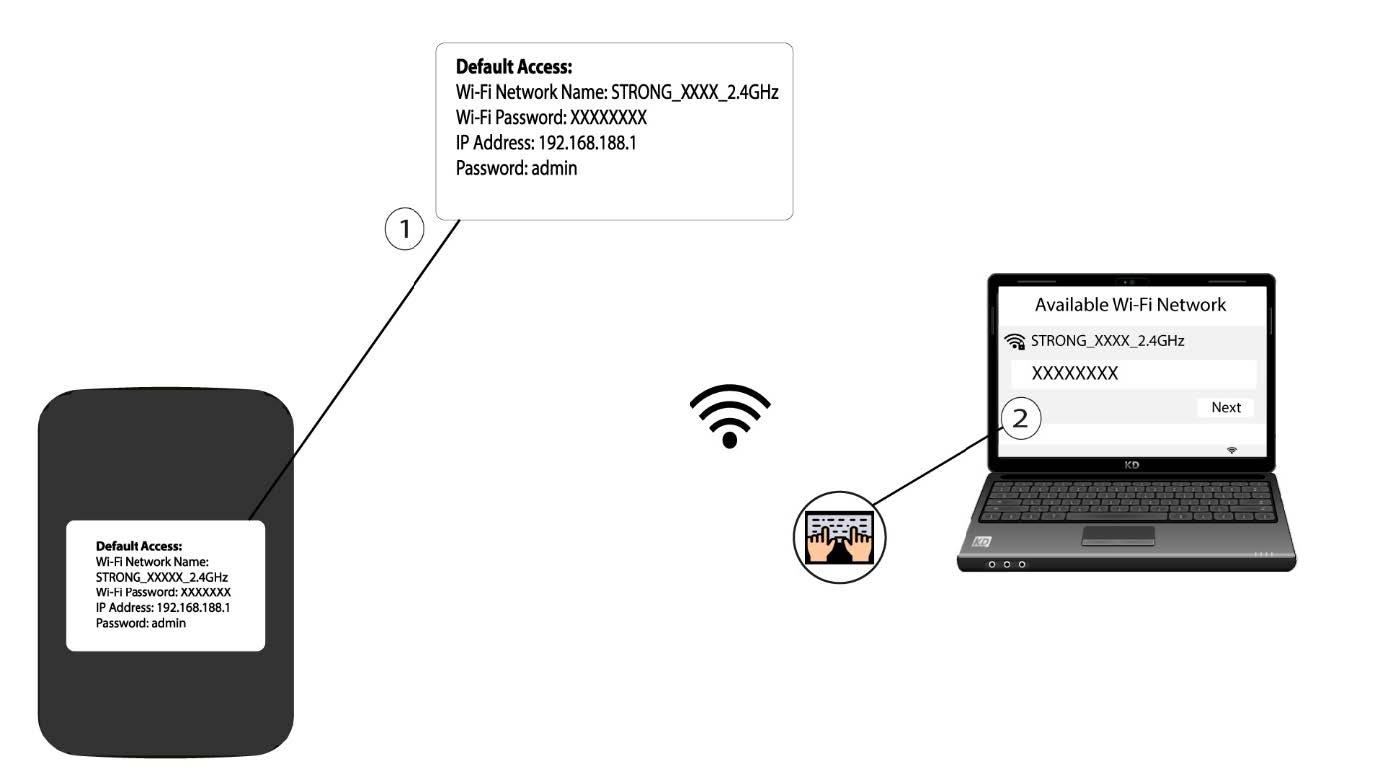
2. Pregledajte IP adresu web sučelja
Zatim unesite sljedeću IP adresu: 192.168.188.1 u svoj preglednik.

3 Pristupite stranici za prijavu
Morate unijeti Lozinku.

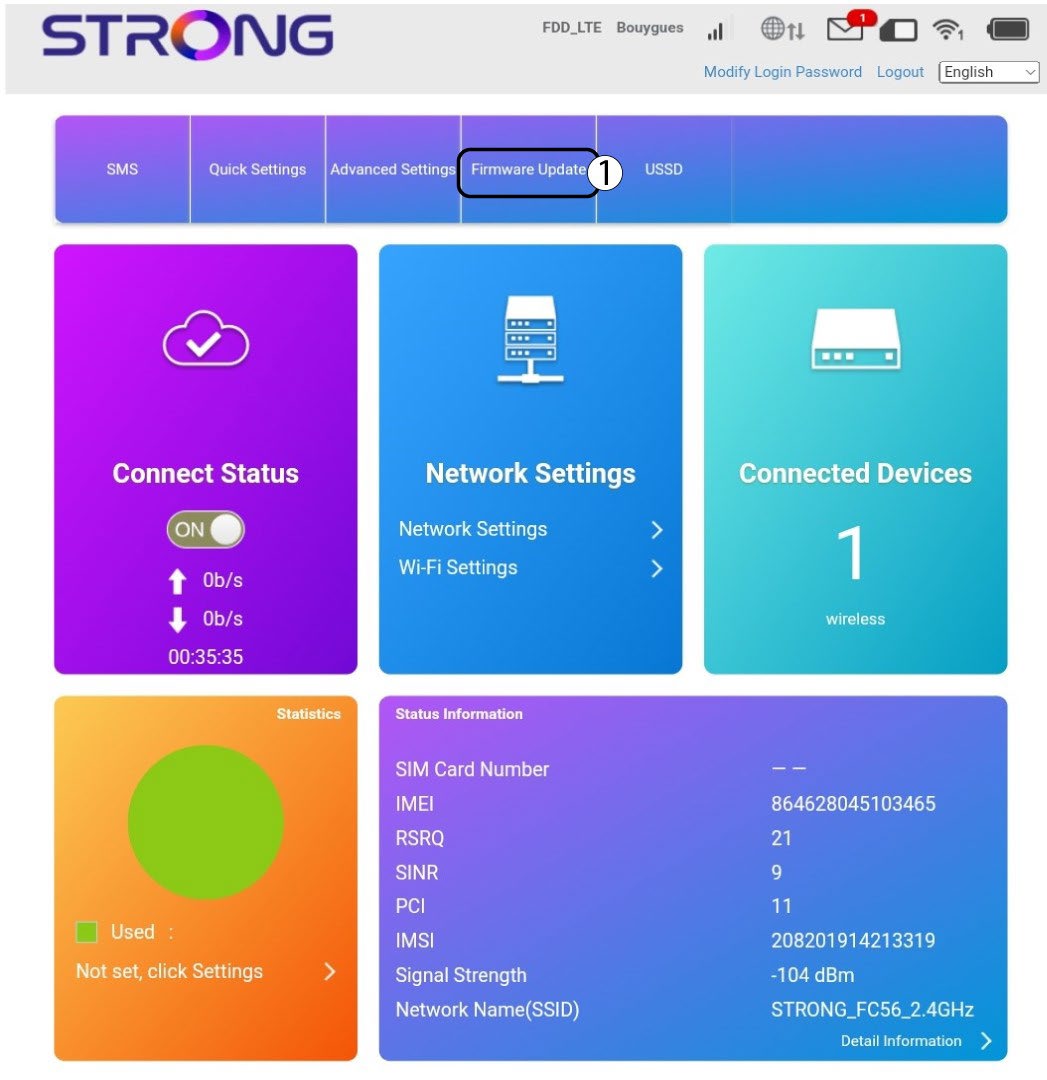
4 Ažuriranje
Kliknite Ažuriranje firmvera.
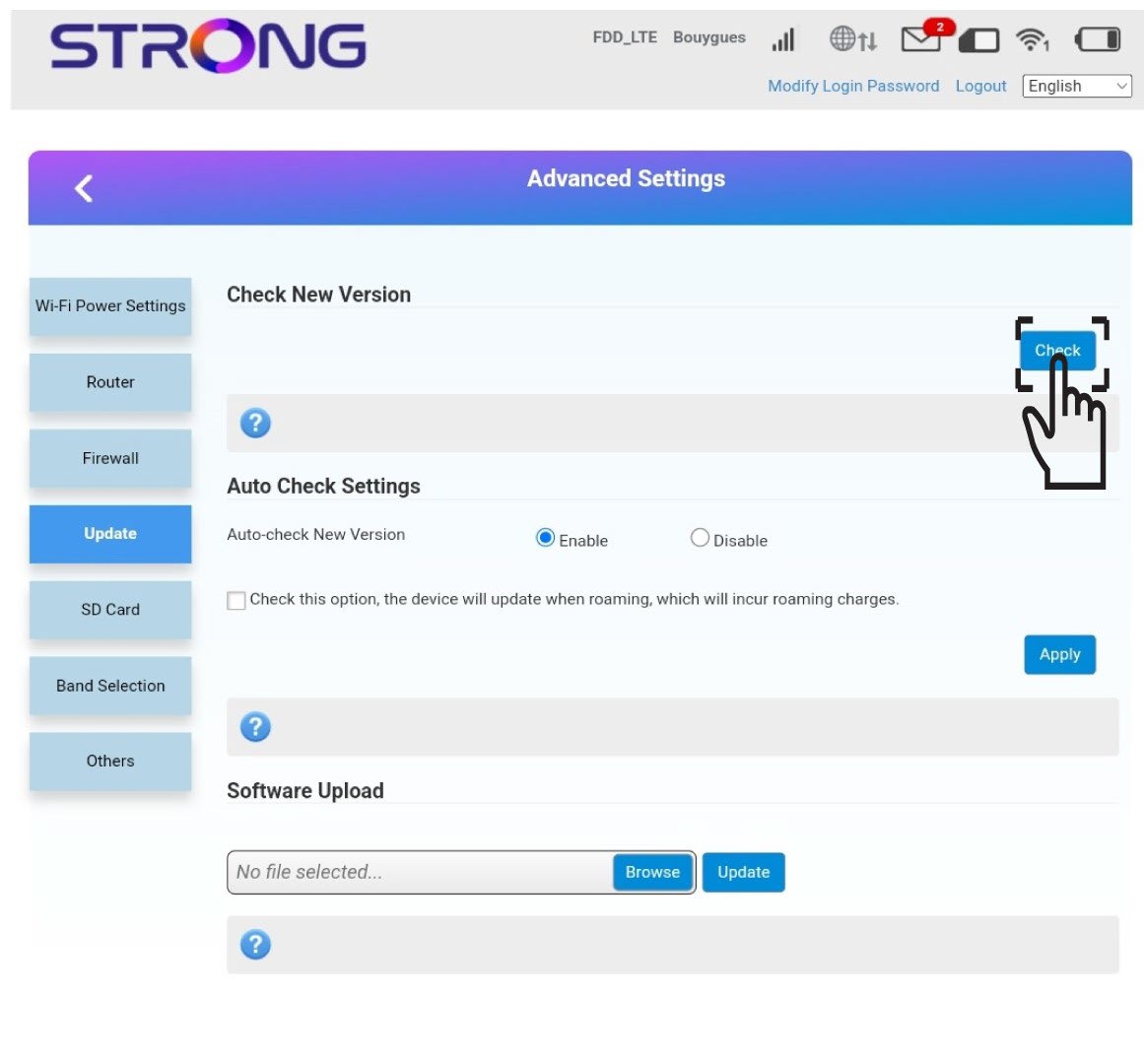
5 Provjerite ima li novih verzija
Kliknite Provjeri u odjeljku Provjeri novu verziju. Najnovija verzija softvera automatski će se preuzeti i morat ćete se ponovno povezati s Wi-Fi mrežom da biste unijeli PIN kôd.