
4G+ AIRSPOT 510 Mobilni Wi-Fi
Nema pronađenih stavki.
Nema pronađenih stavki.
Sva pitanja
4G+ AIRSPOT 510 Mobilni Wi-Fi
Nema pronađenih stavki.
Nema pronađenih stavki.
Kako mogu deaktivirati svoj PIN kod?
Nakon što umetnete SIM karticu i unesete PIN kod pomoću LCD zaslona Mi-Fi uređaja, PIN kod se automatski deaktivira.
Možete provjeriti je li PIN kod deaktiviran slijedeći sljedeće korake:
1 Pristupite web sučelju
Povežite se s web korisničkim sučeljem.
2. Idite na postavke PIN-a SIM kartice
Kliknite Internetske postavke, a zatim odaberite PIN kod SIM kartice.
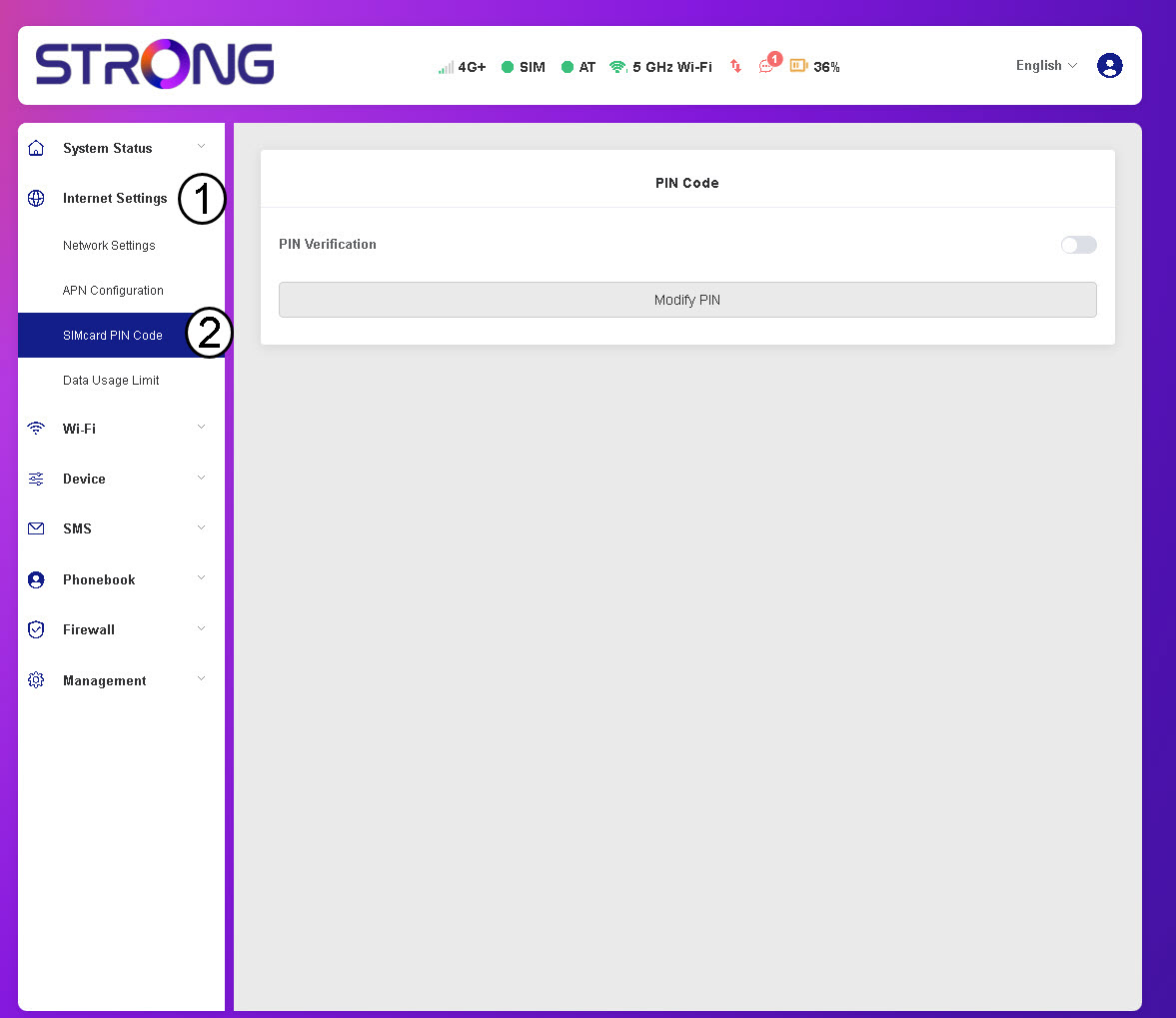
3. Provjerite status PIN-a
Provjerite je li prekidač za provjeru PIN-a sive boje, što znači da je PIN kod deaktiviran.
