ATRIA Wi-Fi 6 Mesh System 3000 (2-pakning)
Alle spørsmål
ATRIA Wi-Fi 6 Mesh System 3000 (2-pakning)
Hvordan kan jeg sette en statisk IP-adresse eller tildele en dedikert IP-adresse til Atria-en min Mesh AX3000-enhet?
Det kan være interessant å sette en statisk IP-adresse for deg mesh kontrolleren for å få enklere tilgang til webgrensesnittet på nettverket ditt i Atria Mesh app.
Du kan også tildele dedikerte IP-adresser til enhetene som er koblet til mesh nettverket i webgrensesnittet.
1 Tilfelle 1: Konfigurer en statisk IP-adresse for mesh kontrolleren i Atria Mesh App
Du må koble til Wi-Fi-nettverket til mesh på enheten din og åpne Atria-applikasjonen .

2 Skriv inn påloggingsinformasjonen din
Skriv inn brukernavn og passord (admin/admin) før du klikker på Logg inn.

3 Internett-innstillinger - Statisk
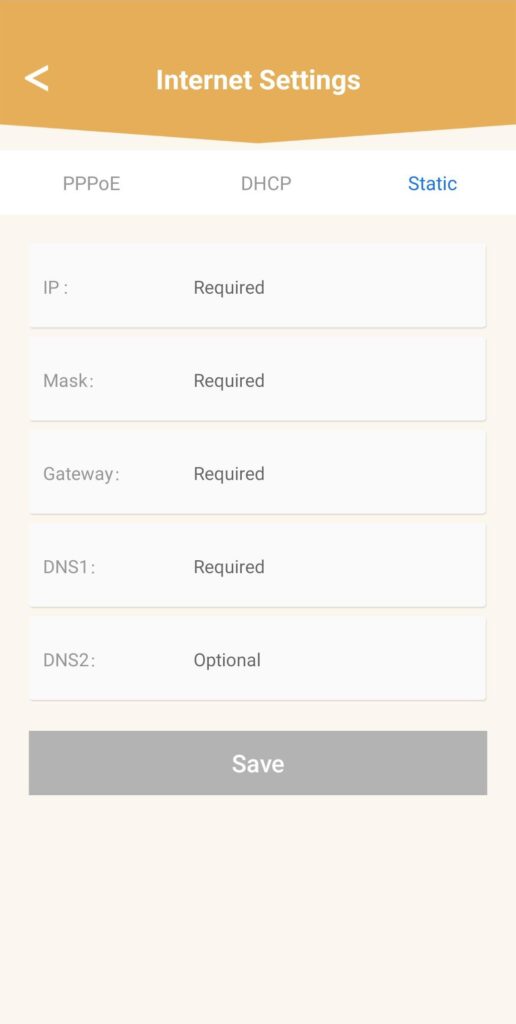
Klikk på Internett-innstillinger og Statisk . Du må angi følgende informasjon før du klikker på Lagre :
• IP: skriv inn IP-adressen du vil tilordne til mesh .
• Maske: feltet fylles ut automatisk basert på IP-adressen som ble angitt tidligere.
• Gateway: feltet fylles ut automatisk basert på IP-adressen som ble angitt tidligere.
• DNS1: Skriv inn hoved-DNS-adressen til tjenesteleverandøren til internettboksen din.
• DNS2: Skriv inn den sekundære DNS-adressen til tjenesteleverandøren til internettboksen din.
1 Tilfelle 2: Tildel en dedikert IP-adresse til din mesh agenter/enheter i nettgrensesnittet
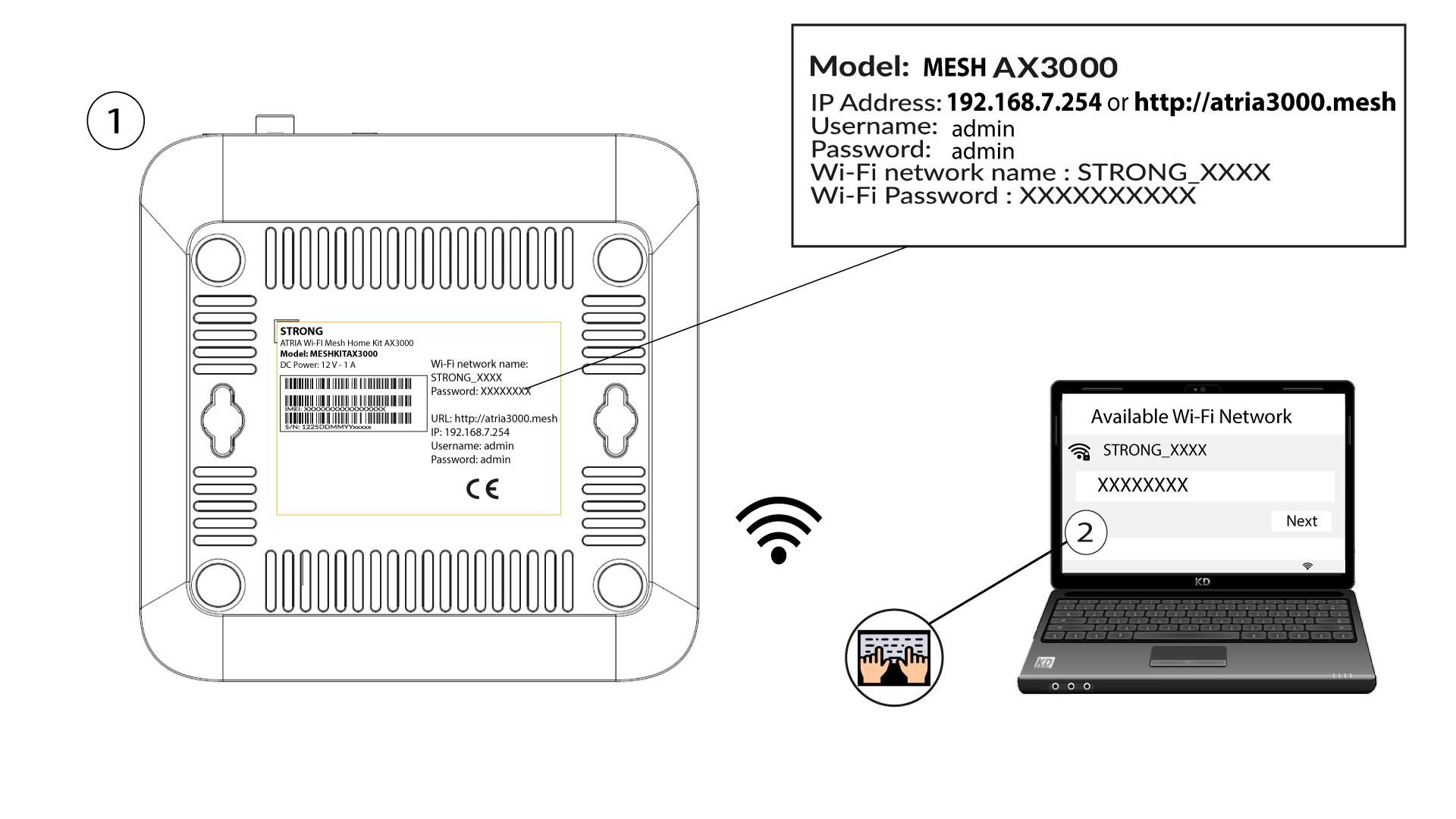
For å gjøre dette, skriv inn SSID-en (Wi-Fi-nettverksnavnet) og Wi-Fi-passordet til ruteren på enheten din:
2 Bla til IP-adressen for webgrensesnittet
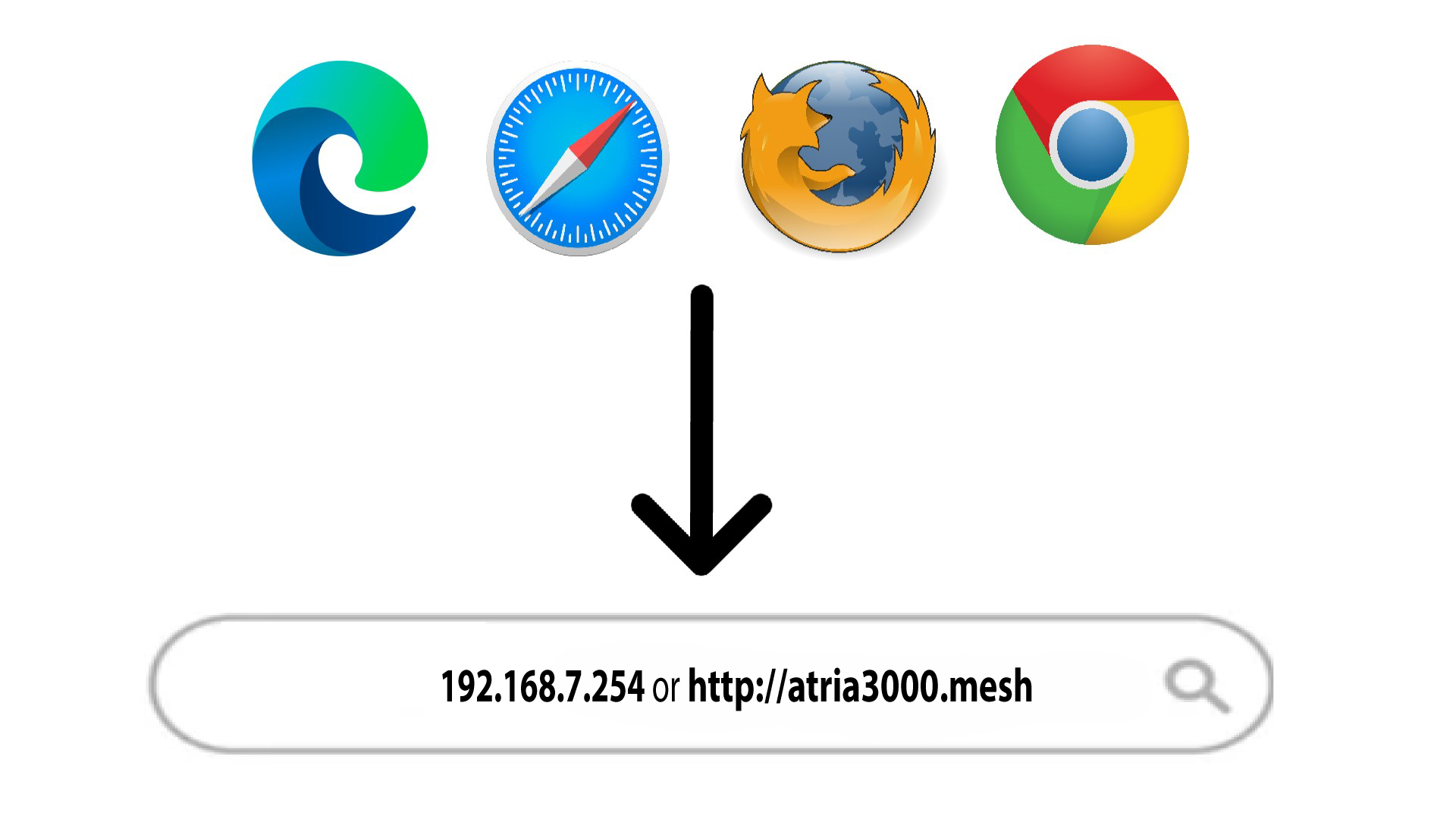
Skriv deretter inn følgende IP-adresse i nettleseren din: 192.168.7.254 eller skriv inn følgende adresse: http: mesh
3 Skriv inn påloggingsinformasjonen din
Du må oppgi brukernavn (admin) og passord (admin) (vær oppmerksom på at etter den første tilkoblingen oppretter du ditt personlige administratorpassord, noe som betyr at passordet som er skrevet på produktetiketten ikke lenger vil fungere). Klikk deretter på Logg inn .

4 IPv4-konfigurasjon
Klikk på Nettverk , LAN-konfigurasjon og IPv4-konfigurasjon.

5 Legg til en IPv4
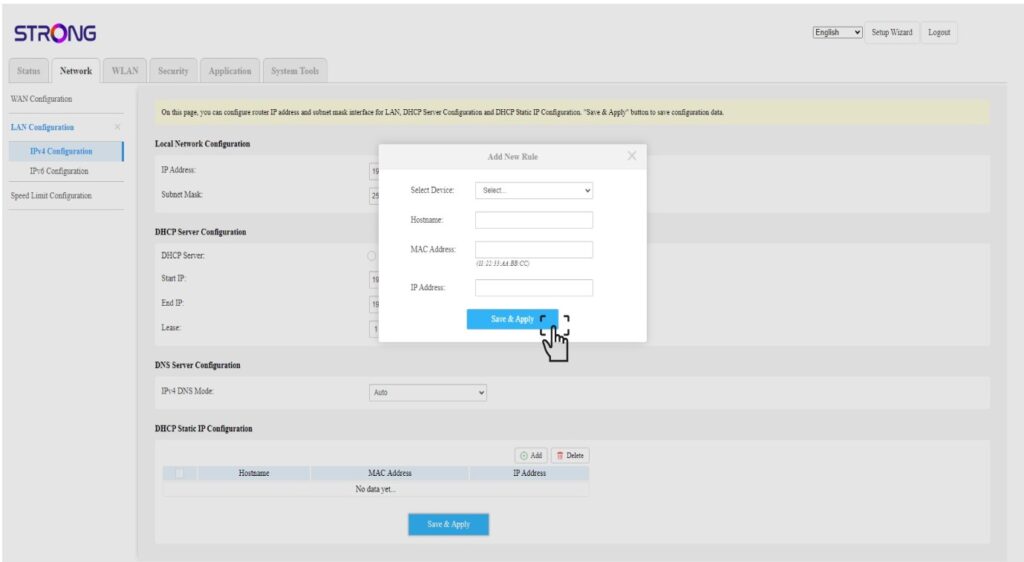
Klikk på Legg til i DHCP-konfigurasjonen for statisk IP . Skriv deretter inn følgende informasjon før du klikker på Lagre og bruk .
• Velg enhet : velg enhetsnavnet i listen.
• Vertsnavn : feltet fylles automatisk ut med enhetsnavnet.
• MAC-adresse : feltet fylles automatisk ut med enhetens MAC-adresse.
• IP-adresse : feltet fylles automatisk ut med den statiske IP-adressen som er tildelt enheten.