
4G AIRHOME 310 med avtakbare 4G-antenner
Ingen gjenstander funnet.
Ingen gjenstander funnet.
Alle spørsmål
4G AIRHOME 310 med avtakbare 4G-antenner
Ingen gjenstander funnet.
Ingen gjenstander funnet.
Hvordan deaktiverer jeg Wi-Fi?
Hvis du foretrekker å bruke ruteren din ved å koble den direkte til enheten din med en Ethernet-kabel, er det mulig å deaktivere Wi-Fi.
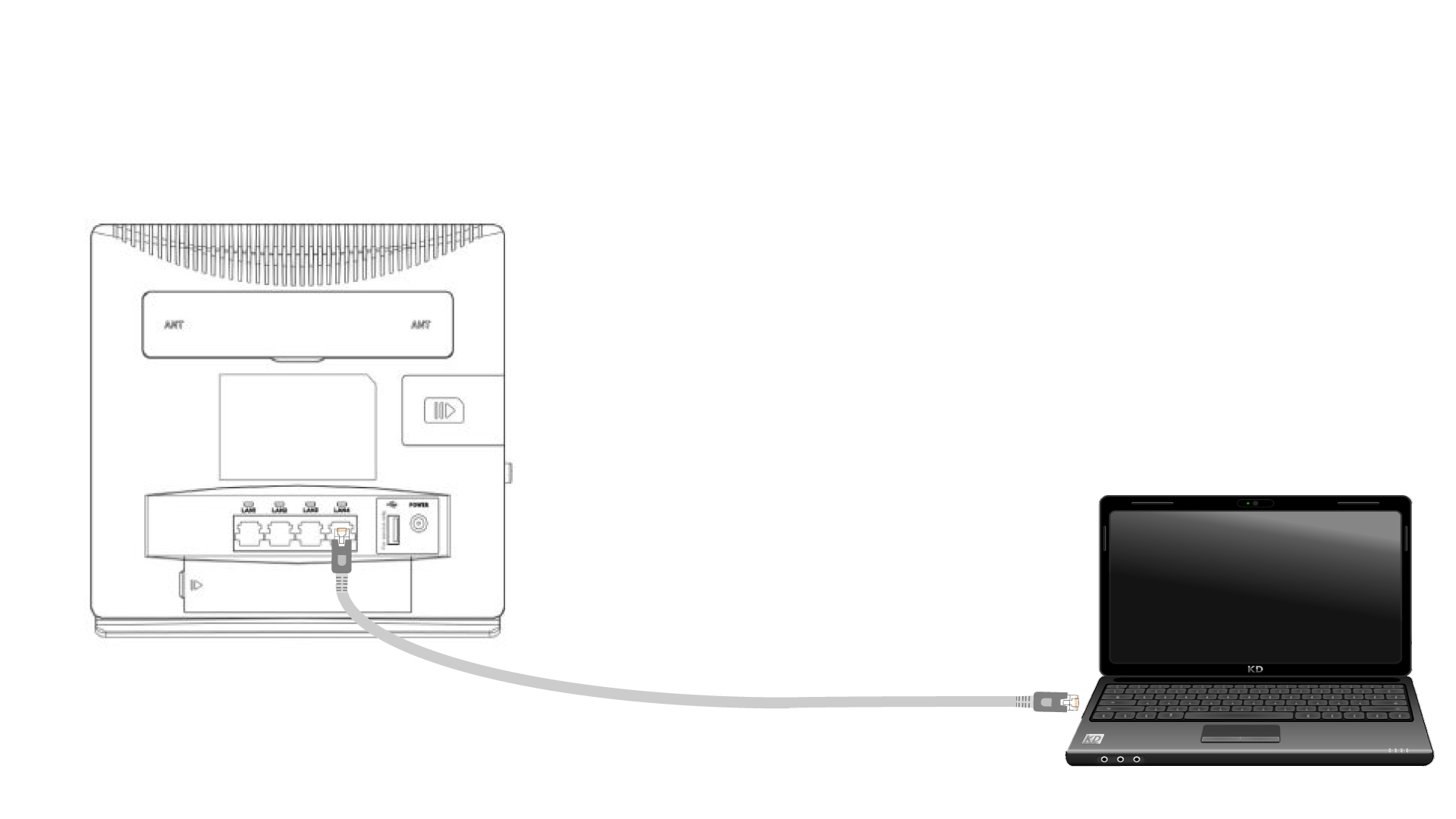
1 Koble til ruteren med en Ethernet-kabel
Koble en RJ45-kabel til ruteren for å få tilgang til webgrensesnittet, følg prosedyren nedenfor for å koble til webgrensesnittet (etter trinn 2):
2 Wi-Fi-innstillinger
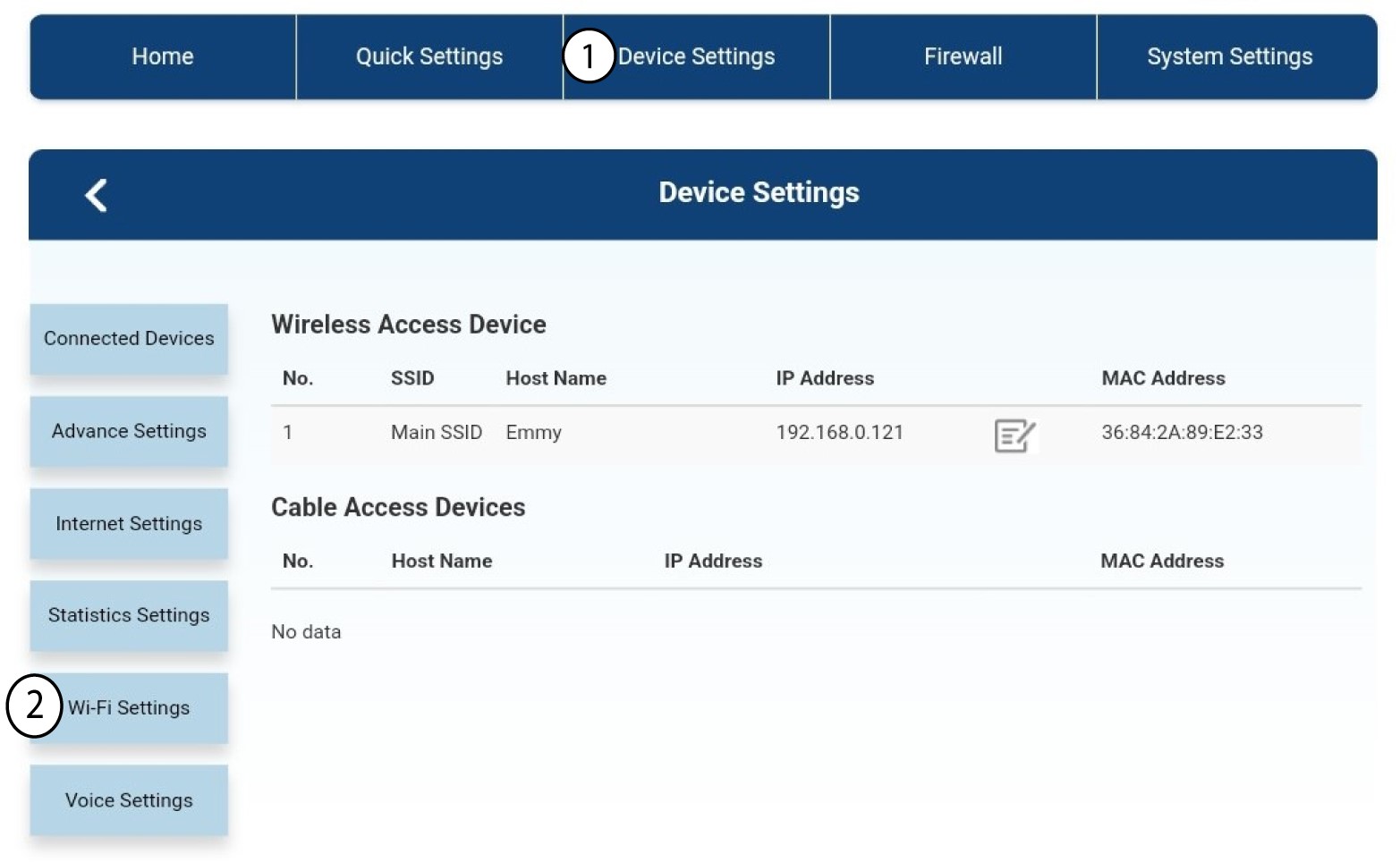
Klikk deretter på Enhetsinnstillinger , og velg deretter Wi-Fi-innstillinger .
3 Deaktiver Wi-Fi
I Wi-Fi-innstillinger velger du Wi-Fi Switch Klikk deretter på Deaktivert -boksen og deretter på Bruk -knappen.
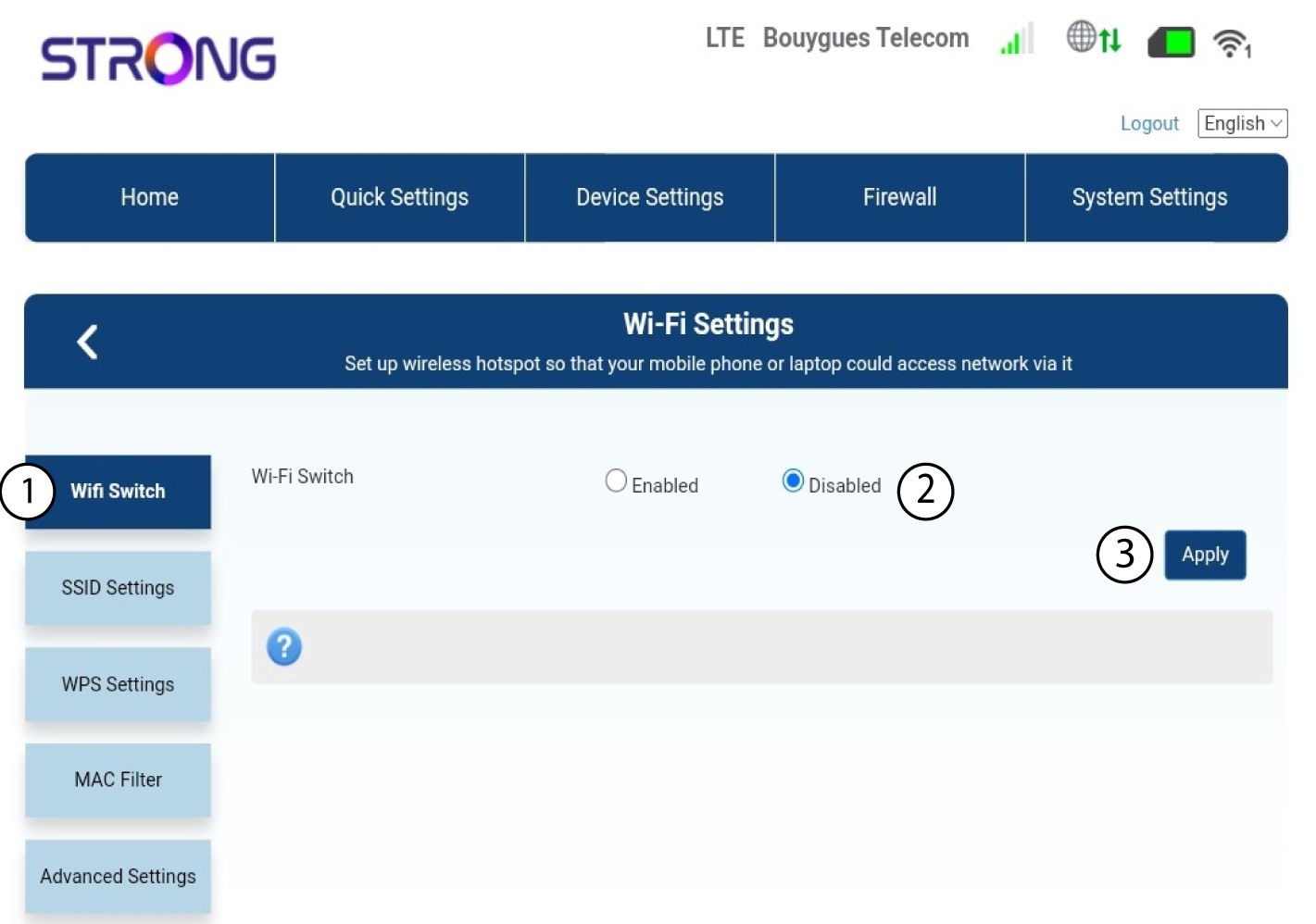

Ruterens Wi-Fi-nettverk er deaktivert. Alle enheter som tidligere var koblet til nettverket, kobles automatisk fra. For å aktivere Wi-Fi på nytt, må du gå inn i nettgrensesnittet, eller du kan gjenopprette ruteren til fabrikkinnstillingene.