
4G AIRHOME 310 med avtakbare 4G-antenner
Ingen gjenstander funnet.
Ingen gjenstander funnet.
Alle spørsmål
4G AIRHOME 310 med avtakbare 4G-antenner
Ingen gjenstander funnet.
Ingen gjenstander funnet.
Hvilken type SIM-kort kan jeg sette inn i ruteren min?
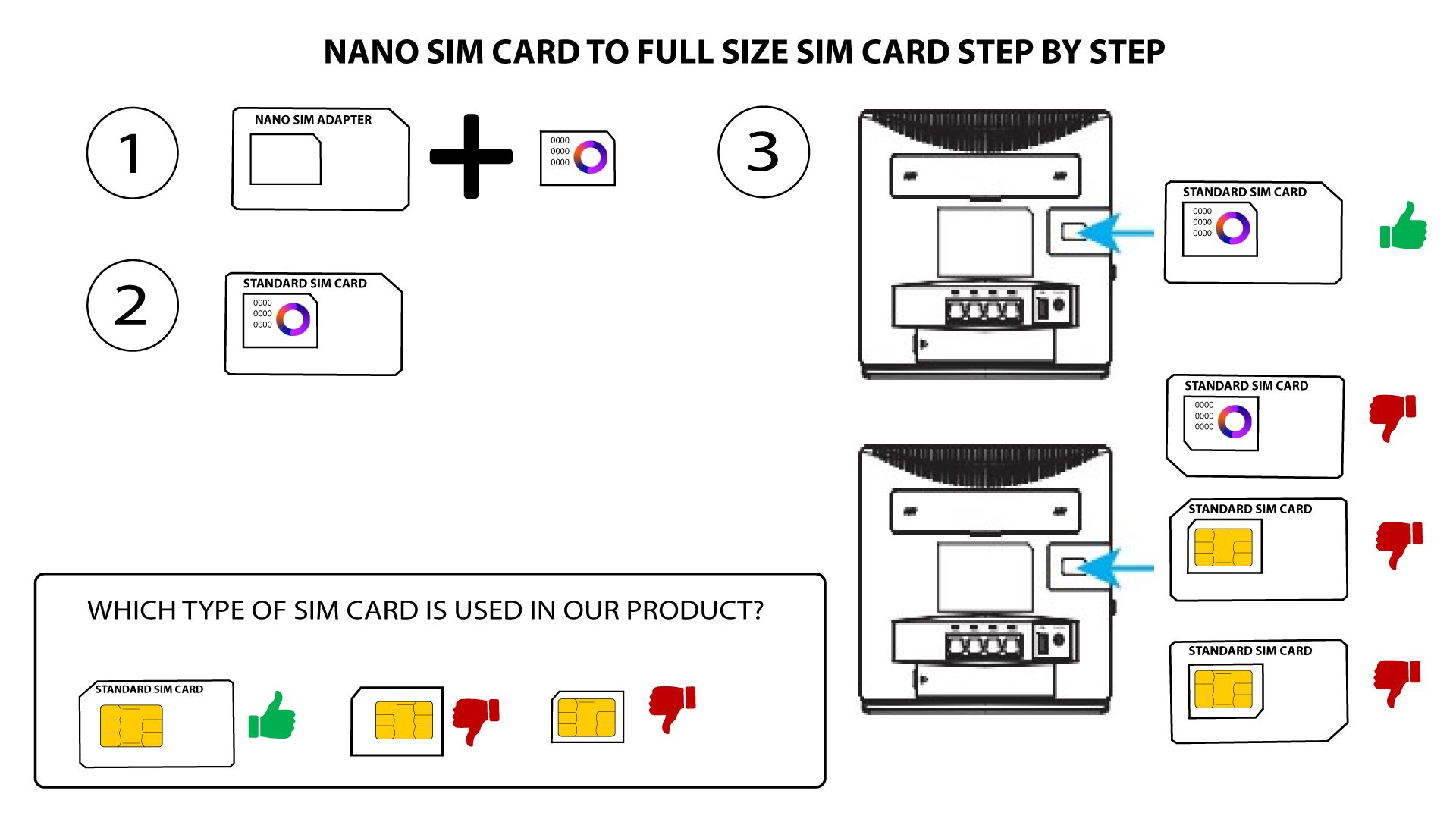
Et SIM-kort i full størrelse må settes inn i SIM-kortsporet på 4G LTE Router 300. Du trenger ikke å bekymre deg for størrelsen på SIM-kortet, da det følger med adaptere i ruterpakken for å få riktig størrelse. Du må sette inn SIM-kortet før du slår på enheten.
1 Tilfelle 1: Nano-SIM-kort
Når du har satt SIM-kortet inn i adapteren, fortsetter du å trykke på SIM-kortet i adapteren for å holde det inne. Ta enheten i hånden og sett SIM-kortet inn i sporet i samme posisjon som vist på skjemaet nedenfor.
2 TILFELL 2: Mikro-SIM-kort
Når du har satt SIM-kortet inn i adapteren, fortsetter du å trykke på SIM-kortet i adapteren for å holde det inne. Ta enheten i hånden og sett SIM-kortet inn i sporet i samme posisjon som vist på skjemaet nedenfor.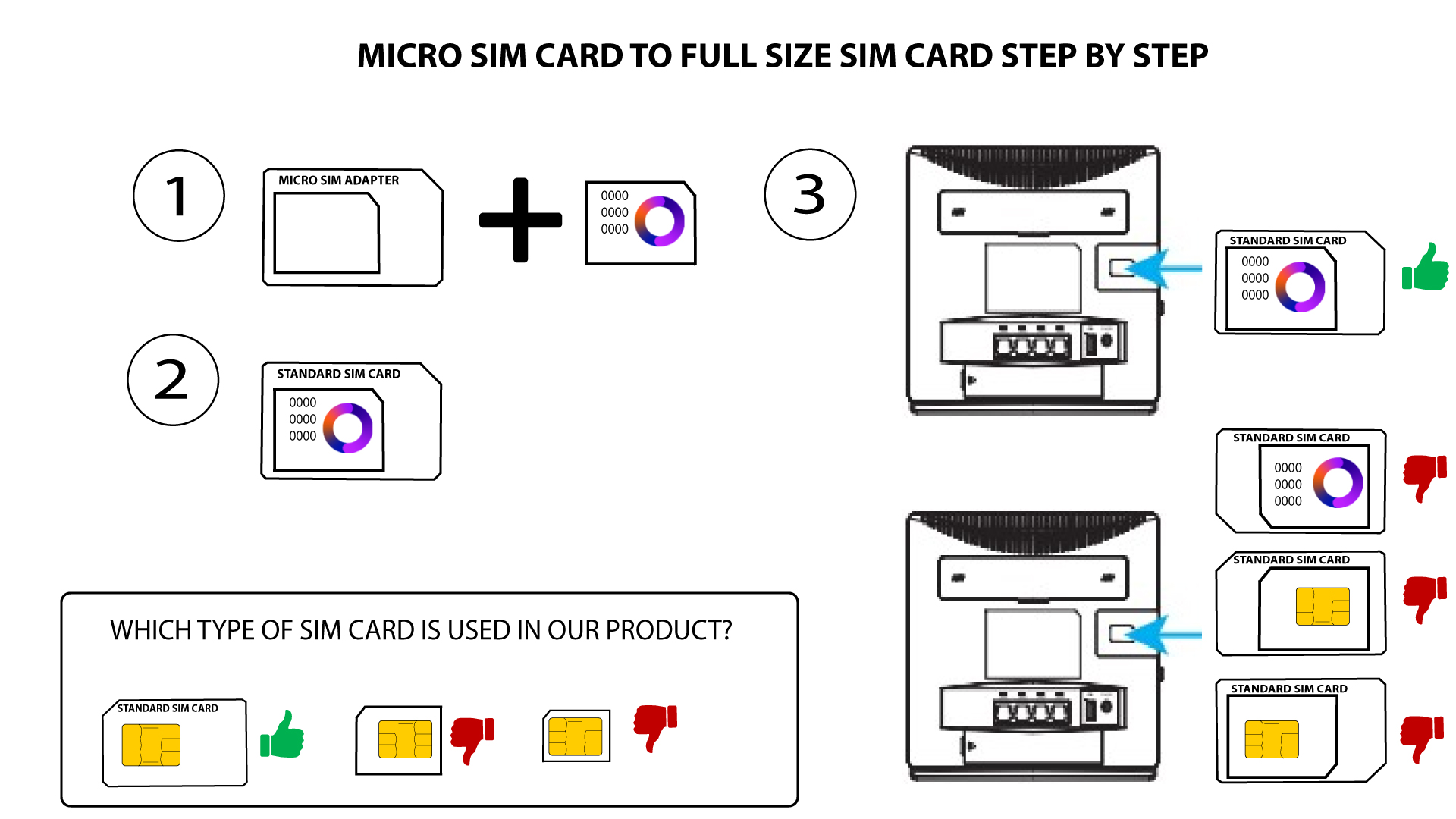

Sørg for at SIM-kortet er riktig plassert i adapteren før du setter det inn i sporet.
• Hvis SIM-kortet ikke oppdages av enheten, må du sjekke plasseringen og om du har satt inn adapteren riktig vei.