Mesh ATRIA Wi-Fi 6 Mesh 3000 (pakiet 2 szt.)
Wszystkie pytania
Mesh ATRIA Wi-Fi 6 Mesh 3000 (pakiet 2 szt.)
Czy mogę skonfigurować sieć dla gości w mojej sieci „ Mesh ”? (Przypadek 2: aplikacja Atria)
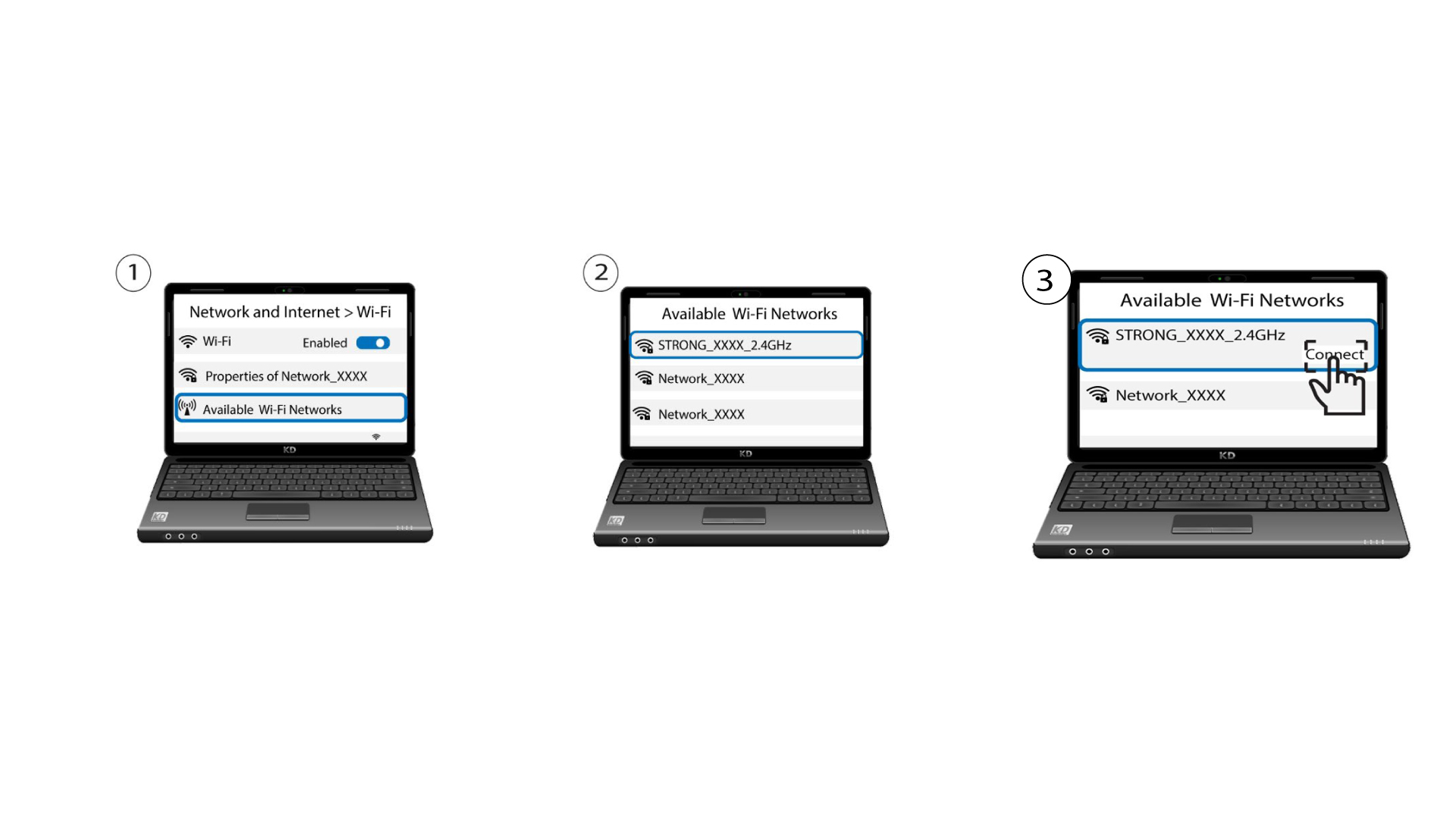
Aby uzyskać dostęp do interfejsu użytkownika w sieci Web, należy połączyć się z siecią Wi-Fi urządzenia po podłączeniu kabla RJ45 do portu WLAN urządzenia oraz routera internetowego.
1. Przypadek2: Aplikacja Atria
Pobierz aplikację na smartfony„ATRIA MESH ” ze sklepu App Store lub Google Play.

2. Wprowadźswoje dane logowania
Następnie musisz połączyć się smartfonem z siecią Wi-Fi urządzenia Mesh , a potem zalogować się do aplikacji przy użyciu danych logowania, które powinny brzmieć„admin” i„admin”, o ile ich nie zmieniłeś.

3. Sieć Wi-Fi dla gości
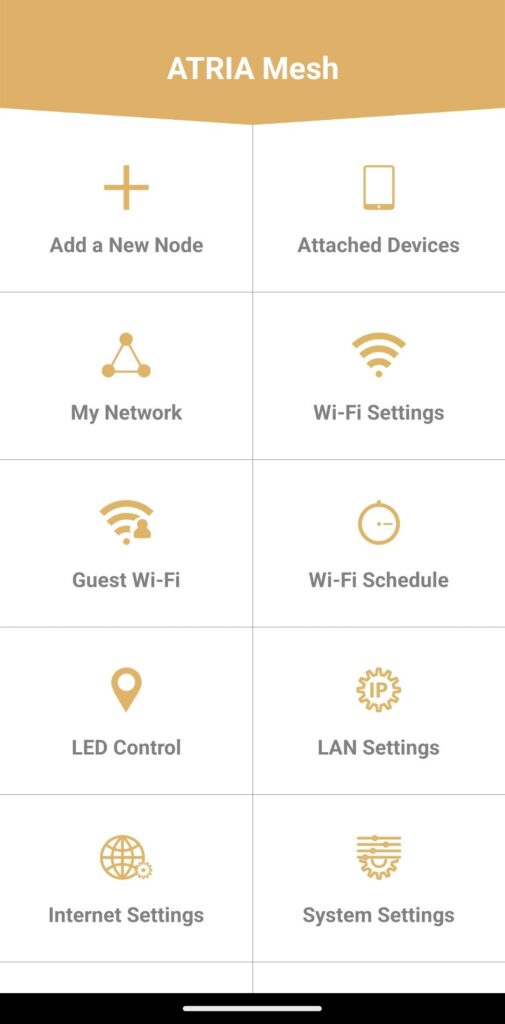
Jesteś teraz na stronie głównej – kliknij opcję „Wi-Fi dla gości”.
4. Skonfigurujsieć Wi-Fi dla gości
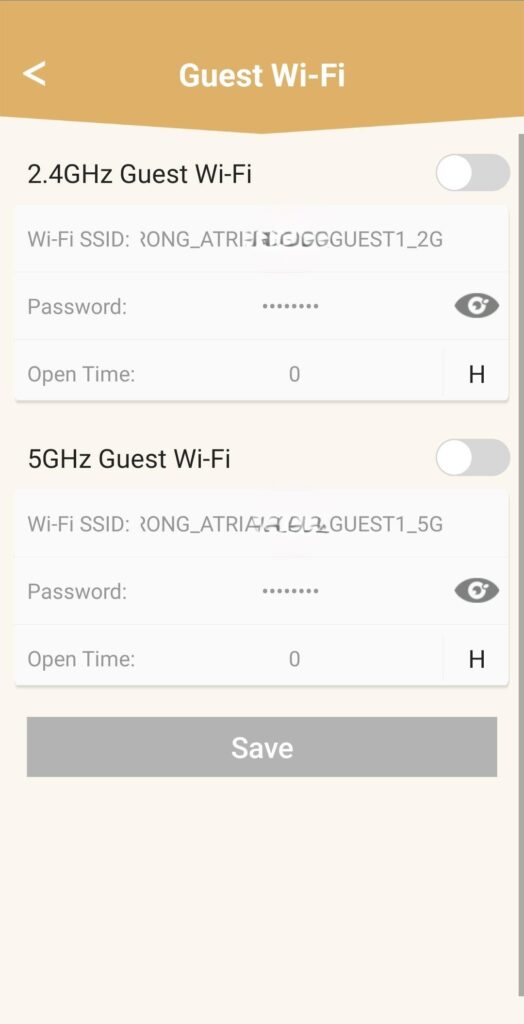
W tym miejscu możesz dodać sieć Wi-Fi dla gości działającą w paśmie 2,4 GHz lub 5 GHz.
• Naciśnij przycisk przełączający obok wybranej sieci.
• Ustaw unikalny identyfik ator SSID (nazwę sieci Wi-Fi) oraz unikalne hasło.
• Następnie w sekcji „Godziny otwarcia” możesz wybrać harmonogram określający, w jakich godzinach sieć Wi-Fi dla gości ma być aktywna, a w jakich nie .
• Kliknij „Zapisz”.
5. Sprawdźnową sieć Wi-Fi
Nowa sieć dla gości jest teraz widoczna na liście sieci Wi-Fi na Twoich urządzeniach.