Mesh ATRIA Wi-Fi 6 Mesh 3000 (pakiet 2 szt.)
Wszystkie pytania
Mesh ATRIA Wi-Fi 6 Mesh 3000 (pakiet 2 szt.)
Jak skonfigurować sieć Wi-Fi w telefonie mesh ?

Ostrzeżenie: Aby skonfigurować sieć „ Mesh ”, należy zapoznać się z skróconą instrukcją obsługi ( QIG) dołączoną do opakowania produktu.
Należy pamiętać, że operację tę należy powtórzyć dla każdego urządzenia typu „ Mesh ”, które chcesz dodać do sieci typu „ Mesh ”.
1Przypadek1: Przycisk WPS
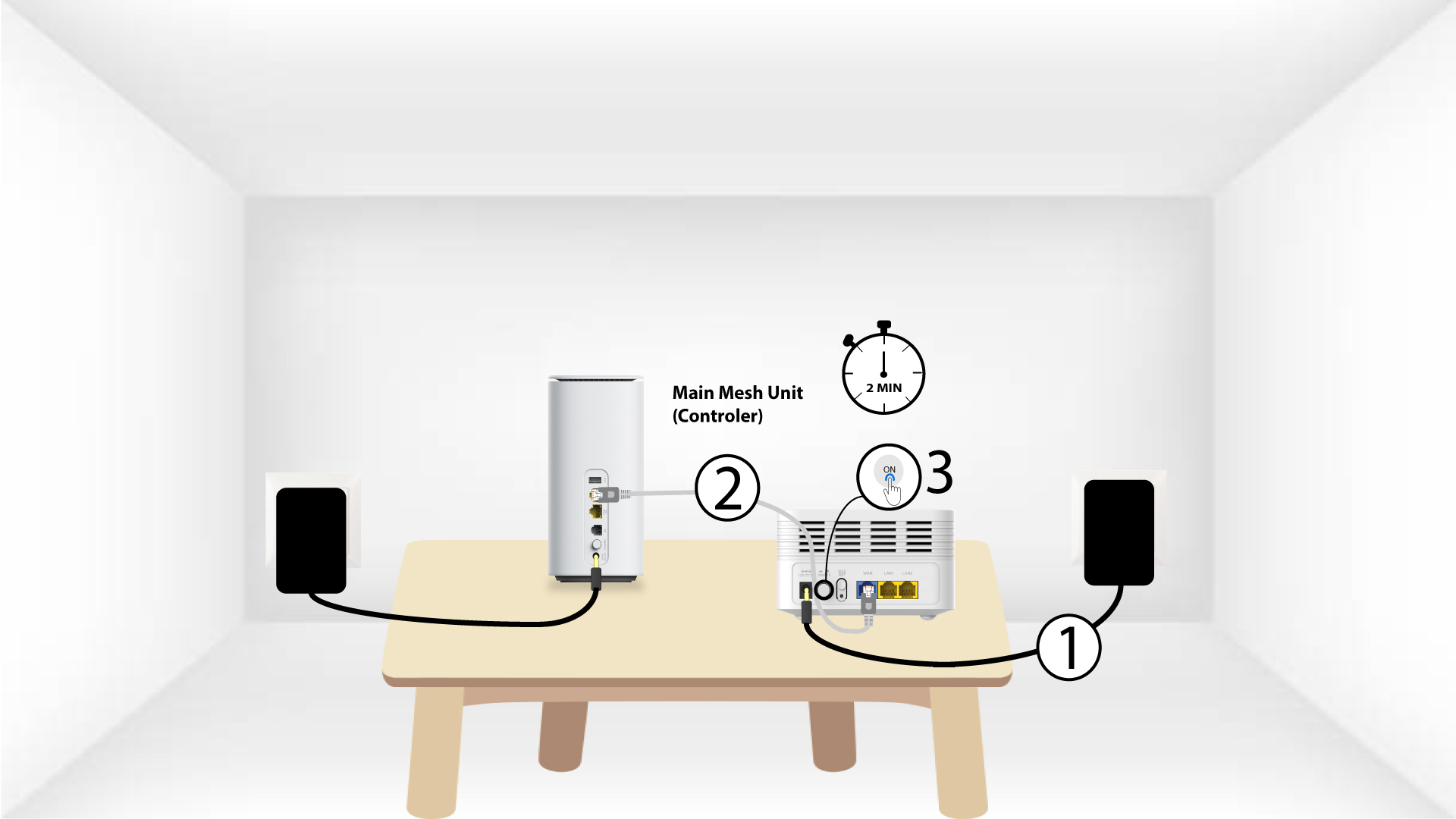
Przed naciśnięciem przycisku zasilania należy podłączyć urządzenie „Mesh ” do zasilania i połączyć je z modemem za pomocą kabla RJ45.
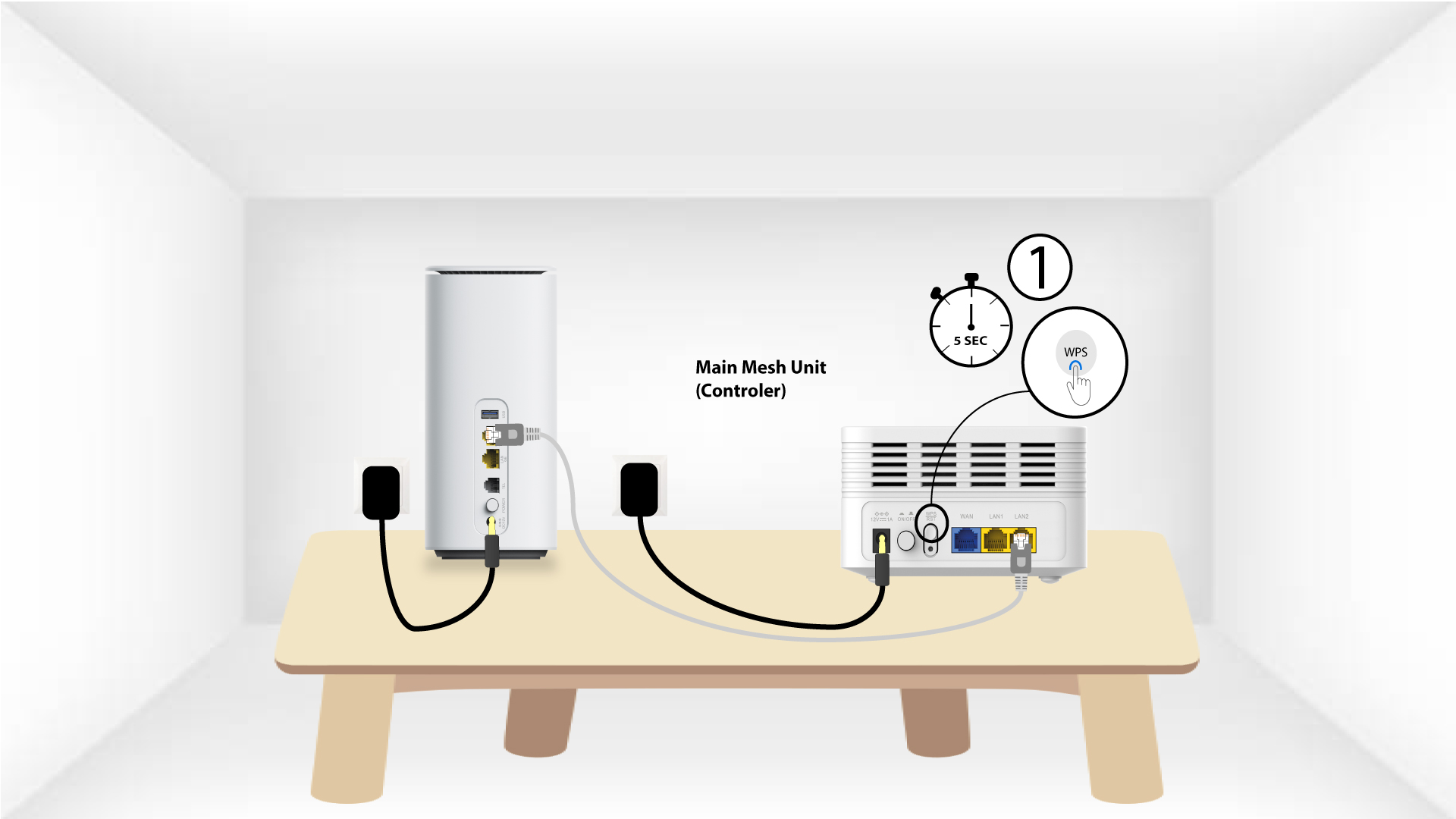
2Main Mesh WPS
Naciśnij i przytrzymaj przez 5 sekund przycisk WPS na urządzeniu mesh , podłączonym do modemu .
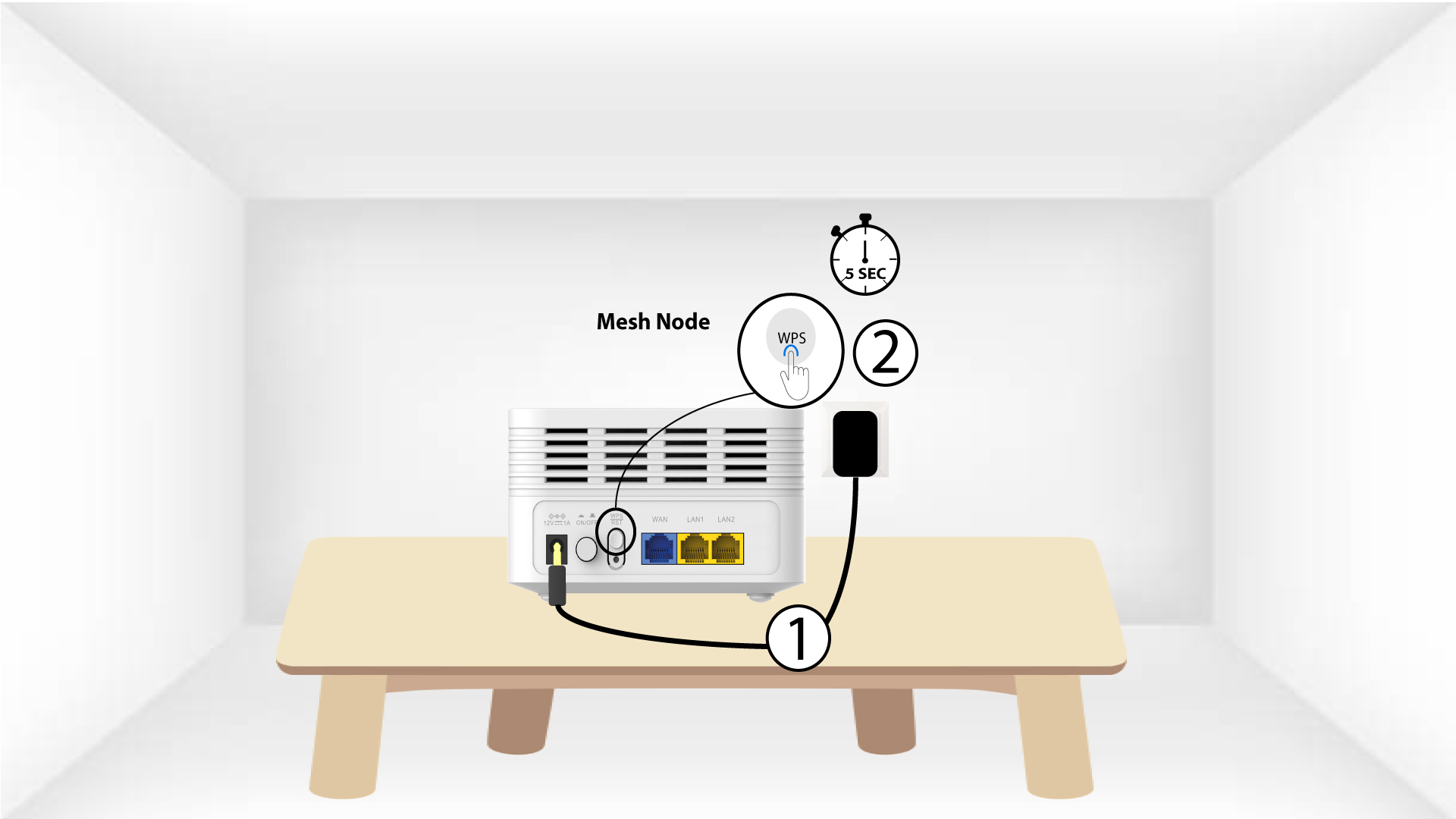
Urządzenie 3Second Mesh z funkcją WPS
Podłącz drugie urządzenie „ Mesh ” do gniazdka i naciśnij przycisk WPS na 5 sekund.
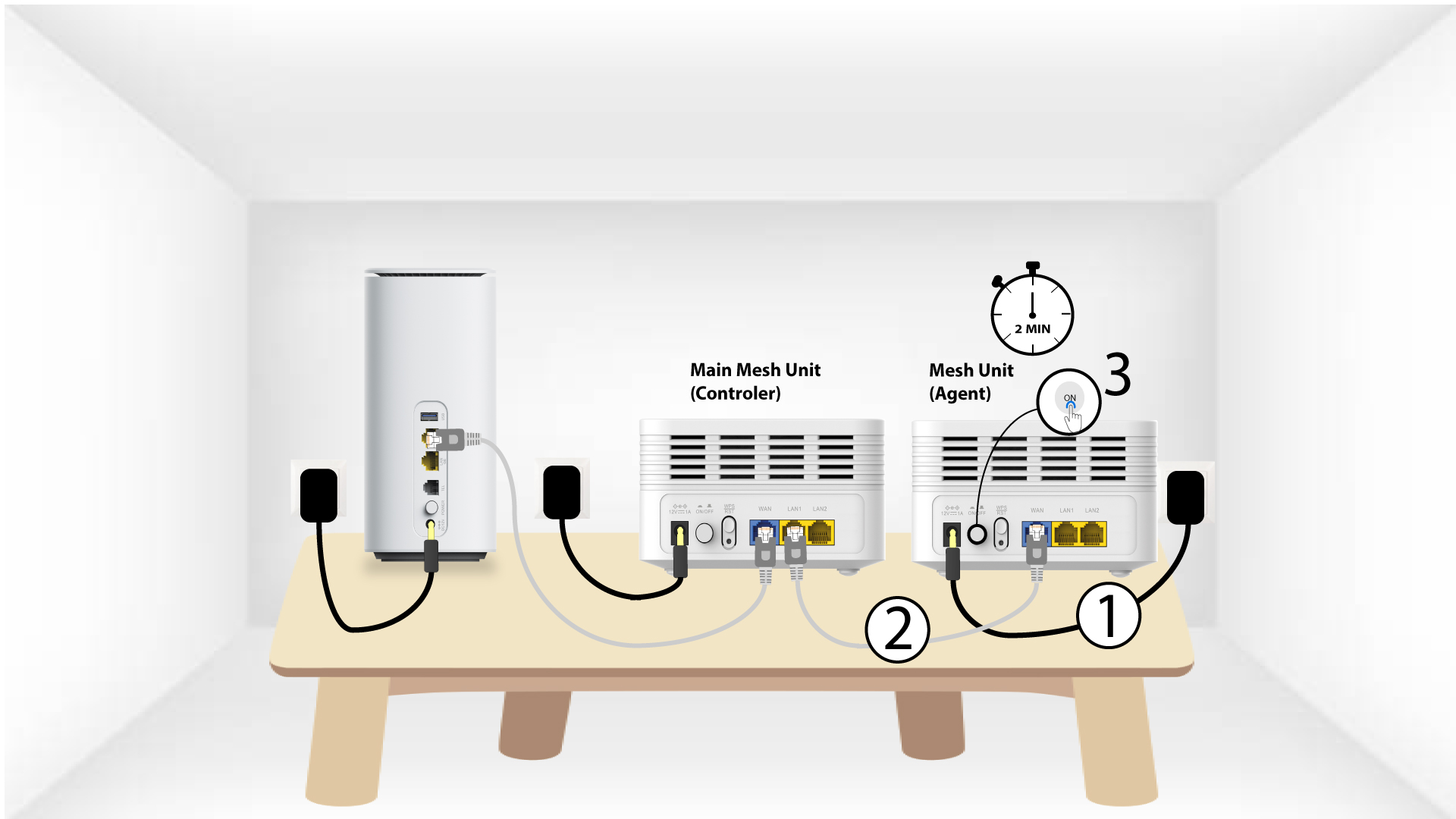
1Przypadek2: Kabel Ethernet (RJ45)
Przed naciśnięciem przycisku zasilania należy podłączyć urządzenie „Mesh ” do zasilania oraz połączyć je z modemem za pomocą kabla RJ45 podłączonego do portu WLAN .
2.Kabel Ethernetpodłączony do portów LAN obu urządzeń Mesh
Podłącz główny moduł „ Mesh ” (kontroler) do modułu „ Mesh ” (agent) za pomocą złącza RJ45 w obu portach LAN obu urządzeń Mesh.