Mesh ATRIA Wi-Fi 6 Mesh 3000 (pakiet 2 szt.)
Nie znaleziono żadnych elementów.
Nie znaleziono żadnych elementów.
Wszystkie pytania
Mesh ATRIA Wi-Fi 6 Mesh 3000 (pakiet 2 szt.)
Nie znaleziono żadnych elementów.
Nie znaleziono żadnych elementów.
Jak mogę sprawdzić adresy IP poszczególnych urządzeń Mesh w mojej sieci?
Aby znaleźć adresy IP poszczególnych urządzeń Mesh w sieci, należy najpierw połączyć się z interfejsem użytkownika (Web UI) lub aplikacją, będąc podłączonym do sieci Mesh .
1Przypadek1: Interfejs użytkownika w sieci WWW
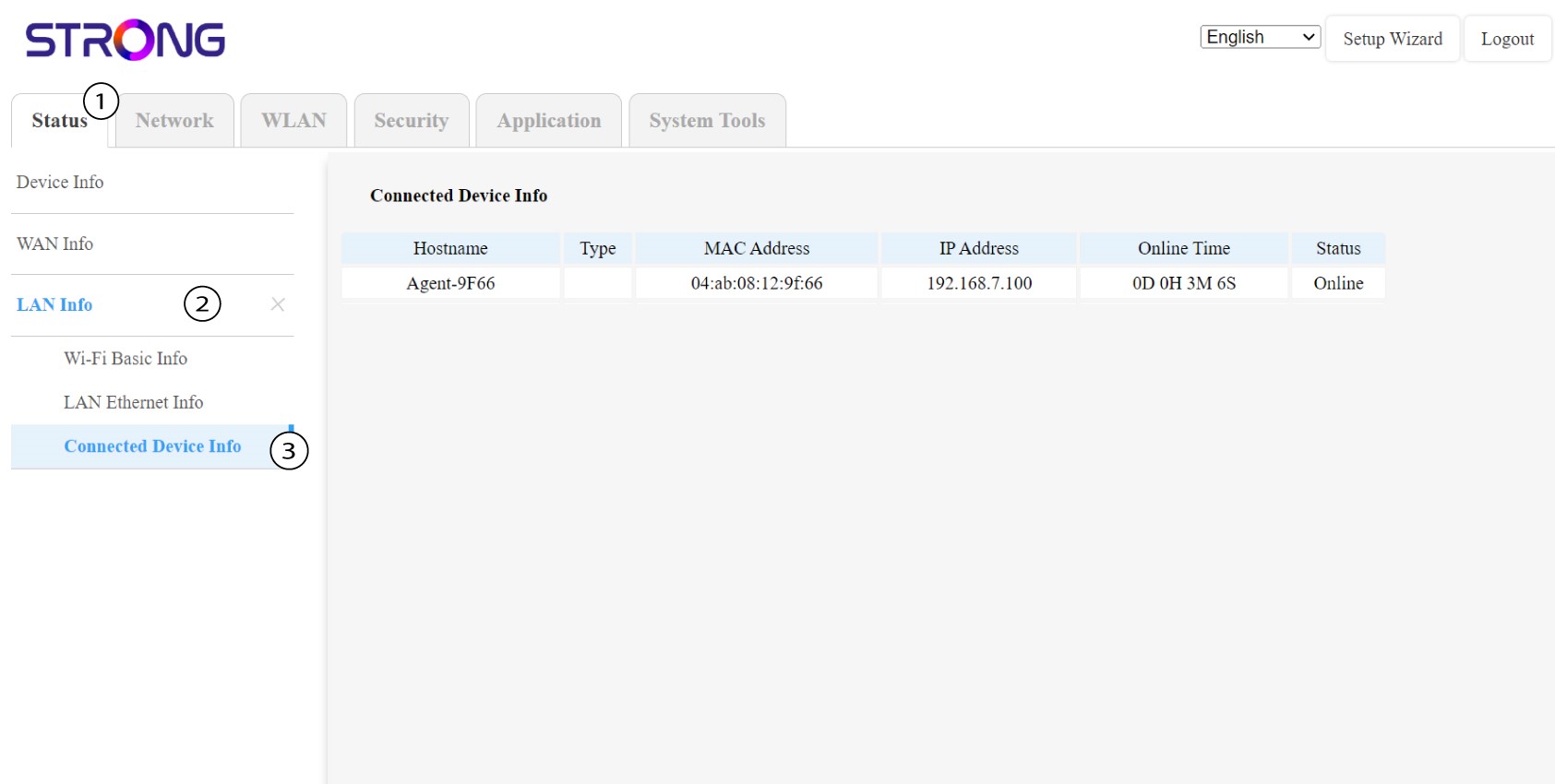
W interfejsie użytkownika serwisu internetowego, w sekcjach „Status”, „Informacje o sieci LAN” oraz „Informacje o połączeniach” można sprawdzić adres IP urządzenia typu „ Mesh ” o nazwie„agent” i go zapisać.
1. Przypadek2: Aplikacja
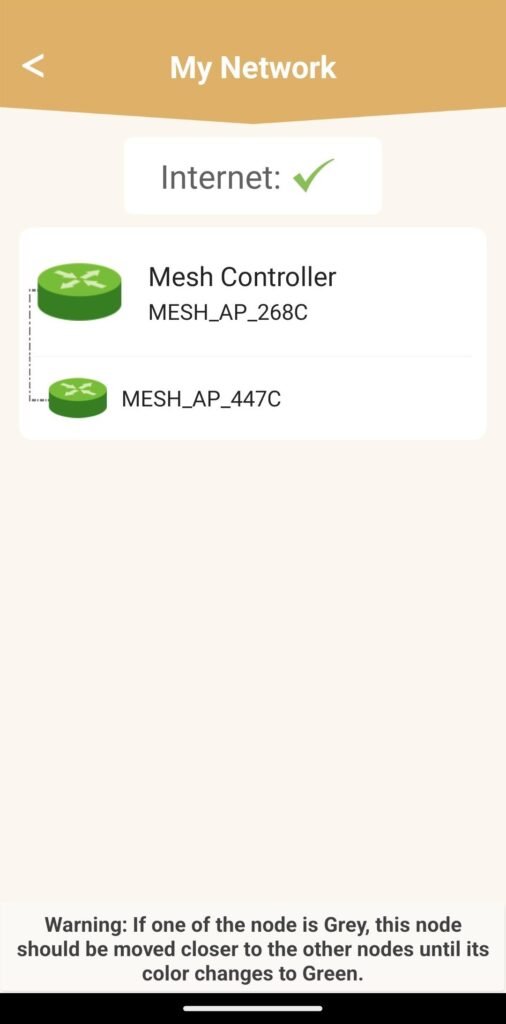
W aplikacji Atria przejdź do sekcji „Moja sieć”, a następnie kliknij nazwę urządzenia, którego szukasz, i zapisz jego adres IP.