
Mobilne Wi-Fi 4G+ AIRSPOT 510
Nie znaleziono żadnych elementów.
Nie znaleziono żadnych elementów.
Wszystkie pytania
Mobilne Wi-Fi 4G+ AIRSPOT 510
Nie znaleziono żadnych elementów.
Nie znaleziono żadnych elementów.
Jak zmienić hasło administratora?
1. Wejdź dointerfejsu użytkownika (Web UI)
Aby uzyskać dostęp do interfejsu użytkownika, zapoznaj się z artykułem „Jak uzyskać dostęp do interfejsu użytkownika?”.
2Przejdźdo ustawień hasła
W sekcji „Zarządzanie ” kliknij opcję „Ustawienia systemowe ”, a następnie „Zmień hasło”.
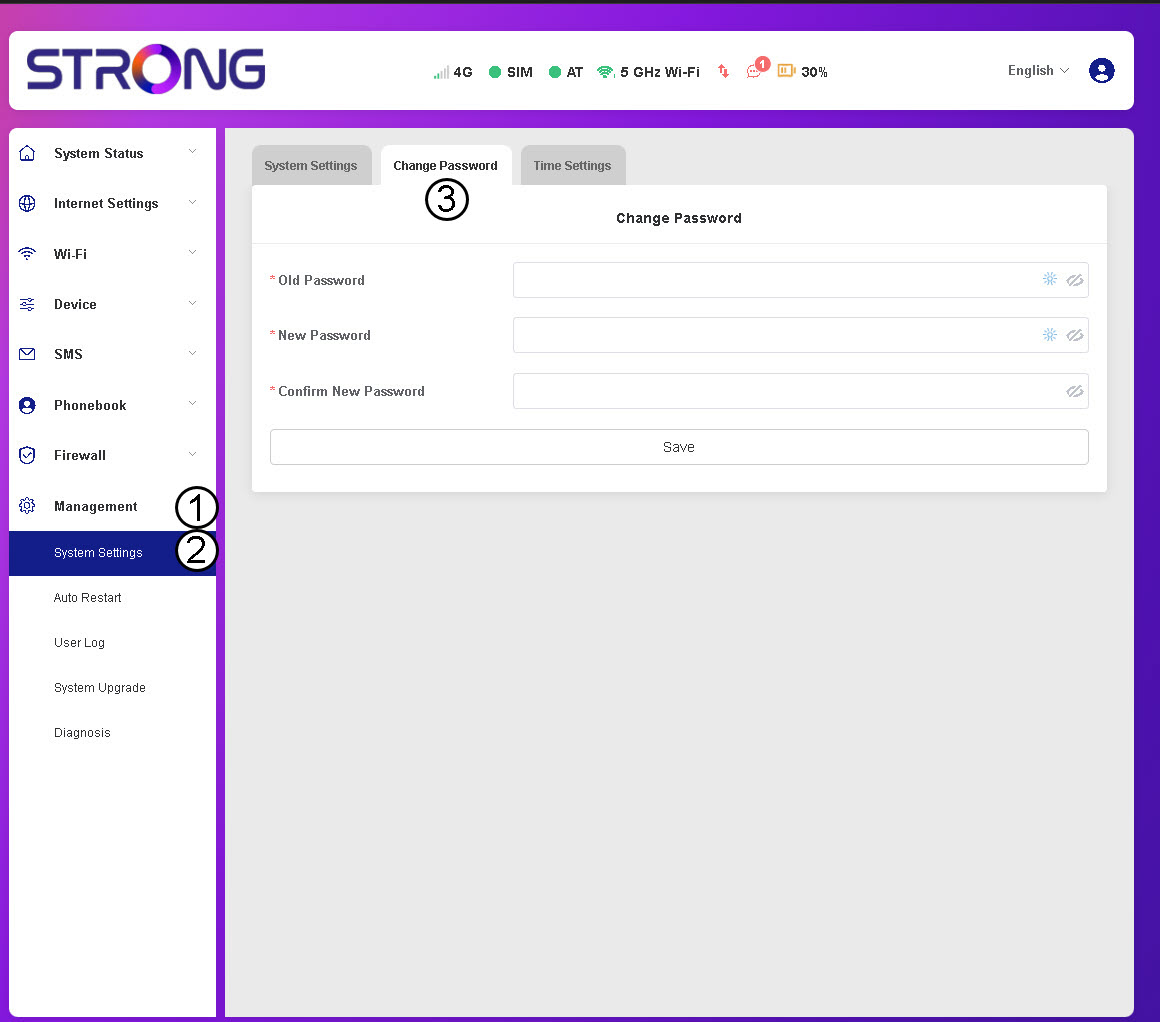
3. Wprowadźdane dotyczące hasła
Następnie wprowadź poniższe informacje, a następnie kliknij „Zapisz”:
- Stare hasło: Wprowadź swoje obecne hasło.
- Nowe hasło: Wprowadź hasło składające się z co najmniej 8 znaków, zawierające kombinację wielkich i małych liter, cyfr oraz znaków specjalnych. Dozwolone są wyłącznie następujące znaki specjalne: @$%*&.
- Potwierdź nowe hasło: Wpisz to samo hasło, co w poprzednim polu.


UWAGA: Jeśli zapomniałeś aktualnego hasła, konieczne będzie przywrócenie ustawień fabrycznych urządzenia.