
Mobilne Wi-Fi 4G+ AIRSPOT 510
Nie znaleziono żadnych elementów.
Nie znaleziono żadnych elementów.
Wszystkie pytania
Mobilne Wi-Fi 4G+ AIRSPOT 510
Nie znaleziono żadnych elementów.
Nie znaleziono żadnych elementów.
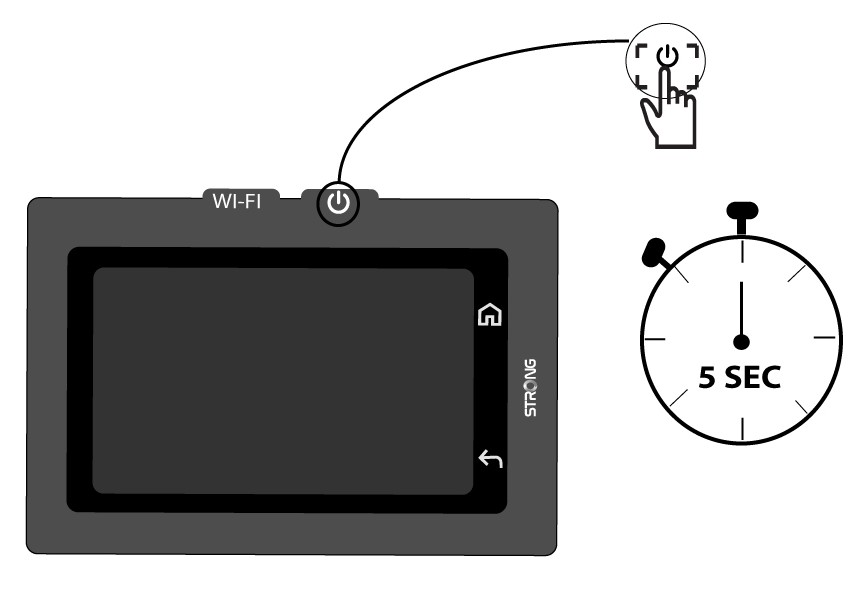
Jak włączyć i wyłączyć urządzenie?
Aby włączyć lub wyłączyć urządzenie, naciśnij przycisk zasilania i przytrzymaj go przez 5 sekund. Przycisk zasilania znajduje się po prawej stronie urządzenia.

Ostrzeżenie: Przed włączeniem urządzenia upewnij się, że bateria jest naładowana. Możesz też podłączyć kabel USB-C do zasilacza, aby naładować urządzenie.