Mobilne Wi-Fi 4G AIRSPOT 220 z wyświetlaczem
Wszystkie pytania
Mobilne Wi-Fi 4G AIRSPOT 220 z wyświetlaczem
Jak zmienić kod PIN karty SIM?
W interfejsie użytkownika (Web UI) można zmienić kod PIN karty SIM. W tym celu należy postępować zgodnie z poniższą procedurą. Konieczne jest połączenie się z interfejsem użytkownika (Web UI).
1. Połącz sięz siecią Wi-Fi routera
1.
W tym celu wprowadź w swoim urządzeniu identyfikator SSID (nazwę sieci Wi-Fi
) oraz hasło Wi-Fi routera.

2. Przejdźdo adresu IP interfejsu użytkownika (Web UI)
Następnie wpisz w przeglądarce następujący adres IP: 192.168.188.1

3Zalogujsię
Należy wprowadzić hasło. Następnie należy kliknąć przycisk „Zaloguj się”.

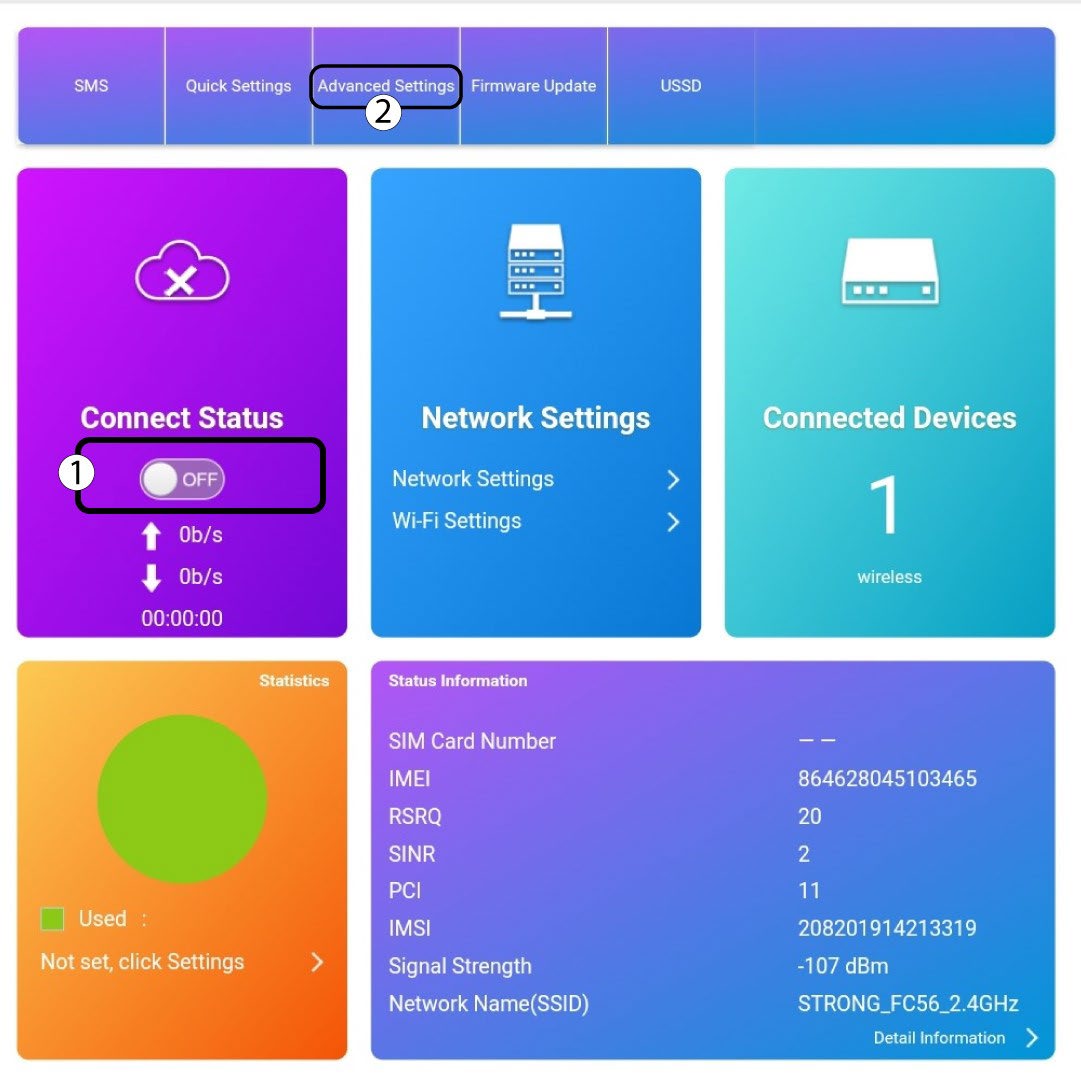
4. Stan połączenia
Kliknij przełącznik w sekcji „Stan połączenia”, a następnie kliknij „Ustawienia zaawansowane”
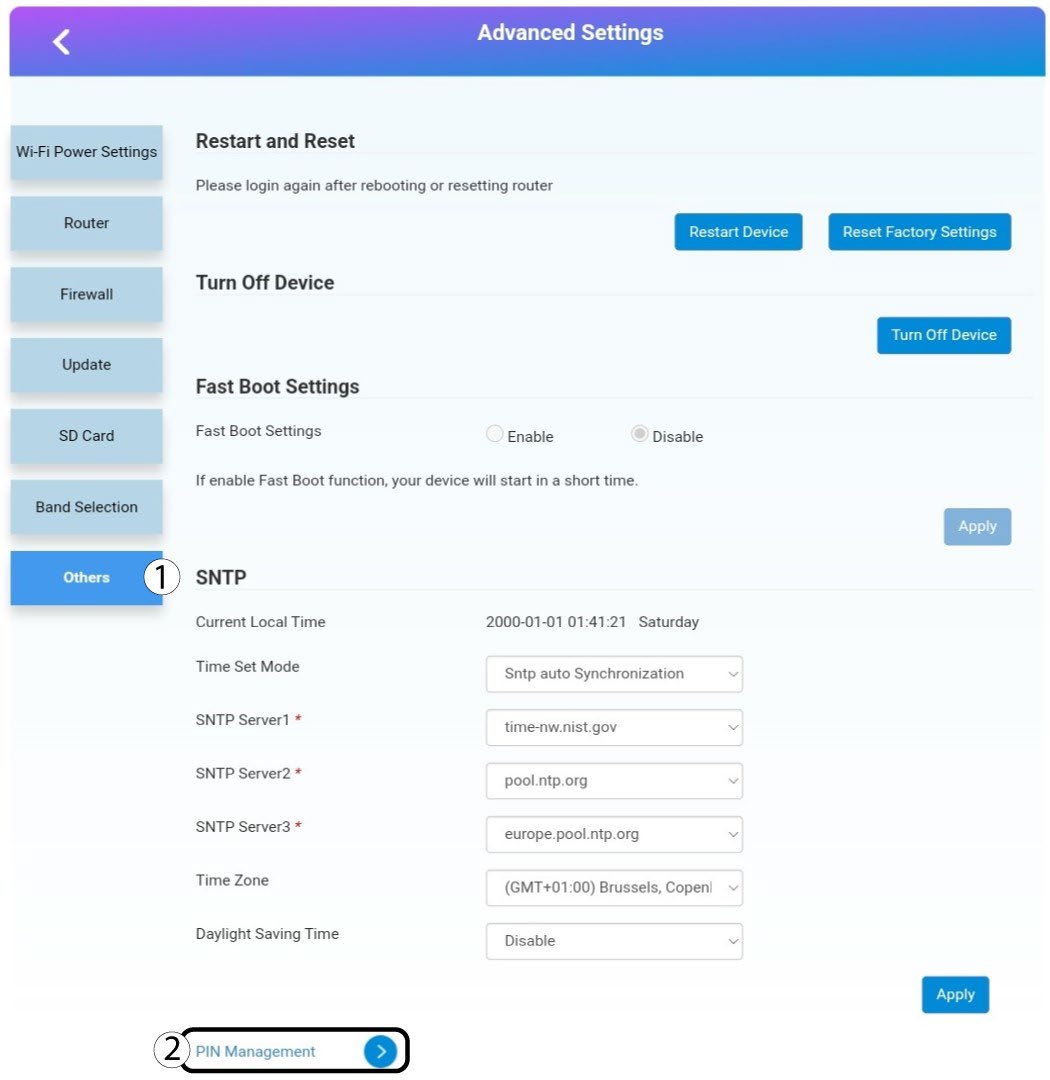
5. Ustawienia zaawansowane
Kliknij opcję „Inne”. Następnie kliknij opcję „Zarządzanie kodami PIN ”.
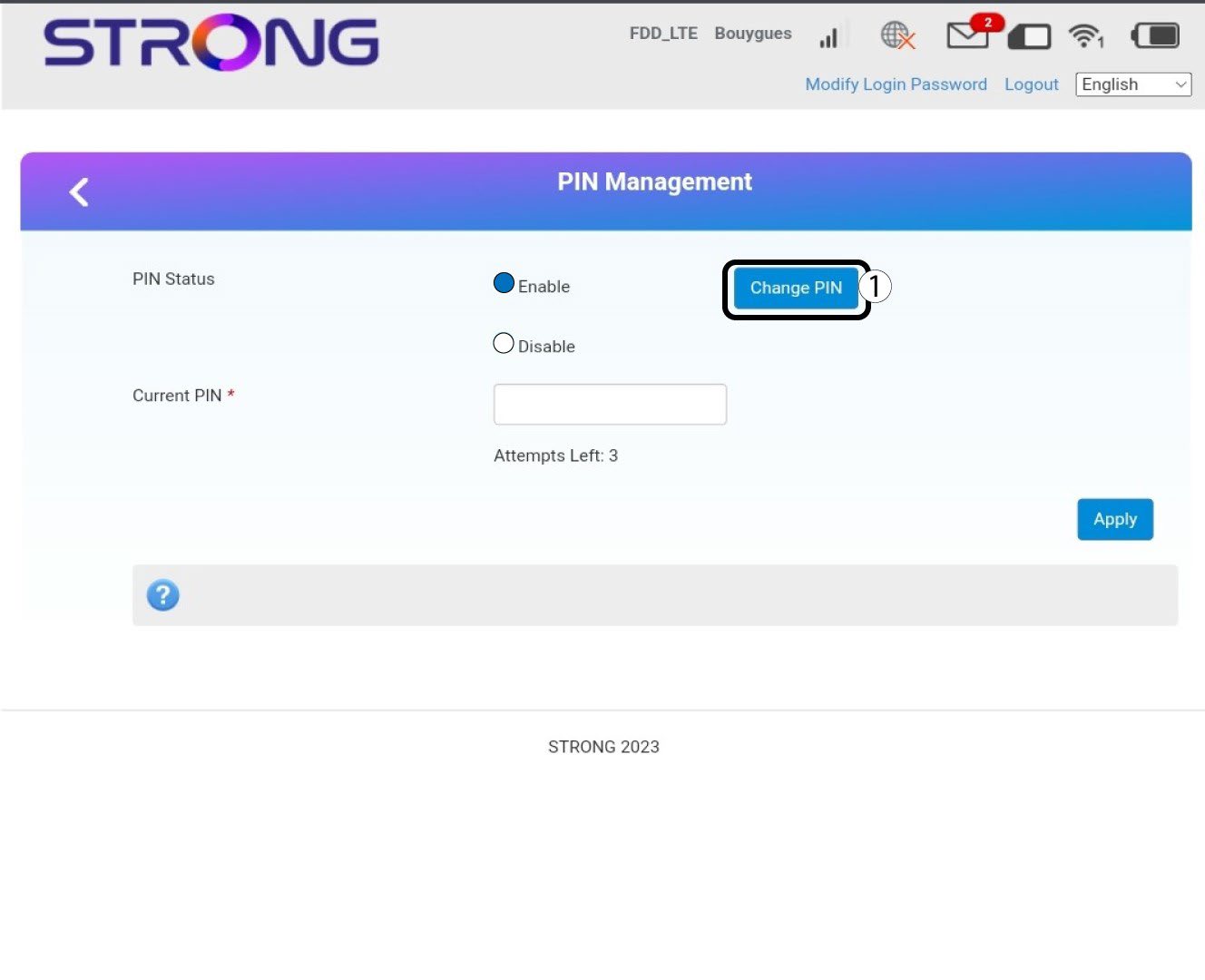
Zarządzanie 6Pin
Kliknij opcję „Zmień kod PIN”.
7. Wprowadźnowy kod PIN
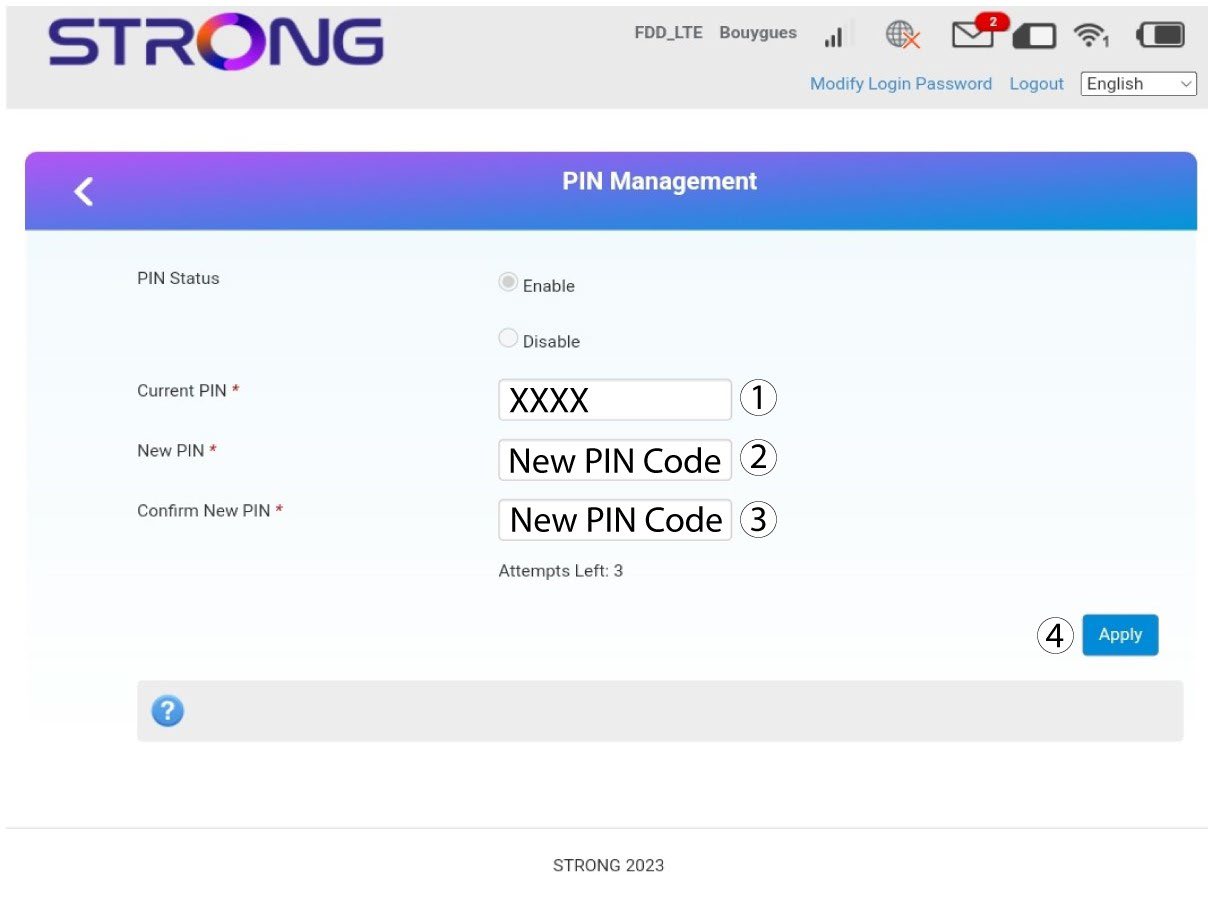
Przed kliknięciem przycisku „Zastosuj” wprowadź następujące informacje:
· Obecny kod PIN: Wprowadź swój obecny kod PIN.
· Nowy kod PIN: Wprowadź nowy kod PIN.
· Potwierdź nowy kod PIN: Wprowadź nowy kod PIN.