
Mobilne Wi-Fi 4G AIRSPOT 220 z wyświetlaczem
Wszystkie pytania
Mobilne Wi-Fi 4G AIRSPOT 220 z wyświetlaczem
Jak zmienić identyfikator SSID (nazwę sieci Wi-Fi) i hasło do sieci Wi-Fi?
W interfejsie użytkownika sieci Web istnieją dwa sposoby zmiany identyfikatora SSID (nazwy sieci Wi-Fi) oraz hasła Wi-Fi routera:
• Korzystając z panelu Szybkich ustawień
• Lub korzystając z ustawień Wi-Fi
1PRZYPADEK1: Szybkie ustawienia
W interfejsie użytkownika serwisu internetowego opcja „Szybkie ustawienia” pozwala zmienić informacje dotyczące sieci: jej identyfikator SSID (nazwę sieci Wi-Fi) oraz hasło do sieci Wi-Fi.
W tym celu kliknij opcję „Szybkie ustawienia ” na górnym pasku.
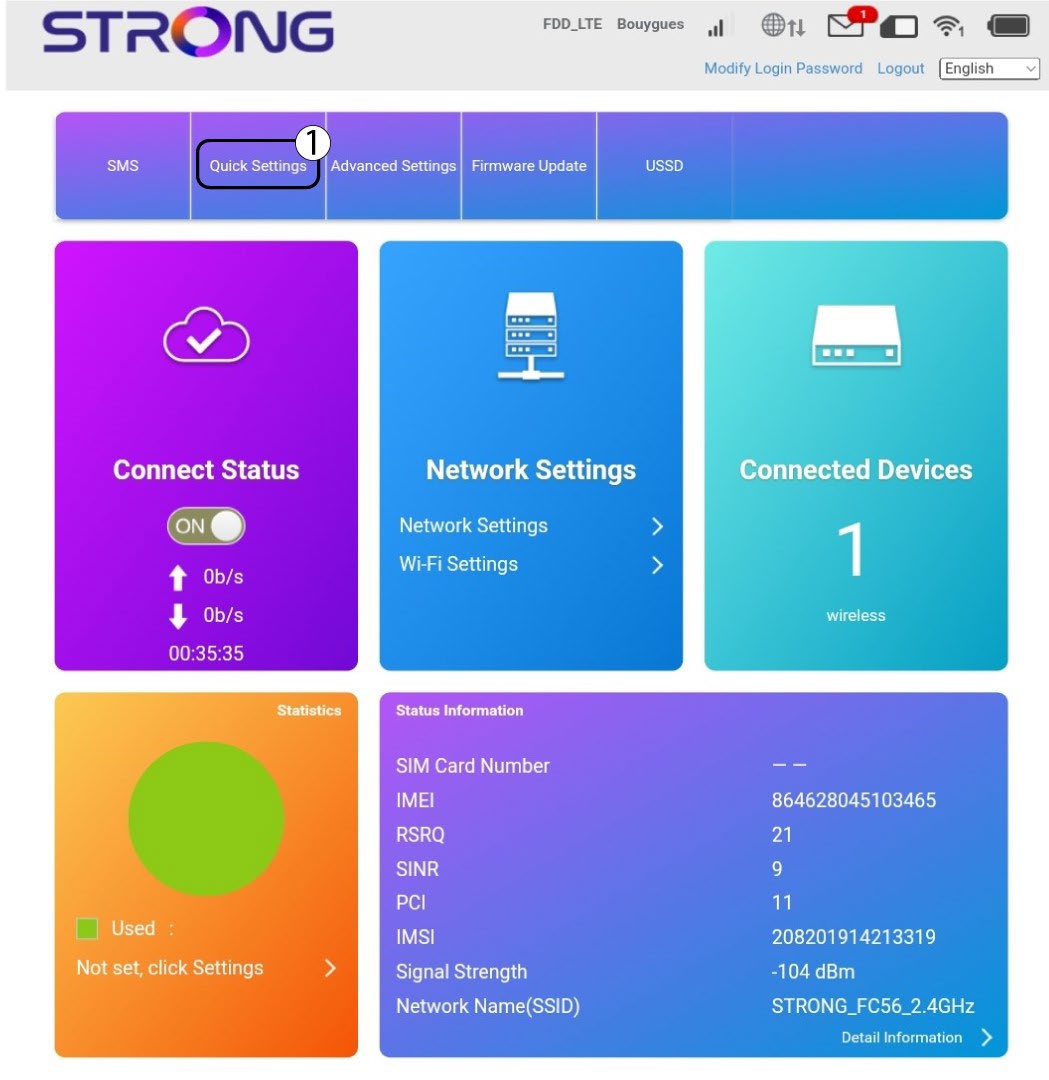
Ustawienie 2APN
Kliknij „Dalej”.

3SSID
Wpisz nową nazwę sieci i kliknij „Dalej”.

4. Wprowadźnowe hasło
Kliknij opcję „Pokaż
hasło ” i wprowadź nowe hasło do sieci Wi-Fi, a następnie kliknij „Dalej”.
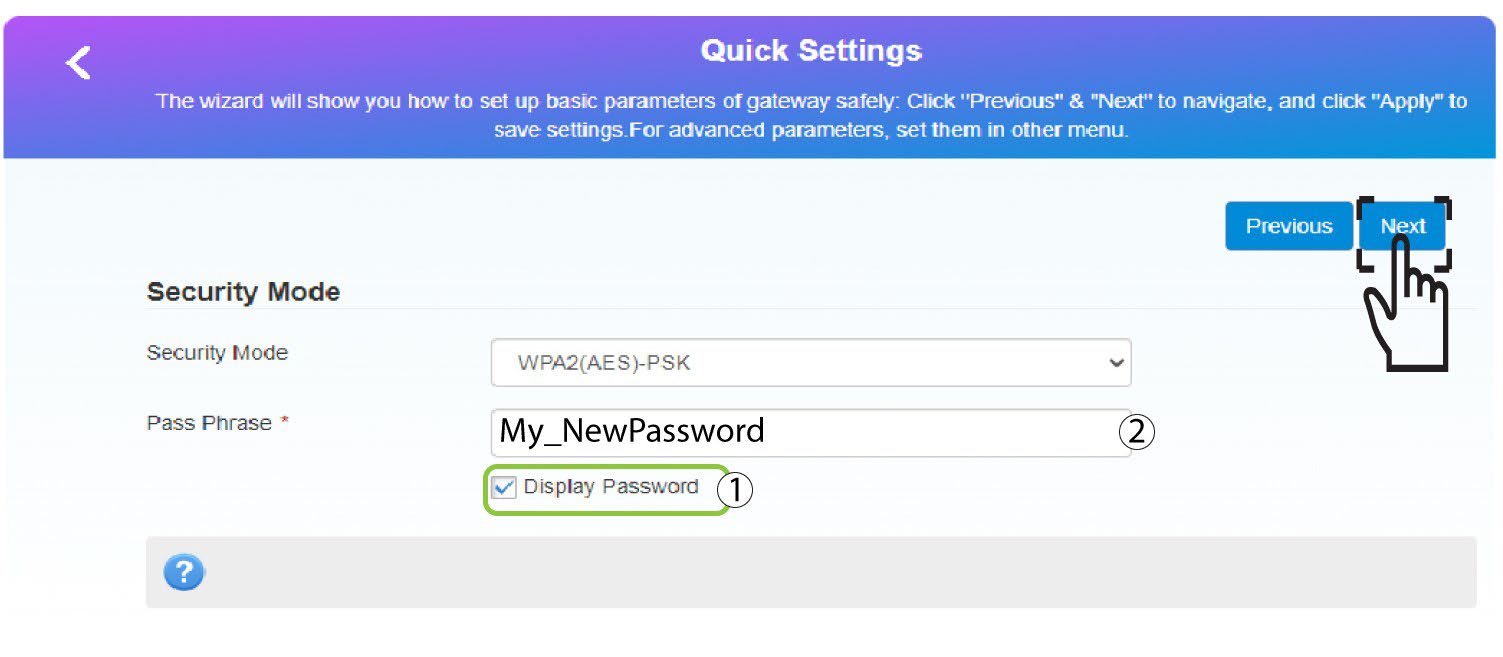
5. Zapisznowe informacje o sieci
Kliknij „Zastosuj”, aby zapisać zmiany.
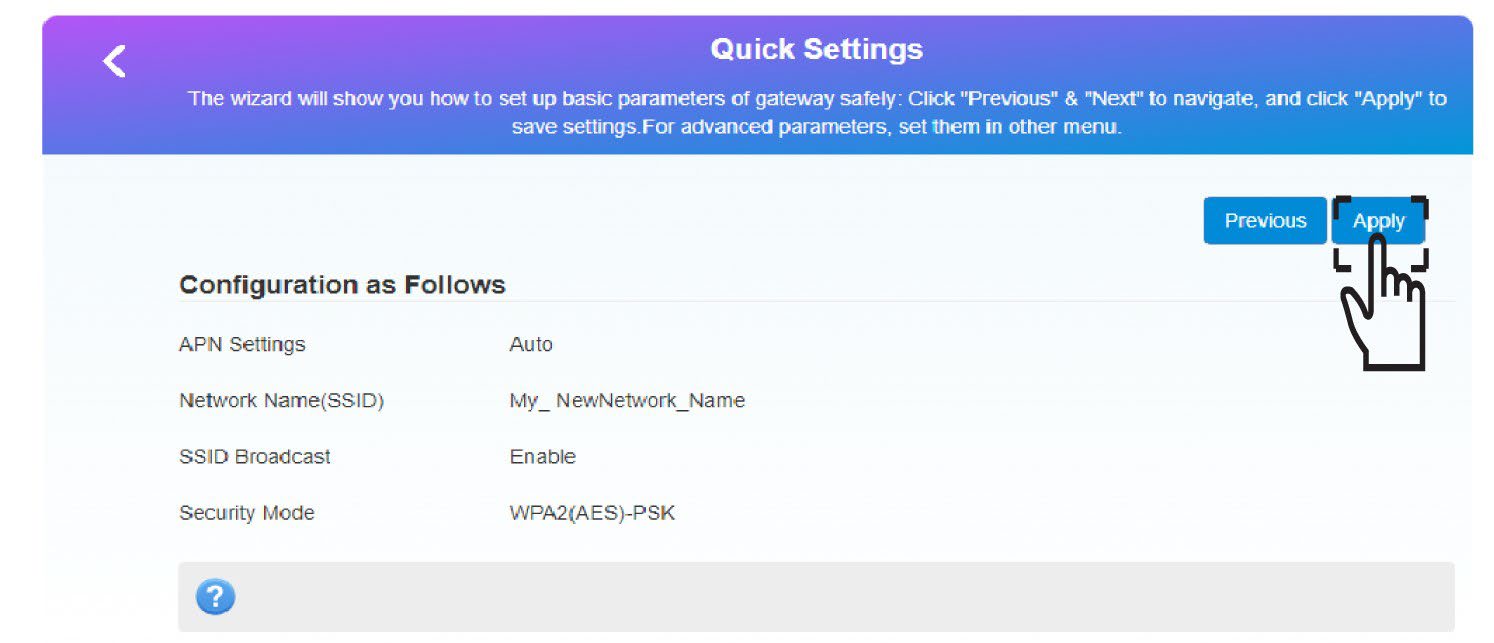
6. Zapisznowe dane sieciowe
Zapisz nowe dane sieciowe na kartce papieru.
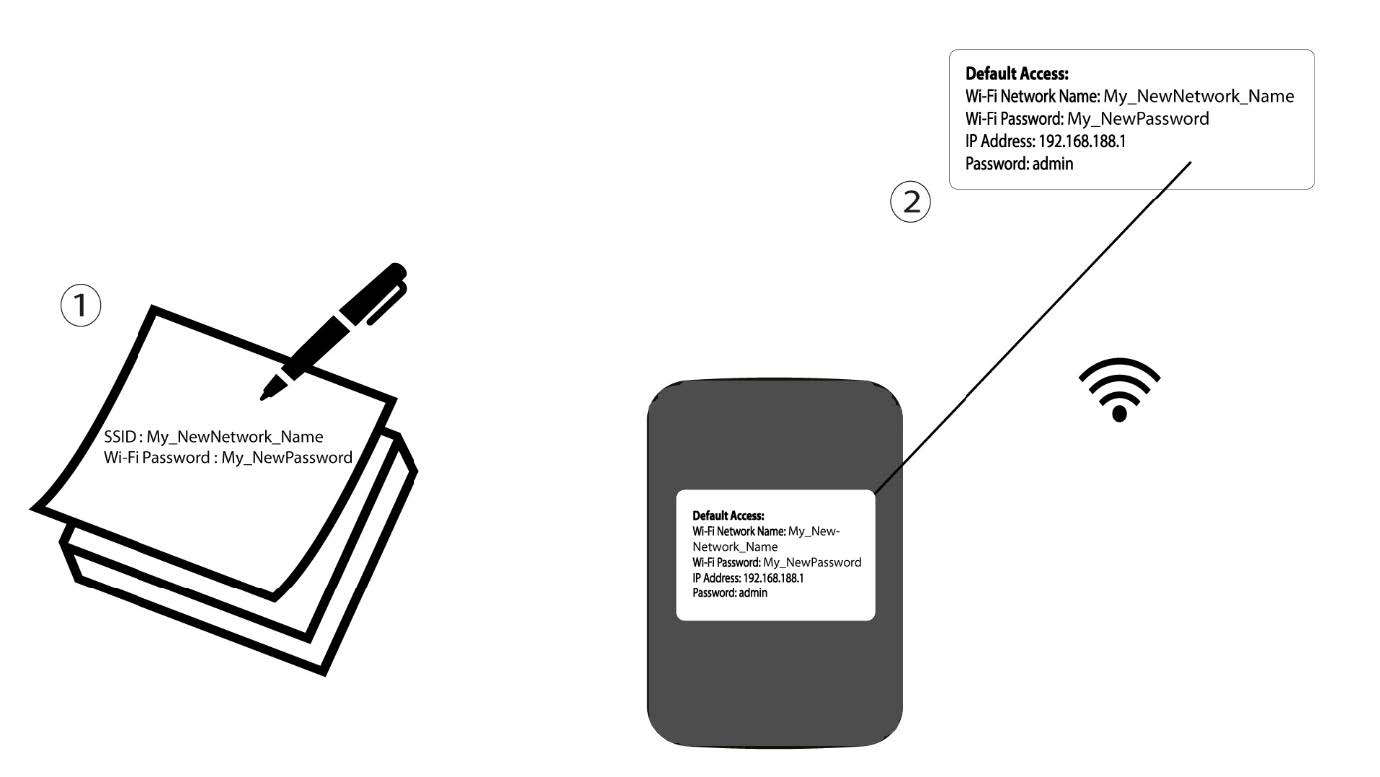
1 PRZYPADEK2: Ustawienia Wi-Fi
Połącz się z siecią Wi-Fi swojego routera.

2. Przejdźdo adresu IP interfejsu użytkownika (Web UI)
Następnie wpisz w przeglądarce następujący adres IP: 192.168.188.1.

3Zalogujsię
Należy wprowadzić hasło.

4. Ustawienia Wi-Fi
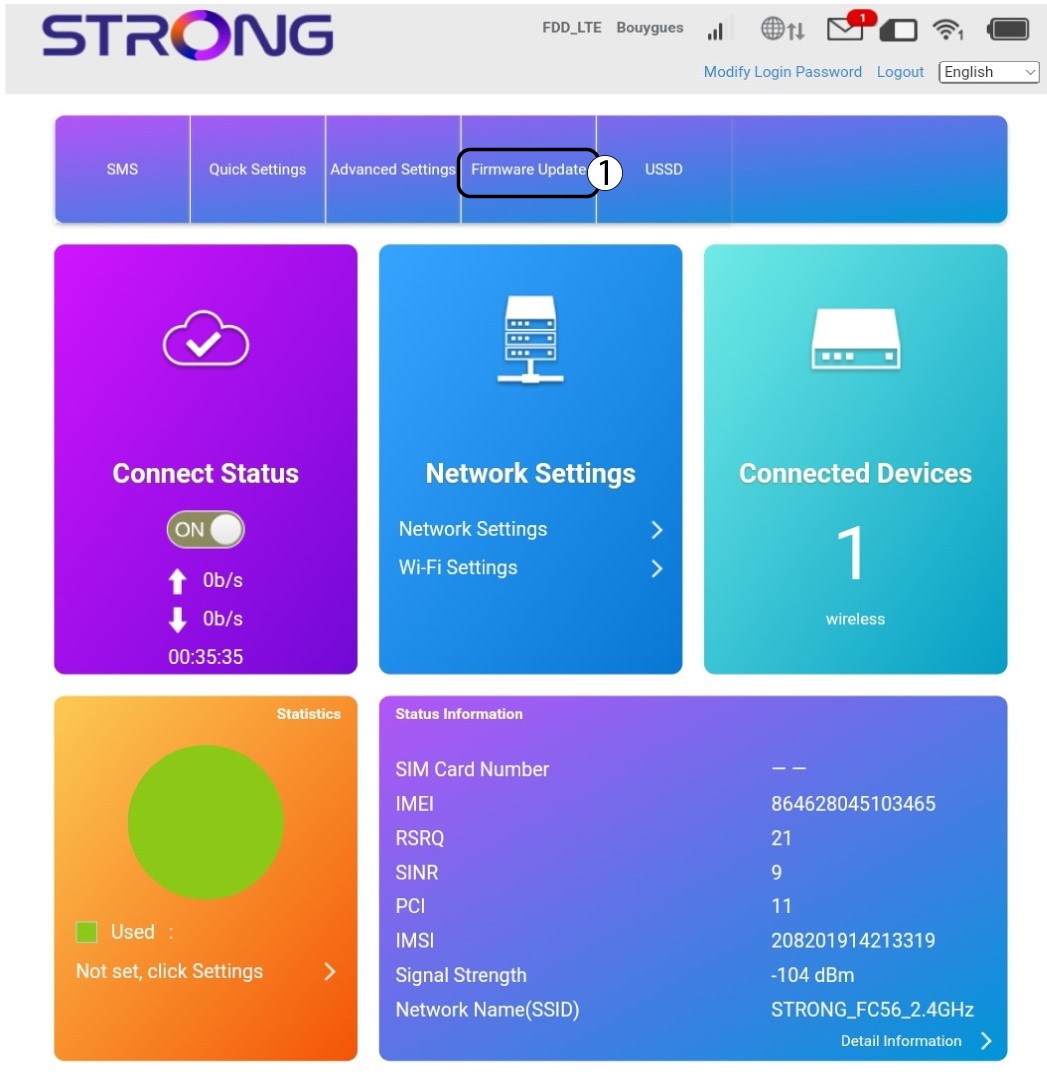
Kliknij opcję „Ustawienia Wi-Fi” w sekcji „Ustawienia sieciowe”.
5. Zmieńhasło
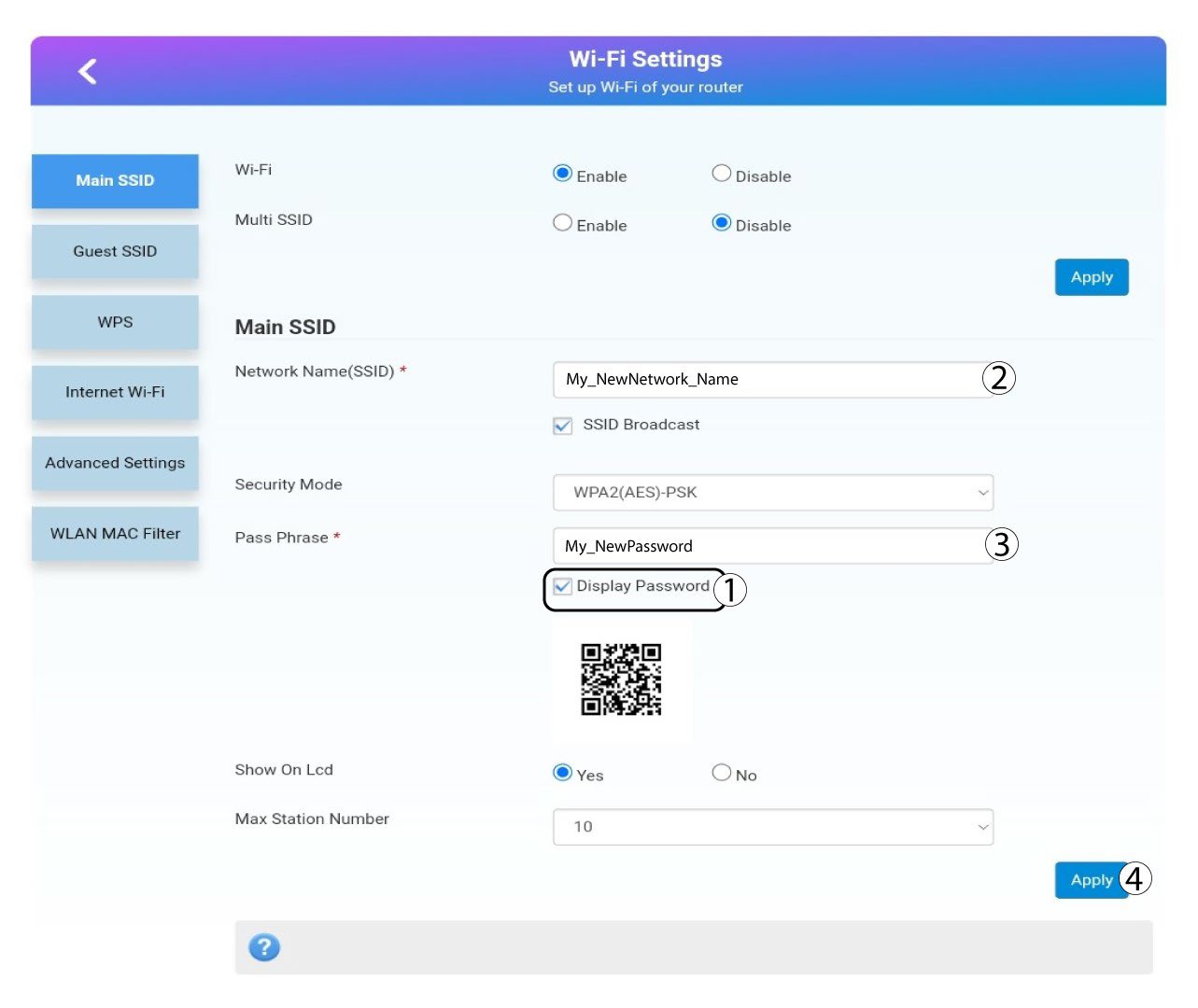
Kliknij wyświetl hasło i wprowadź poniższe informacje, a następnie kliknij Zastosuj:a. Wprowadź nową nazwę sieci.b. Wprowadź nowe hasło do sieci Wi-Fi.
6. Potwierdzenie
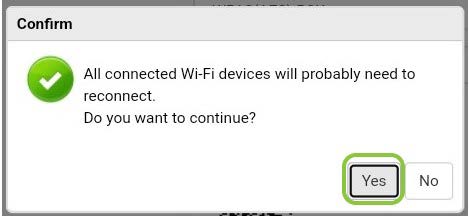
W wyskakującym okienku kliknij „Tak”, aby zastosować zmiany.
7. Zapisznowe dane sieciowe
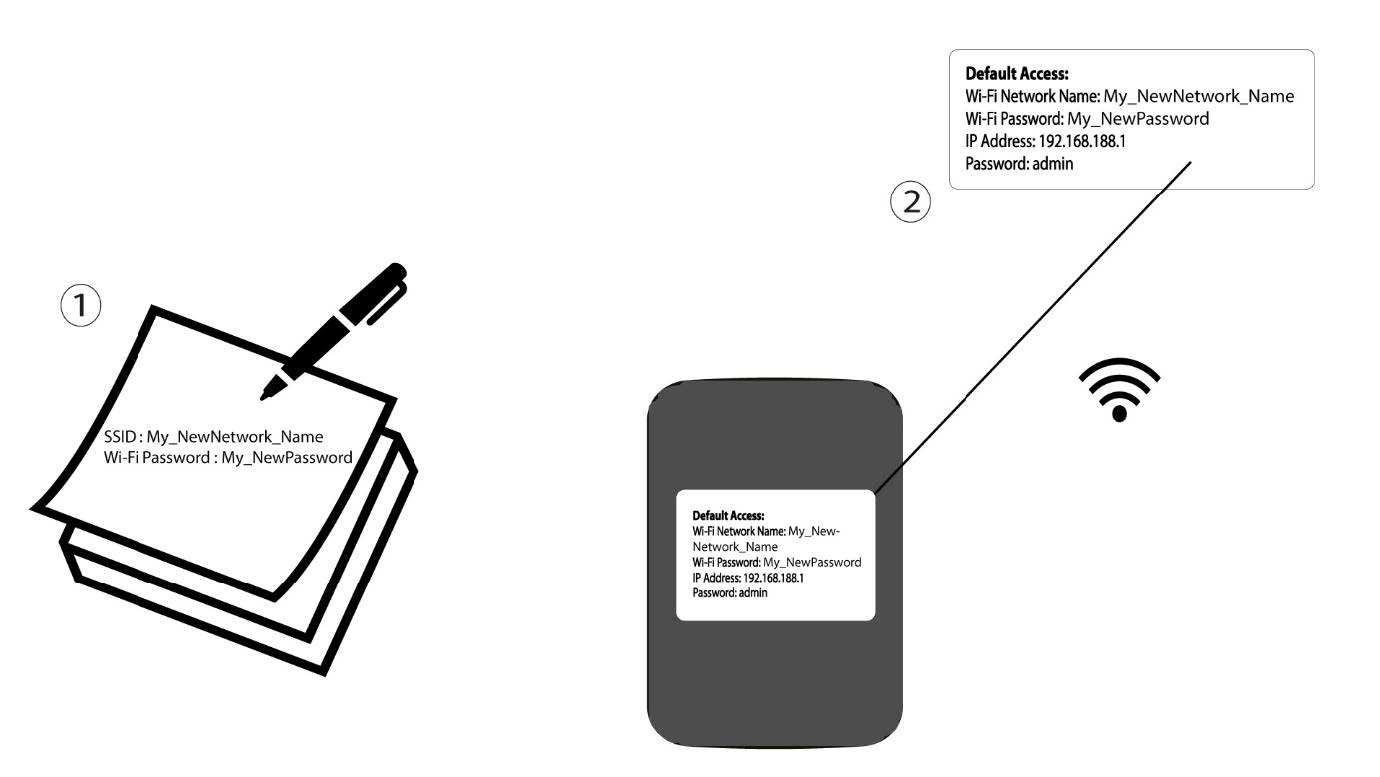
Zapisz nowe dane sieciowe na kartce papieru.

Ostrzeżenie: Po zmianie danych sieci Wi-Fi wszystkie urządzenia podłączone do tej sieci zostaną automatycznie odłączone.