Mobilne Wi-Fi 4G AIRSPOT 220 z wyświetlaczem
Wszystkie pytania
Mobilne Wi-Fi 4G AIRSPOT 220 z wyświetlaczem
Jak sprawdzić i edytować ustawienia APN mojego operatora?
Jeśli urządzenie nie rozpoznaje automatycznie karty SIM,
należy zalogować się do interfejsu użytkownika (Web UI), aby sprawdzić ustawienia APN i w razie potrzeby je edytować.
Ustawienia APN operatora można znaleźć bezpośrednio na jego stronie internetowej
lub poprosić o nie dział obsługi klienta operatora.
1. Połącz sięz siecią Wi-Fi routera
Należy
nawiązać połączenie z interfejsem użytkownika (Web UI). W tym celu należy wprowadzić w urządzeniu identyfikator SSID (nazwę sieci Wi-Fi) oraz
hasło Wi-Fi routera.

2. Przejdźdo adresu IP interfejsu użytkownika (Web UI)
Następnie wpisz w przeglądarce następujący adres IP: 192.168.188.1

3. Wprowadźswoje dane logowania
Ty należy wprowadzić Hasło. Następnie kliknij Zaloguj się.
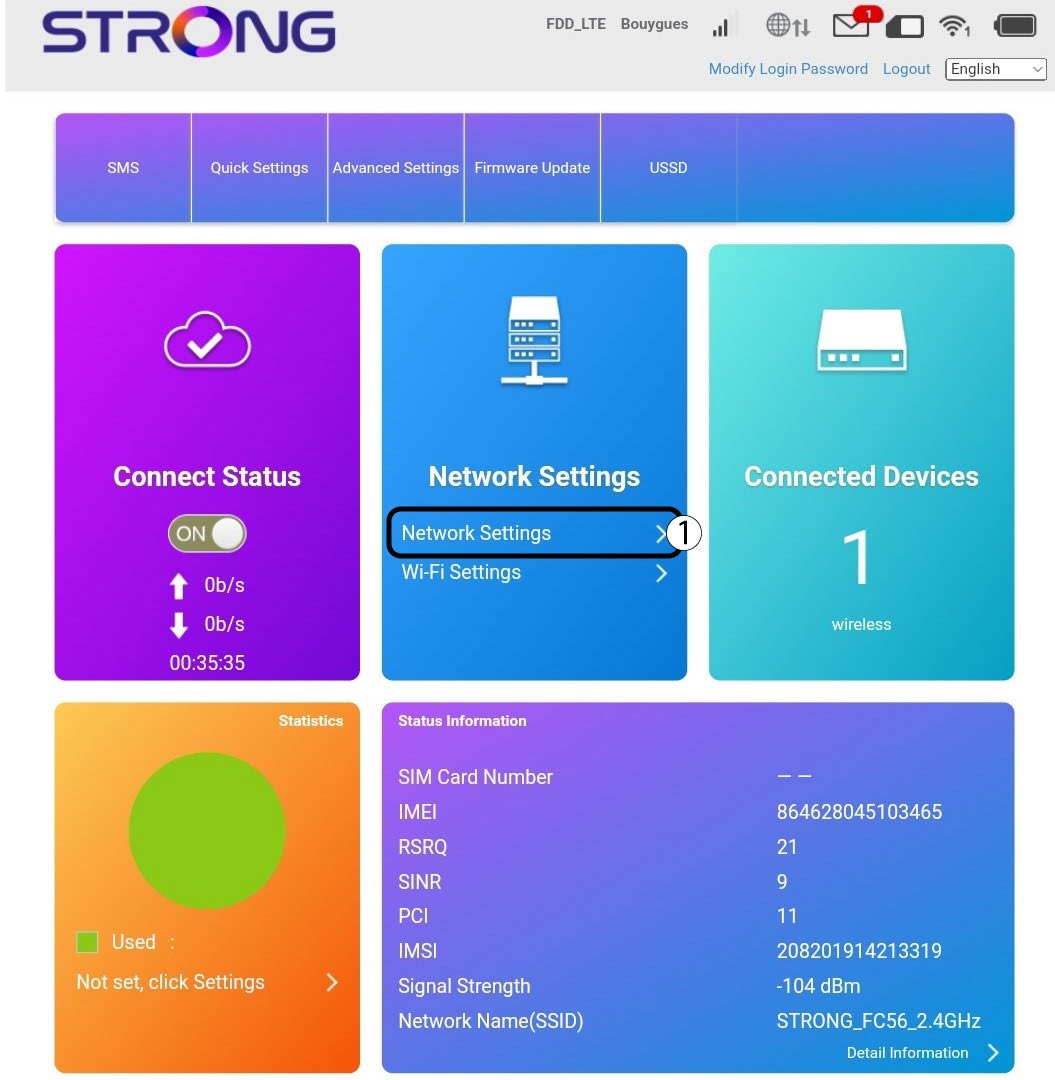
4. Ustawienia internetowe
Kliknij „Ustawienia sieciowe”.
5. Znajdźustawienia APN swojego operatora
- Poszukaj ustawień APN na stronie internetowej swojego operatora. Musisz zapisać następujące informacje:
- Nazwa
- APN
- Nazwa użytkownika
- Hasło
- Typ uwierzytelniania
6. Jeśli konfiguracja jest nieprawidłowa, należy edytowaćte informacje
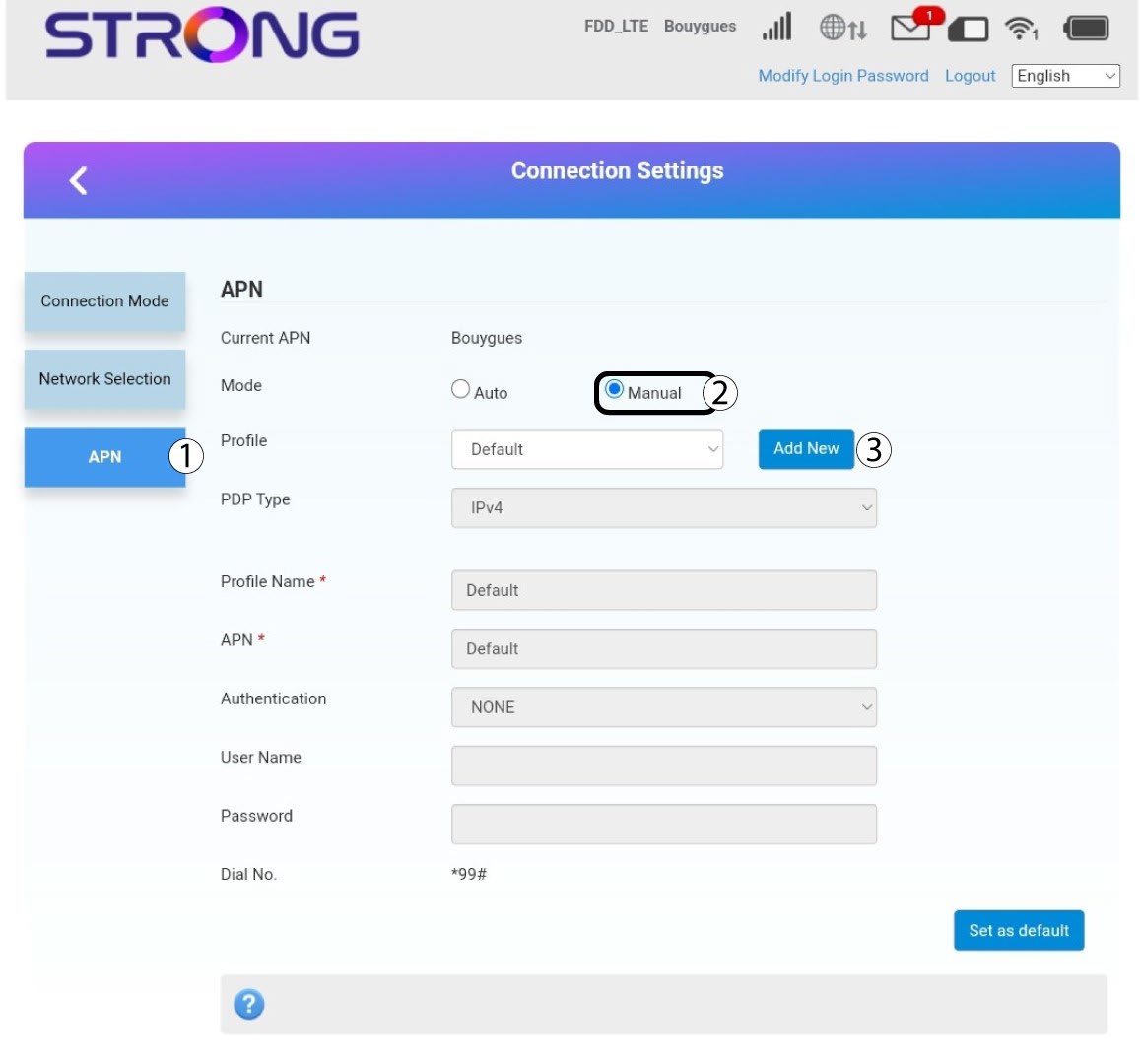
Jeśli dane są nieprawidłowe, kliknij opcję „APN”, a następnie „Ręcznie ” i „Dodaj nowe”.
Typ 7PDP
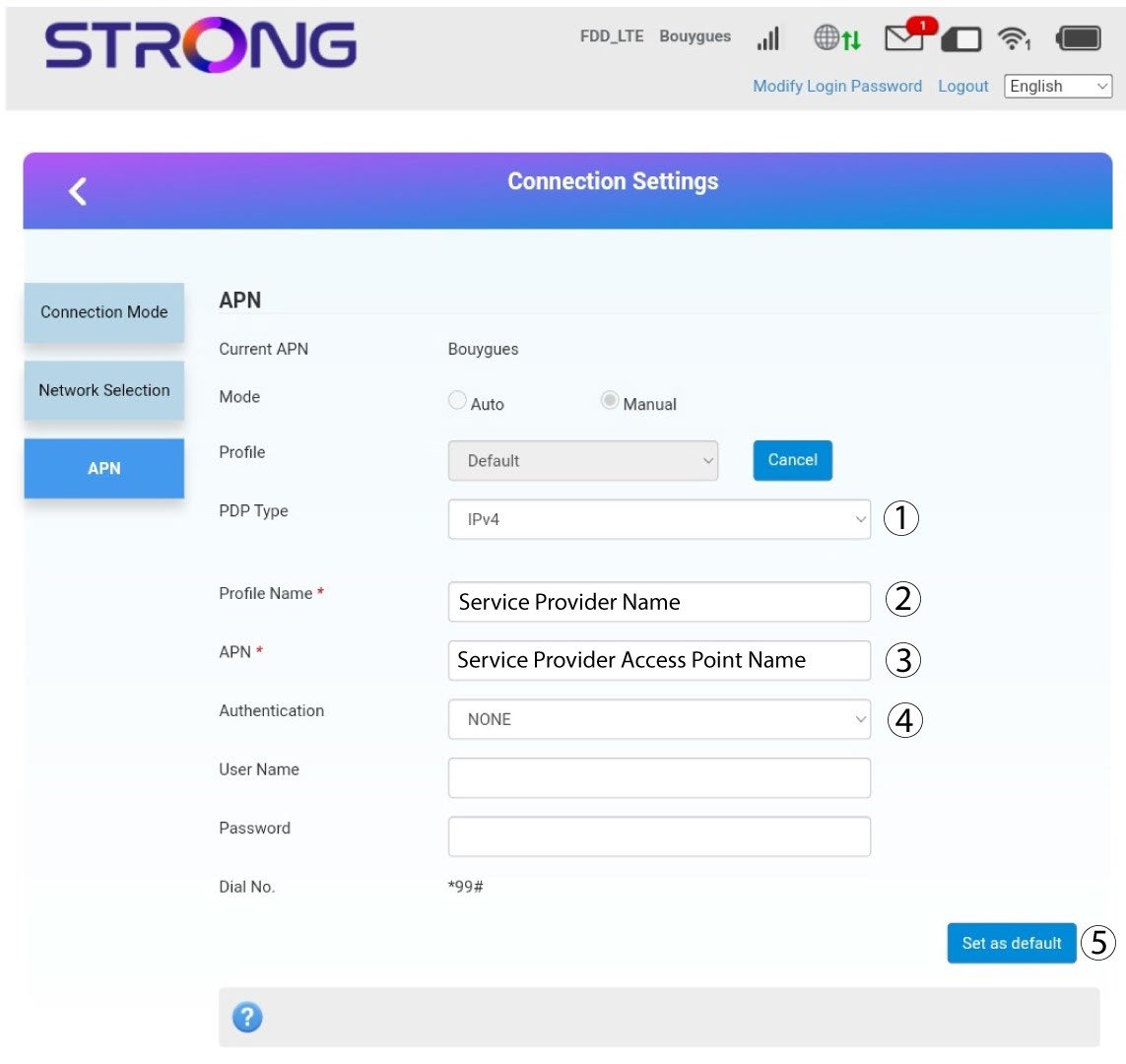
Przed kliknięciem przycisku „Ustaw jako domyślne” wprowadź następujące informacje:
· Typ PDP: jako wartość pola „Typ PDP” wybierz opcję „IPv4”.
· Nazwa profilu: wprowadź nazwę swojego dostawcy usług.
· APN: wprowadź adres APN.
· Typ uwierzytelniania: Wybierz typ uwierzytelniania zdefiniowany przez dostawcę dla danego APN spośród poniższych wartości (NONE, CHAP, PAP)