Mobilne Wi-Fi 4G AIRSPOT 220 z wyświetlaczem
Nie znaleziono żadnych elementów.
Nie znaleziono żadnych elementów.
Wszystkie pytania
Mobilne Wi-Fi 4G AIRSPOT 220 z wyświetlaczem
Nie znaleziono żadnych elementów.
Nie znaleziono żadnych elementów.
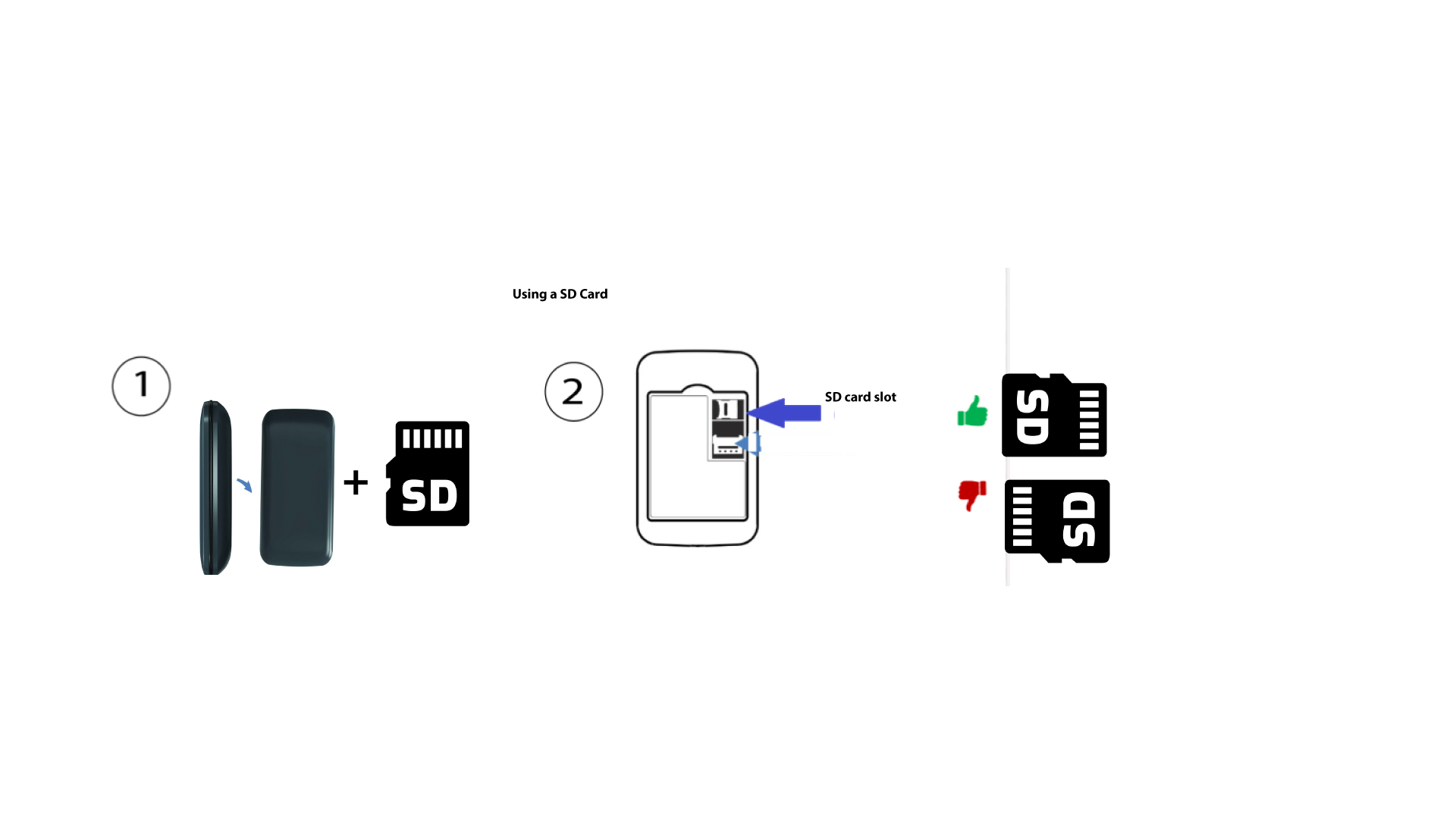
Jak włożyć kartę SD do urządzenia Hotspot 150?
Jak włożyć kartę SD do urządzenia Hotspot 150?
Aby włożyć kartę SD do routera, należy najpierw wyłączyć urządzenie, naciskając przycisk zasilania przez pięć sekund.
1
Włóż kartę SD
Następnie zdejmij pokrywę i włóż kartę SD do gniazda znajdującego się w prawym górnym rogu z tyłu urządzenia.