4G AIRHOME 310 z odłączanymi antenami 4G
Wszystkie pytania
4G AIRHOME 310 z odłączanymi antenami 4G
Jak zmienić identyfikator SSID (nazwę sieci Wi-Fi) i hasło? (Przypadek 2: Ustawienia Wi-Fi)
Jak zmienić identyfikator SSID (nazwę sieci Wi-Fi) i hasło? (Przypadek 1: Szybkie ustawienia)
W interfejsie użytkownika (Web UI) istnieją dwa sposoby zmiany identyfikatora SSID i hasła routera:
• Za pomocą opcji „Szybkie ustawienia”
• Lub za pomocą opcji „Ustawienia Wi-Fi”.
1. Połącz sięz siecią Wi-Fi routera
Aby zmienić identyfikator SSID i hasło, należy połączyć się z siecią Wi-Fi na swoim urządzeniu. Następnie należy połączyć się z interfejsem użytkownika (Web UI), postępując zgodnie z poniższą procedurą:

2. Ustawienia Wi-Fi
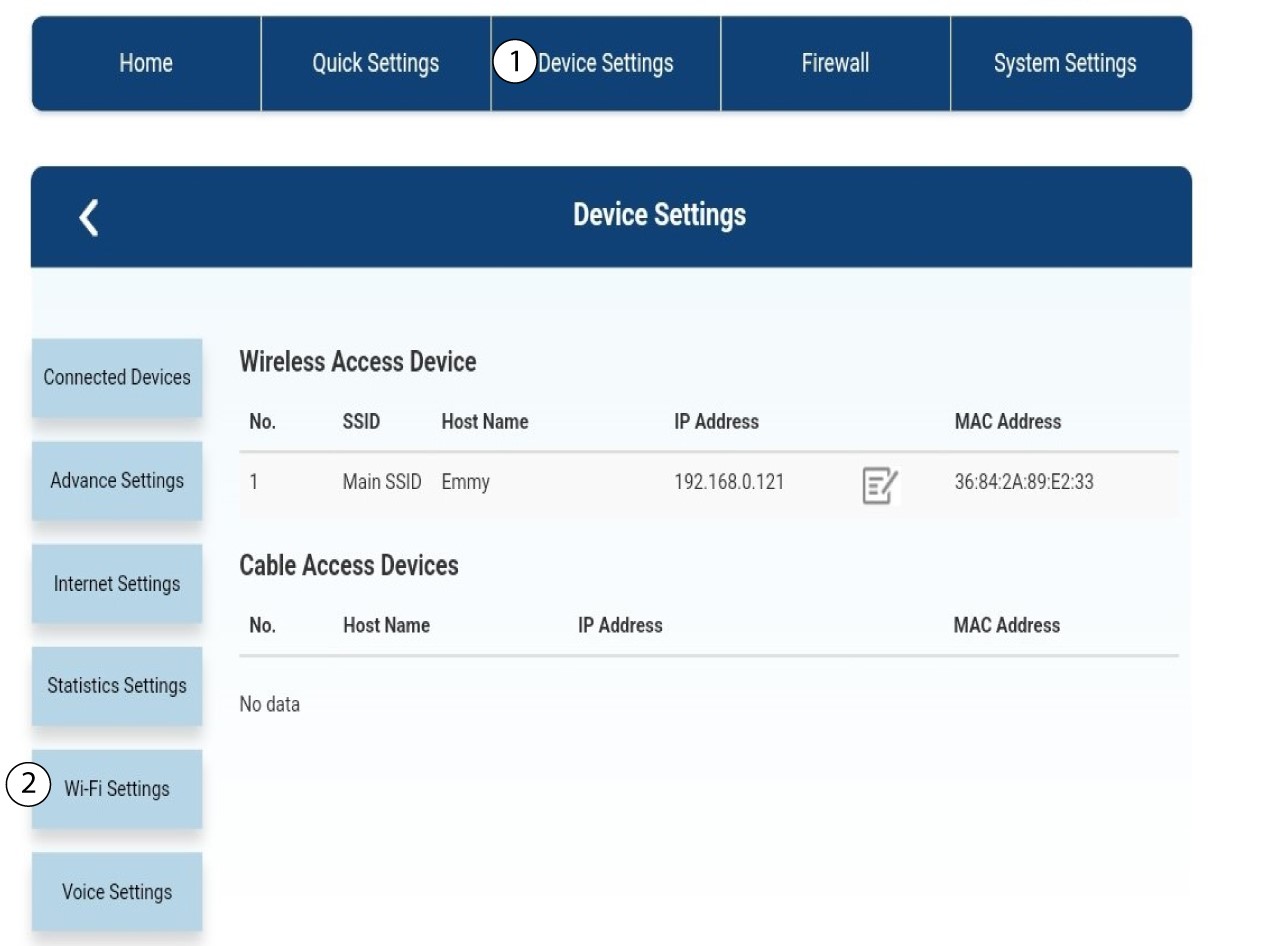
Kliknij „Ustawienia urządzenia ”, a następnie wybierz „Ustawienia Wi-Fi”.
Ustawienia 3SSID
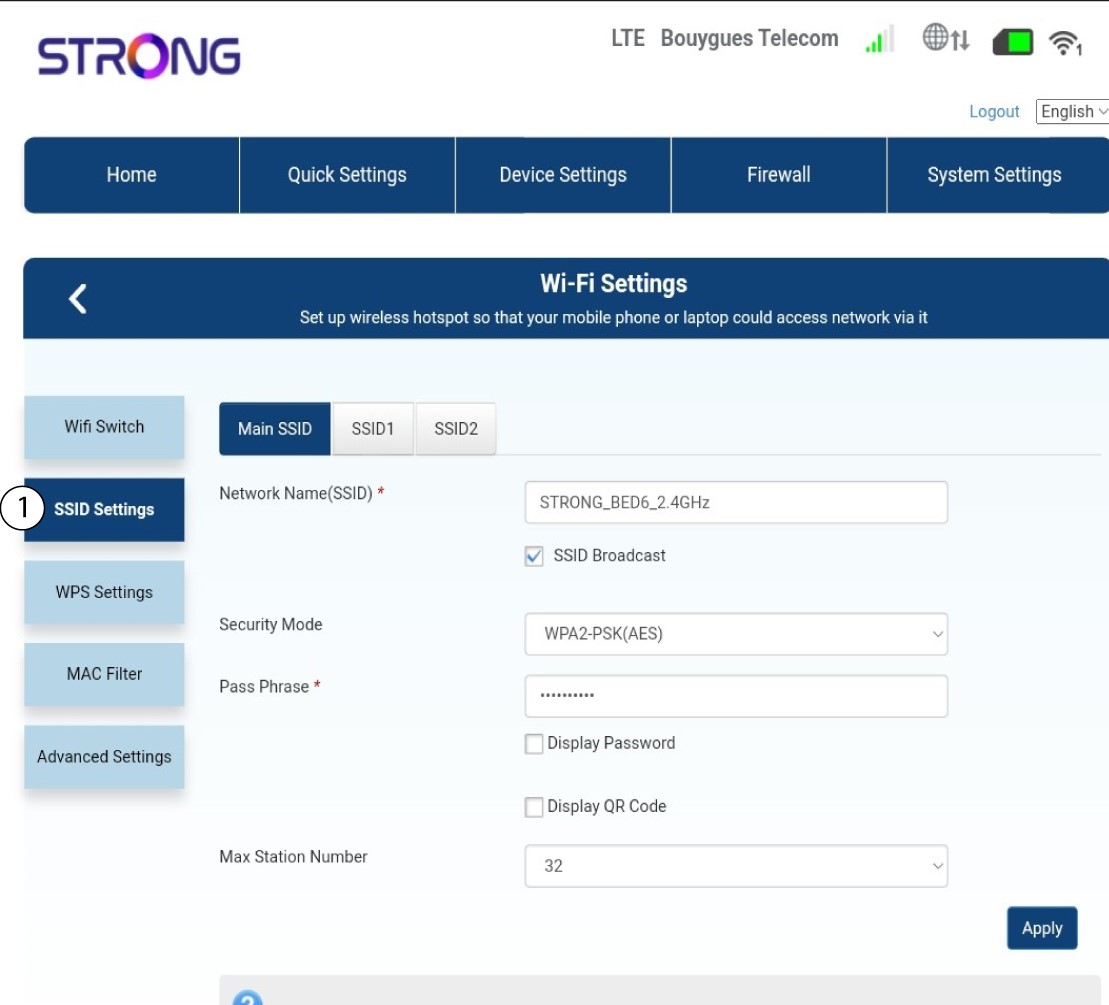
Następnie wybierz opcję „Ustawienia SSID”.
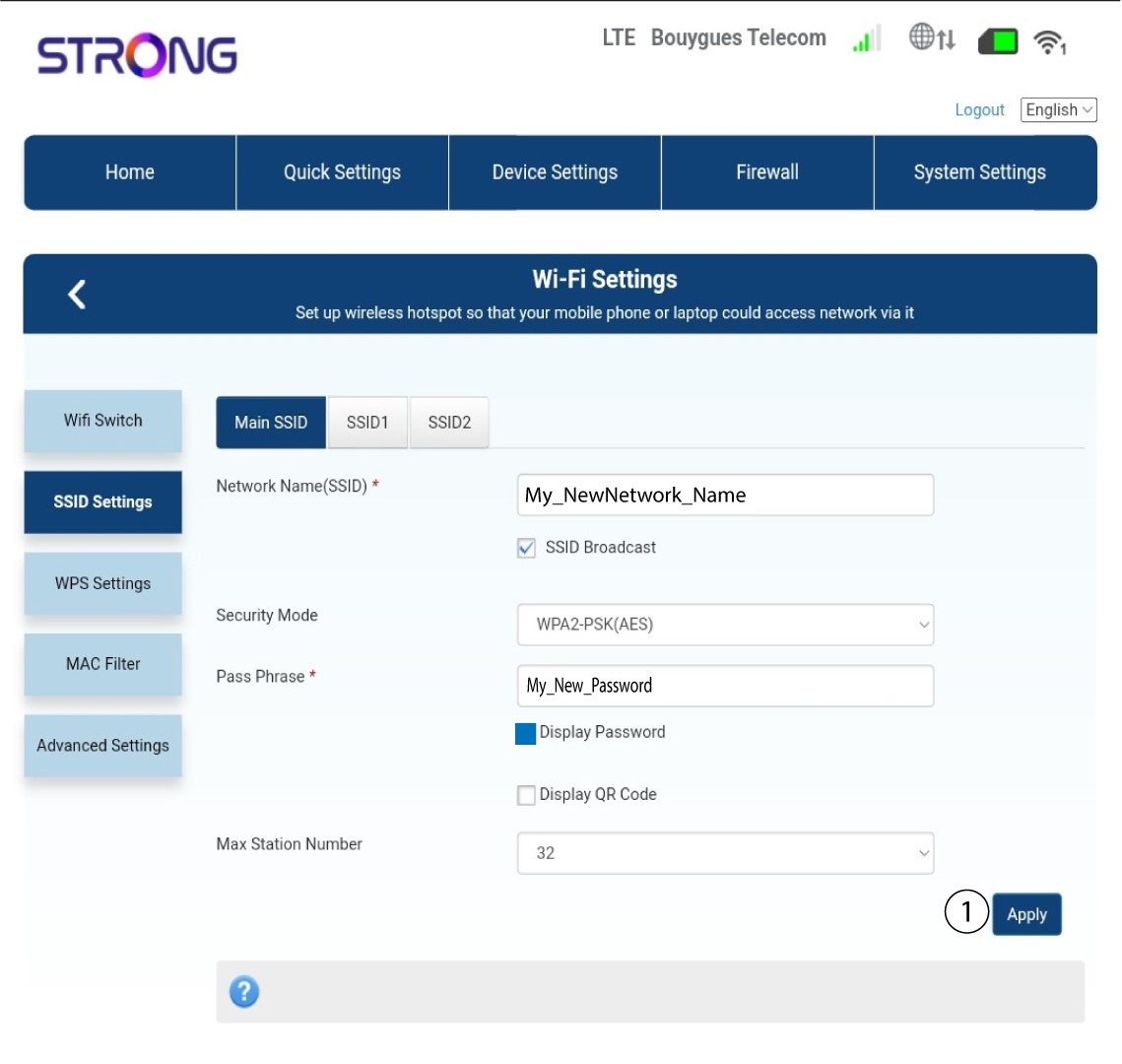
4. Wprowadźnowe dane sieciowe
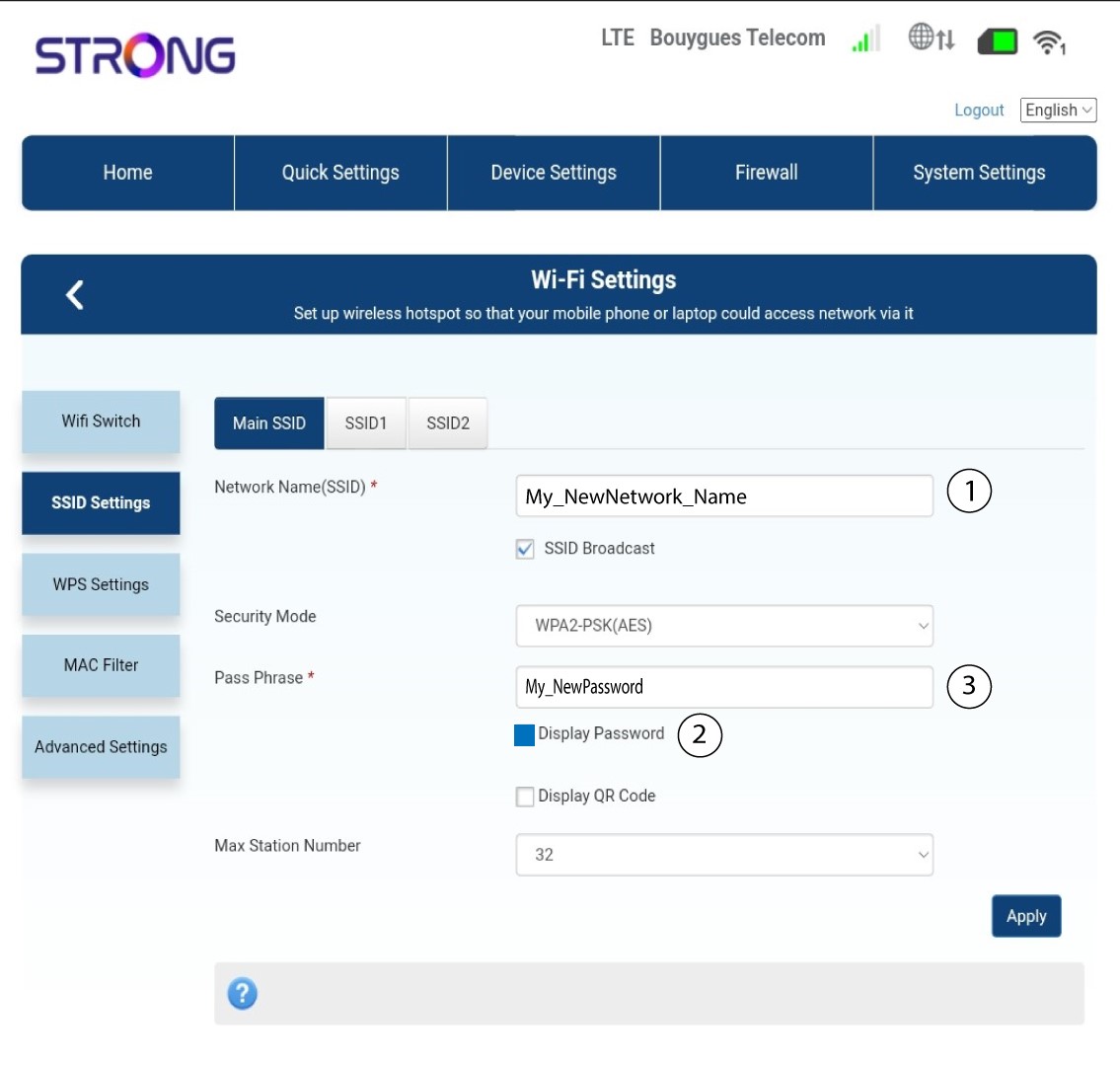
Zmień nazwę wprowadzoną w polu „Nazwa sieci (SSID)” i zaznacz pole wyboru „Pokaż hasło ”. Następnie zmień hasło wprowadzone w polu „Fraz hasła ”.
5. Zapisznowe informacje o sieci
Kliknij „Zastosuj”, aby zapisać zmiany.
6. Zapisznowe dane sieciowe
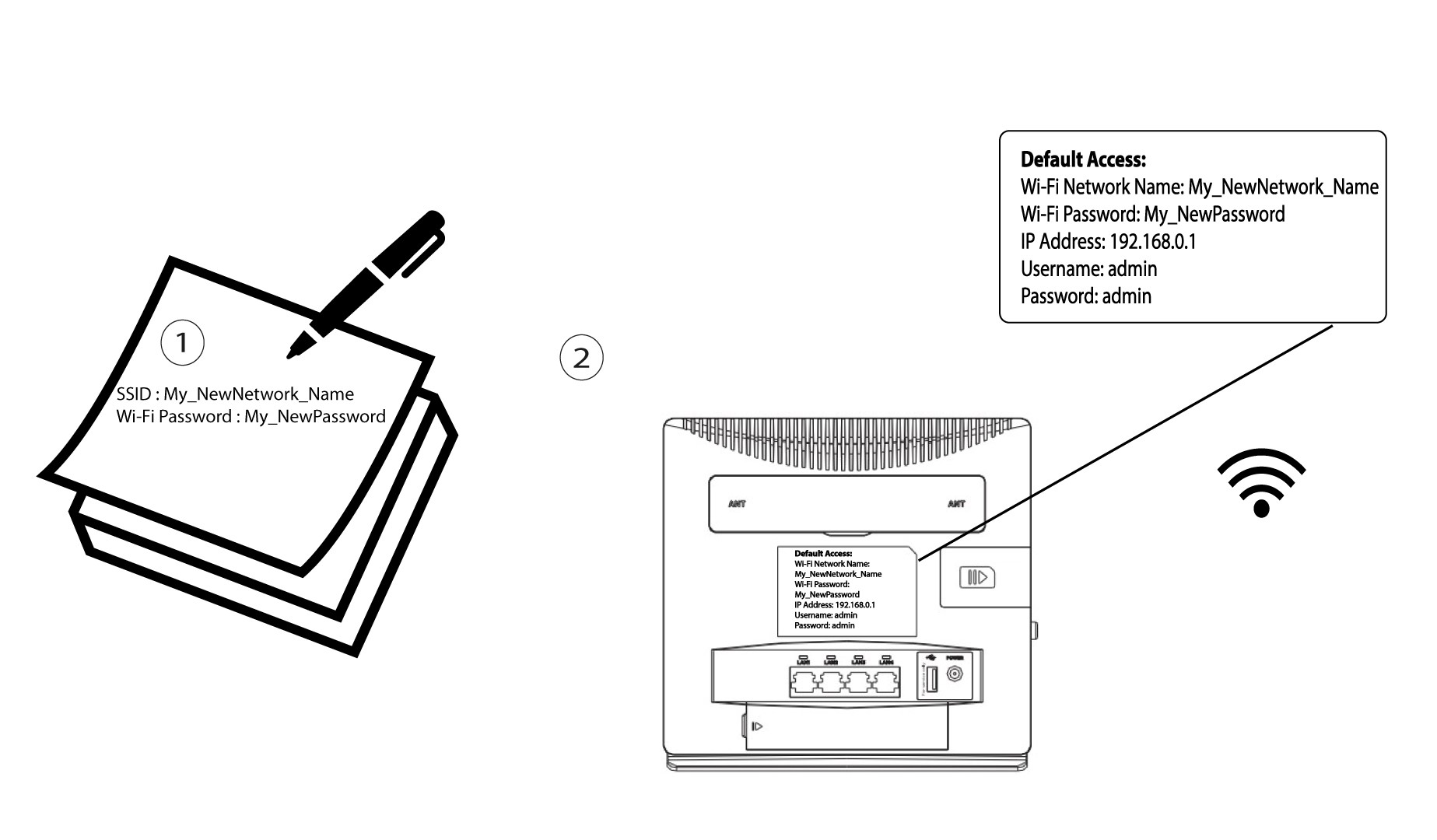
Zapisz nowe SSID i hasło na kartce papieru, a następnie przyklej ją taśmą do routera.