
4G AIRHOME 310 z odłączanymi antenami 4G
Wszystkie pytania
4G AIRHOME 310 z odłączanymi antenami 4G
Jak wyłączyć Wi-Fi?
Jeśli wolisz korzystać z routera, podłączając go bezpośrednio do urządzenia za pomocą kabla Ethernet, możesz wyłączyć Wi-Fi.
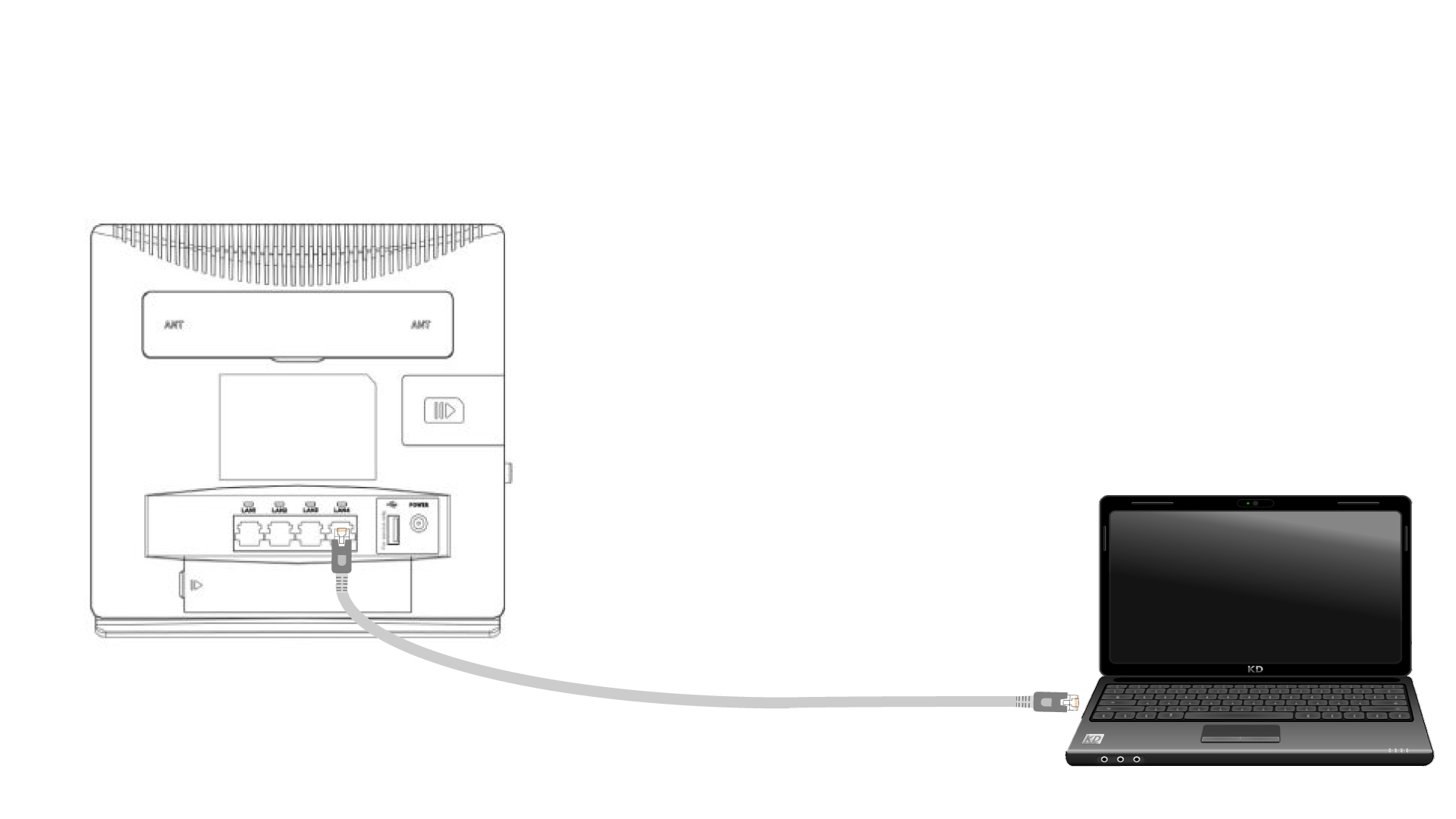
1. Podłącz siędo routera za pomocą kabla Ethernet
Podłącz kabel RJ45 do routera, aby uzyskać dostęp do interfejsu użytkownika, a następnie postępuj zgodnie z poniższą procedurą, aby połączyć się z interfejsem użytkownika (po kroku 2):
2. Ustawienia Wi-Fi
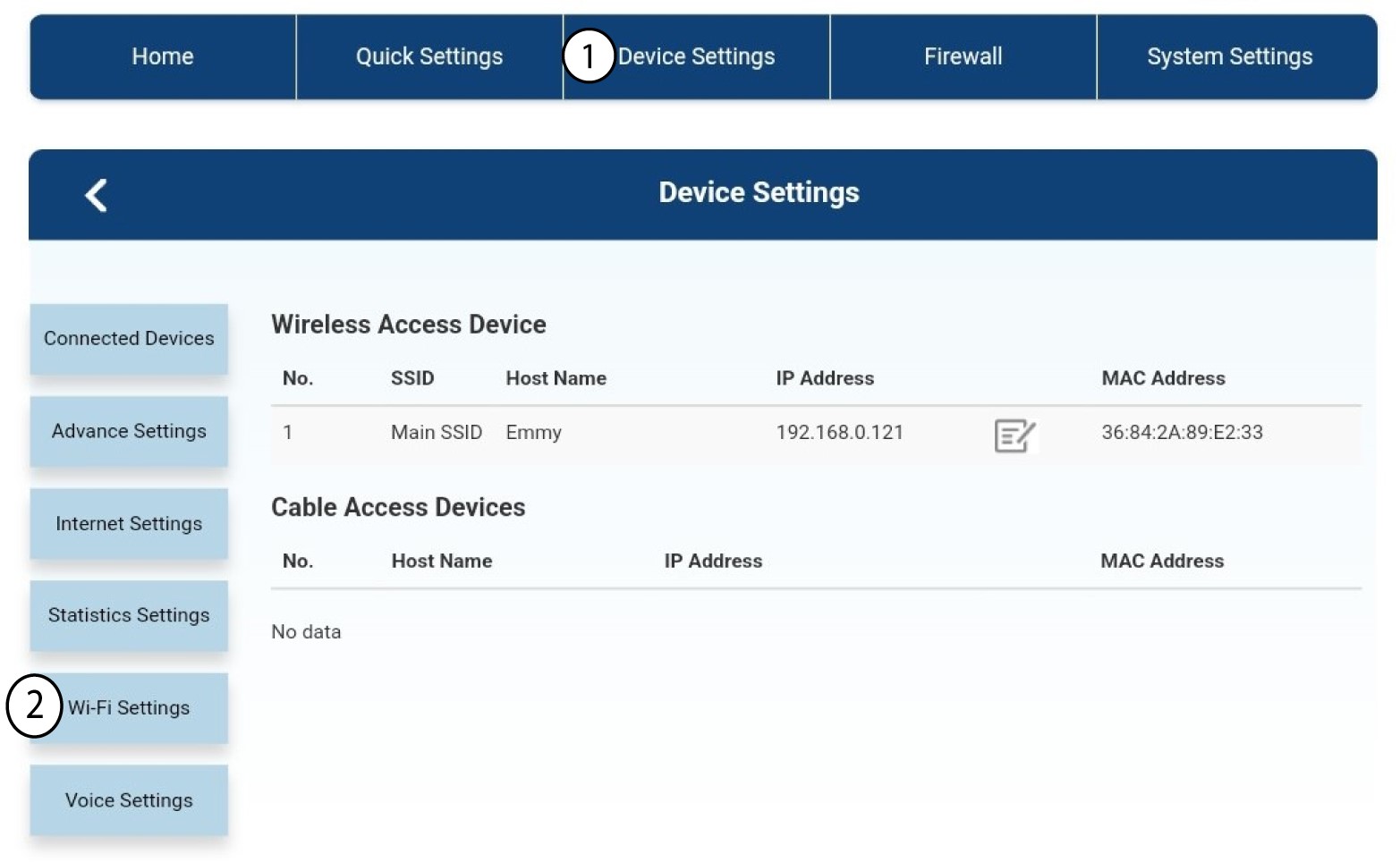
Następnie kliknij opcję „Ustawienia urządzenia ”, a potem wybierz „Ustawienia Wi-Fi”.
3. WyłączWi-Fi
W ustawieniach Wi-Fi wybierz opcję „Wi-Fi Switch ”. Następnie zaznacz pole „Wyłączone ” i kliknij przycisk „Zastosuj ”.
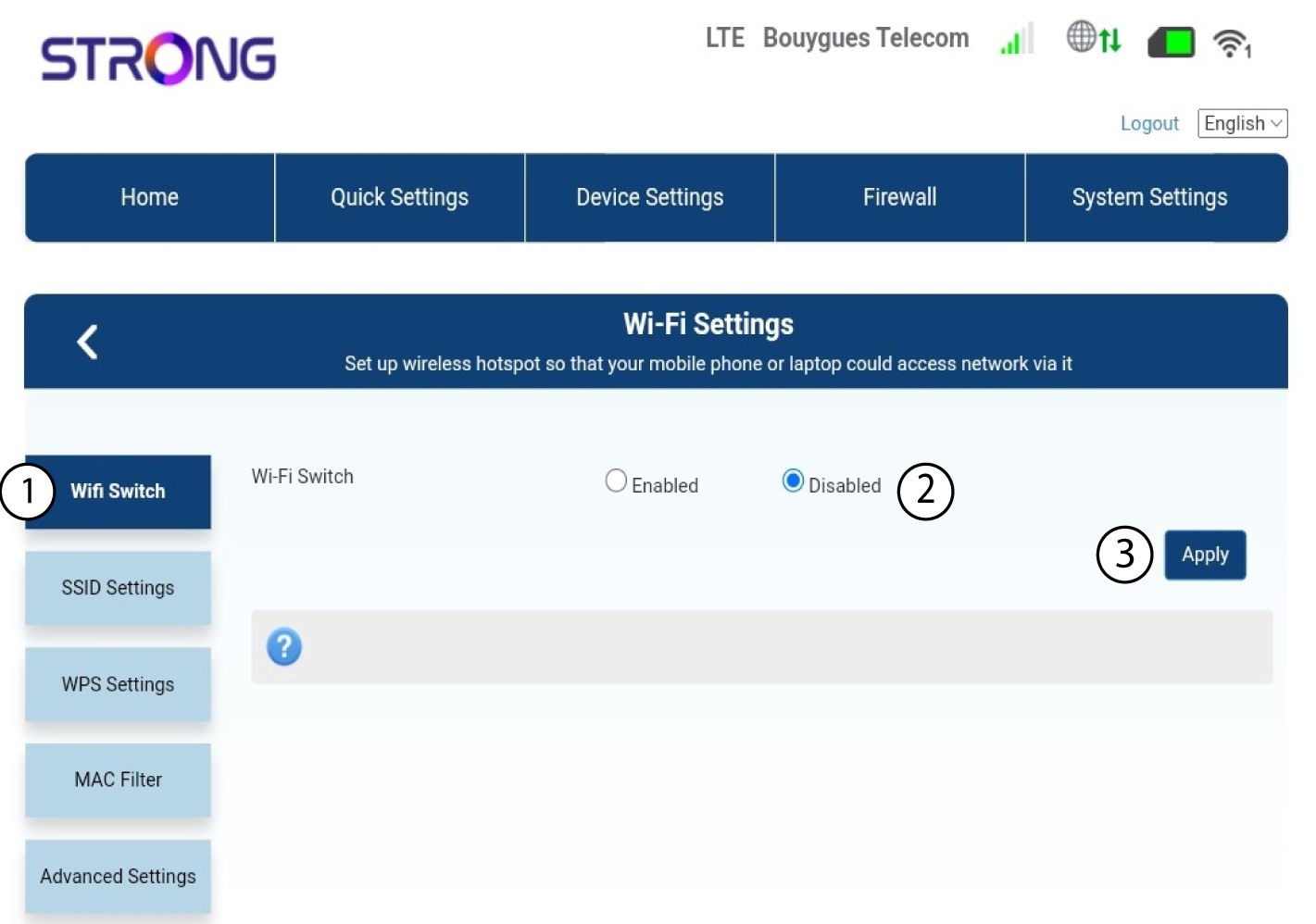

Sieć Wi-Fi routera jest wyłączona. Wszystkie urządzenia, które były wcześniej podłączone do sieci, zostaną automatycznie odłączone. Aby ponownie włączyć Wi-Fi, należy przejść do interfejsu użytkownika (Web UI) lub przywrócić ustawienia fabryczne routera.