
Mini router 4G AIRHOME 300 s odnímateľnými 4G anténami
Nenašli sa žiadne položky.
Nenašli sa žiadne položky.
Všetky otázky
Mini router 4G AIRHOME 300 s odnímateľnými 4G anténami
Nenašli sa žiadne položky.
Nenašli sa žiadne položky.
Ako môžem zmeniť SSID a heslo? (Rýchle nastavenia)
Ako môžem zmeniť SSID a heslo?
V webovom rozhraní máte k dispozícii dva spôsoby, ako zmeniť SSID a heslo vášho routera:
• Pomocou funkcie Rýchle nastavenia
• Alebo pomocou nastavení Wi-Fi.
1Rýchlenastavenia
V webovom používateľskom rozhraní vám funkcia „Rýchle nastavenia “ umožňuje zmeniť údaje o vašej sieti: jej názov a heslo.
Na to kliknite na položku „Rýchle nastavenia“ v hornom paneli.
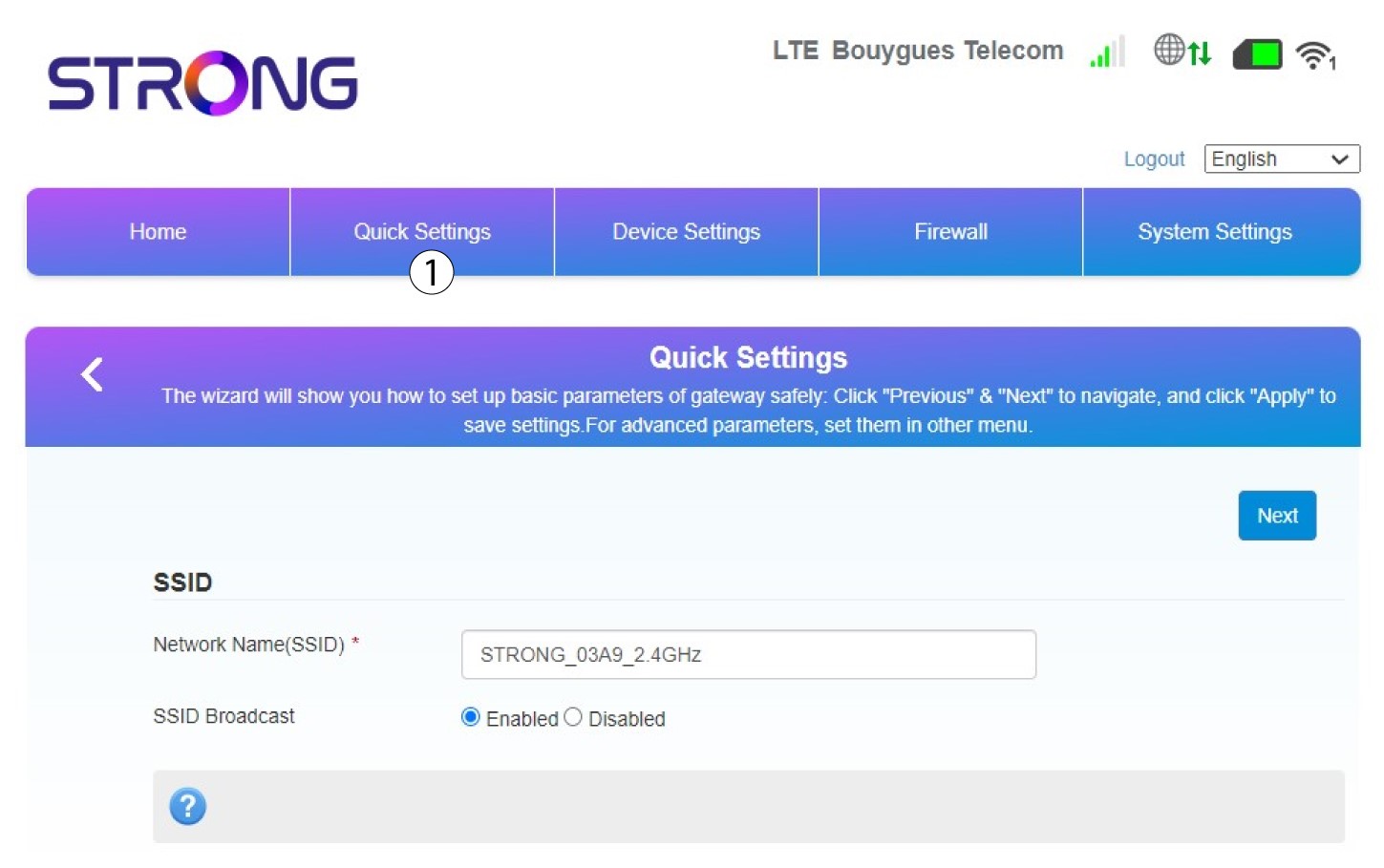
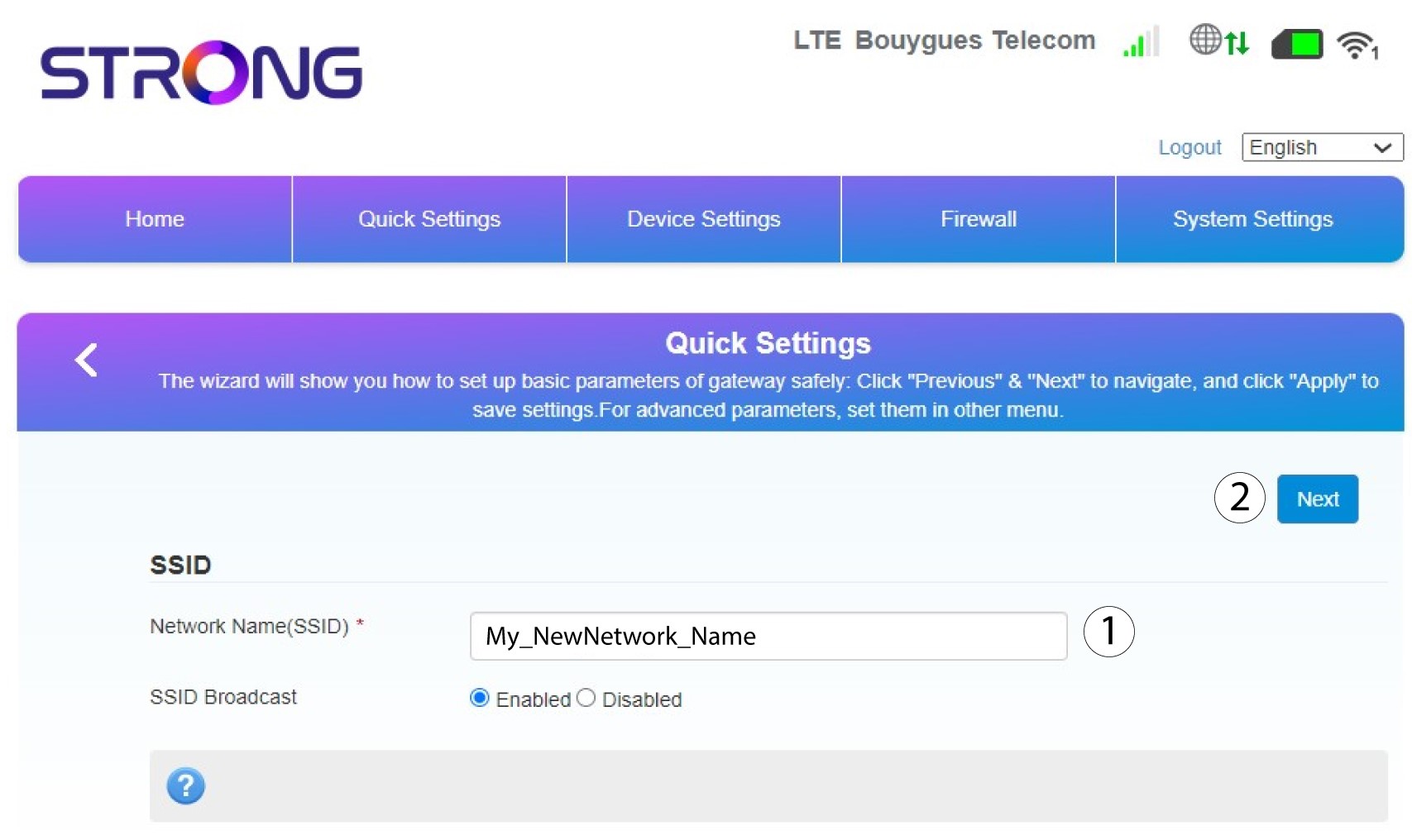
2Zadajtenový názov siete
Potom zadajte nový názov siete a kliknite na tlačidlo Ďalej.
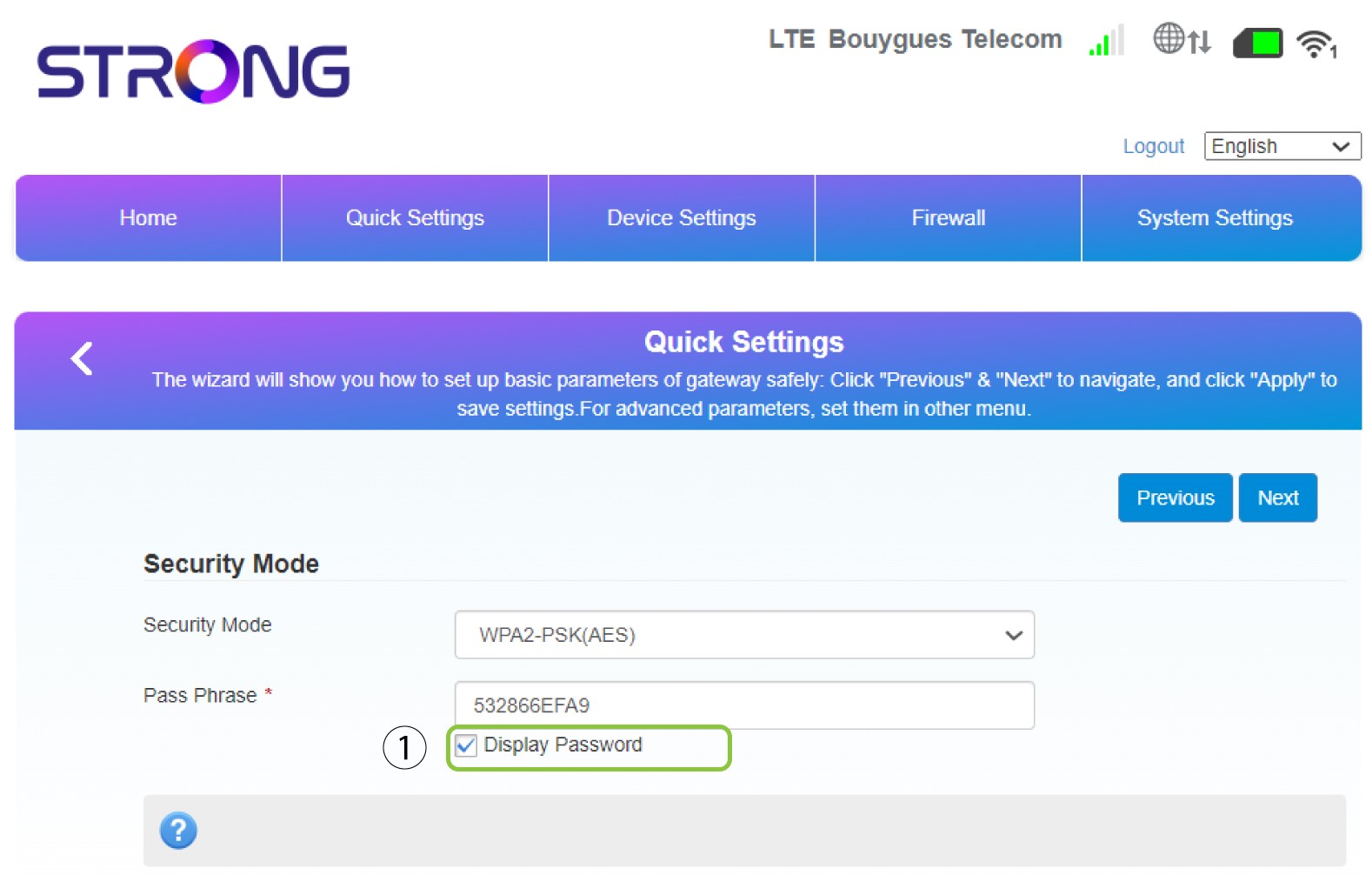
3Zobraziťheslo
Kliknite na položku „Zobraziť heslo“.
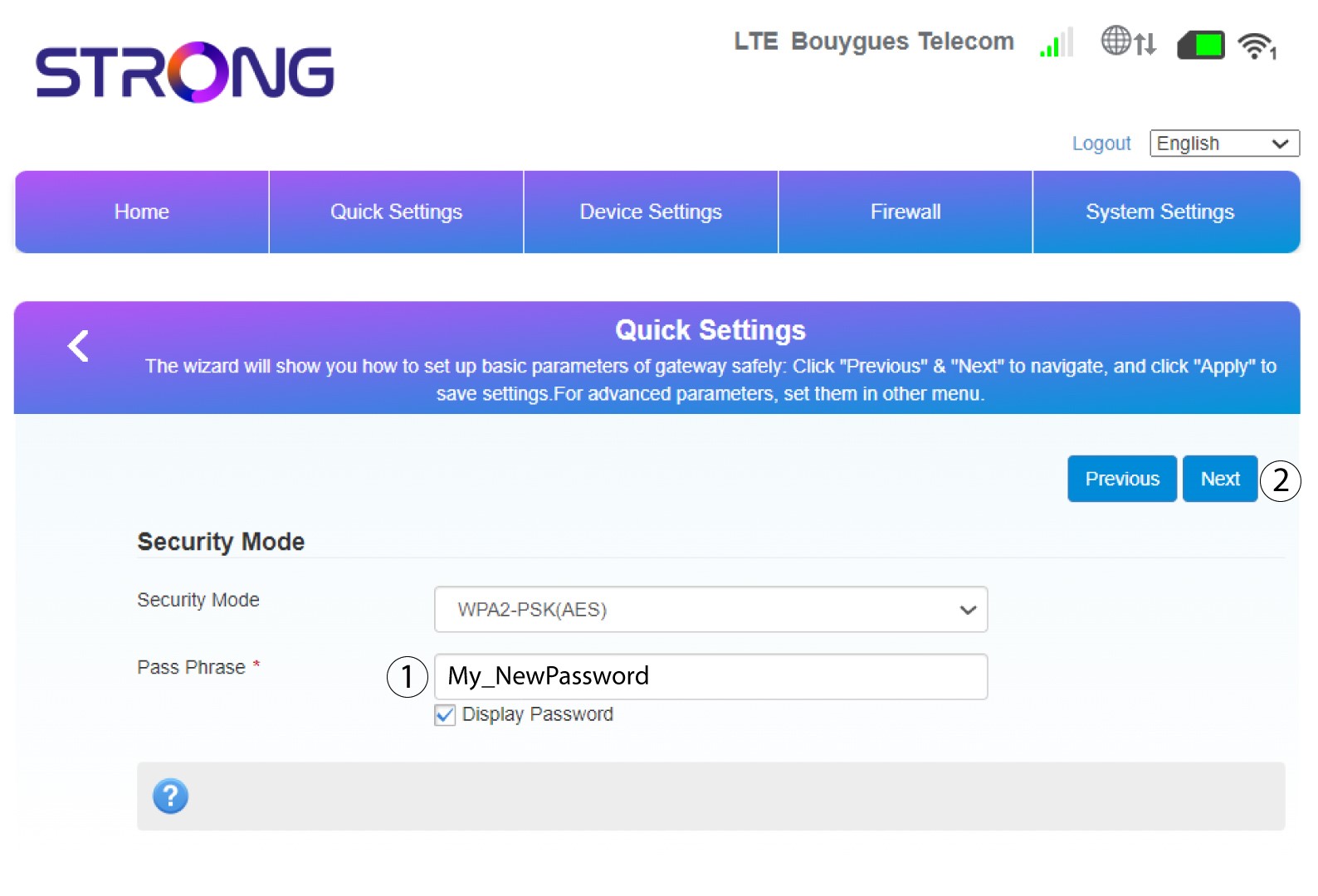
4Zadajtenové heslo
Zmeňte si heslo. Potom kliknite na „Ďalej“.
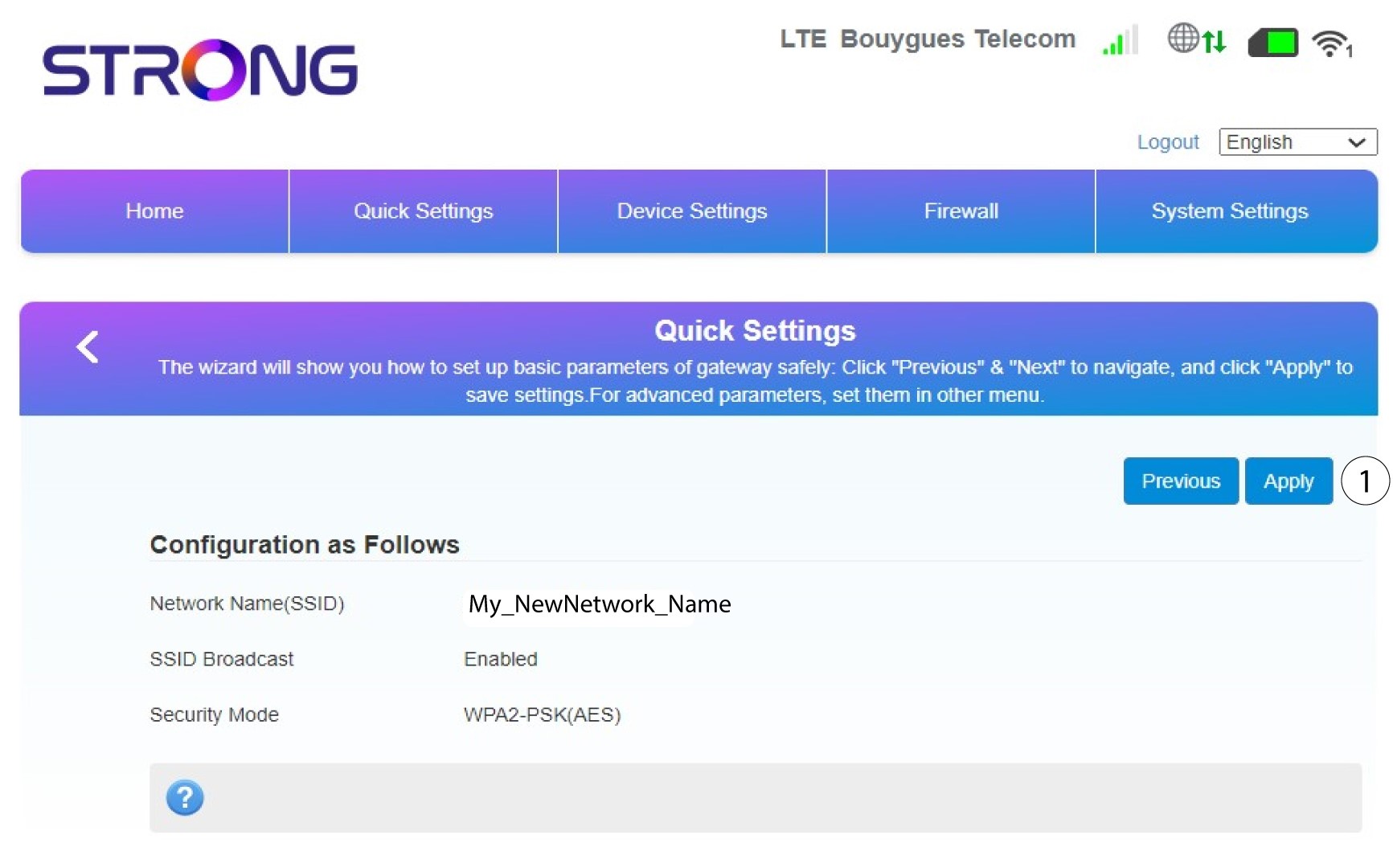
5. Skontrolujtesvoje zmeny
Ak chcete zmeny uložiť, kliknite na tlačidlo „Použiť“.
6. Zapíštesi nový názov siete a heslo
Zapíšte si prosím nové SSID a heslo, ktoré ste vytvorili, na kúsok papiera.


Akonáhle zmeníte názov siete a heslo svojho routera, QR kód už nebude fungovať, pretože pripojovacie údaje vášho routera sa zmenia.