
Mini router 4G AIRHOME 300 s odnímateľnými 4G anténami
Všetky otázky
Mini router 4G AIRHOME 300 s odnímateľnými 4G anténami
Ako môžem zmeniť SSID a heslo? (Nastavenia Wi-Fi)

Akonáhle zmeníte názov siete a heslo svojho routera, QR kód už nebude fungovať, pretože pripojovacie údaje vášho routera sa zmenia.
Zapíšte si, prosím, nové sieťové údaje na kúsok papiera.
1. Pripojtesa k Wi-Fi sieti routera
Ak chcete zmeniť SSID a heslo, musíte sa pripojiť k Wi-Fi siete vášho zariadenia.

2Prejditena IP adresu webového rozhrania
Potom do prehliadača zadajte túto IP adresu: 192.168.0.1.

3Stránka prihlásenia
Potom kliknite na „Prihlásiť sa“.

4Zadajtesvoje prihlasovacie údaje
Musíte zadať používateľské meno a heslo.

5. Nastavenia Wi-Fi
Kliknite na položku „Nastavenia zariadenia “ a vyberte „Nastavenia Wi-Fi“.
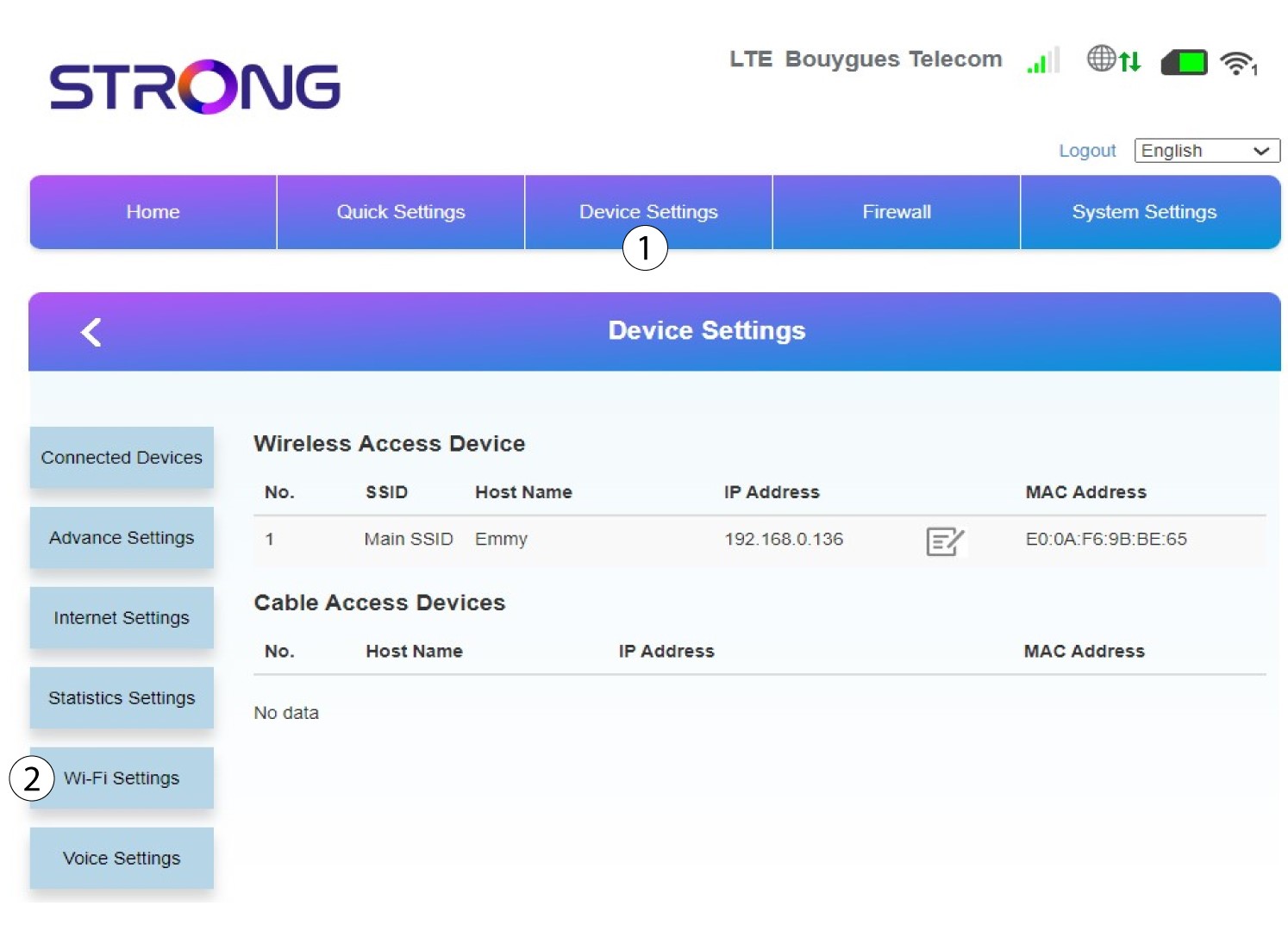
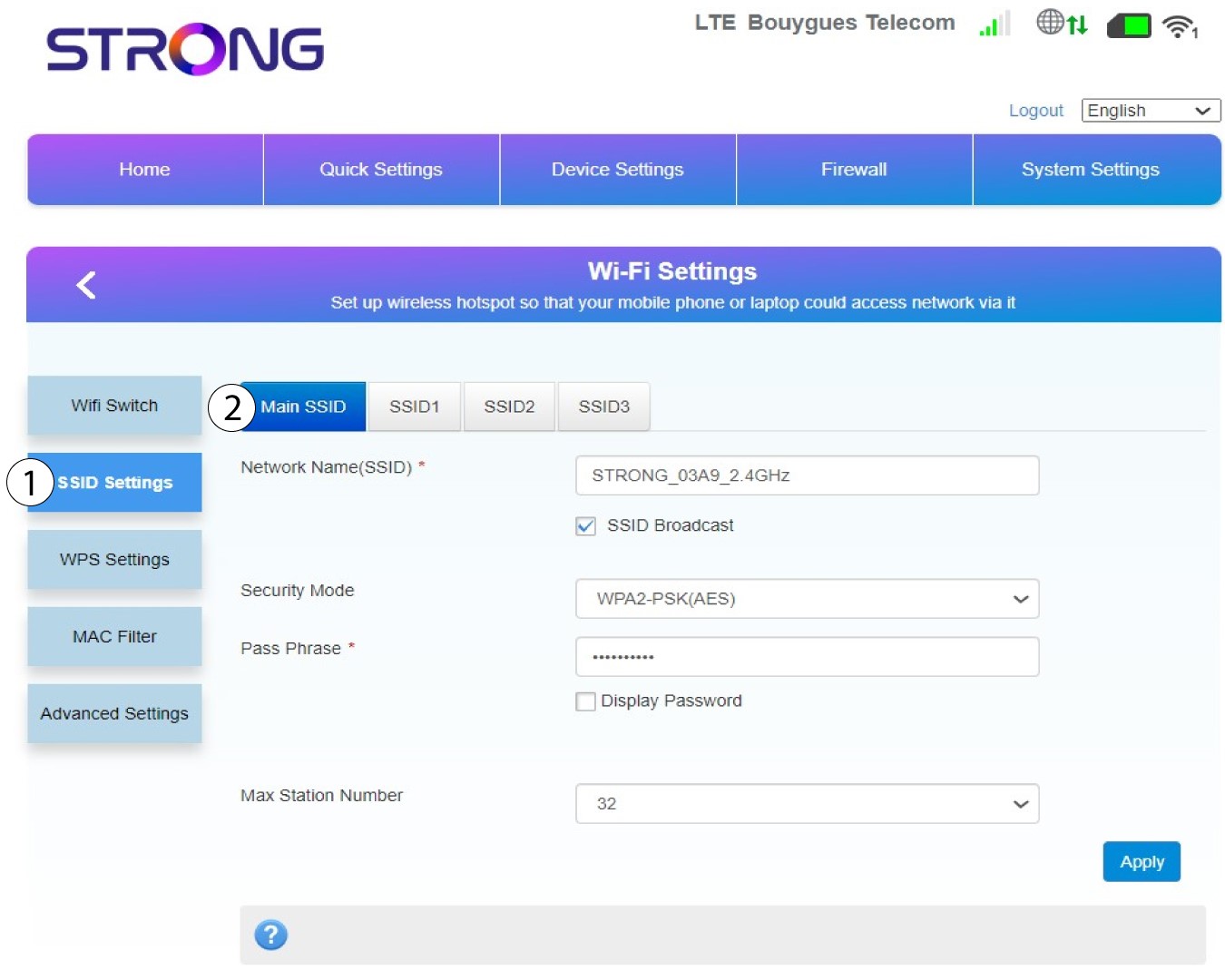
6HlavnéSSID
Potom vyberte položku „Nastavenia SSID “ a vyberte hlavné SSID.
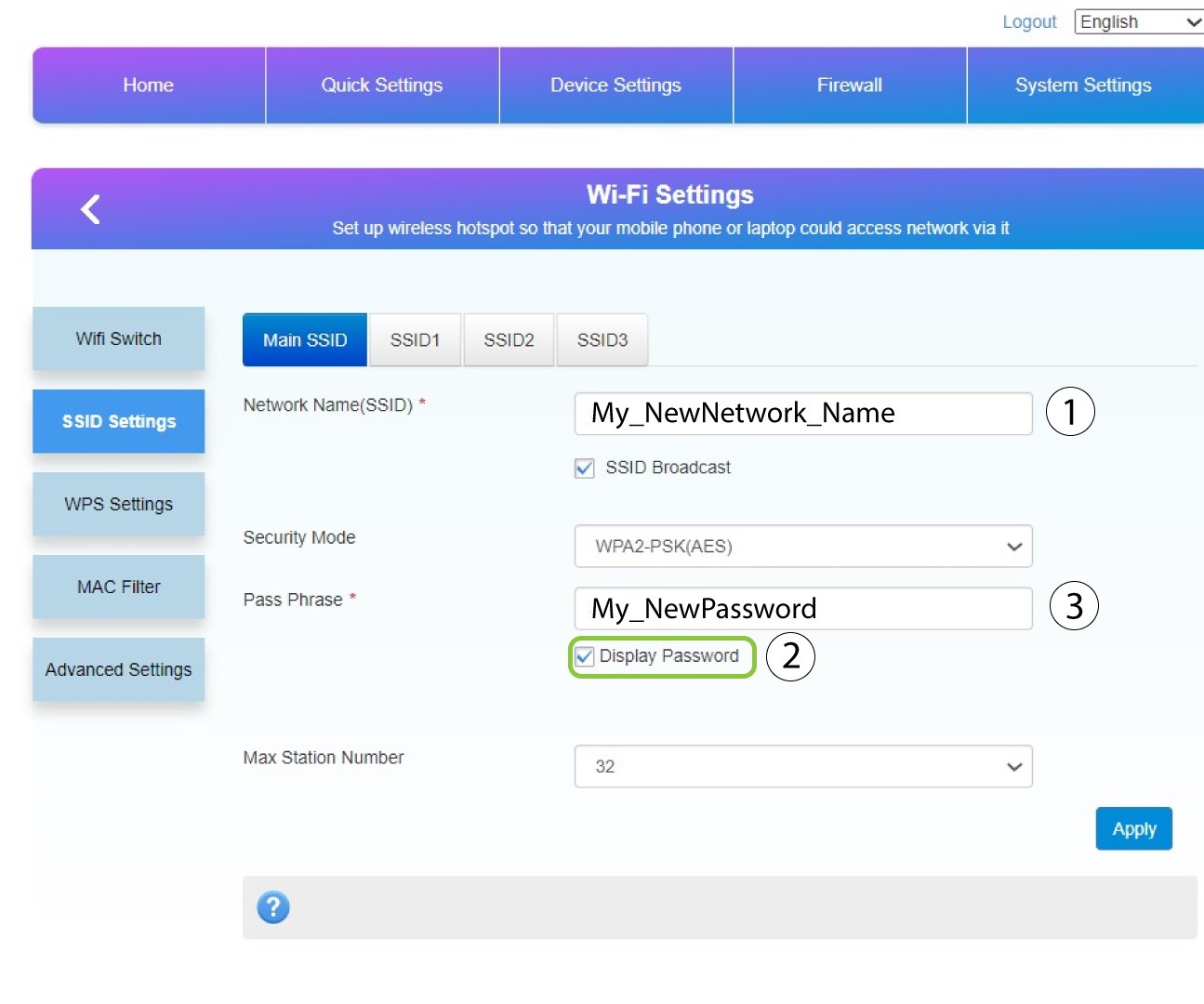
7Zadajtenový názov siete a heslo
Zmeňte názov zadaný v poli „Názov siete (SSID) “ a zaškrtnite políčko „Zobraziť heslo“ box. Následne zmeňte heslo zadané v poli „Heslo “.
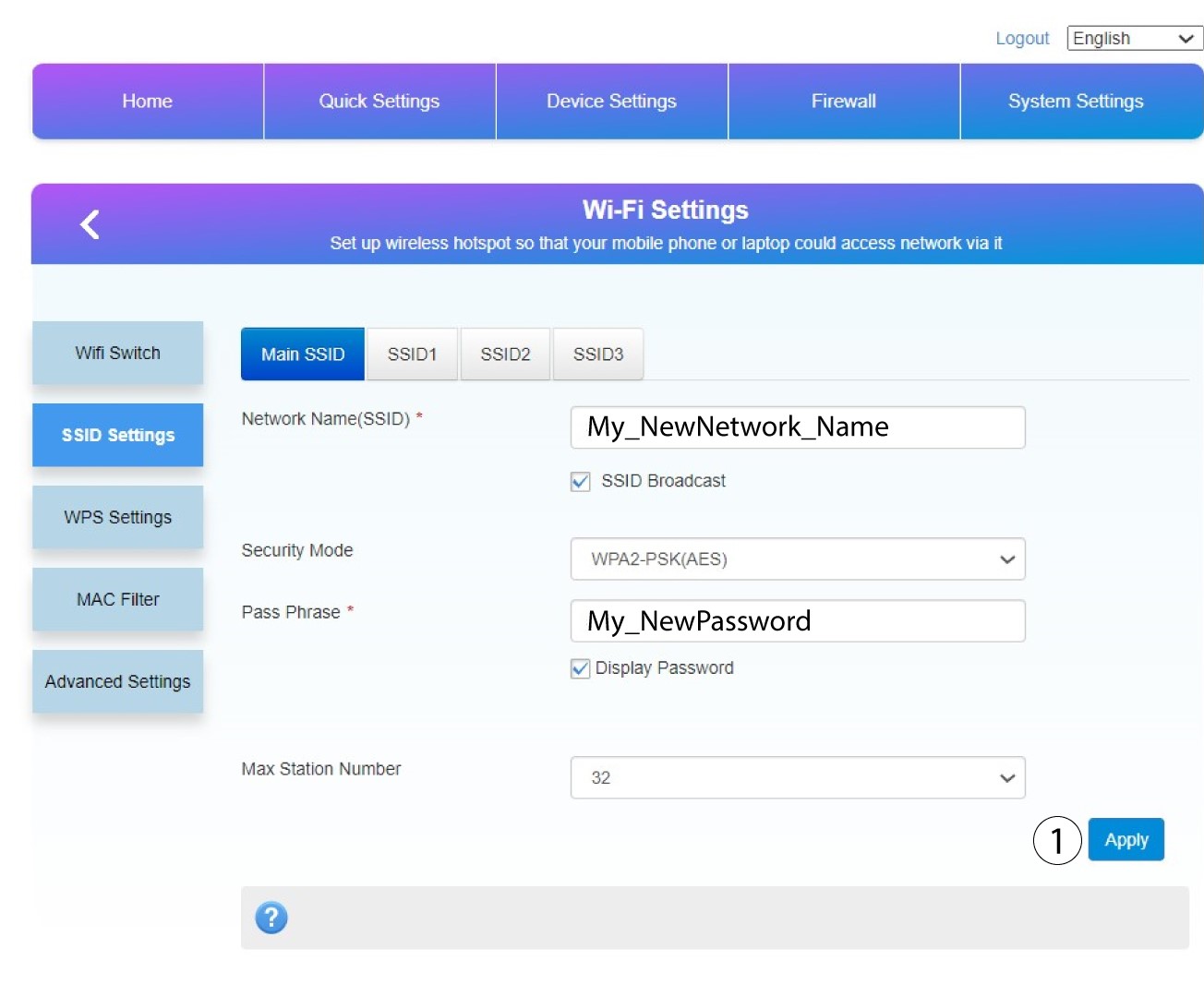
8. Uložtezmeny
Kliknite na tlačidlo „Použiť“, aby ste uložili zmeny.
9Zapíštesi nové informácie
Zapíšte si nové SSID a heslo na papier a prilepte ho na router.
