
Mini router 4G AIRHOME 300 s odnímateľnými 4G anténami
Všetky otázky
Mini router 4G AIRHOME 300 s odnímateľnými 4G anténami
Aký je význam jednotlivých stavov SIM karty vo webovom používateľskom rozhraní?

Pred pripojením k webovému používateľskému rozhraniu sa uistite, že je SIM karta správne vložená a že je PIN kód deaktivovaný alebo zadaný.
Akonáhle sa dostanete do webového používateľského rozhrania, všimnete si, že vedľa riadku so stavom SIM karty sa môže zobrazovať viacero stavov:
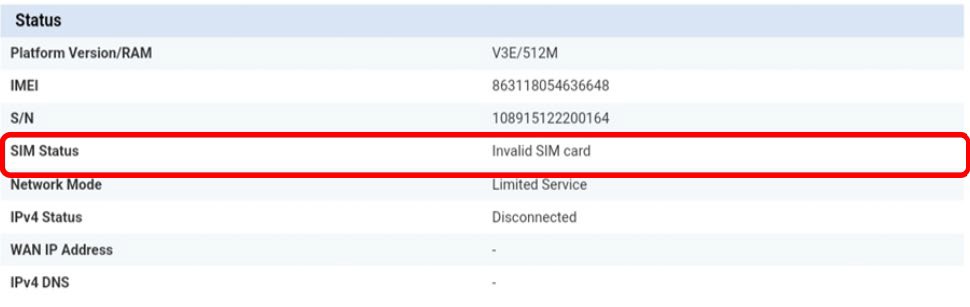
Neplatná SIM karta: SIM karta je vložená a zariadenie ju rozpoznalo, ale nefunguje kvôli PIN kódu.
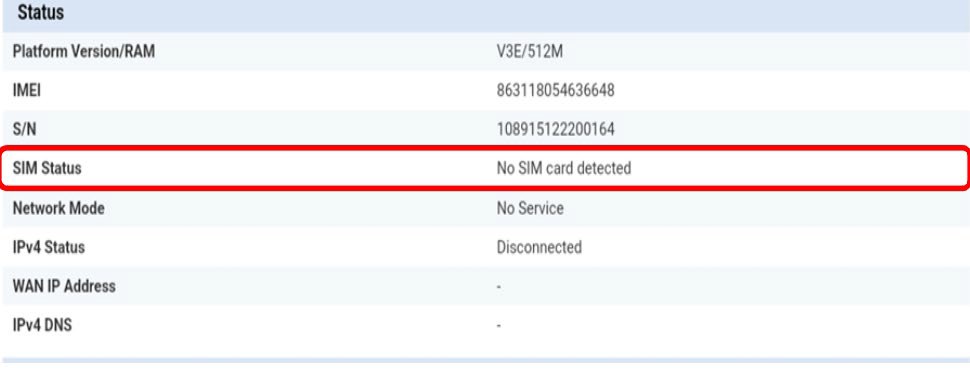
Nebola zistená žiadna SIM karta: SIM karta nie je správne vložená do zariadenia alebo v slote nie je vložená žiadna SIM karta.
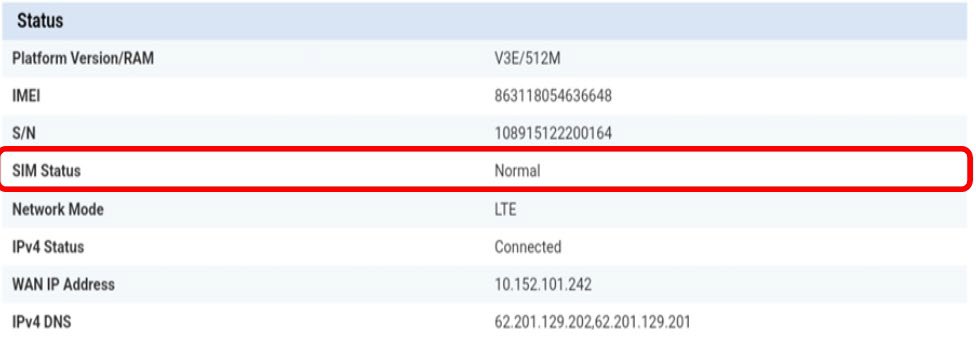
Normálny stav: SIM karta je správne vložená do zariadenia a odblokovaná.
• Ak je SIM karta uzamknutá PIN kódom, musíte sa prihlásiť do webového rozhrania, aby ste ho zadali a SIM kartu odomkli.
• Ak sa SIM karta nezistí, skontrolujte, či nie je viditeľná zlatá strana, keď je SIM karta vložená do slotu.
• Ak nie je SIM karta správne zasunutá, zasuňte ju správne do slotu a skontrolujte, či je SIM karta stále v adaptéri.