Mini router 4G AIRHOME 300 s odnímateľnými 4G anténami
Všetky otázky
Mini router 4G AIRHOME 300 s odnímateľnými 4G anténami
Ako môžem obnoviť továrenské nastavenia svojho routera? (Webové rozhranie)
Niekedy sa môže stať, že vaše zariadenie nefunguje správne a nemáte prístup k internetu. V takomto prípade odporúčame obnoviť továrenské nastavenia zariadenia a v prípade potreby následne znovu aktualizovať jeho firmvér.
Máte na to dva spôsoby: zariadenie môžete obnoviť stlačením tlačidla reset alebo prostredníctvom webového rozhrania.
1. Pripojte sak sieti Wi-Fi vášho routera
Musíte sa pripojiť k sieti Wi-Fi vášho zariadenia.

2Prejditena IP adresu webového používateľského rozhrania
Potom do prehliadača zadajte túto IP adresu: 192.168.0.1

3Stránka prihlásenia
Potom kliknite na „Prihlásiť sa“.

4Zadajtesvoje prihlasovacie údaje
Pred kliknutím na tlačidlo „Prihlásiť sa“ je potrebné zadať používateľské meno a heslo.

5 Nastavenie systému
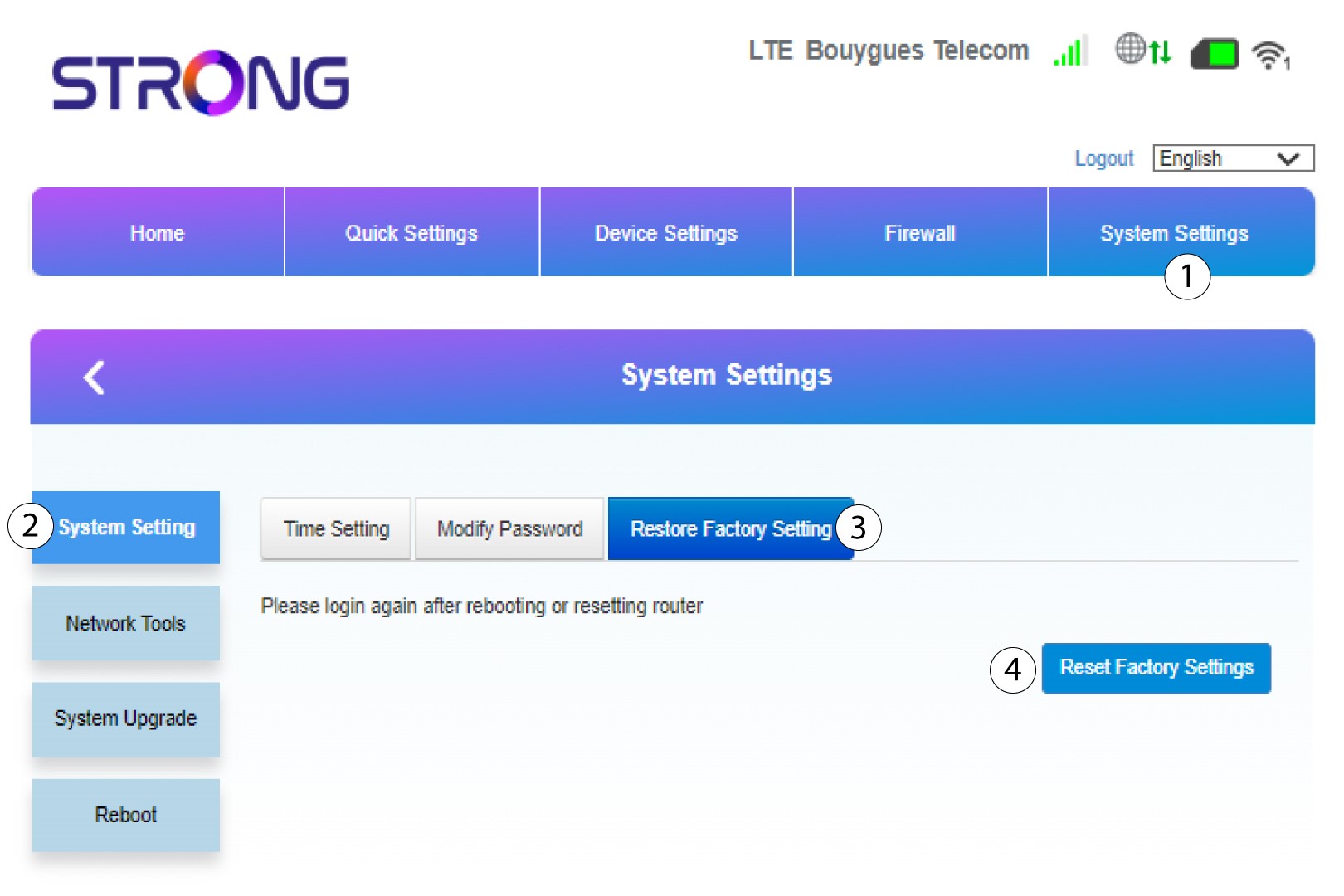
Potom kliknite na položku „Nastavenia systému “ a vyberte možnosť „Nastavenia systému“. Následne kliknite na položku „Obnoviť továrenské nastavenia “ a vyberte možnosť „Obnoviť továrenské nastavenia“.
6Potvrďteobnovenie
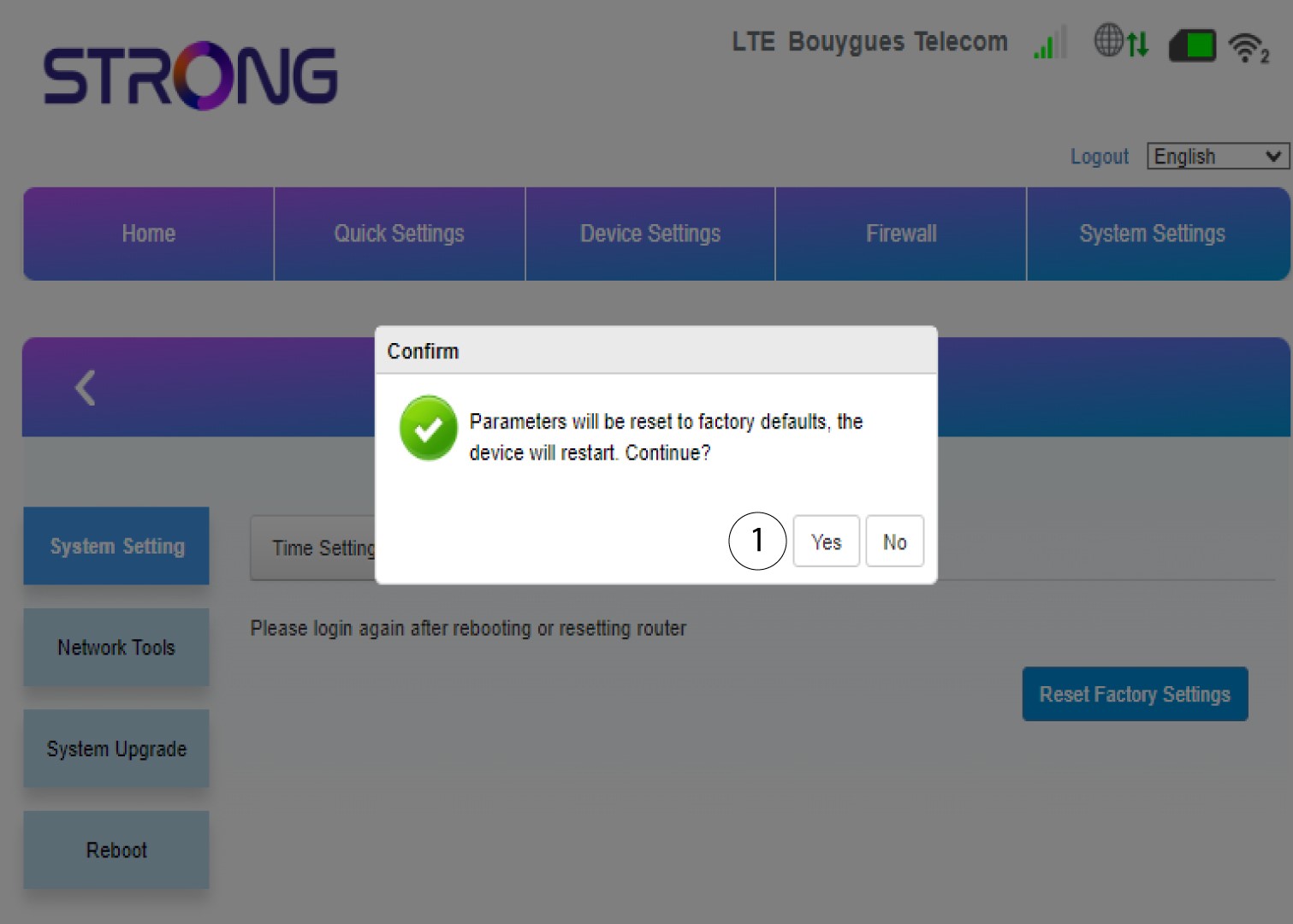
V zobrazenom vyskakovacom okne kliknite na „Áno “.