4G AIRHOME 310 със сменяеми 4G антени
Не са намерени никакви елементи.
Не са намерени никакви елементи.
Всички въпроси
4G AIRHOME 310 със сменяеми 4G антени
Не са намерени никакви елементи.
Не са намерени никакви елементи.
Как да променя SSID (името на Wi-Fi мрежата) и паролата? (Случай 1: Бързи настройки)
В уеб интерфейса имате два начина да промените SSID и паролата на рутера си:
• Чрез „Бързи настройки“
• Или чрез „Настройки за Wi-Fi“
1Бързинастройки
В уеб интерфейса функцията „Бързи настройки“ ви позволява да промените данните на вашата мрежа: нейния SSID и паролата.
За да направите това, кликнете върху „Бързи настройки“ в горната лента.

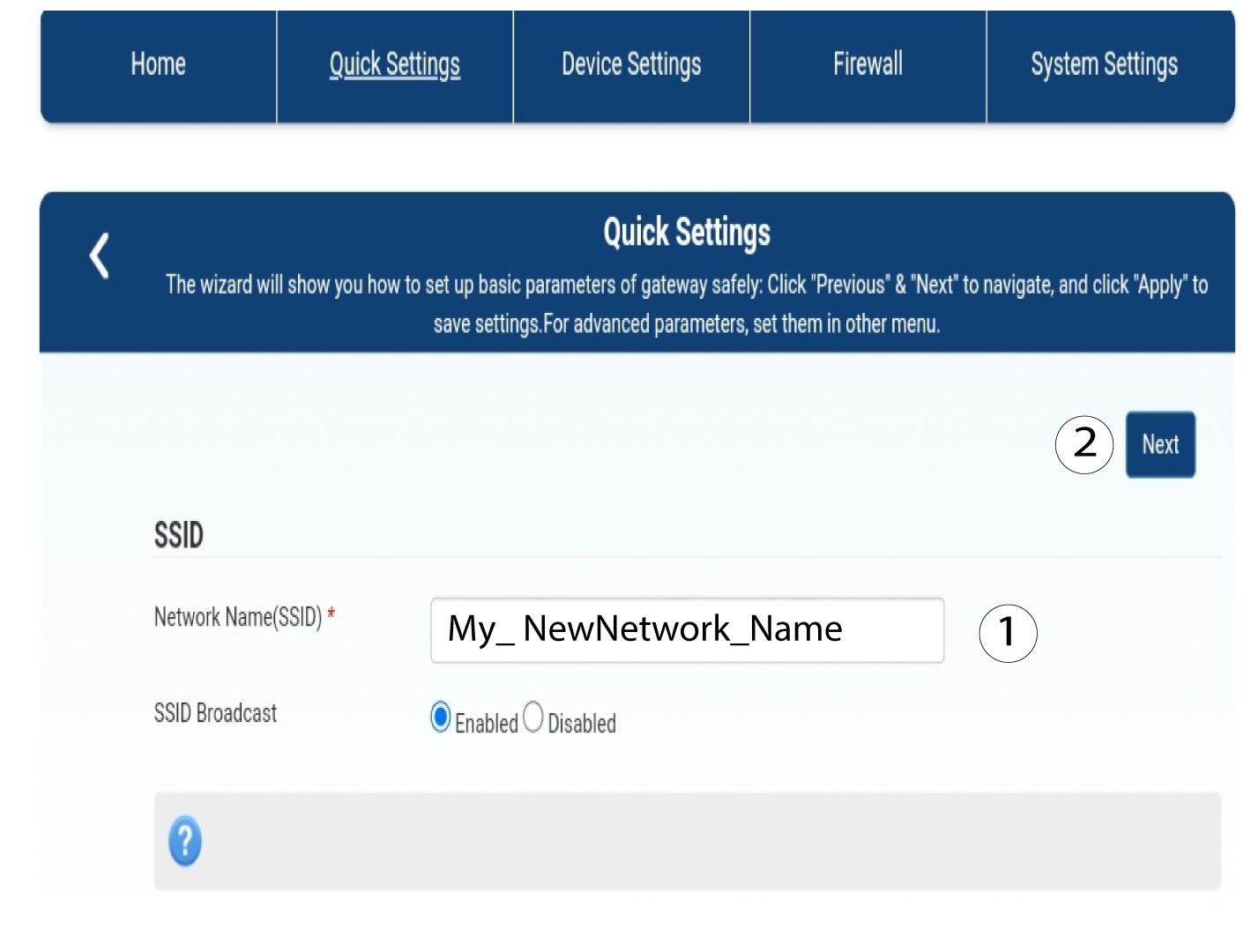
2Въведетеновото име на мрежата
След това въведете новото име на мрежата и кликнете върху „Напред“.
3. Покажипаролата за Wi-Fi
Кликнете върху „Покажи паролата“.
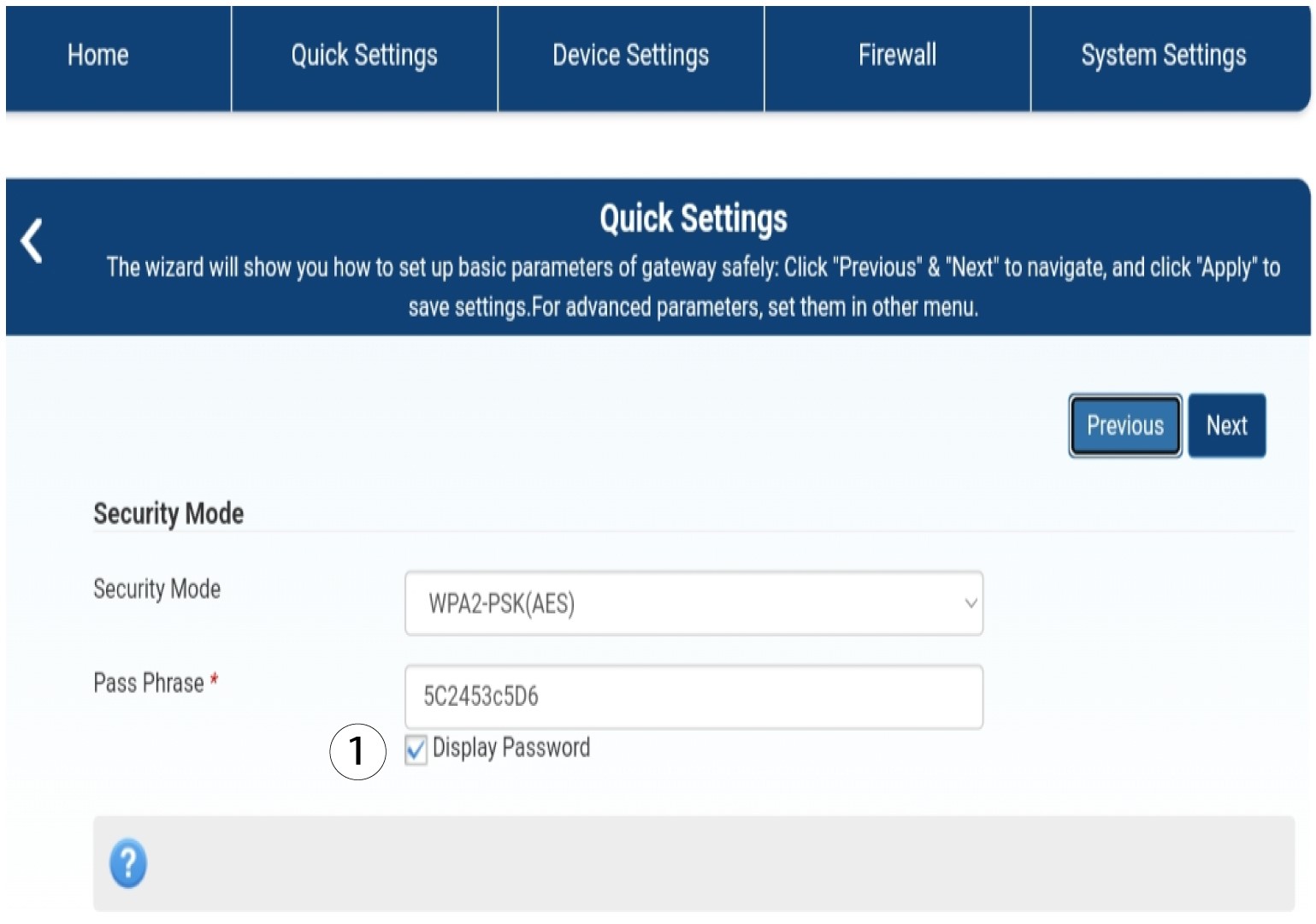
4Въведетеновата парола
Променете паролата си. След това кликнете върху „Напред“.

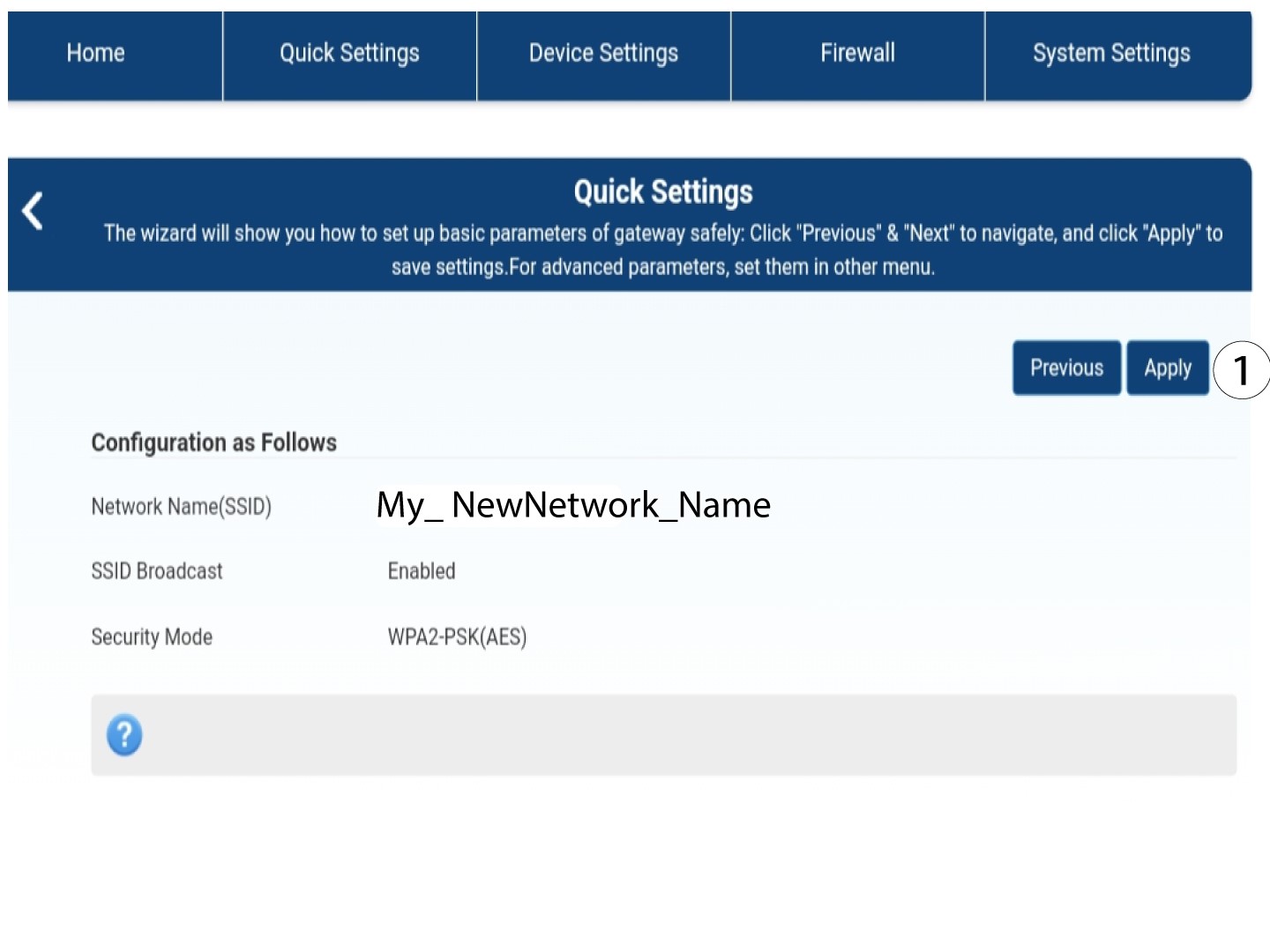
5. Запазетеновата мрежова информация
За да запазите промените, кликнете върху „Приложи“.
6. Запишетеновата информация за мрежата
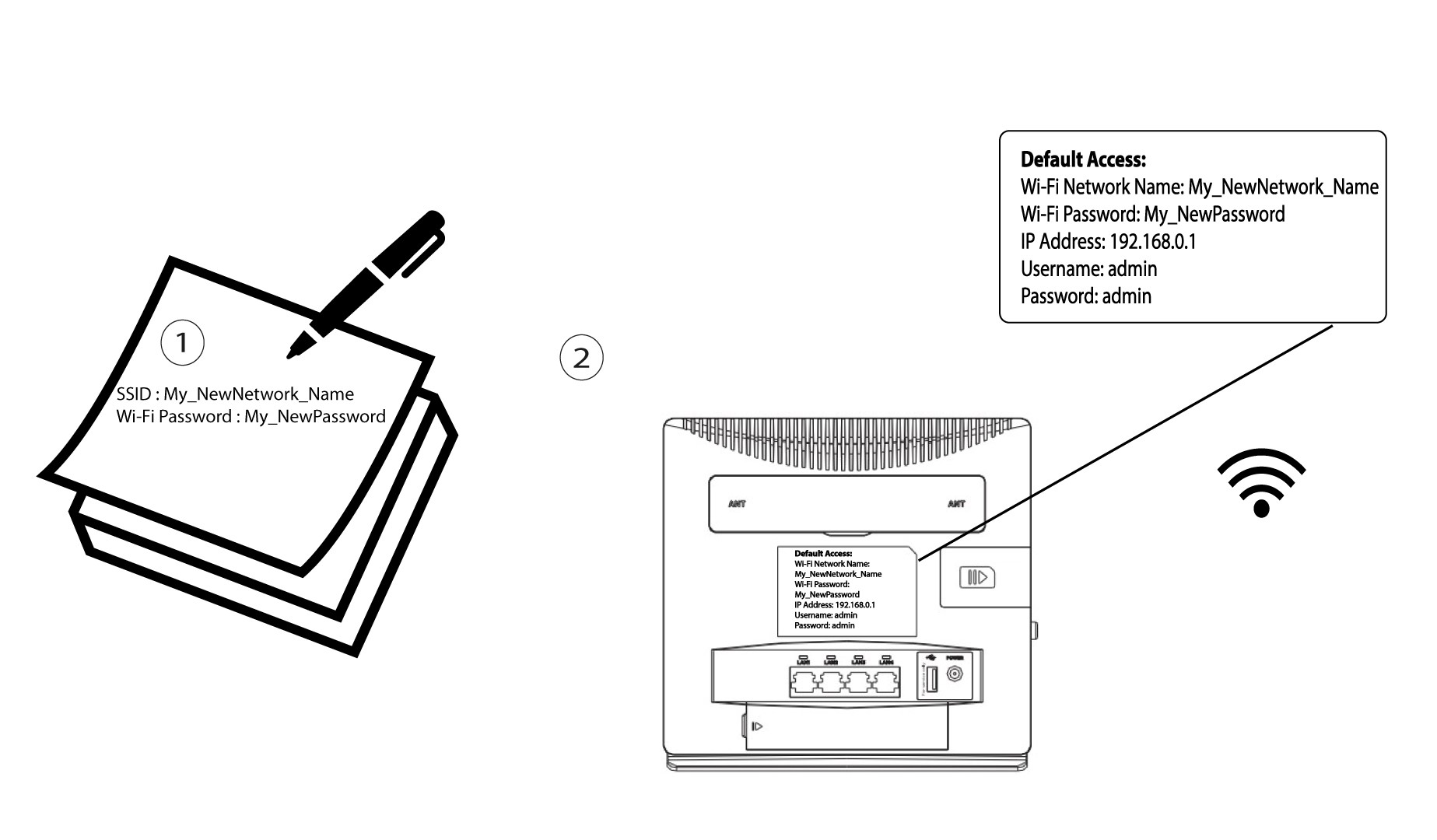
Напишете новия си SSID и парола на лист хартия и го залепете върху рутера.