
4G AIRHOME 310 със сменяеми 4G антени
Всички въпроси
4G AIRHOME 310 със сменяеми 4G антени
Как да изключа Wi-Fi?
Ако предпочитате да използвате рутера си, като го свържете директно към устройството си с Ethernet кабел, можете да деактивирате Wi-Fi.
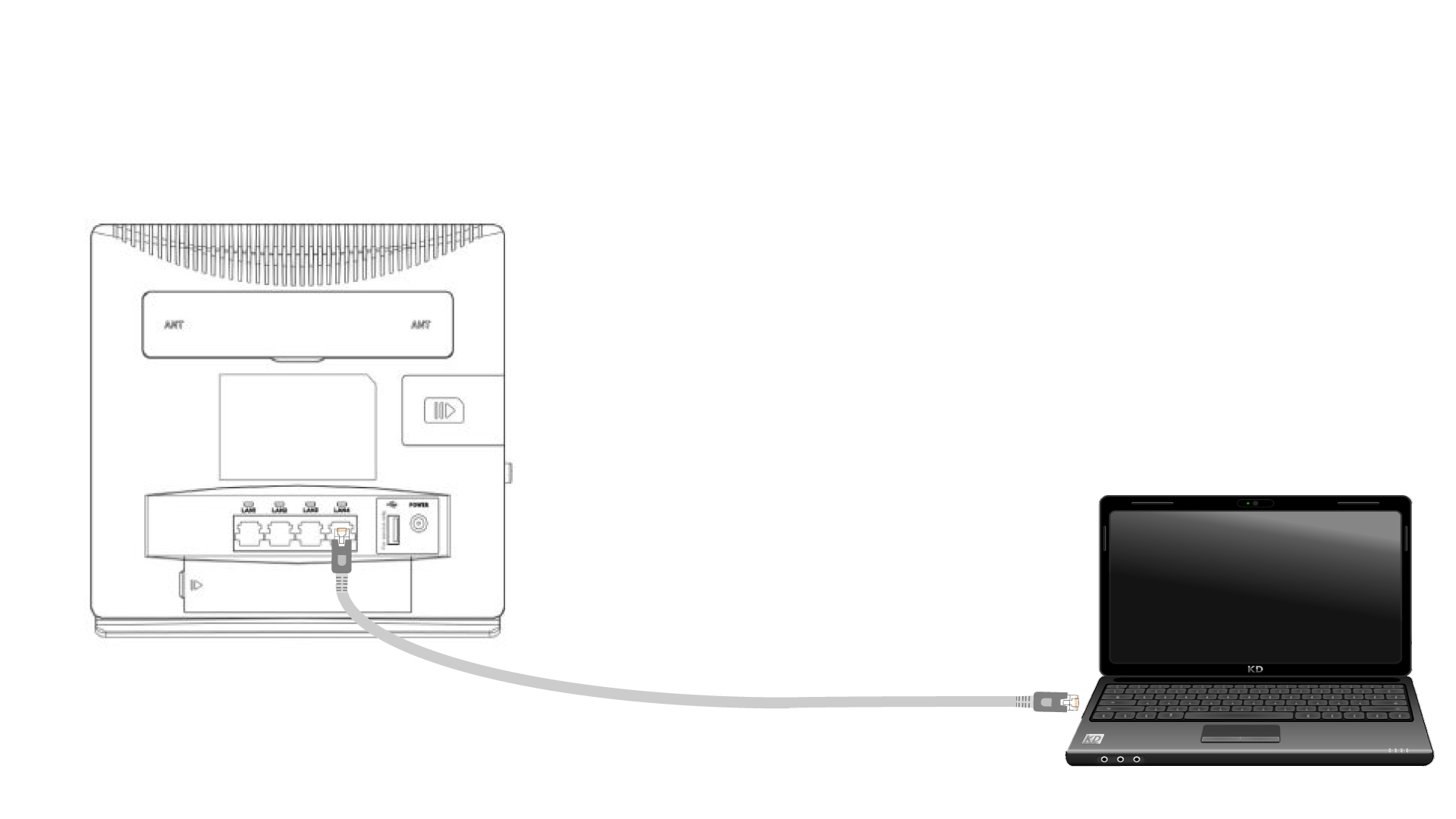
1Свържете сес рутера чрез Ethernet кабел
Свържете RJ45 кабел към рутера, за да получите достъп до уеб интерфейса, и следвайте процедурата по-долу, за да се свържете с уеб интерфейса (след стъпка 2):
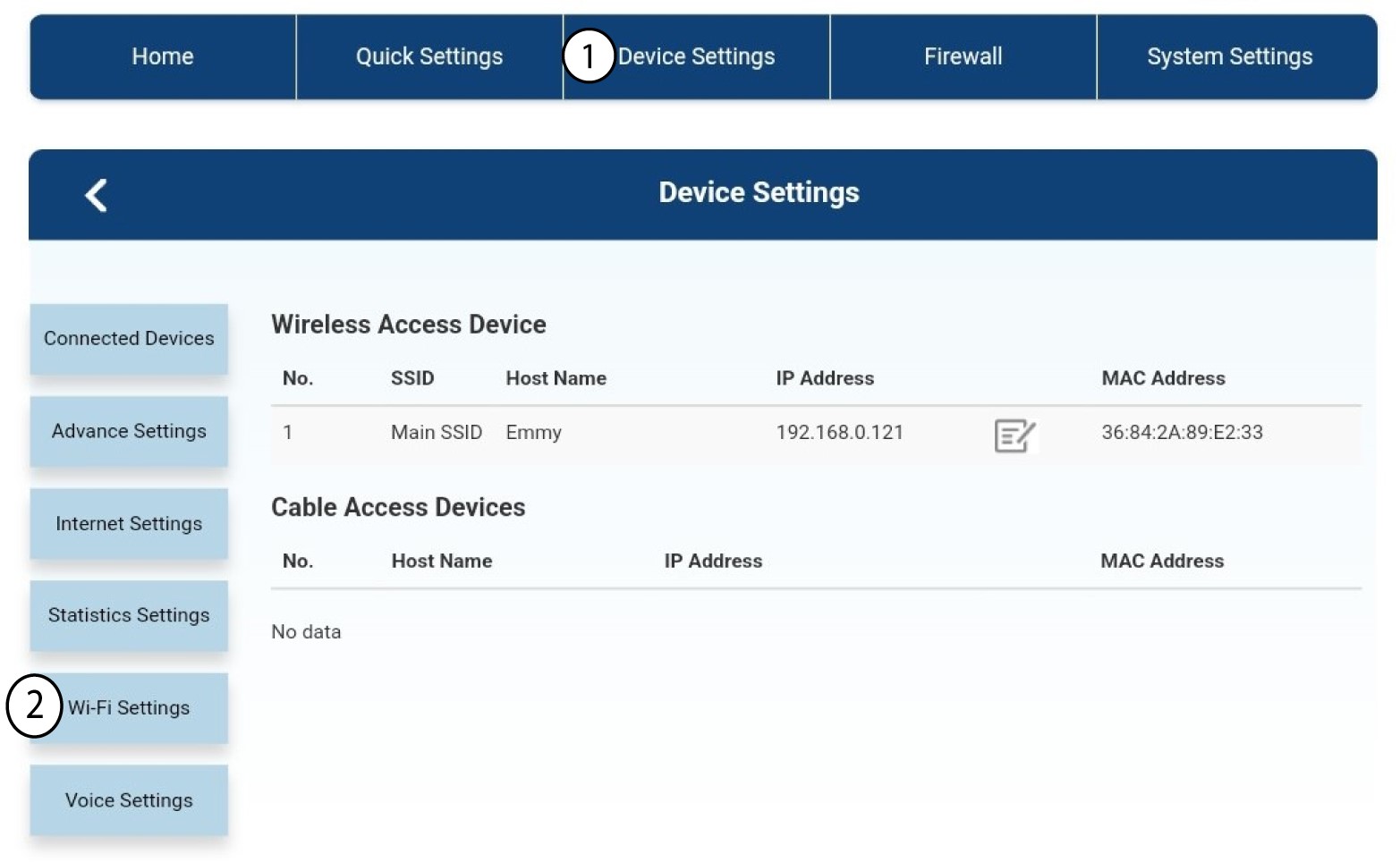
2. Настройки на Wi-Fi
След това кликнете върху „Настройки на устройството “ и изберете „Настройки на Wi-Fi“.
3. Деактивиранена Wi-Fi
В „Настройки на Wi-Fi“ изберете „Wi-Fi Switch “. След това кликнете върху полето „Деактивирано “ и върху бутона „Приложи “.
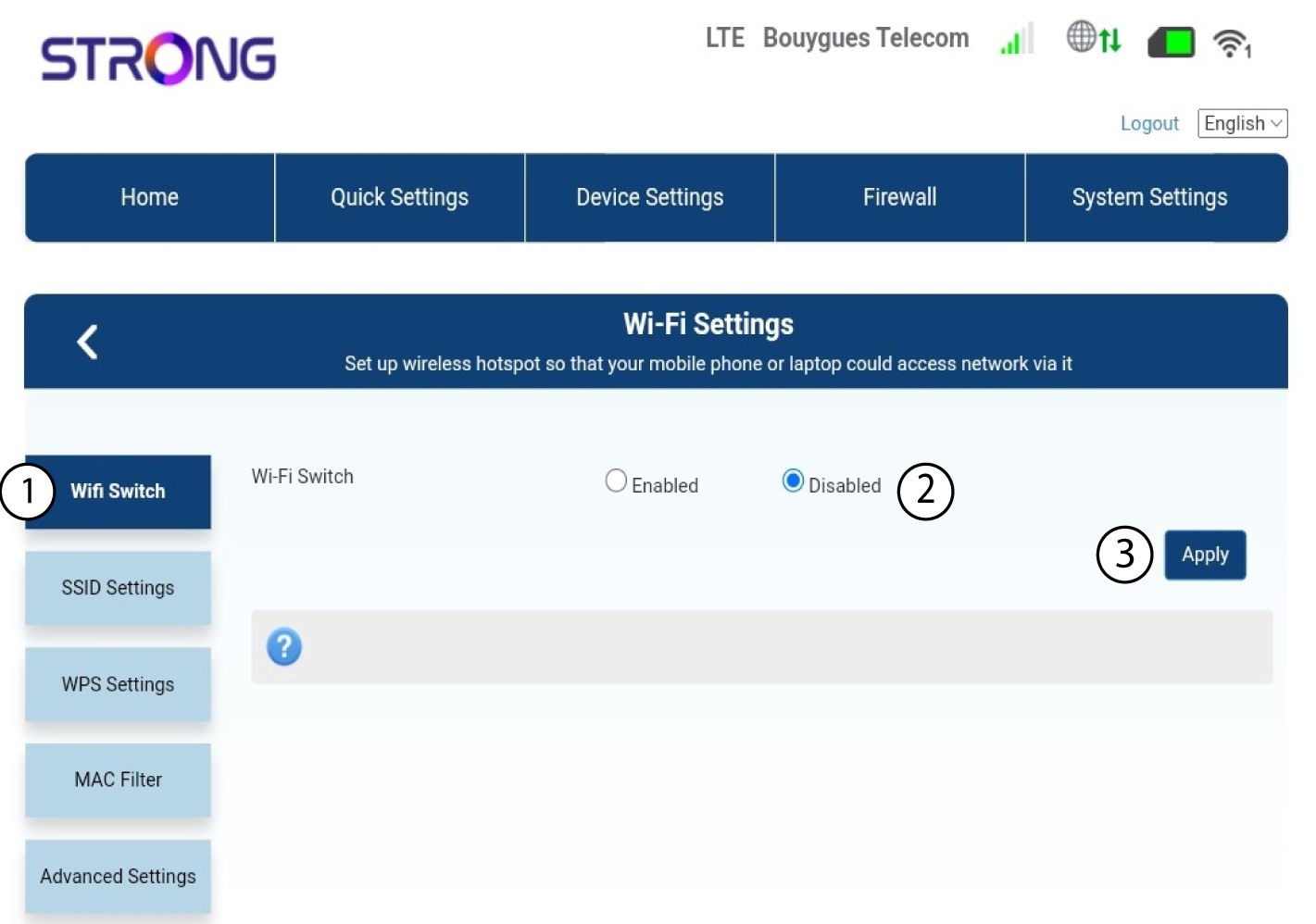

Wi-Fi мрежата на рутера е деактивирана. Всички устройства, които преди това са били свързани към мрежата, ще бъдат автоматично изключени. За да активирате отново Wi-Fi, трябва да влезете в уеб интерфейса или да възстановите фабричните настройки на рутера.