4G AIRHOME 310 със сменяеми 4G антени
Всички въпроси
4G AIRHOME 310 със сменяеми 4G антени
Как мога да проверя и редактирам настройките за APN на моя оператор?
Когато устройството не разпознае автоматично SIM-картата ви, трябва да влезете в уеб интерфейса, за да проверите настройките на APN и да ги редактирате, ако е необходимо. Настройките на APN на вашия оператор можете да намерите директно на уебсайта му или да ги поискате от службата за поддръжка на оператора.

Предупреждение: Ако мобилната ви мрежа се предоставя от виртуален мобилен оператор (MVNO), моля, свържете се с техния отдел за поддръжка, за да получите необходимата информация за APN.
- MVNO се свързва с мрежата на друг мобилен оператор, за да ви осигури покритие, което зависи от местоположението ви.
1. Свържете сес Wi-Fi мрежата на рутера
Трябва да се свържете с уеб интерфейса. За да направите това, въведете SSID и паролата на рутера в устройството си.

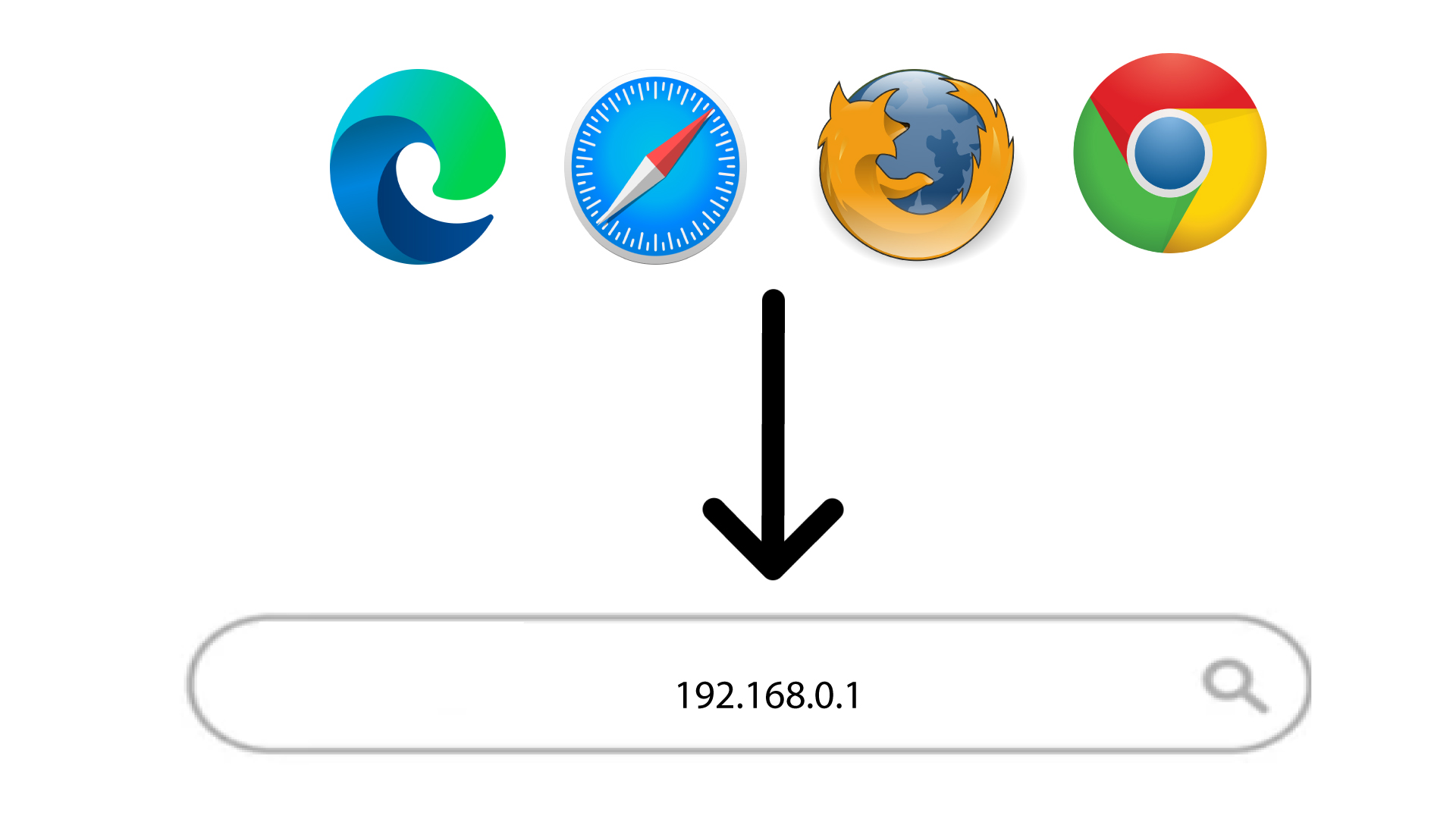
2. ОтворетеIP адреса на уеб интерфейса
След това въведете следния IP адрес в браузъра си: 192.168.0.1
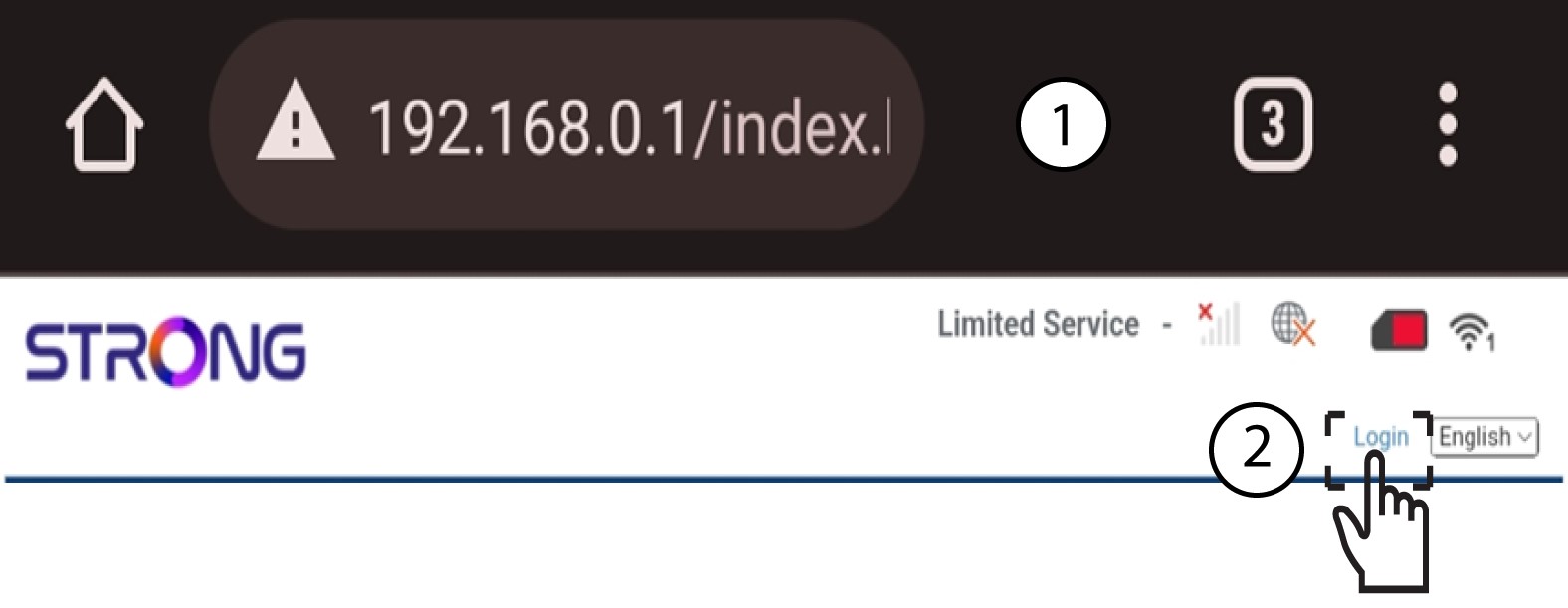
3Вход
След като отворите страницата с IP адреса, кликнете върху „Вход“.
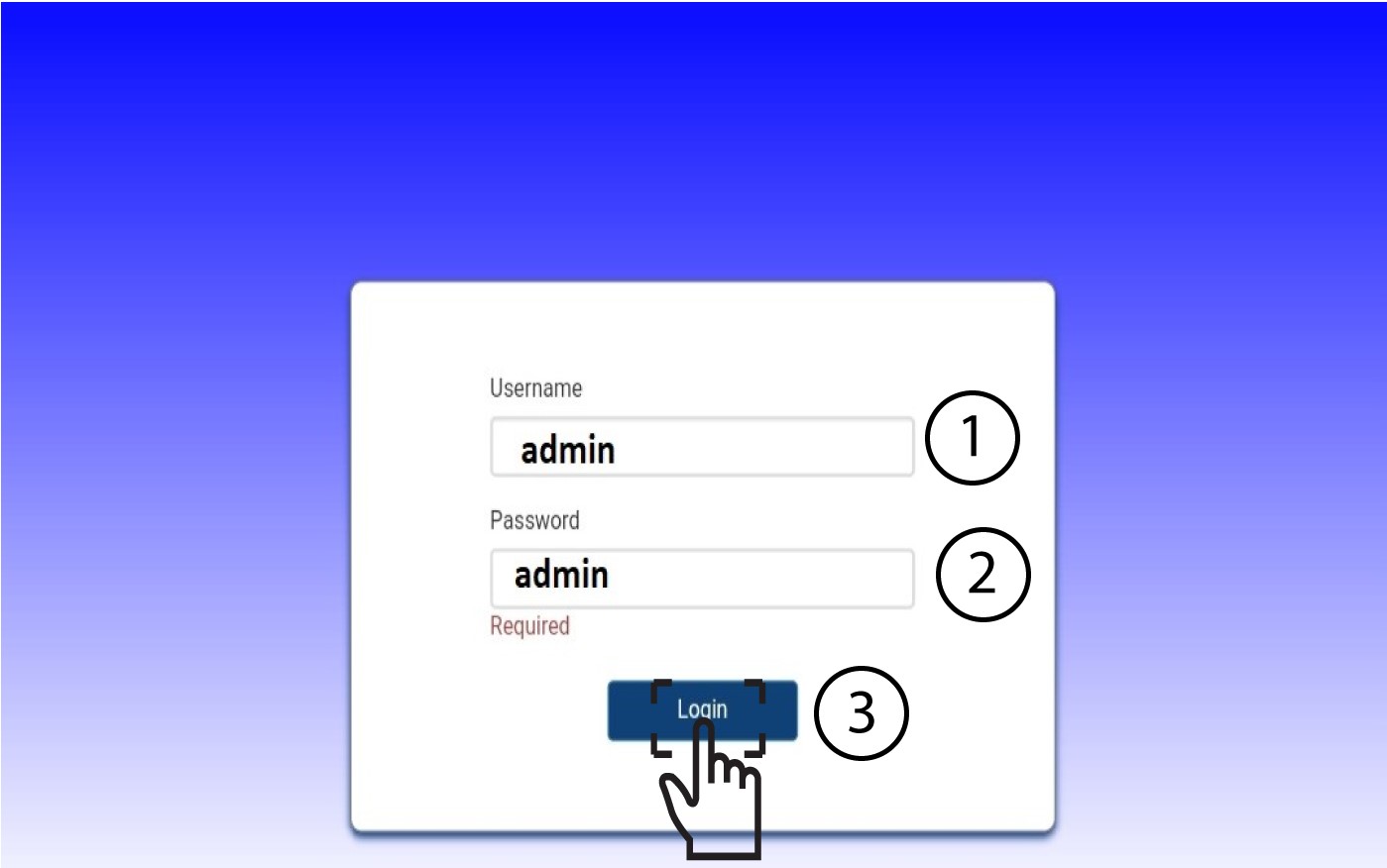
4Въведетеданните си за вход
Трябва да въведете потребителското име и паролата. След това кликнете върху „Вход“.
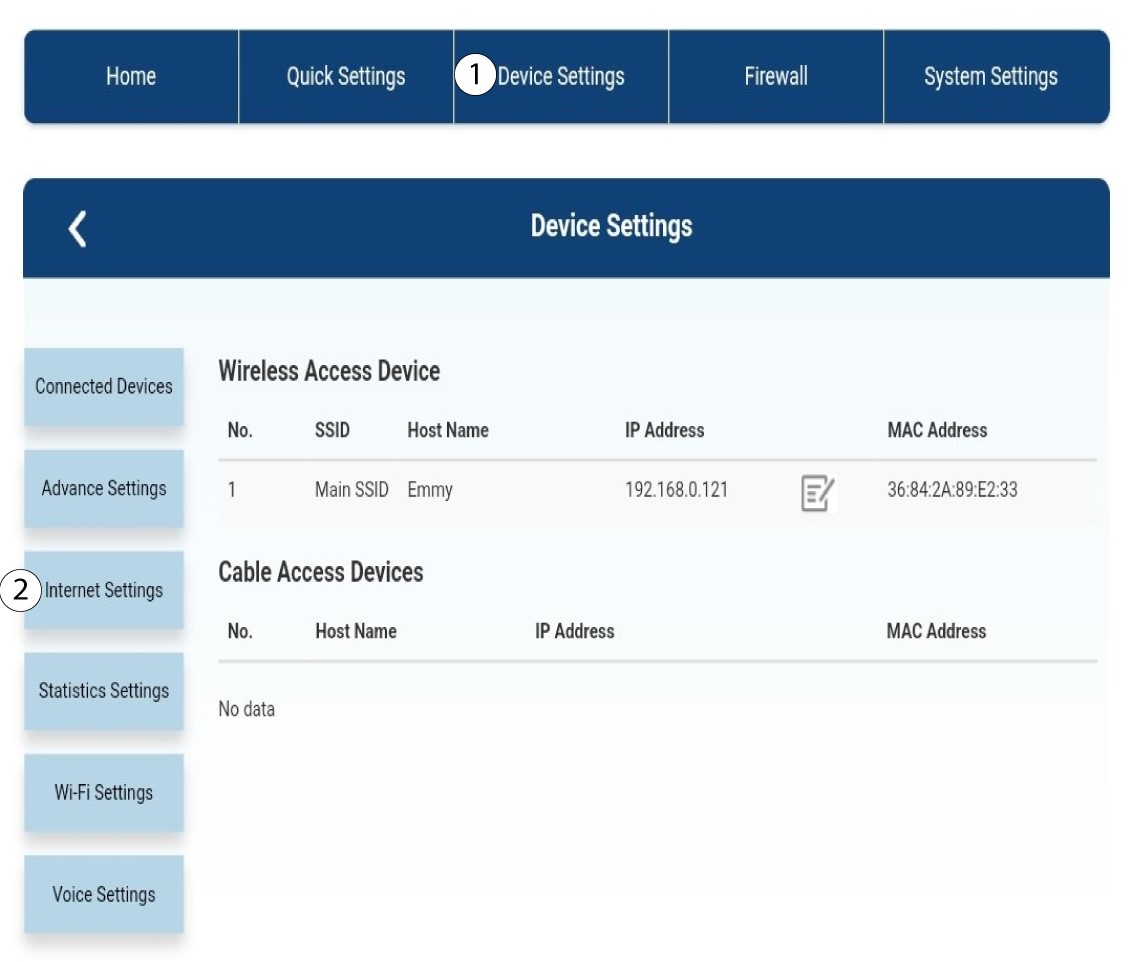
5. Настройки на интернет
Кликнете върху „Настройки на устройството “, а след това върху „Настройки за интернет“.
Настройки на 6APN
Кликнете върху „APN“.
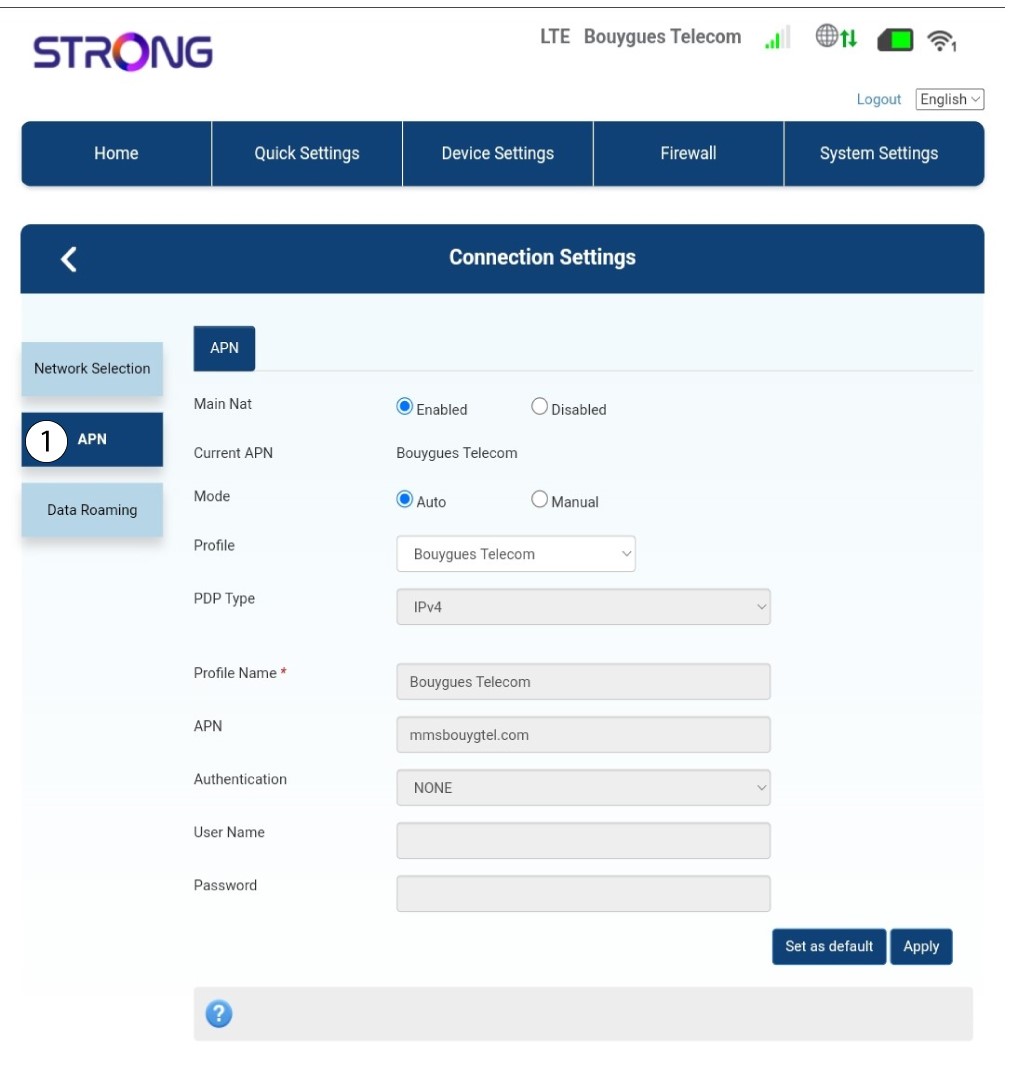
7. Намеретенастройките за APN на вашия доставчик на услуги
Потърсете настройките за APN на уебсайта на вашия доставчик на услуги. Трябва да си запишете следната информация:
- Име
- APN
- Потребителско име
- Парола
- Тип удостоверяване
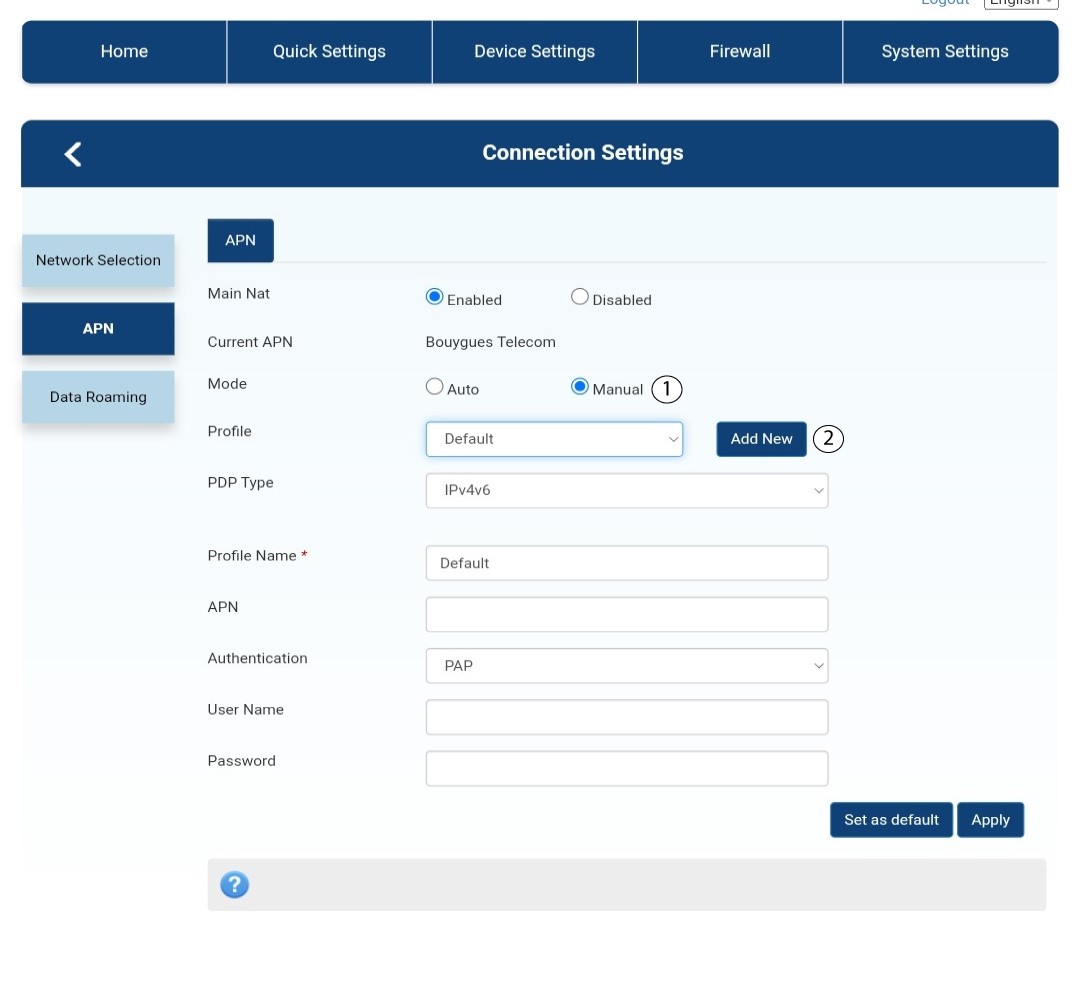
8. Редактирайтеинформацията, ако конфигурацията не е правилна
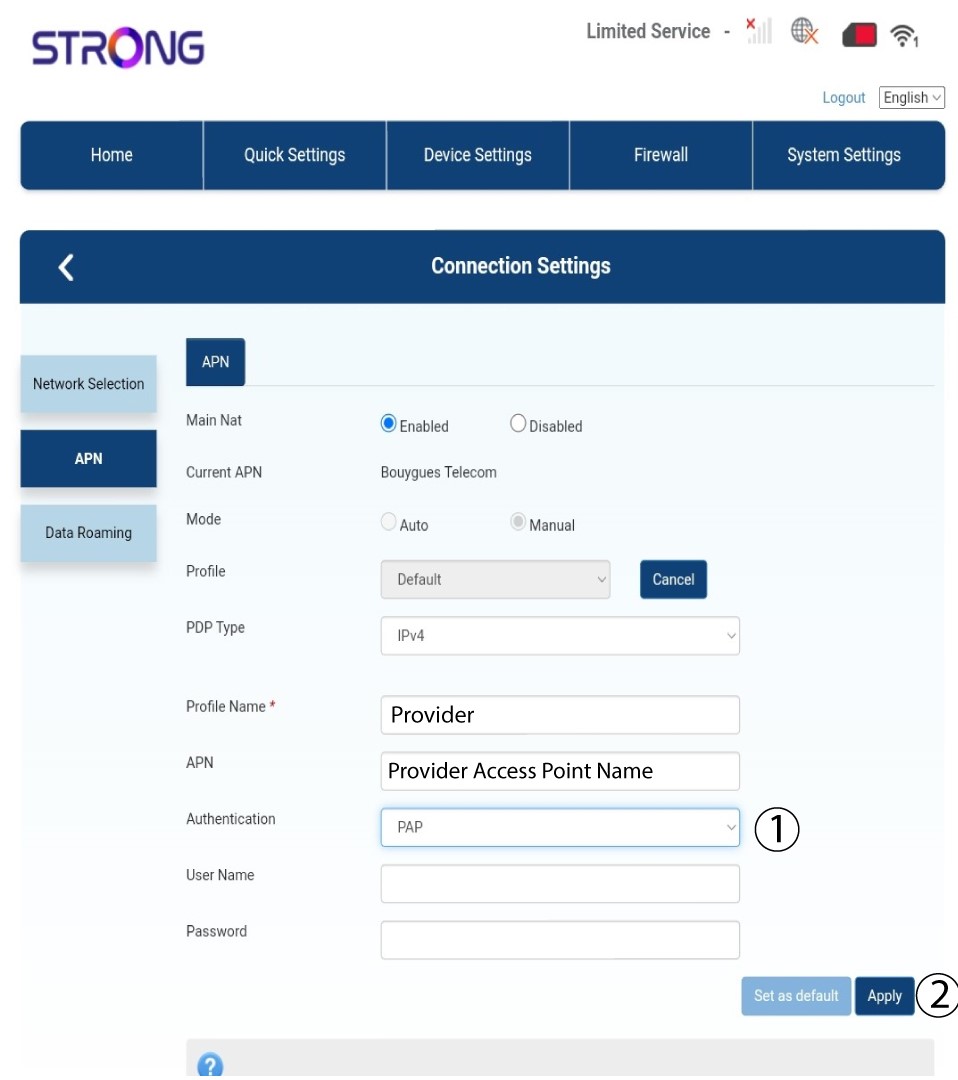
Ако информацията е неточна, кликнете върху „Ръчно “ и „Добави ново“.
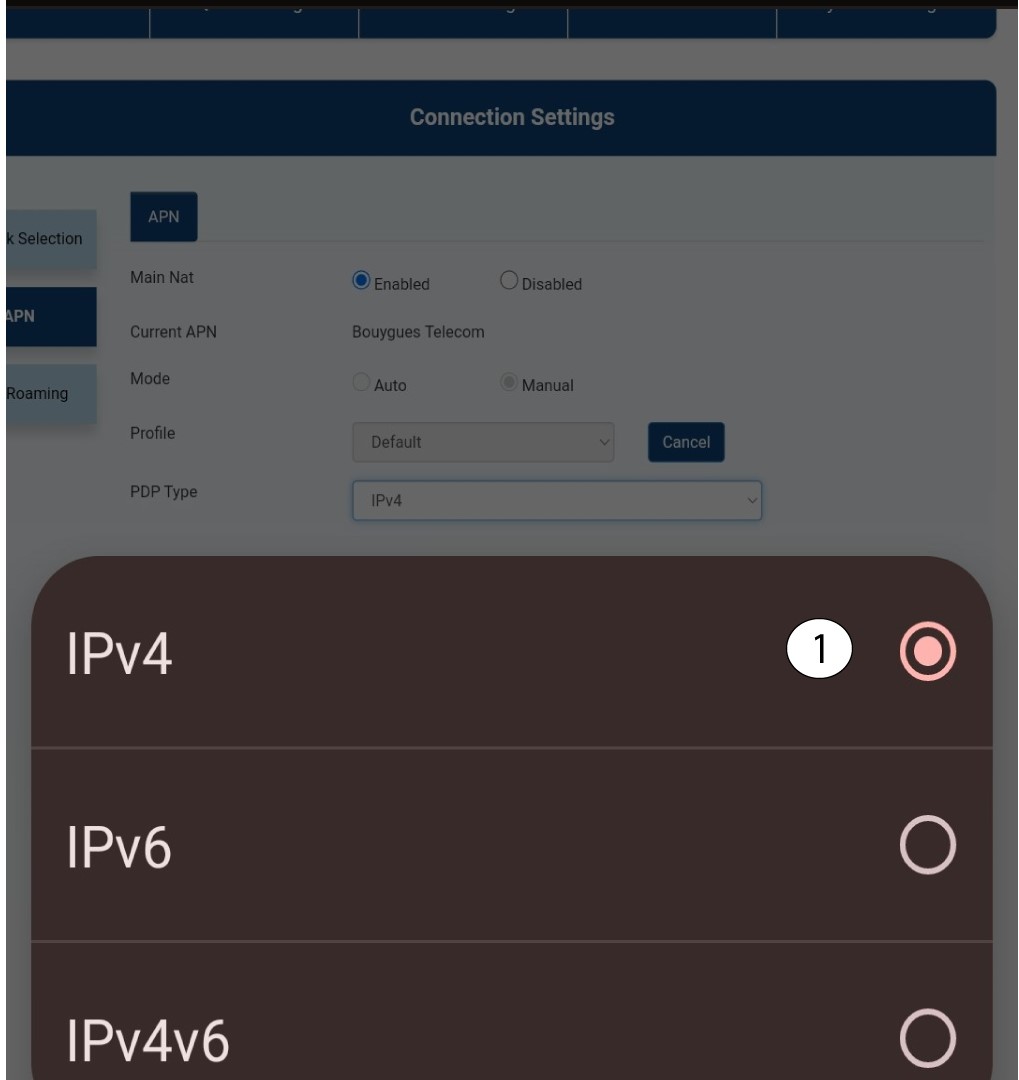
Тип 9PDP
В полето „Тип PDP“ изберете подходящия тип APN – IPv4, IPv6 или IPv4v6. В нашия случай типът PDP е IPv4.
10Въведетеданните за вашия доставчик на услуги
Въведете името на доставчика на услуги в полето „Име на профила “ (максимум 14 символа, включително интервали). След това въведете адреса на APN в полето „APN “.
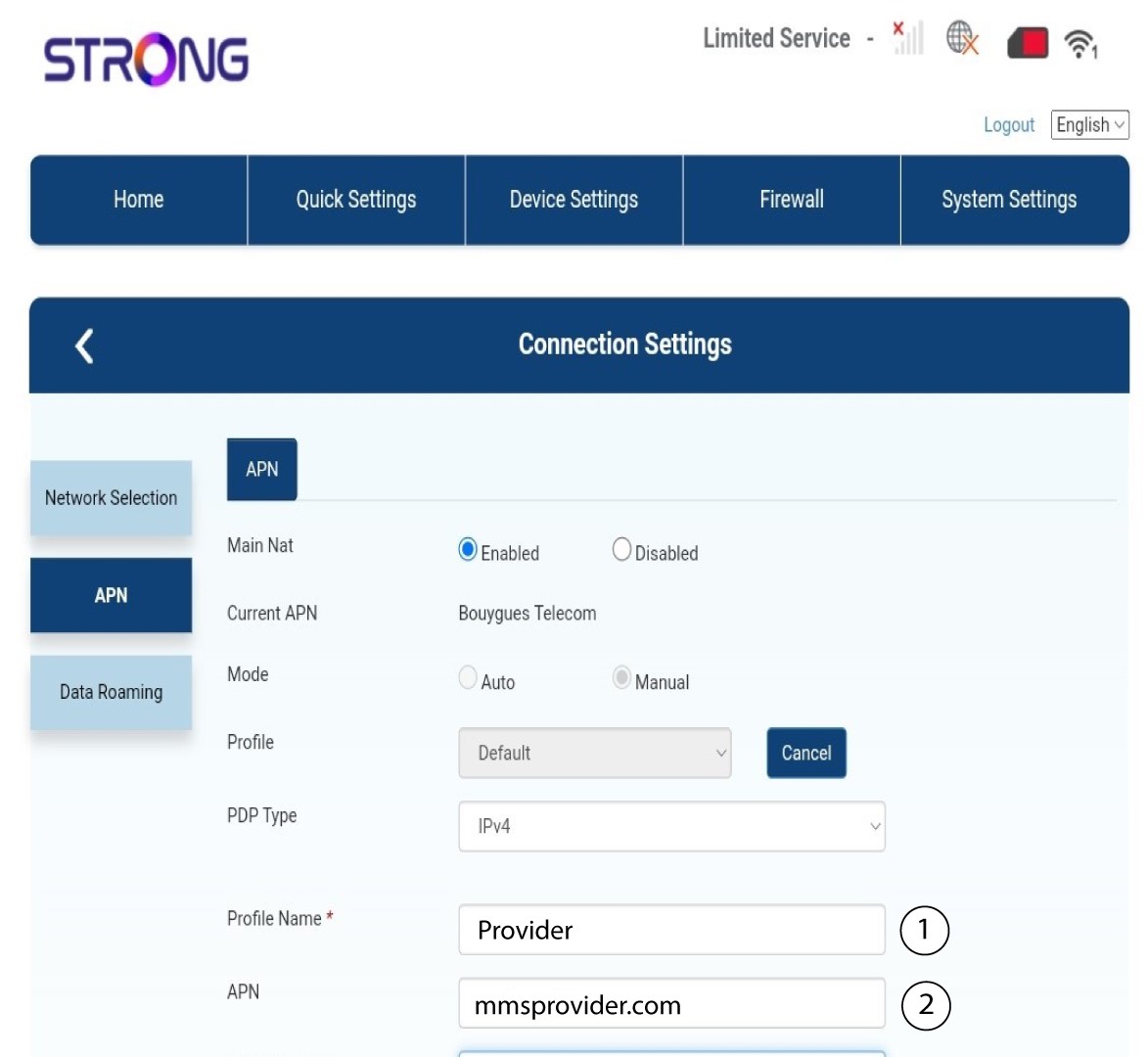
11Тип на удостоверяване
Изберете типа на удостоверяване, определен от вашия доставчик за вашия APN, измежду следните стойности и кликнете върху „Приложи“:
• НИКАКЪВ
• CHAP
• PAP