4G AIRHOME 310 със сменяеми 4G антени
Всички въпроси
4G AIRHOME 310 със сменяеми 4G антени
Какво мога да правя в уеб интерфейса?
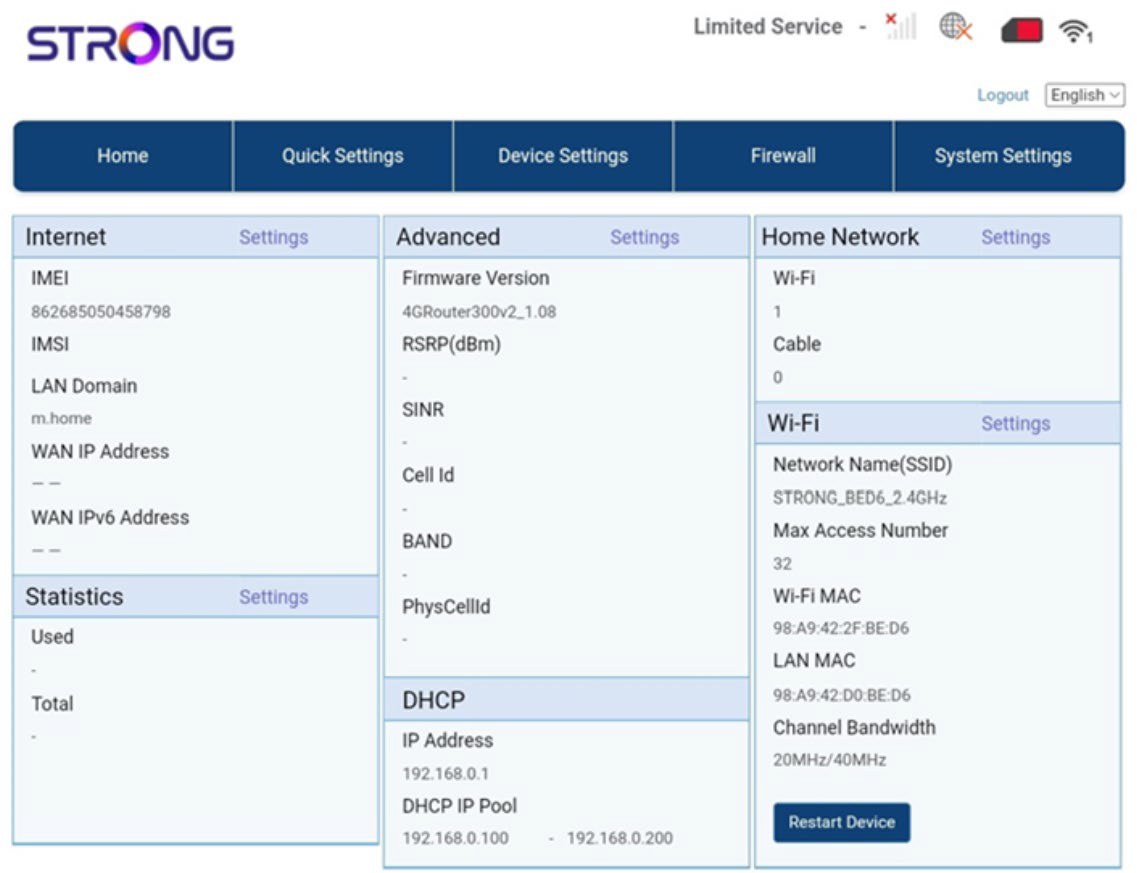
Уеб интерфейсът е разделен на 5 раздела:
• Начало: тук можете да видите основната информация за вашия рутер, която включва състоянието на интернет връзката, версията на фърмуера, IP адреса, информация за Wi-Fi мрежата и домашната мрежа и т.н...
• Бързи настройки: тук можете да редактирате SSID и паролата си.
• Настройки на устройствата: тук можете да видите броя на свързаните устройства, да управлявате настройките на IP адресите, PIN кодовете, настройките на антената, Wi-Fi настройките, интернет настройките и др.
• Защитна стена: тук можете да настроите параметрите за сигурност.
• Системни настройки: тук можете да актуализирате, да рестартирате или да редактирате настройките си.
Освен това можете да видите и състоянието на Wi-Fi мрежата, мобилната мрежа и данните.