
ATRIA Wi-Fi 5 Mesh 2100 UK add-on)
Všechny otázky
ATRIA Wi-Fi 5 Mesh 2100 UK add-on)
Jak nastavím svou síť Wi-Fi mesh ?
Chcete-li nakonfigurovat síť Mesh , řiďte se prosím stručným návodem k použití (QIG), který najdete v příručce „ box “ k vašemu produktu.
1 PŘÍPAD1: Použití tlačítka WPS
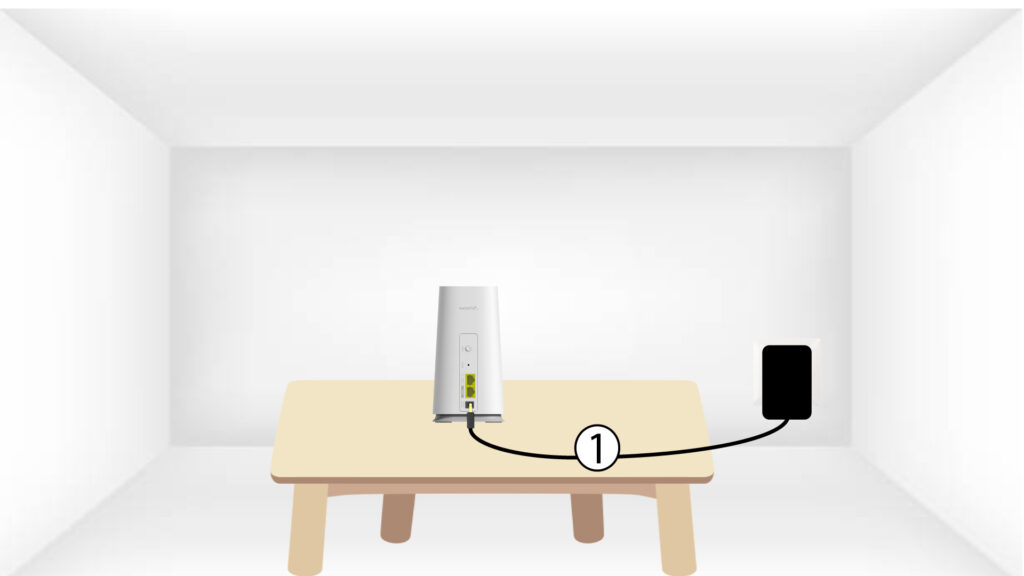
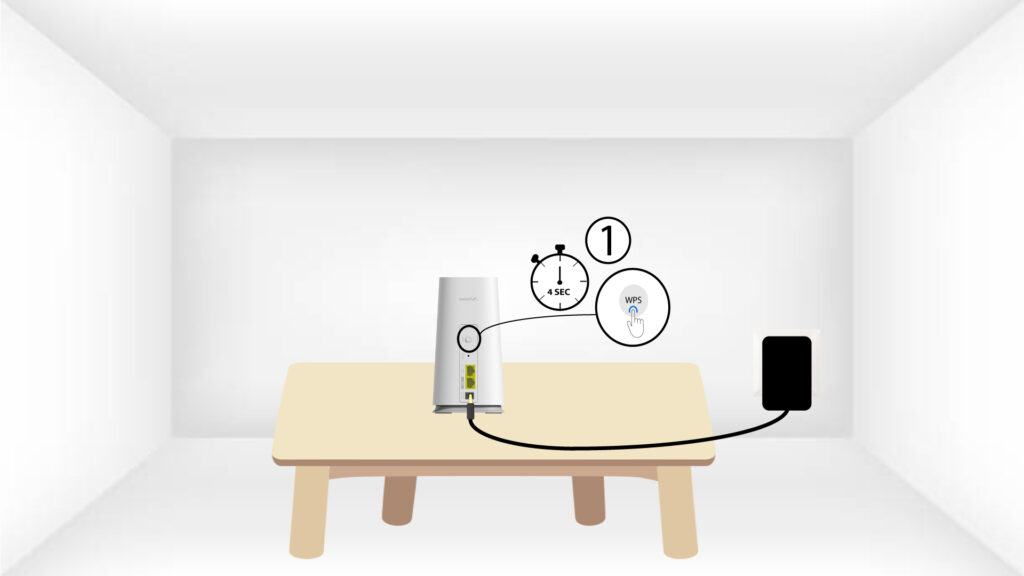
Pro zapnutí zařízení „ mesh “ je nutné jej zapojit do zásuvky (na zařízení není žádné tlačítko pro zapnutí) a připojit jej k modemu pomocí kabelu RJ45.
2Počkejtena dokončení konfigurace
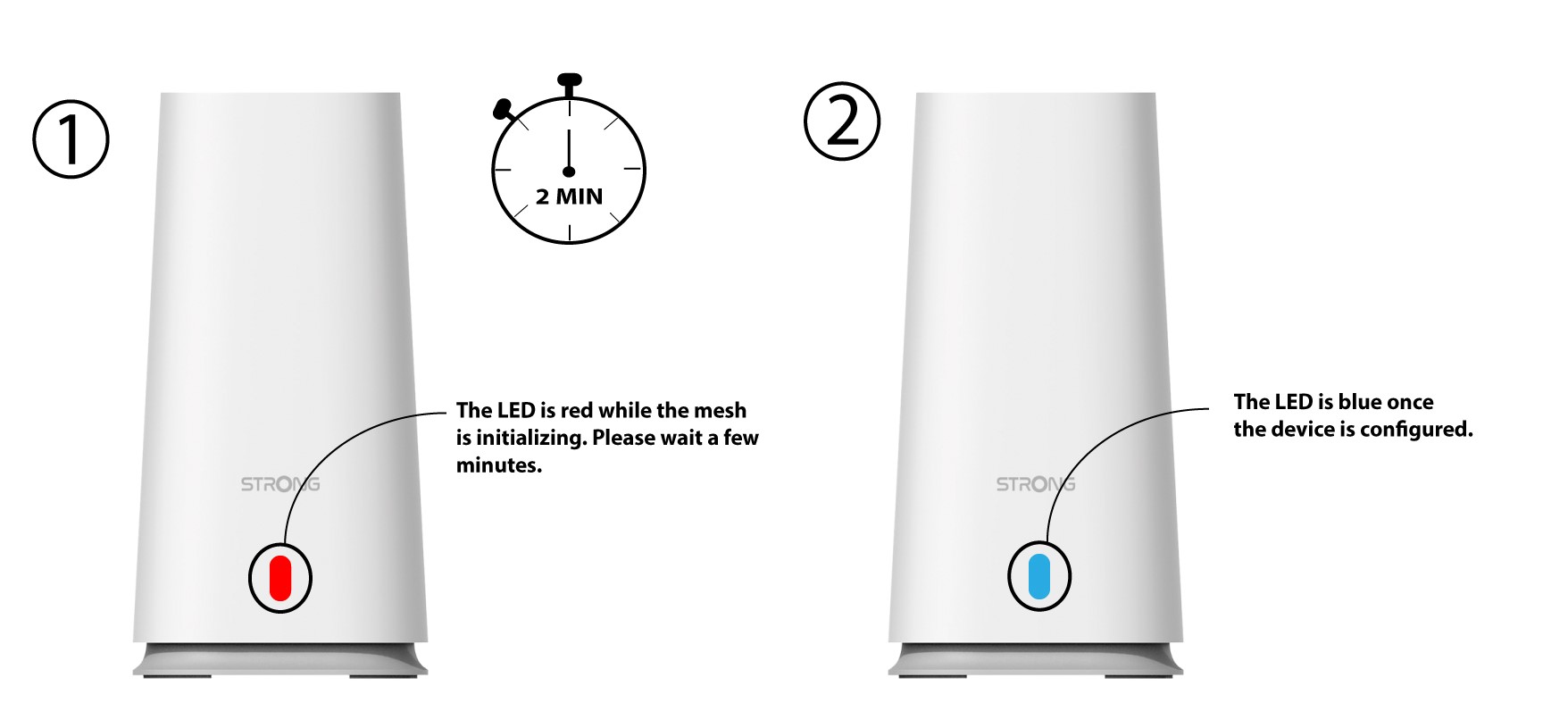
Poté musíte počkat několik minut, než se zařízení samo nakonfiguruje.
3Second– jednotka typu „ Mesh “
Musíte připojit druhou jednotku mesh .
4LED
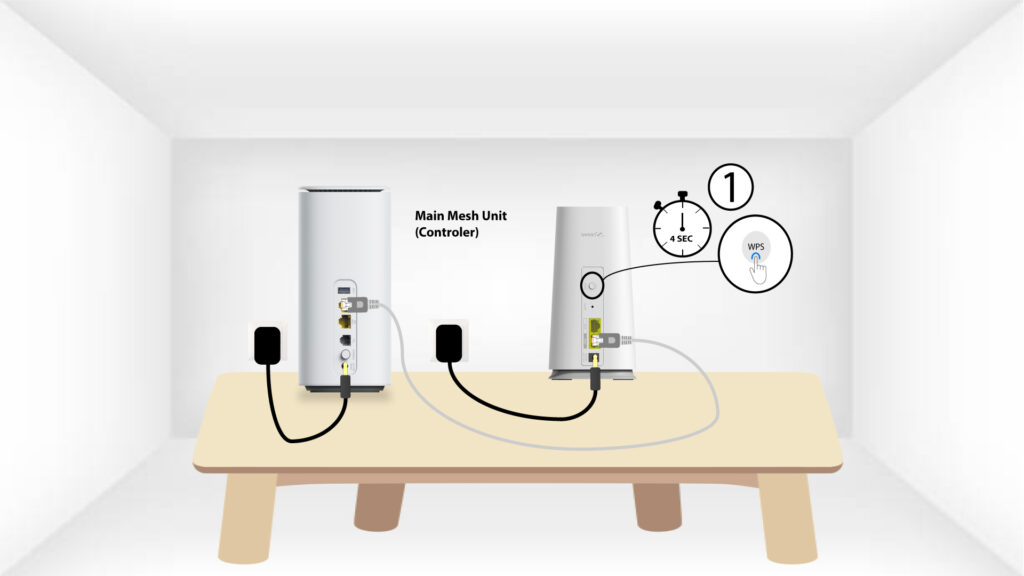
Stiskněte tlačítko WPS na zařízení Mesh , které je připojeno k vašemu modemu/routeru, a podržte ho stisknuté po dobu alespoň 4 sekund.
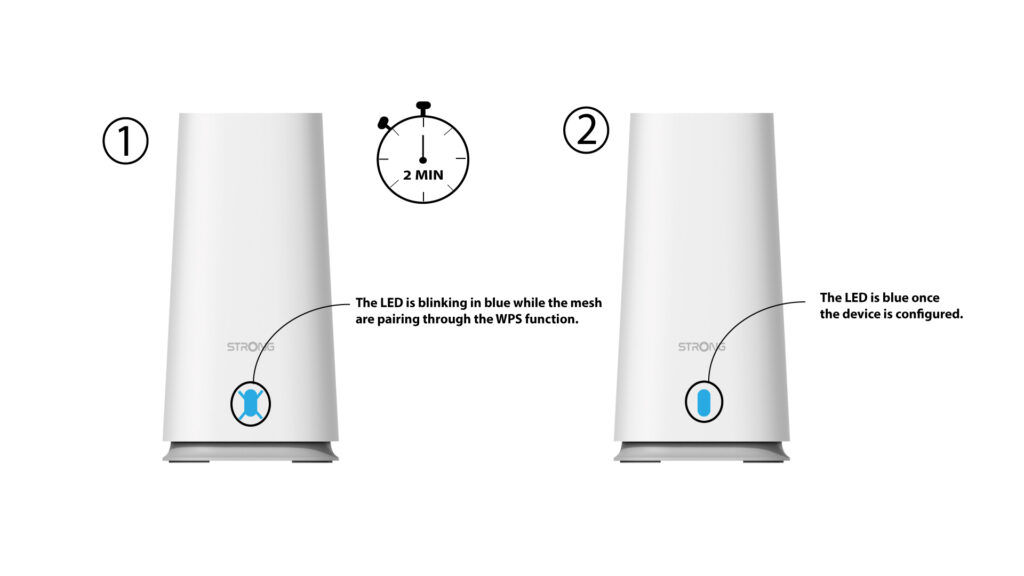
Po aktivaci funkce WPS začne LED dioda blikat modře.
5 WPSza sekundu Mesh
Stiskněte tlačítko WPS na druhém zařízení Mesh a podržte jej stisknuté po dobu alespoň 4 sekund.
Párování 6LED
Během párování zařízení bliká LED modře. Počkejte prosím několik minut, než se proces párování dokončí.
Jakmile jsou zařízení spárována, svítí na obou zařízeních modré LED diody.
1 PŘÍPAD2: Použití ethernetového kabelu
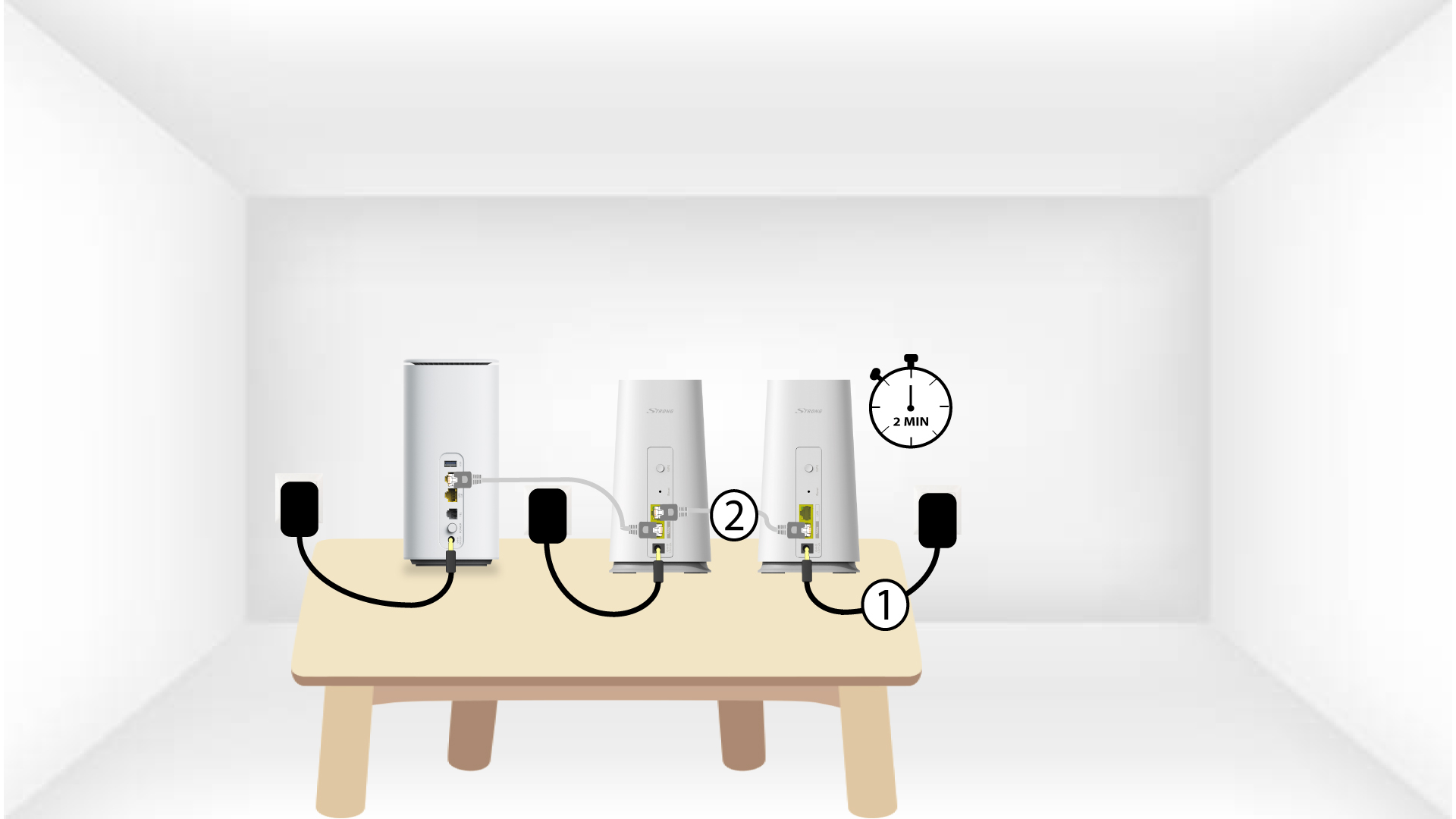
Pro zapnutí zařízení „ mesh “ je nutné jej zapojit do zásuvky (na zařízení není žádné tlačítko pro zapnutí) a připojit jej k modemu pomocí kabelu RJ45.
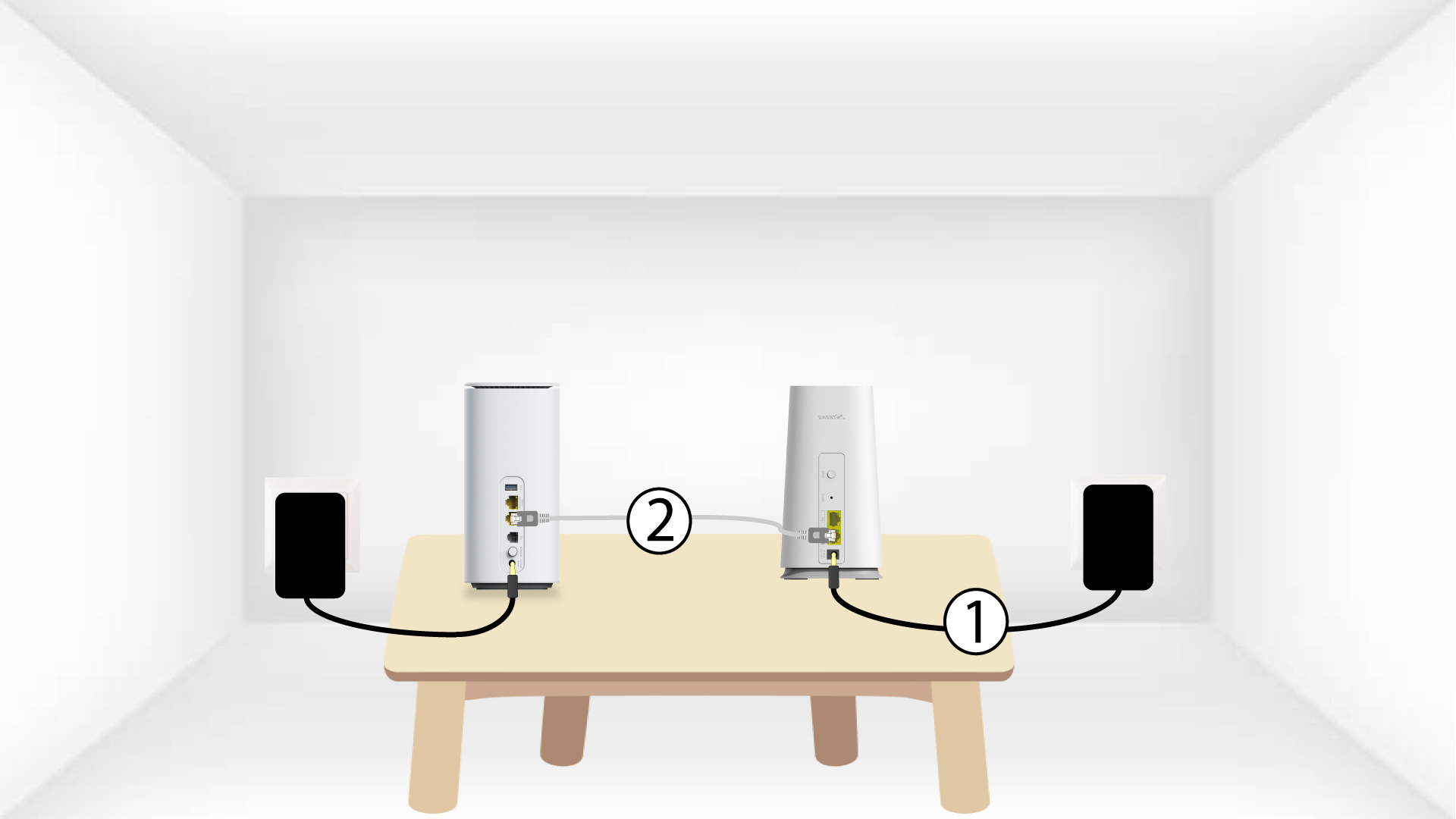
2. Připojtedruhý kabel „ Mesh “ k hlavnímu kabelu Mesh
Abyste mohli druhou jednotku mesh zapnout, musíte ji nejprve připojit k napájení a poté ji pomocí kabelu RJ45 propojit s hlavní jednotkou mesh (port LAN).
3Second– jednotka typu „ Mesh “
Počkejte několik minut, než obě jednotky „ mesh “ rozpoznají konfiguraci připojení k internetu. Jakmile na obou zařízeních začnou svítit modré LED diody, jsou nakonfigurována.