
ATRIA Wi-Fi 5 Mesh 2100 UK add-on)
Nebyly nalezeny žádné položky.
Nebyly nalezeny žádné položky.
Všechny otázky
ATRIA Wi-Fi 5 Mesh 2100 UK add-on)
Nebyly nalezeny žádné položky.
Nebyly nalezeny žádné položky.
Zapomněl jsem heslo k Wi-Fi síti „ Mesh “. Jak ho mohu zjistit?
1 Výchozípřihlašovací údaje
Výchozí heslo k Wi-Fi je uvedeno na spodní straně zařízení; pokud jste jej však již změnili, bude možná nutné obnovit výchozí tovární nastavení zařízení Mesh 2100.
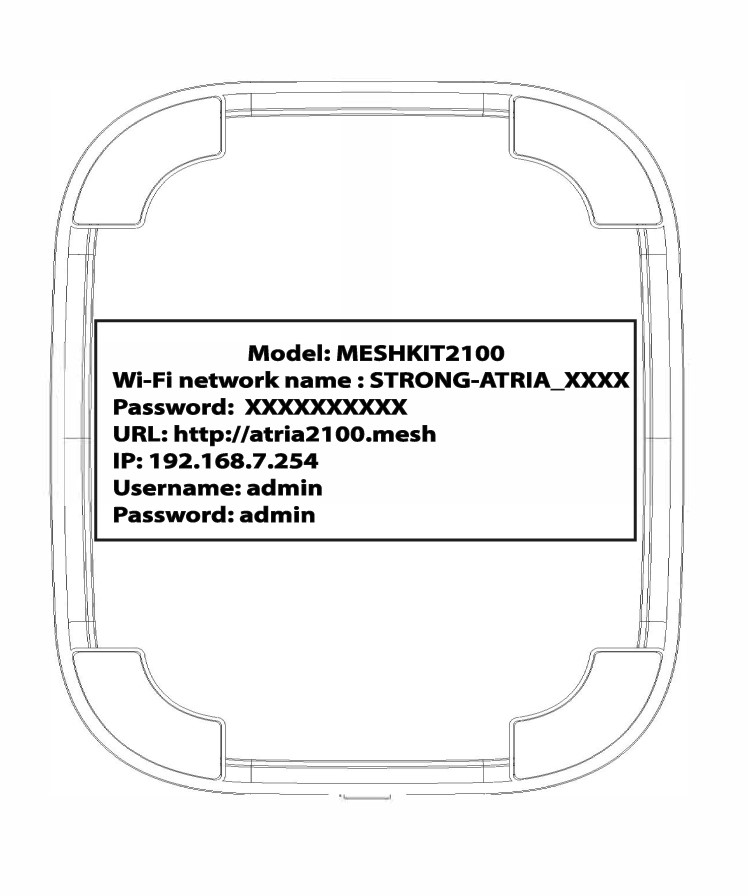
PŘÍPAD 1: Zobrazení informací o síti Wi-Fi v webovém uživatelském rozhraní
Chcete-li se připojit k webovému uživatelskému rozhraní, postupujte podle tohoto návodu: Jak se dostanu do webového uživatelského rozhraní?
1. WLAN
Klikněte na položky „WLAN“ a „WLAN 2,4 GHz“. Poté klikněte na ikonu oka vedle pole „PSK “.

2. Zapištesi nové informace
Zapište si heslo na kousek papíru.
PŘÍPAD 2: Zobrazení informací o síti Wi-Fi v aplikaci
Chcete-li se připojit k webovému uživatelskému rozhraní, postupujte podle tohoto návodu: Jak používat aplikaci Atria „ Mesh “?
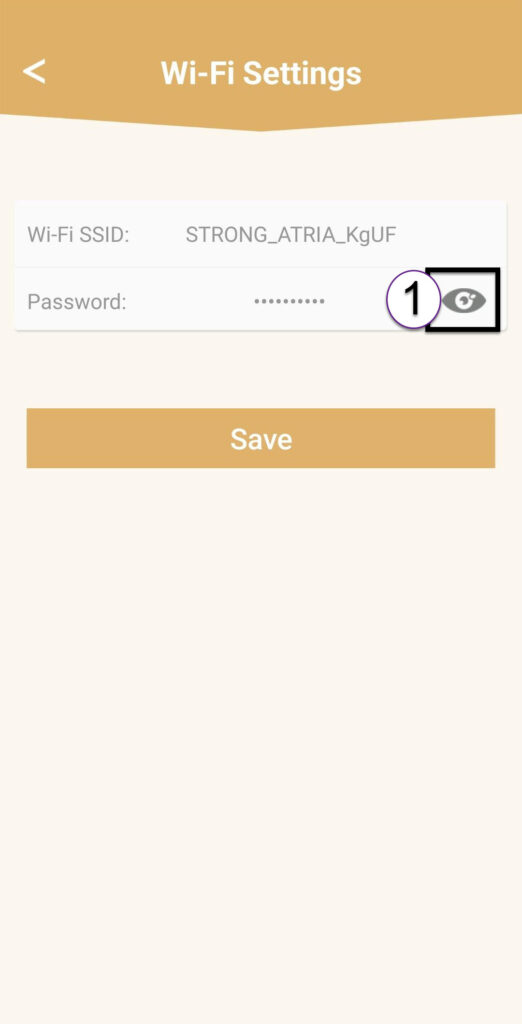
1. Nastavení Wi-Fi
Poté klikněte na položku „Nastavení Wi-Fi“.

2Password
Kliknutím na ikonu oka zobrazíte heslo.
3. Zapištesi nové informace
Zapište si heslo na kousek papíru.