Dvoupásmový Repeater 1200
Nebyly nalezeny žádné položky.
Nebyly nalezeny žádné položky.
Všechny otázky
Dvoupásmový Repeater 1200
Nebyly nalezeny žádné položky.
Nebyly nalezeny žádné položky.
Jak nastavím statickou IP adresu pro svůj server repeater?
1. Připojte sek Repeater
Je třeba se připojit k síti „ repeater “ pomocí kabelu RJ45 nebo se připojit k jedné ze sítí Wi-Fi, které byly vytvořeny po dokončení konfigurace.

2. Otevřetewebové uživatelské rozhraní
Zadejte adresu URL pro přístup k webovému uživatelskému rozhraní ve vašem prohlížeči

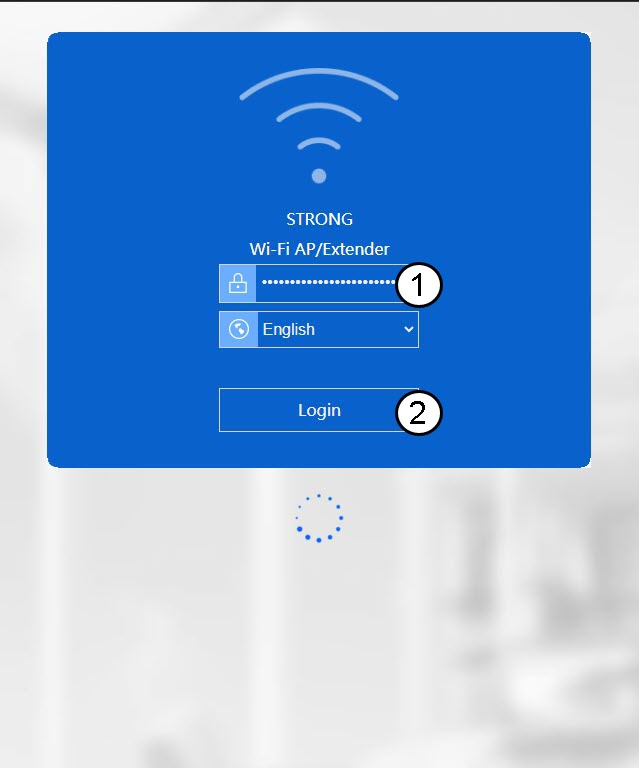
3. Přihlastese do webového rozhraní
Zadejte své přihlašovací údaje pro správu.
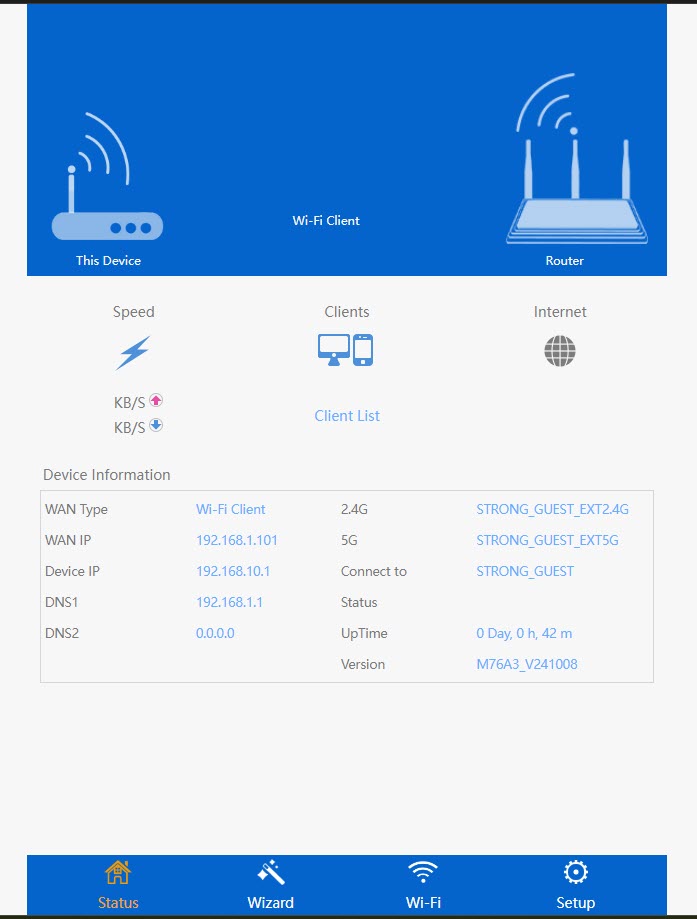
4. Otevřetenabídku nastavení
Klikněte na „Nastavení“.
5. Přejdětedo nastavení internetu
Klikněte na „Nastavení internetu “
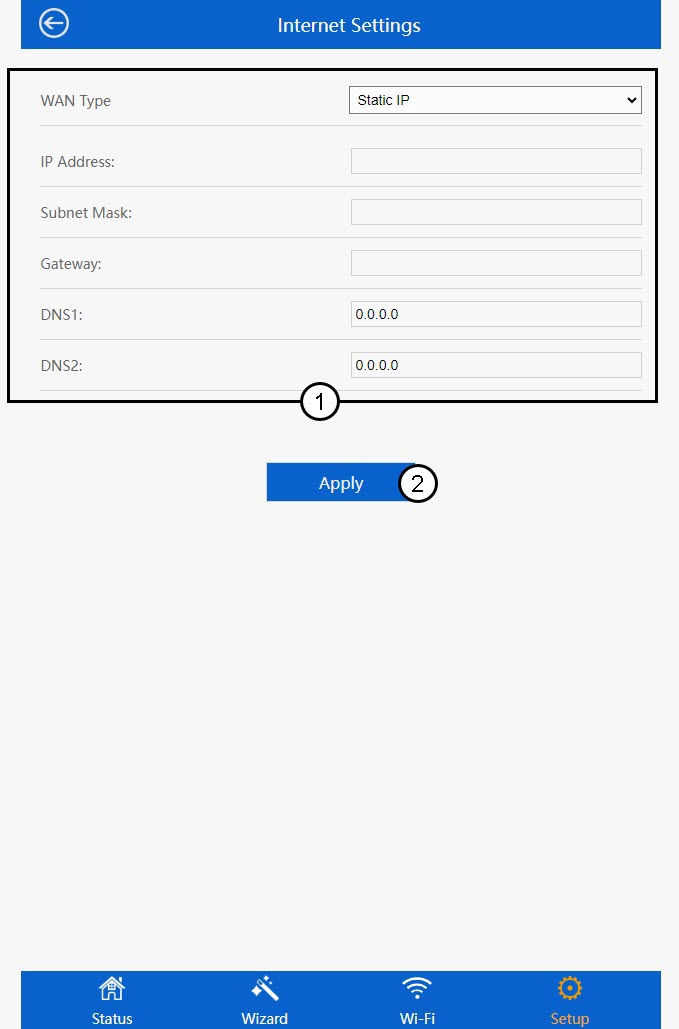
6. Nastavenístatické IP adresy
Na stránce „Nastavení internetu“ zadejte následující údaje a poté klikněte na tlačítko „Uložit a použít“:
- Typ sítě WAN: V seznamu vyberte možnost „Statická IP adresa“.
- IP adresa: Zadejte IP adresu pro službu repeater.
- Maska podsítě: Vyberte masku podsítě ze seznamu
- Brána: Zadejte IP adresu vašeho repeater
- DNS1: Zadejte adresu DNS.
- DNS2: Zadejte adresu DNS.