
Dvoupásmový Repeater 1200
Nebyly nalezeny žádné položky.
Nebyly nalezeny žádné položky.
Všechny otázky
Dvoupásmový Repeater 1200
Nebyly nalezeny žádné položky.
Nebyly nalezeny žádné položky.
Jak mohu aktualizovat firmware svého zařízení repeater?
1Zkontrolujte, zda je k dispozici aktualizace firmwaru
Před aktualizací je třeba přejít do sekce „Stahování“ na našich webových stránkách a zkontrolovat, zda je k dispozici nová verze softwaru.
2Přejdětena stránku „Stahování“
Klikněte na POMOC > Soubory ke stažení.

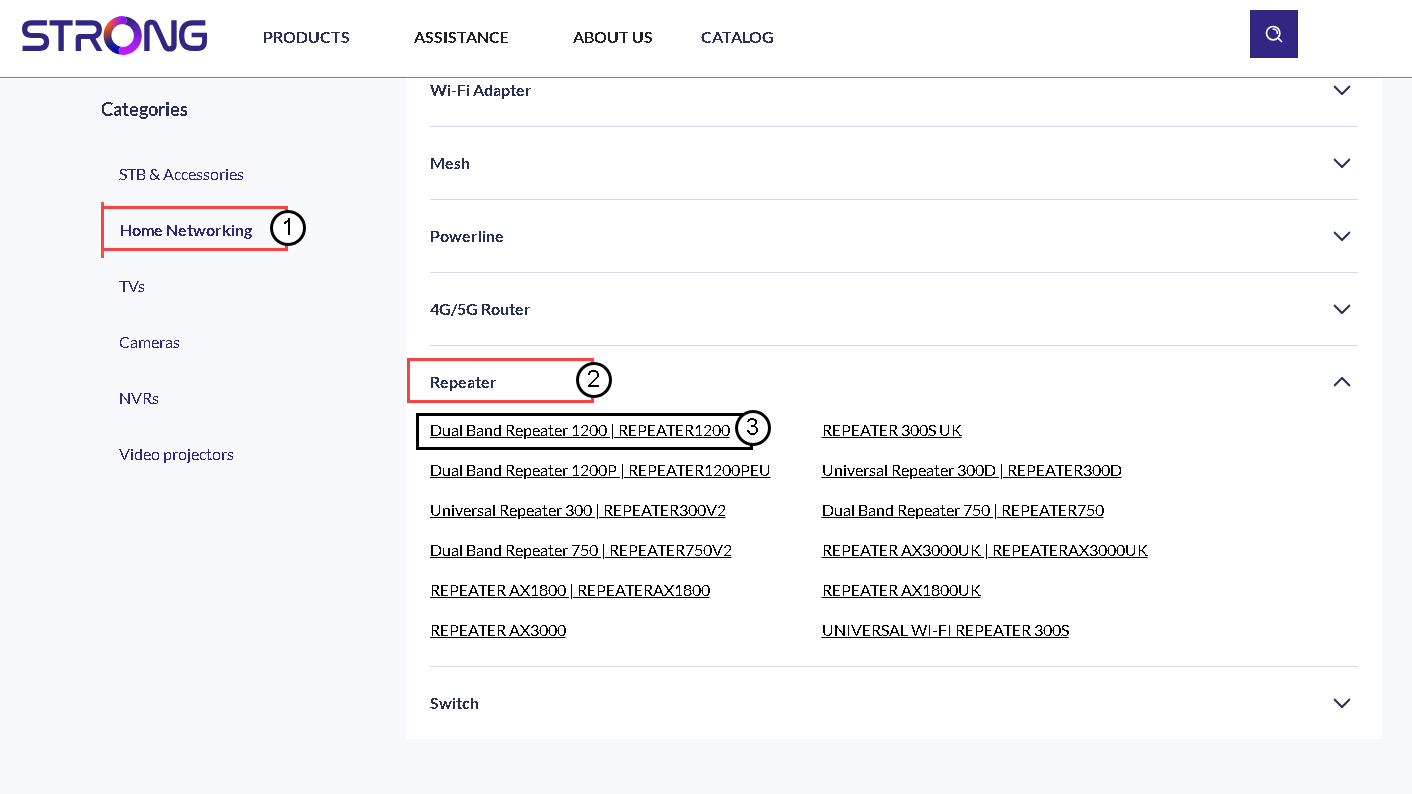
3. Vybertesi produkt
Jakmile se dostanete na stránku „Downloads“, klikněte na odkazy „ Domácí síť “ a „ repeater “ a poté klikněte na označení produktu.
4. Staženífirmwaru
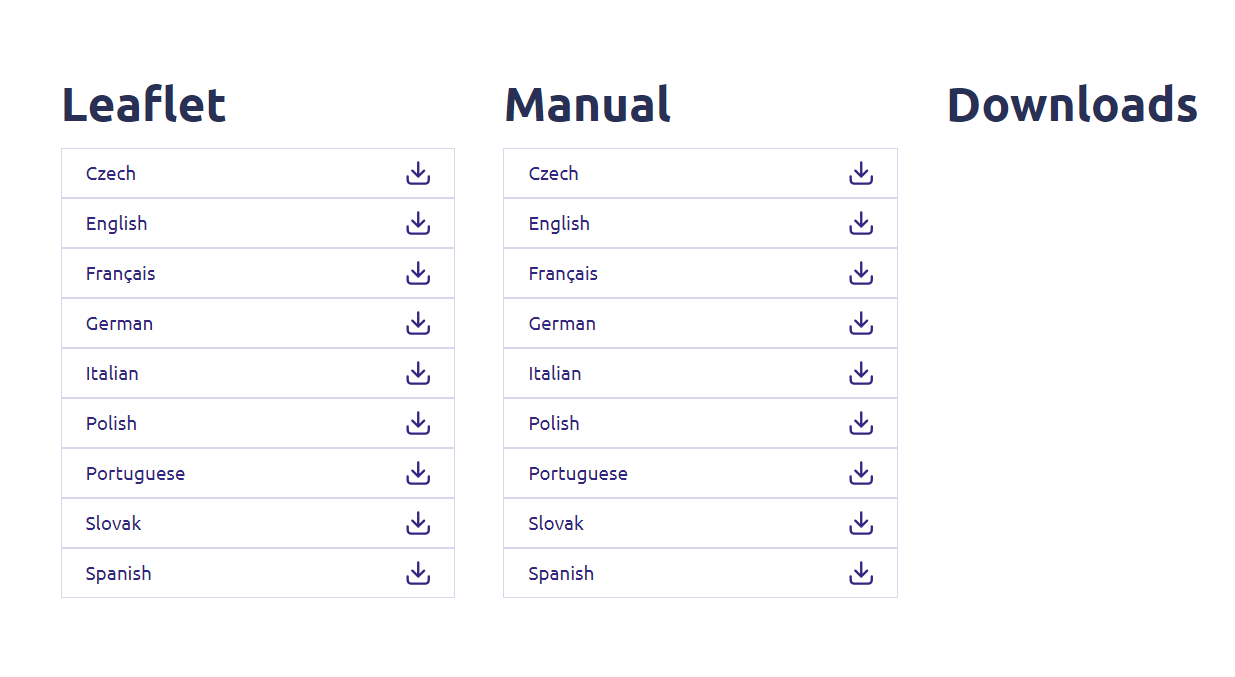
Na níže uvedené stránce najdete novou verzi softwaru v sekci „Firmware“. Pokud je soubor k dispozici, stáhněte si jej, prosím.
5. Připojte sek Repeater
Jakmile to provedete, připojte se k síti Wi-Fi na adrese repeater.

6. Otevřetewebové uživatelské rozhraní
Přejděte na adresu URL webového uživatelského rozhraní.

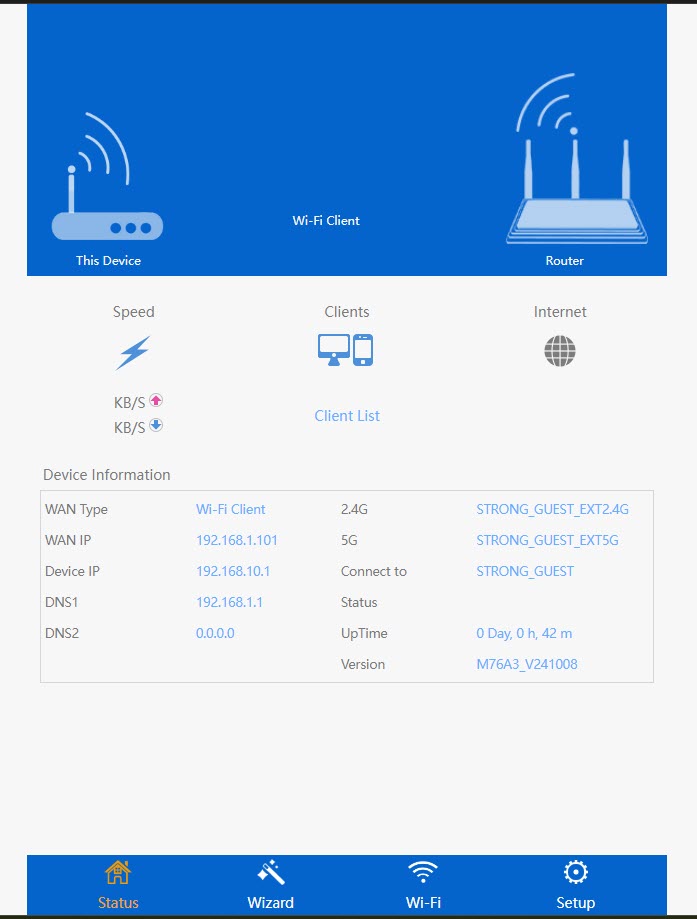
7. Otevřetenabídku nastavení
Klikněte na „Nastavení“.
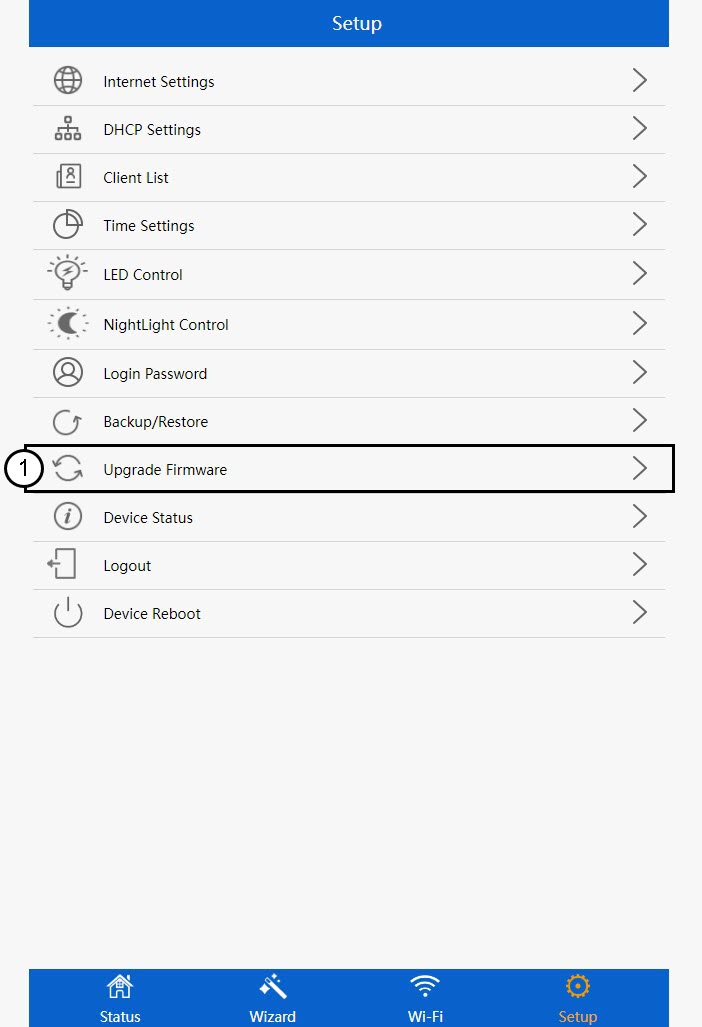
8Spusťteaktualizaci firmwaru
Klikněte na „Aktualizovat firmware“.
9Použítaktualizaci
Vyberte soubor a klikněte na tlačítko „Použít“. Aktualizace se poté spustí automaticky.
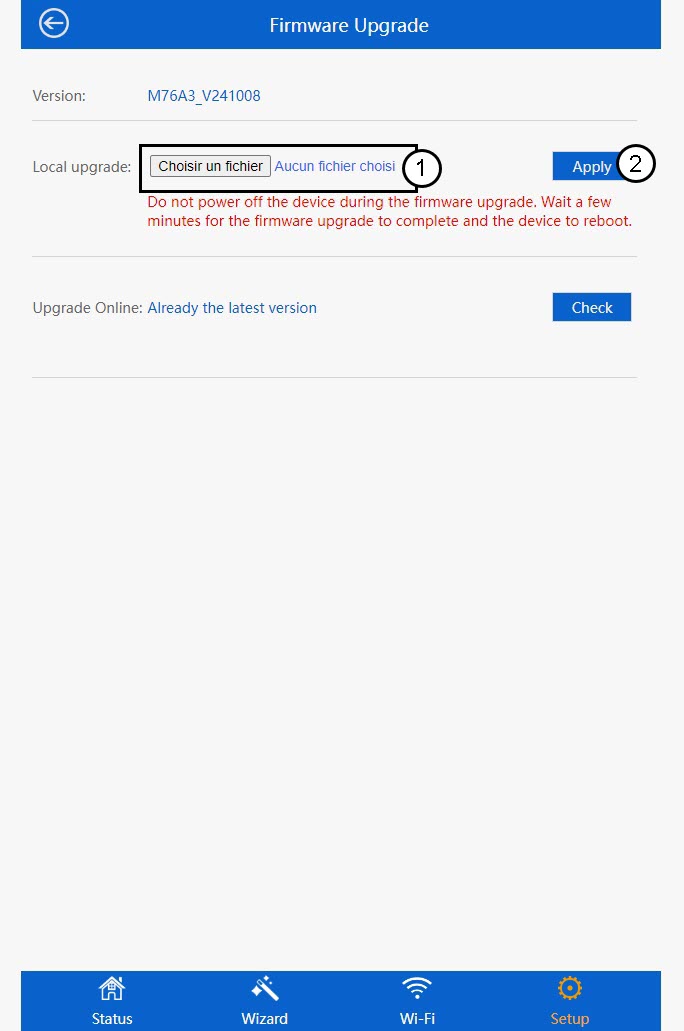
 Upozornění: Počkejte, až se aktualizace dokončí a zařízení se restartuje. Po dokončení aktualizace se musíte znovu připojit k síti Wi-Fi.