5G AIRHOME 1050 | Wi-Fi 6
Ingen varer fundet.
Ingen varer fundet.
Alle spørgsmål
5G AIRHOME 1050 | Wi-Fi 6
Ingen varer fundet.
Ingen varer fundet.
Hvordan ændrer jeg administratoradgangskoden?

Advarsel: Vær opmærksom på, at det ikke er muligt at ændre administratorens brugernavn. Du kan kun ændre adgangskoden.
1 Opret forbindelsetil enheden
For at opdatere administratoradgangskoden skal du oprette forbindelse til din enheds Wi-Fi-netværk.

2Åbnwebgrænsefladen
Indtast derefter følgende IP-adresse: 168.0.1 i din browser.

3Login
Du skal indtaste brugernavn og adgangskode. Klik derefter på »Log ind«.

4Brugeradministration
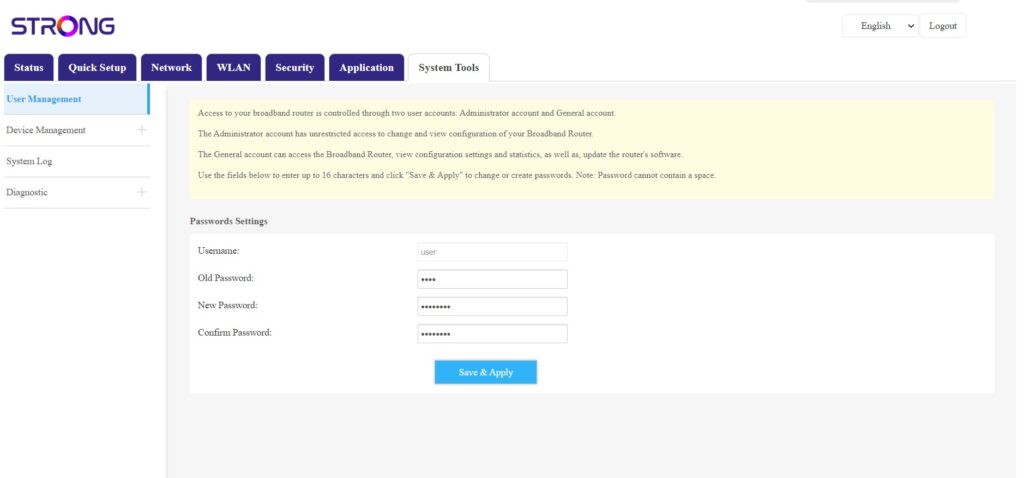
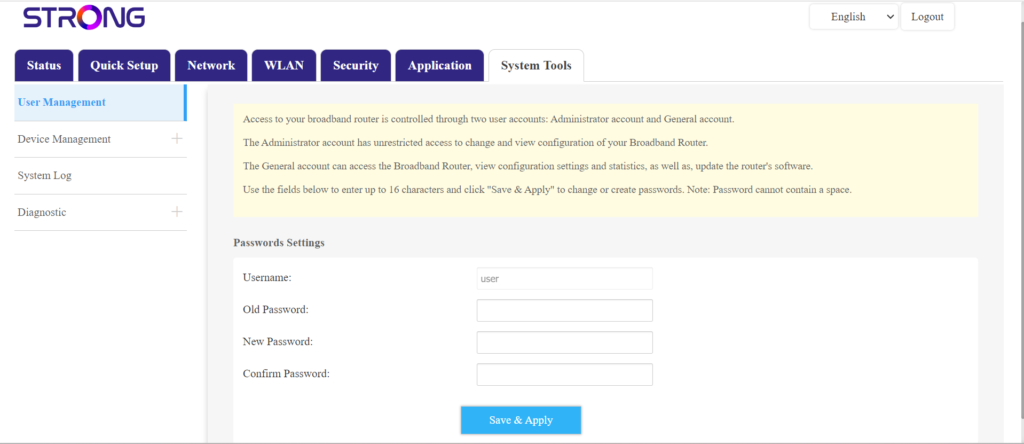
Når dette er gjort, skal du klikke på »Systemværktøjer« og »Brugeradministration«
5Skiftadgangskode
Indtast følgende oplysninger i felterne, inden du klikker på »Gem og anvend«:
- Gammel adgangskode: Indtast den nuværende adgangskode, som du brugte til at logge ind på webgrænsefladen.
- Ny adgangskode: Indtast en ny adgangskode for at oprette forbindelse til webgrænsefladen.
- Bekræft adgangskode: Indtast den samme adgangskode som i feltet »Ny adgangskode«.