5G AIRHOME 1050 | Wi-Fi 6
Alle spørgsmål
5G AIRHOME 1050 | Wi-Fi 6
Hvordan ændrer jeg SSID’et (Wi-Fi-netværksnavnet) og Wi-Fi-adgangskoden?
Hvordan ændrer jeg SSID og adgangskode?
5G-routeren AX 3000 er en dual-band-router, hvor du kan redigere indstillingerne for dit 2,4 GHz- og 5 GHz-Wi-Fi- Mesh -netværk.
1 Opret forbindelsetil enheden
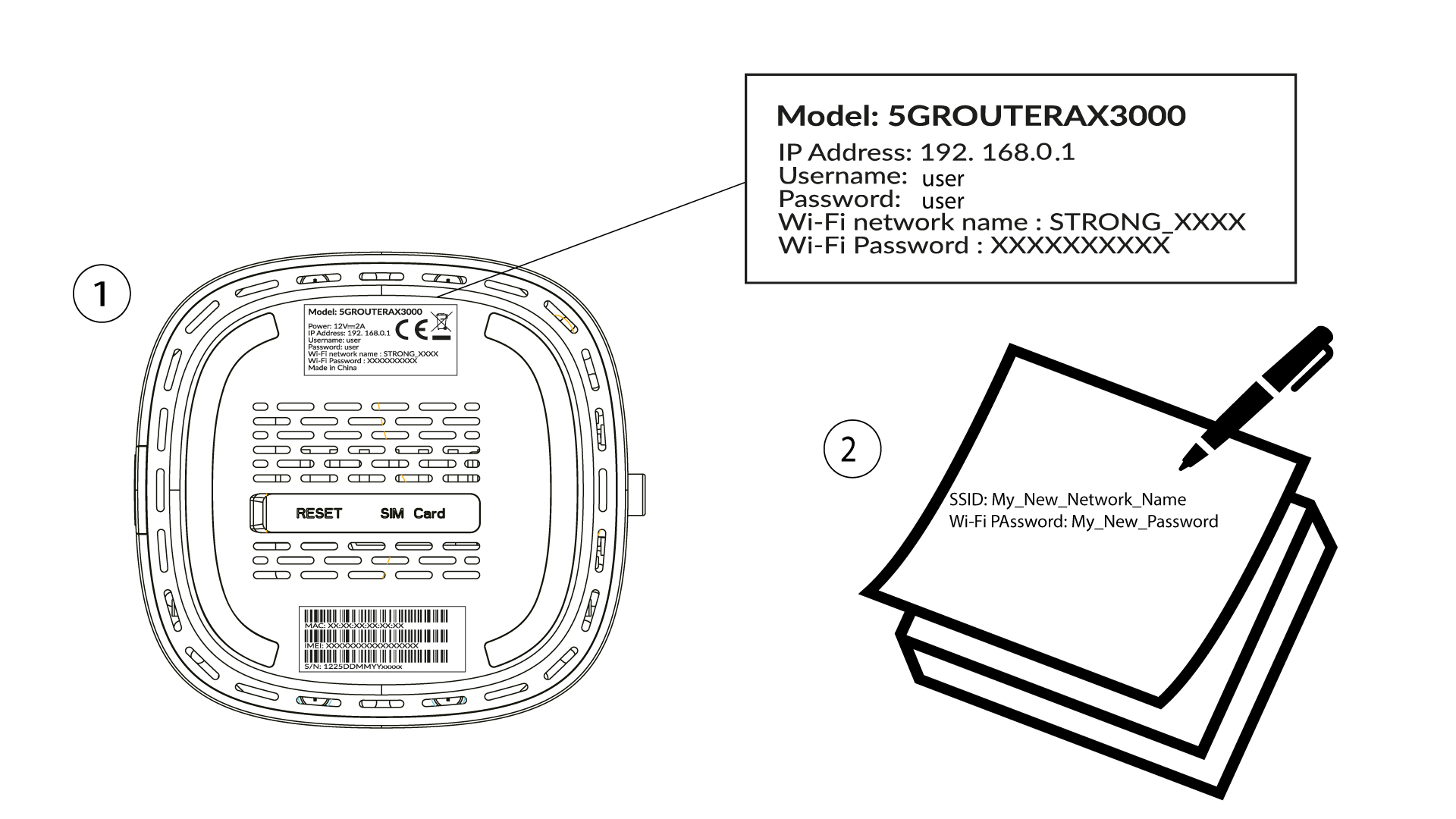
For at ændre SSID’et (Wi-Fi-netværksnavnet) og Wi-Fi-adgangskoden skal du være forbundet til din enheds Wi-Fi-netværk.

2Åbnwebgrænsefladen
Indtast derefter følgende IP-adresse: 192.168.0.1 i din browser.

3Login
Du skal indtaste brugernavn og adgangskode ( bemærk, at du efter den første login skal oprette din egen personlige administratoradgangskode, hvilket betyder, at den adgangskode, der står på produktets etiket, ikke længere vil fungere). Klik derefter på »Login«.

4. Wi-Fi-konfiguration
Klik på »Hurtig opsætning « i den øverste bjælke, og gå til Wi-Fi-konfigurationen.
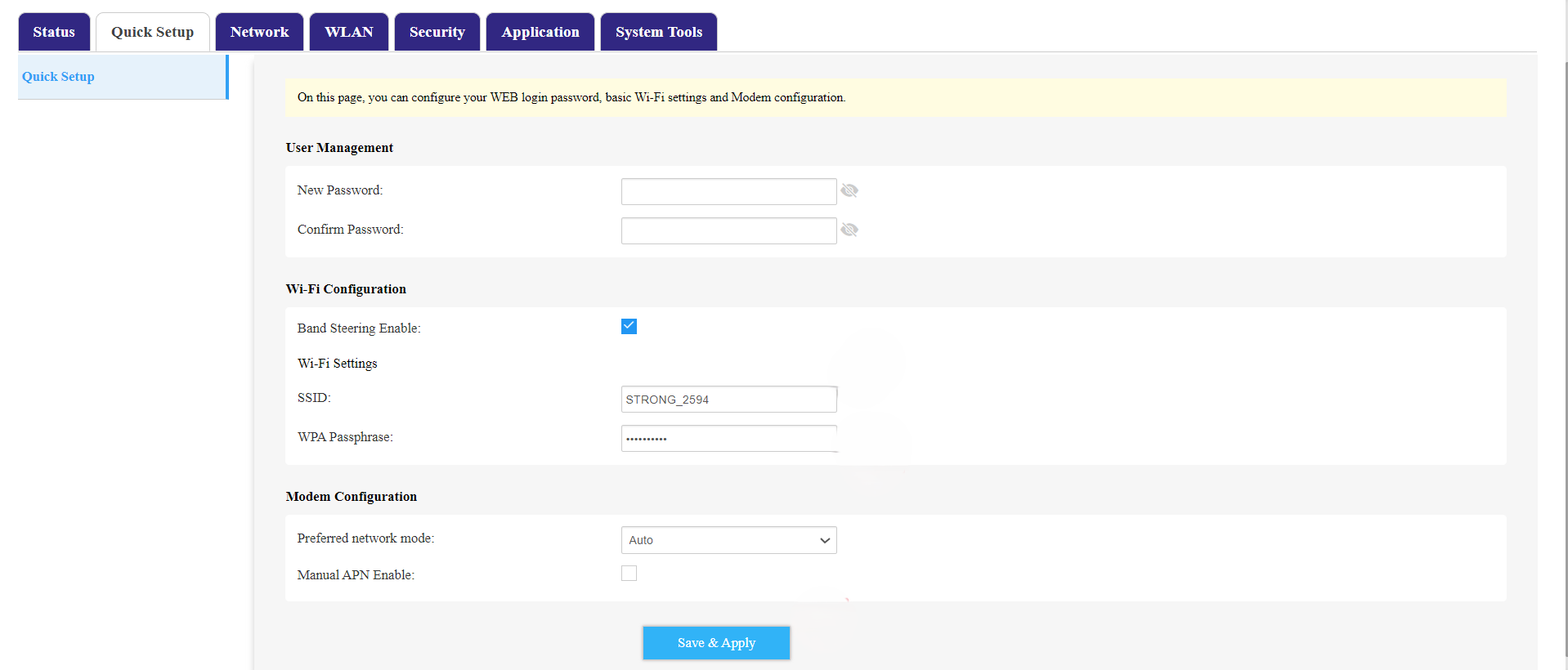
5. SkiftSSID og adgangskode
Rediger det navn, der er indtastet i feltet »SSID «. Klik derefter på øjeikonet for at få vist adgangskoden, og rediger den adgangskode, der er indtastet i feltet »WPA-adgangskode «. Klik derefter på »Gem og anvend« for at gemme ændringerne.
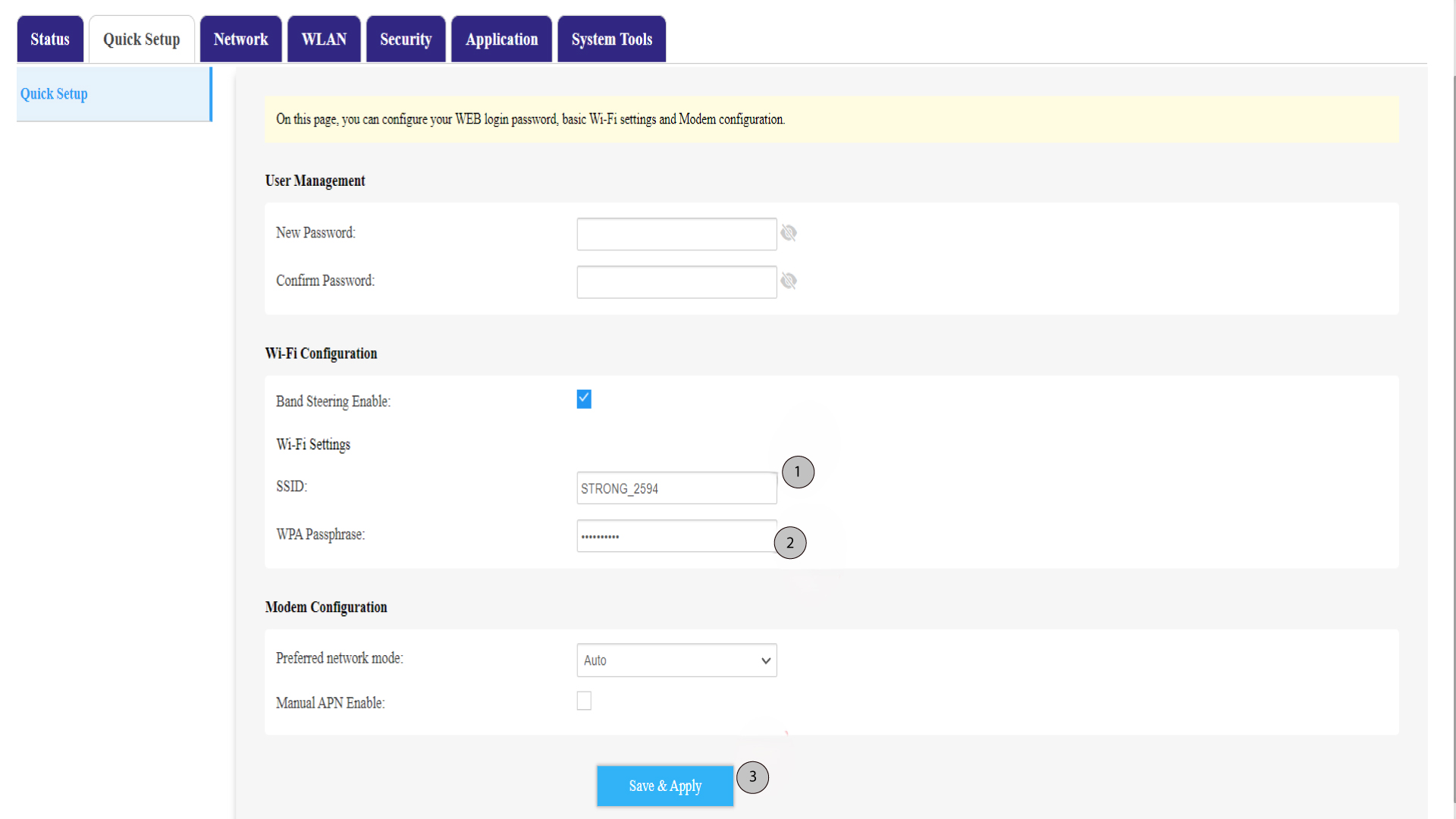
6Skrivdet nye netværksnavn og den nye adgangskode ned
Skriv dit nye SSID (Wi-Fi-netværksnavn) og din Wi-Fi-adgangskode ned på et stykke papir, og sæt det fast på routeren med tape.