4G AIRHOME 310 con antenas 4G desmontables
Todas las preguntas
4G AIRHOME 310 con antenas 4G desmontables
¿Cómo puedo consultar y modificar la configuración del APN de mi operador?
Si el dispositivo no reconoce automáticamente tu tarjeta SIM, debes iniciar sesión en la interfaz de usuario web para comprobar la configuración del APN y modificarla, si es necesario. Puedes consultar la configuración del APN de tu proveedor de servicios directamente en su página web o solicitarla al servicio de atención al cliente de tu proveedor de servicios.

Advertencia: Si tu red móvil es proporcionada por un operador de red móvil virtual (MVNO), ponte en contacto con su servicio de atención al cliente para obtener la información relativa al APN.
- Un MVNO se conecta a la red de otro operador de telefonía móvil para ofrecerte cobertura, que depende de tu ubicación.
1. Conéctatea la red Wi-Fi del router
Debes conectarte a la interfaz de usuario web. Para ello, introduce el SSID y la contraseña del router en tu dispositivo.

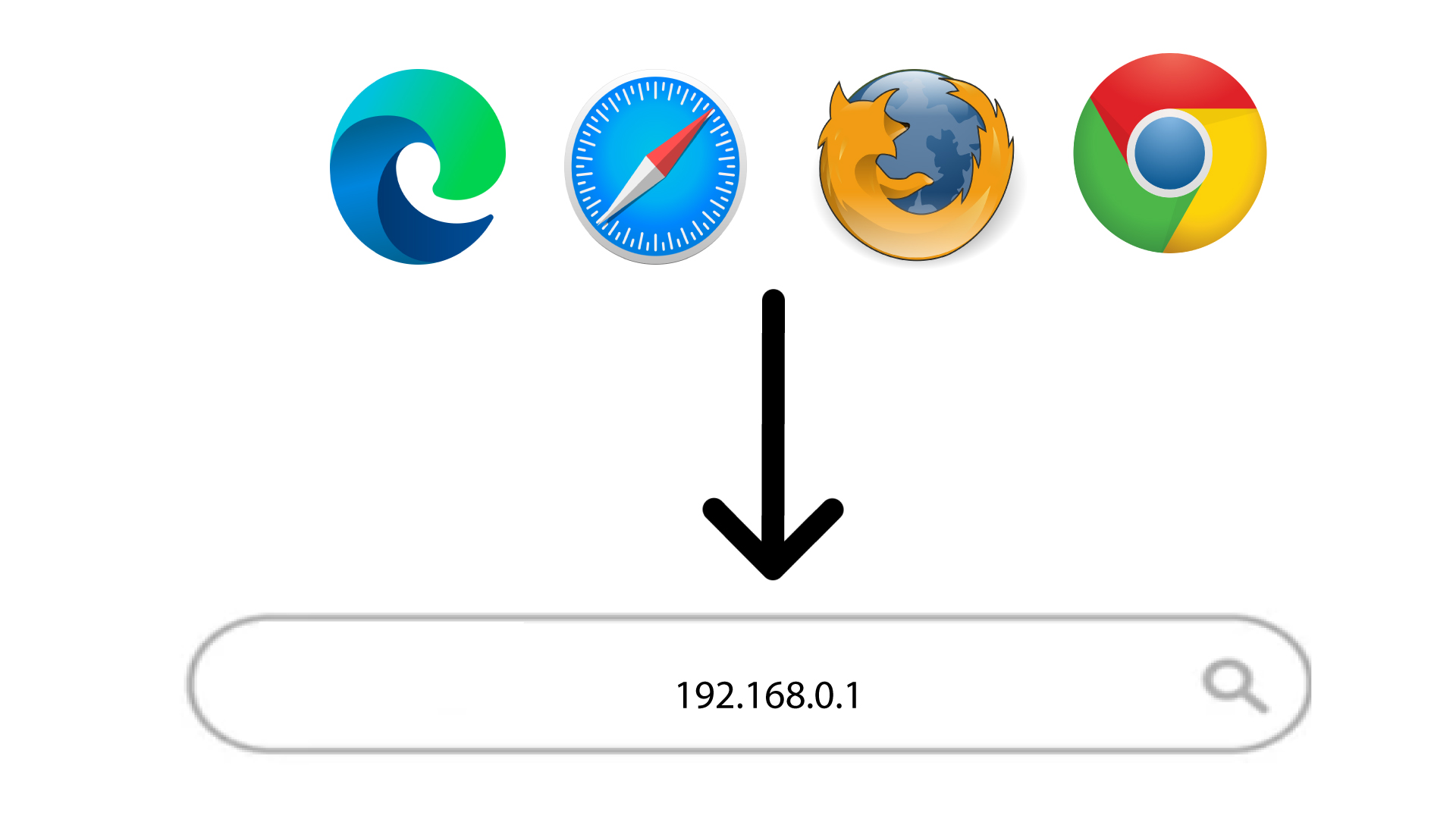
2. Accedea la dirección IP de la interfaz de usuario web
A continuación, introduce la siguiente dirección IP en tu navegador: 192.168.0.1
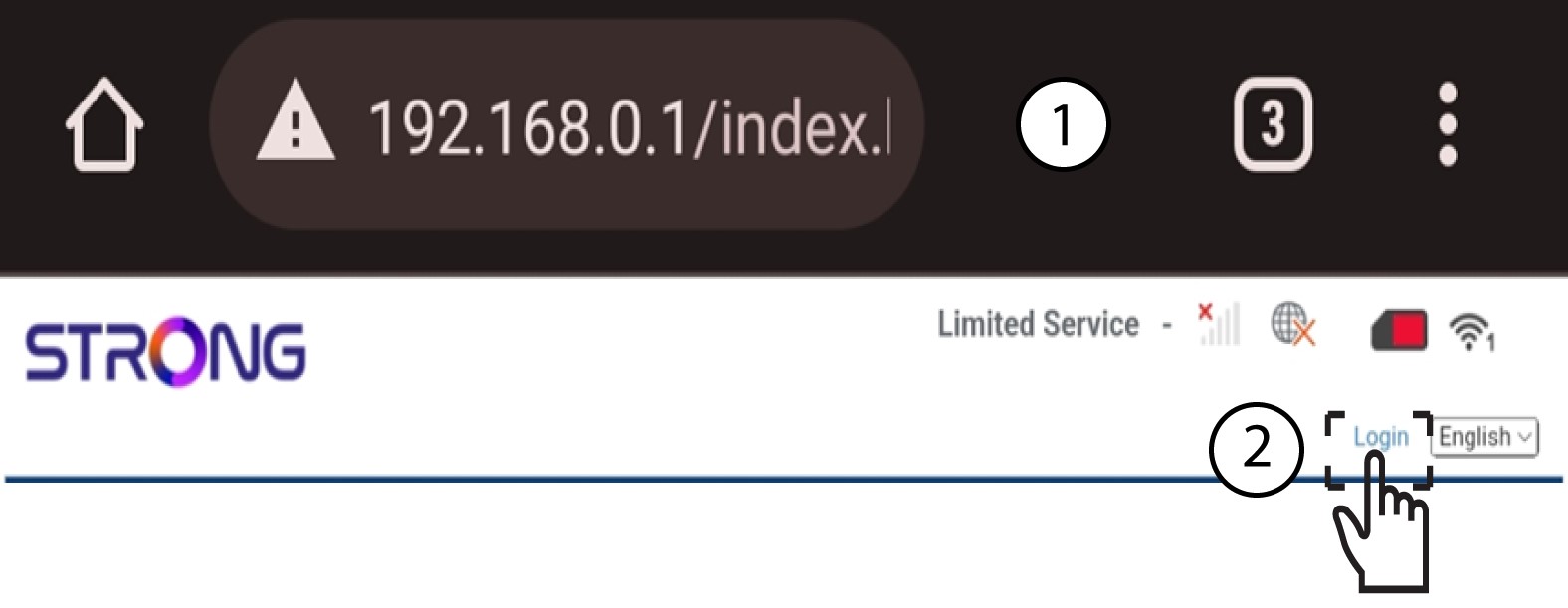
3Iniciarsesión
Una vez que hayas accedido a la dirección IP, haz clic en «Iniciar sesión».
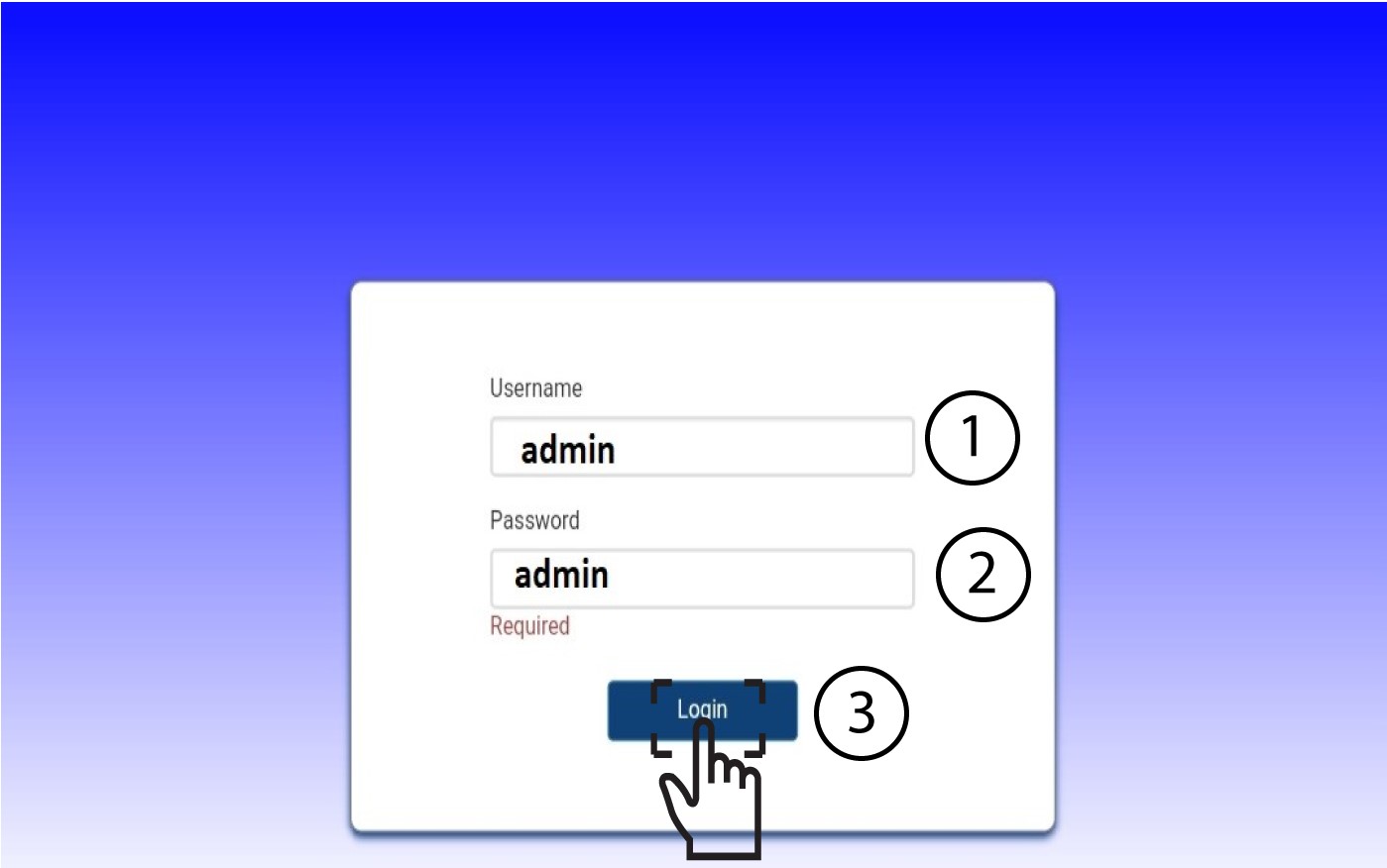
4. Introducetus datos de acceso
Debes introducir el nombre de usuario y la contraseña. A continuación, haz clic en «Iniciar sesión».
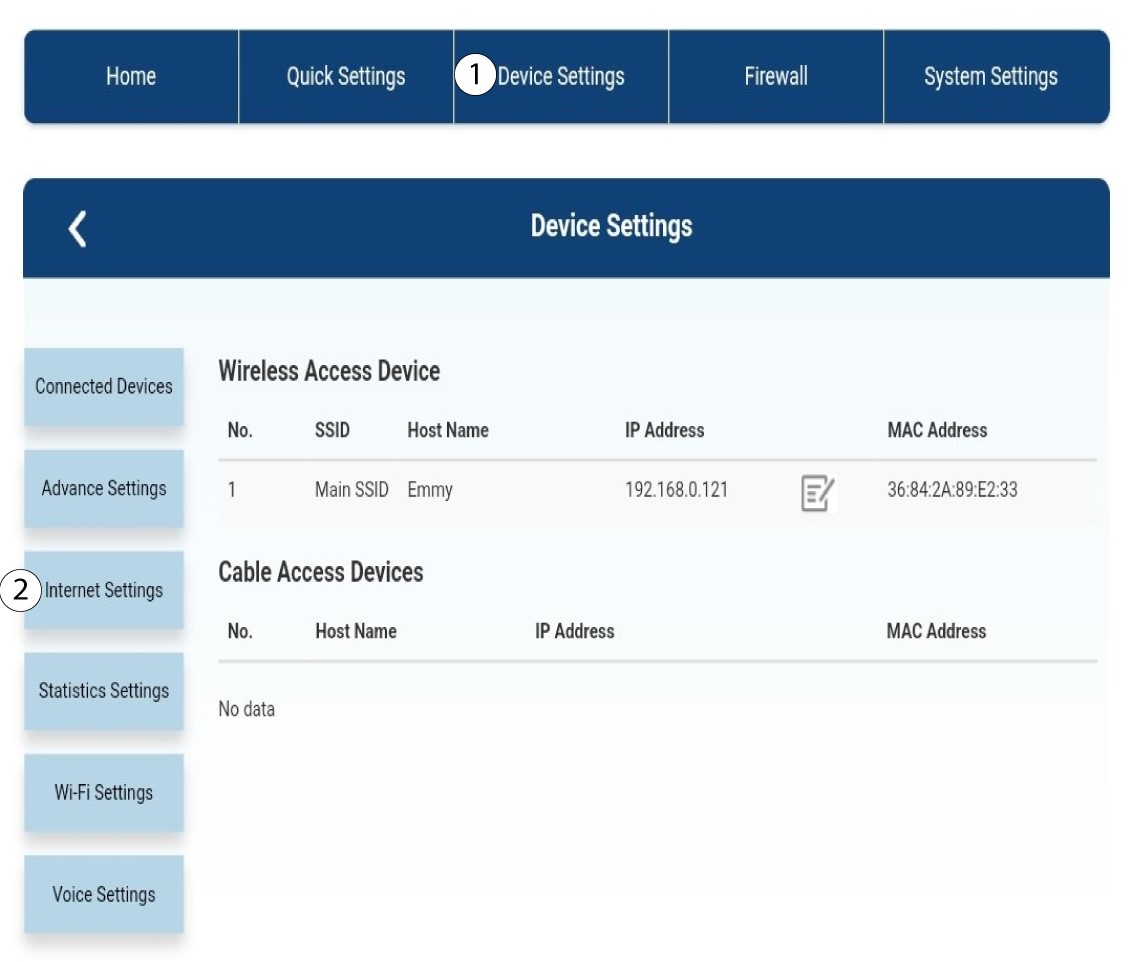
5. Configuración de Internet
Haz clic en «Configuración del dispositivo » y, a continuación, en «Configuración de Internet».
Configuración de 6APN
Haz clic en «APN».
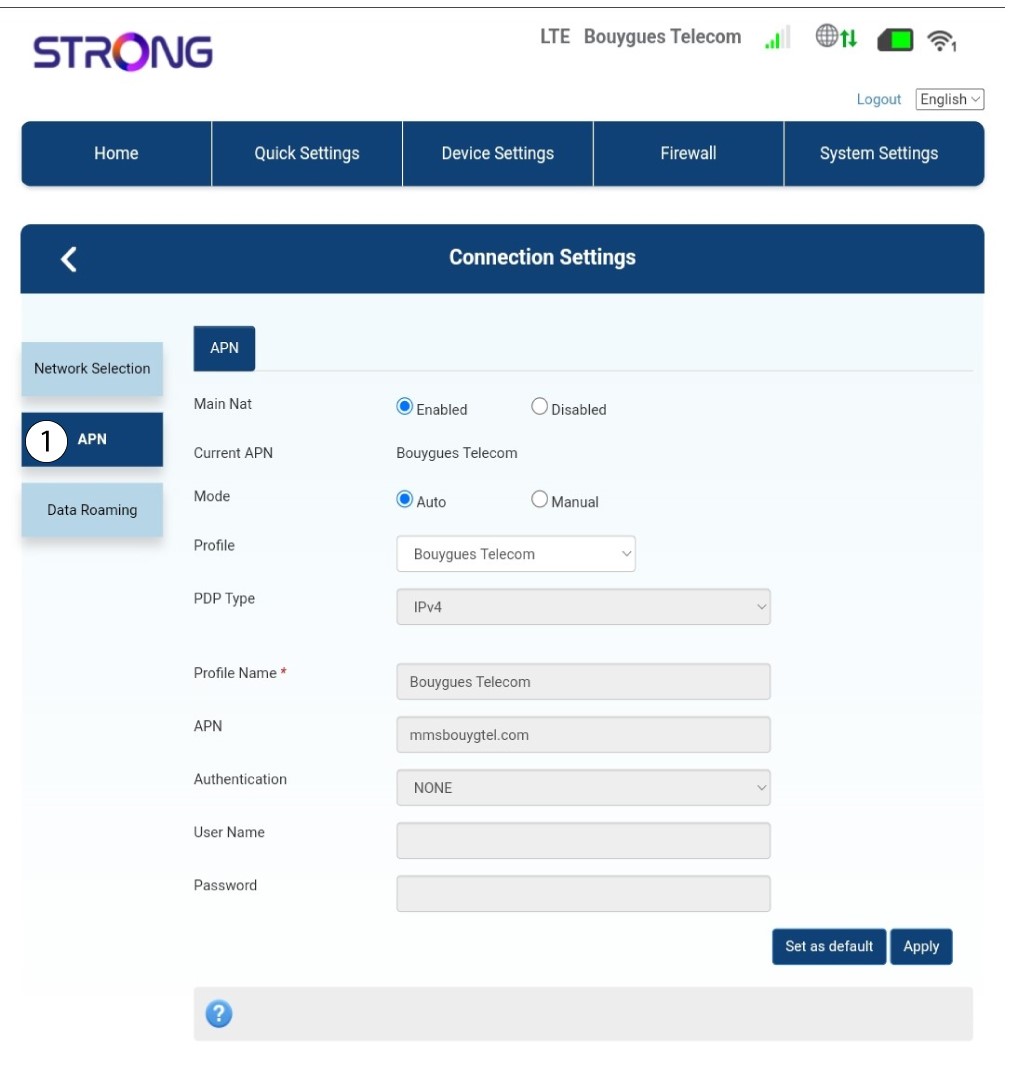
7. Buscala configuración APN de tu proveedor de servicios
Busca la configuración del APN en la página web de tu proveedor de servicios. Tienes que anotar la siguiente información:
- Nombre
- APN
- Nombre de usuario
- Contraseña
- Tipo de autenticación
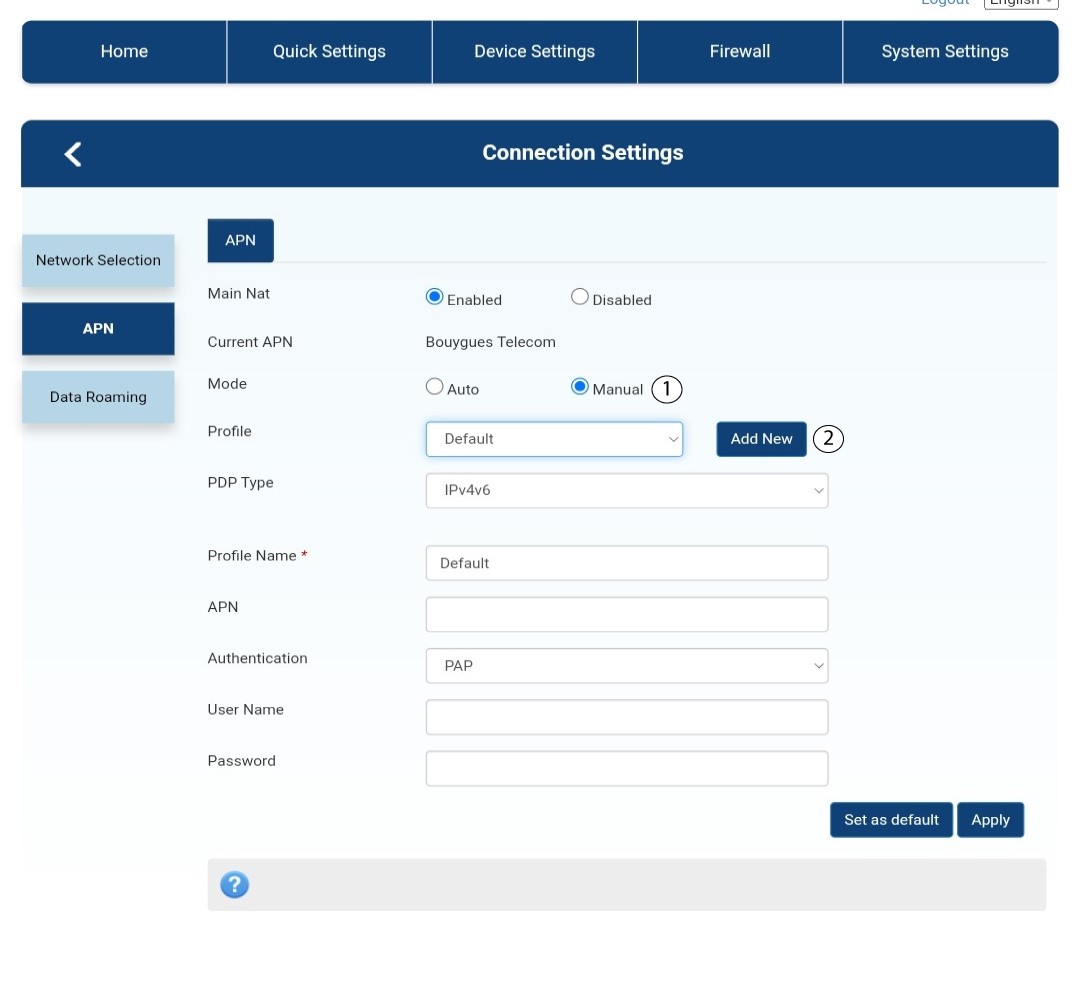
8. Modificala información si la configuración no es correcta.
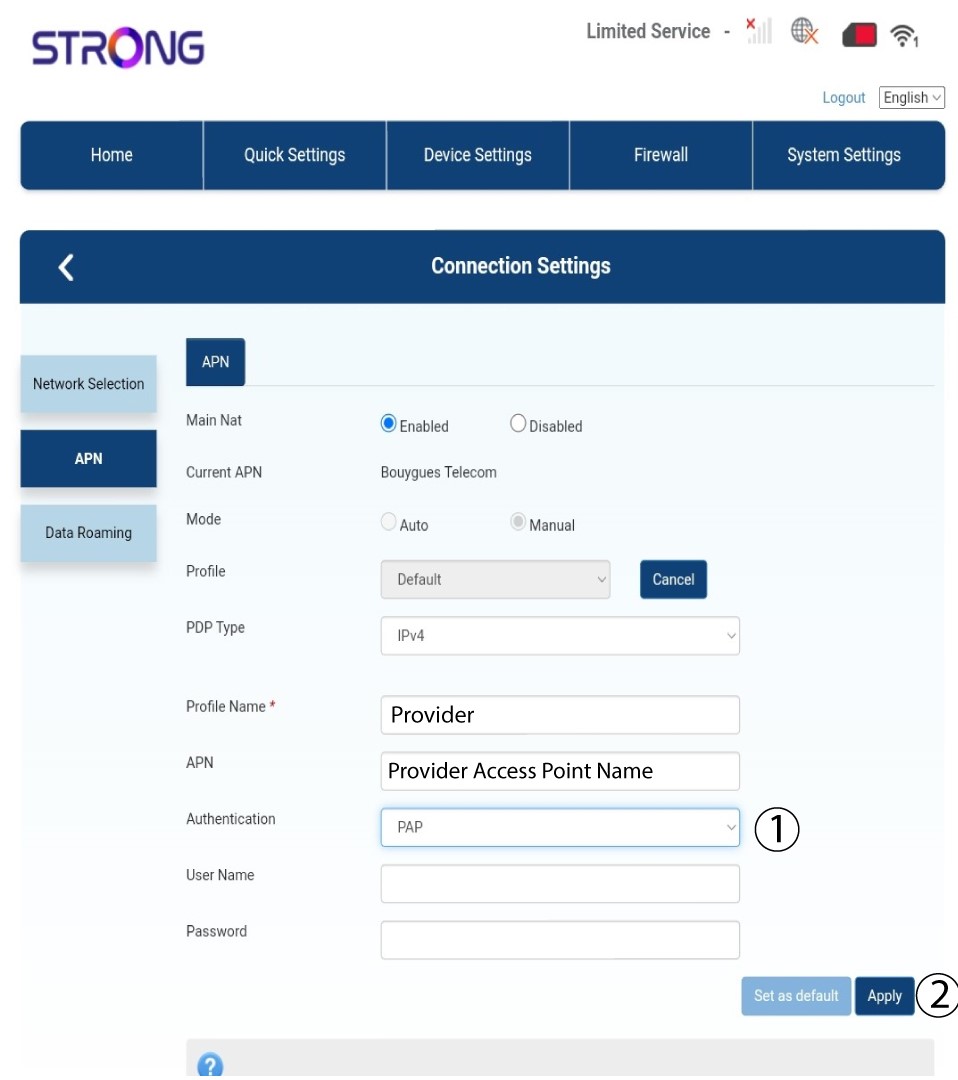
Si la información es incorrecta, haz clic en «Manual » y luego en «Añadir nuevo».
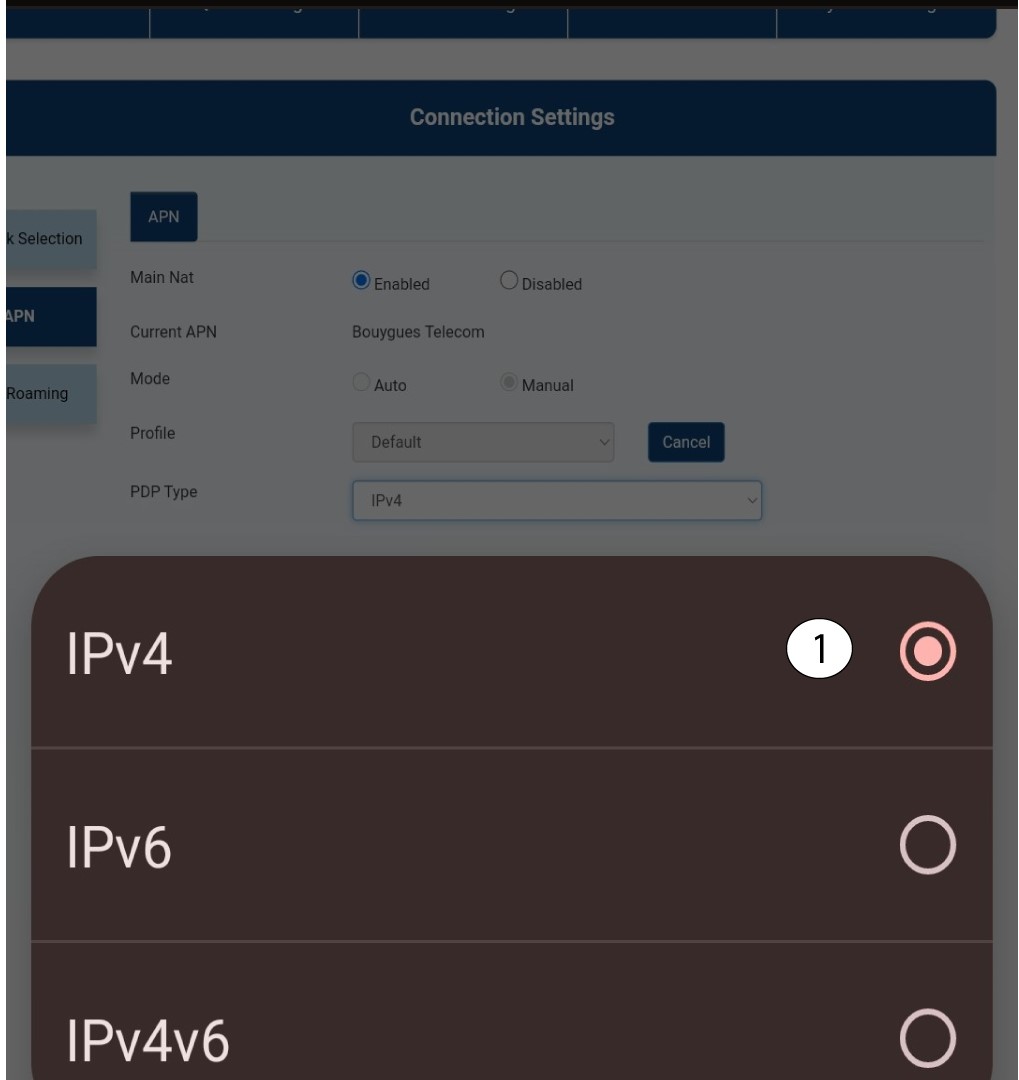
Tipo 9PDP
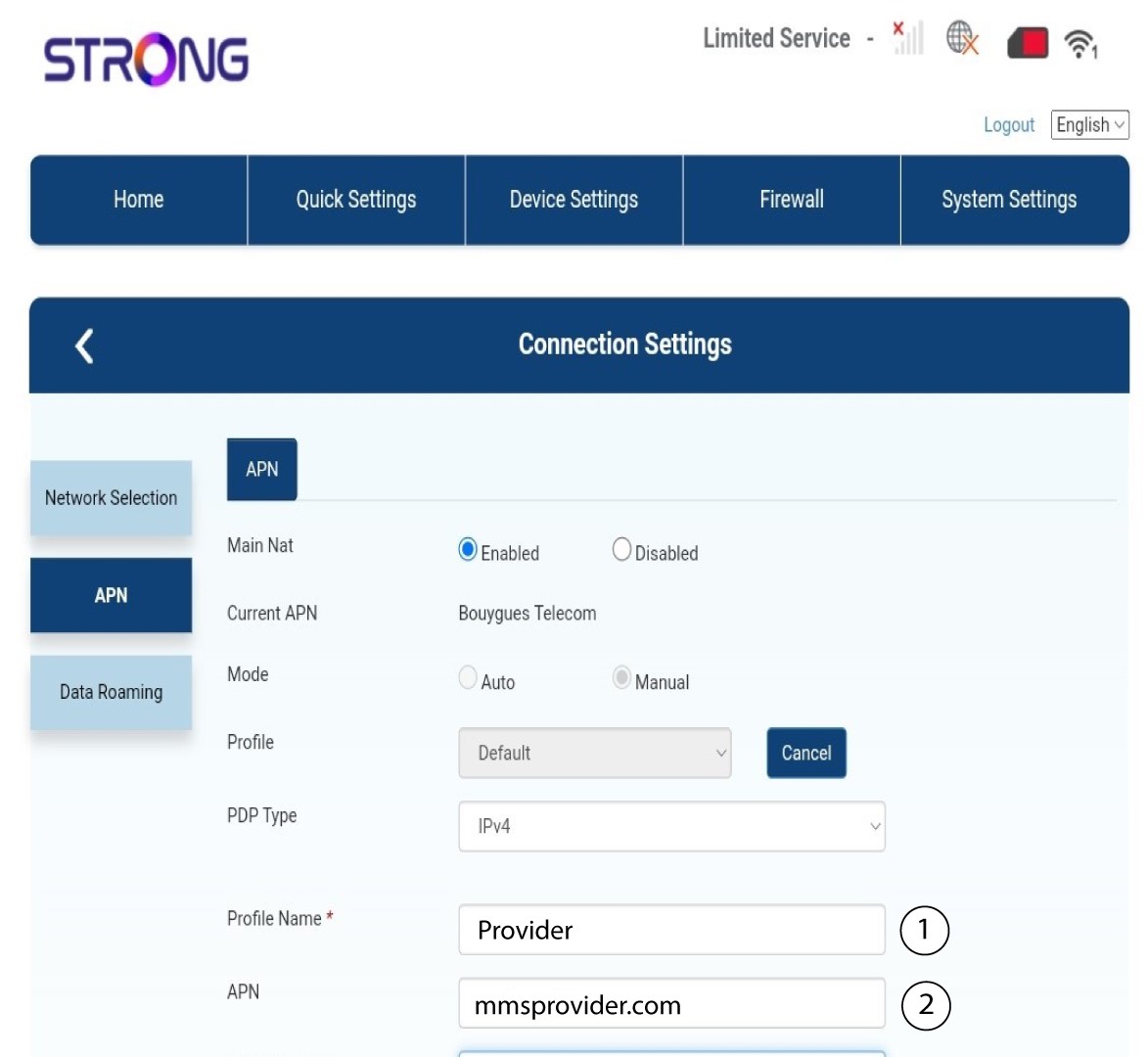
En el campo «Tipo de PDP», selecciona el tipo de APN correcto entre IPv4, IPv6 o IPv4v6. En nuestro caso, el tipo de PDP es IPv4.
10. Introducelos datos de tu proveedor de servicios
Introduce el nombre de tu proveedor de servicios en el campo «Nombre del perfil » (máximo 14 caracteres, incluidos los espacios). A continuación, introduce la dirección APN en el campo «APN ».
11. Tipo de autenticación
Selecciona el tipo de autenticación definido por tu proveedor para tu APN entre los siguientes valores y haz clic en «Aplicar»:
• NINGUNO
• CHAP
• PAP