
4G AIRHOME 310 con antenas 4G desmontables
Todas las preguntas
4G AIRHOME 310 con antenas 4G desmontables
¿Cómo actualizo el firmware del dispositivo?
Cuando estés conectado a la interfaz de usuario web, debes comprobar la versión del firmware que utiliza tu dispositivo mediante la opción de actualización en línea de dicha interfaz. Al hacerlo, se instalará la última versión del firmware.
Si tienes una versión diferente, consulta el procedimiento que se indica a continuación para actualizar el firmware.
1. Conexióna la interfaz de usuario web
Para conectarse a la interfaz de usuario web, siga el procedimiento que se indica a continuación:
2. Configuración avanzada
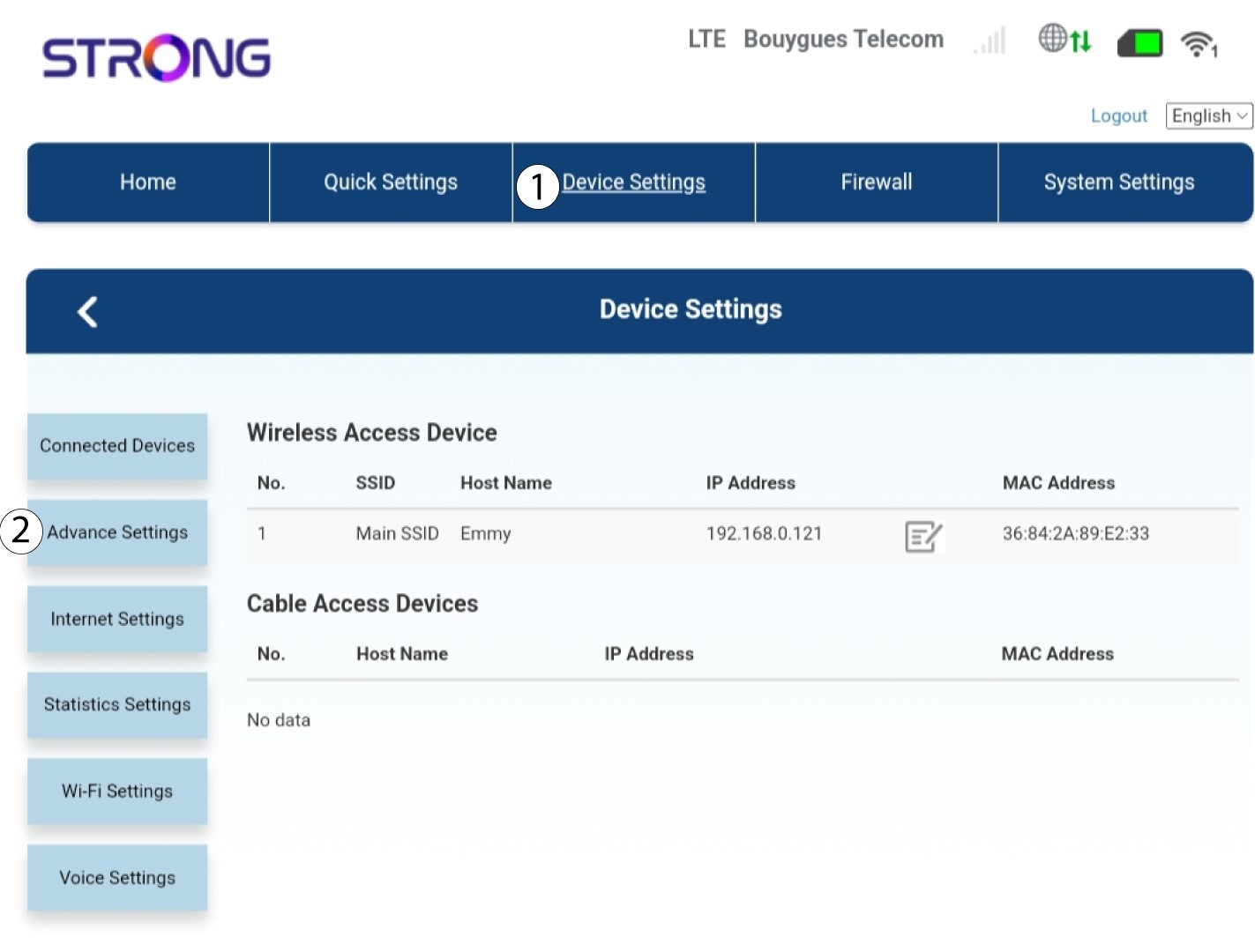
Haz clic en «Configuración del dispositivo » y selecciona «Configuración avanzada».
Actualización de 3FOTA
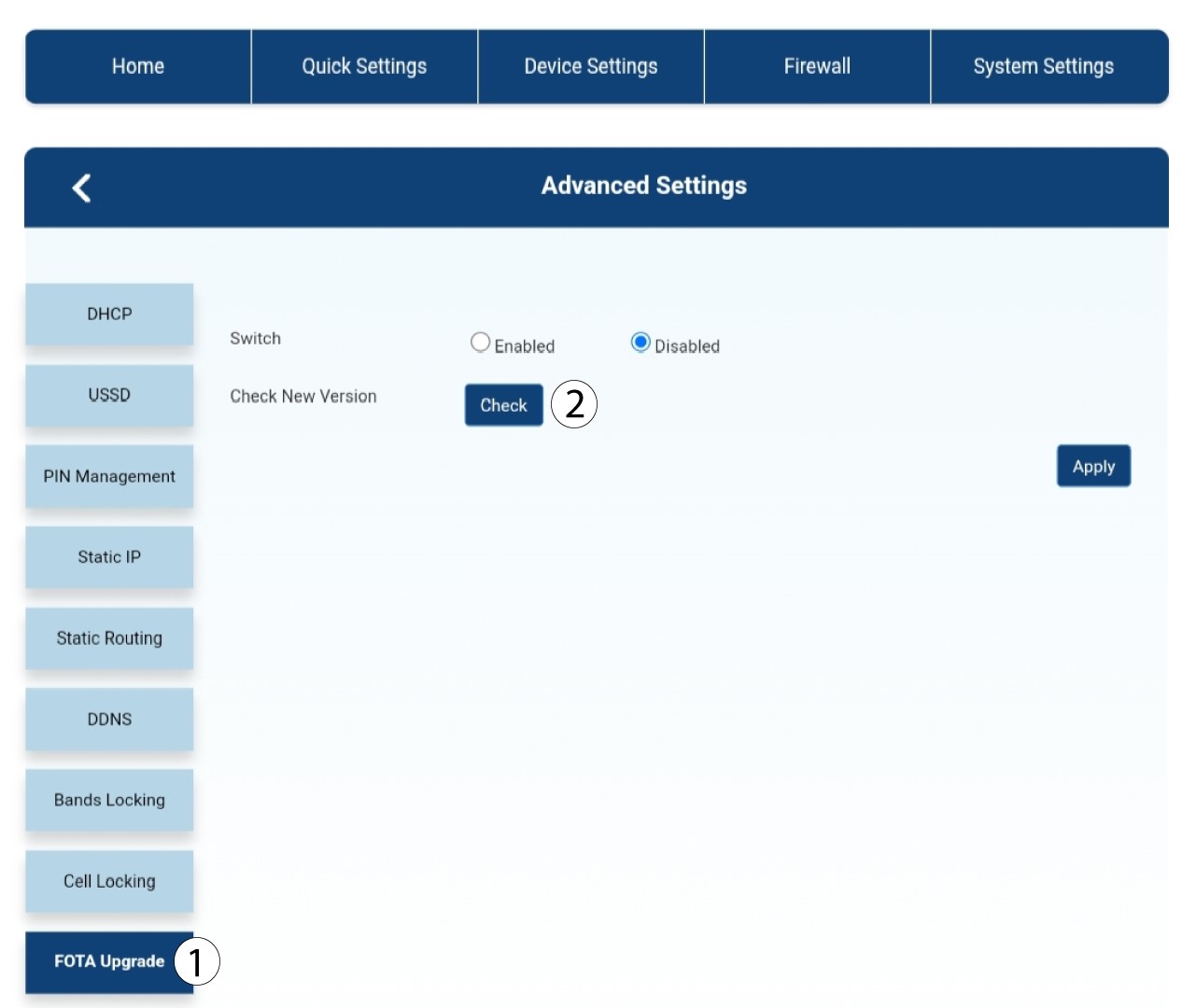
En «Configuración avanzada», haz clic en «Actualización FOTA » y «Comprobar».
4. Mensaje de notificación de actualización
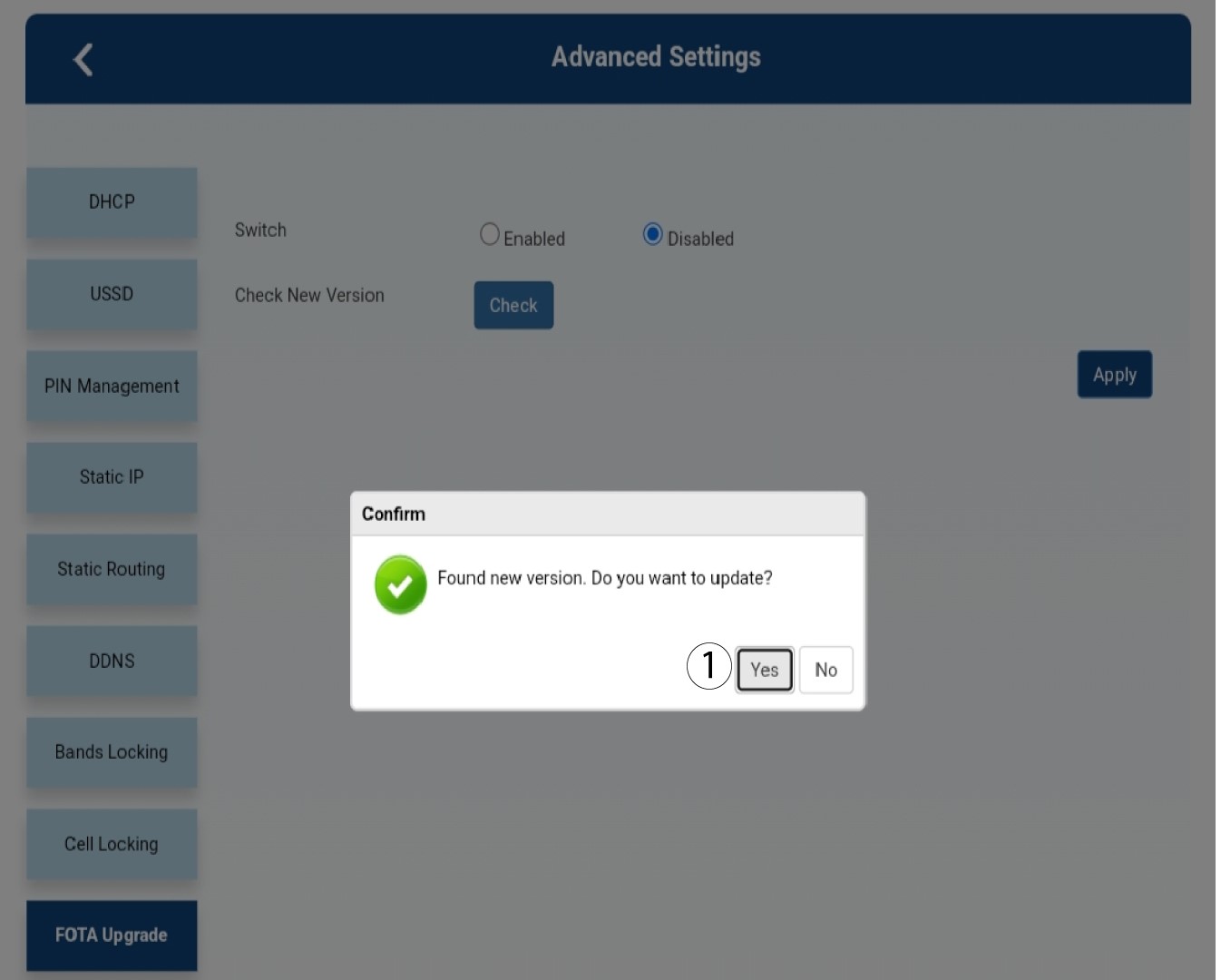
Aparecerá un mensaje en una ventana emergente; haz clic en «Sí».

Debes esperar a que finalice la actualización. Durante la actualización, los LED de los dispositivos se iluminan en azul y la luz azul se desplaza de izquierda a derecha, pasando de un icono a otro. Una vez finalizada la actualización, los iconos vuelven a su color anterior. La actualización puede durar hasta 5 minutos.