
4G AIRHOME 310 con antenas 4G desmontables
Todas las preguntas
4G AIRHOME 310 con antenas 4G desmontables
¿Cómo desactivo el Wi-Fi?
Si prefieres utilizar tu router conectándolo directamente a tu dispositivo mediante un cable Ethernet, puedes desactivar el Wi-Fi.
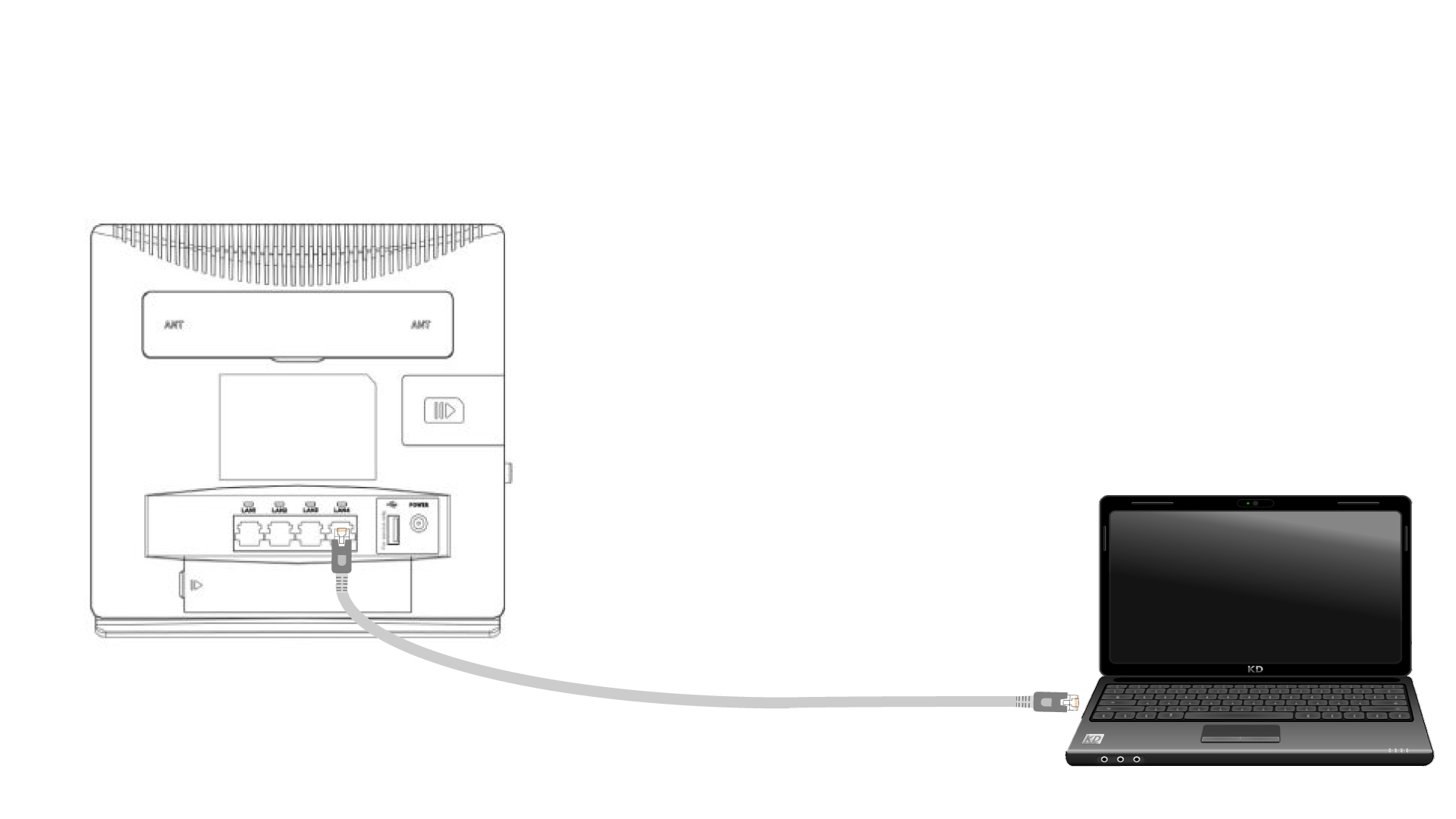
1. Conéctateal router con un cable Ethernet
Conecta un cable RJ45 al router para acceder a la interfaz de usuario web; sigue el procedimiento que se indica a continuación para conectarte a la interfaz de usuario web (después del paso 2):
2. Ajustes de Wi-Fi
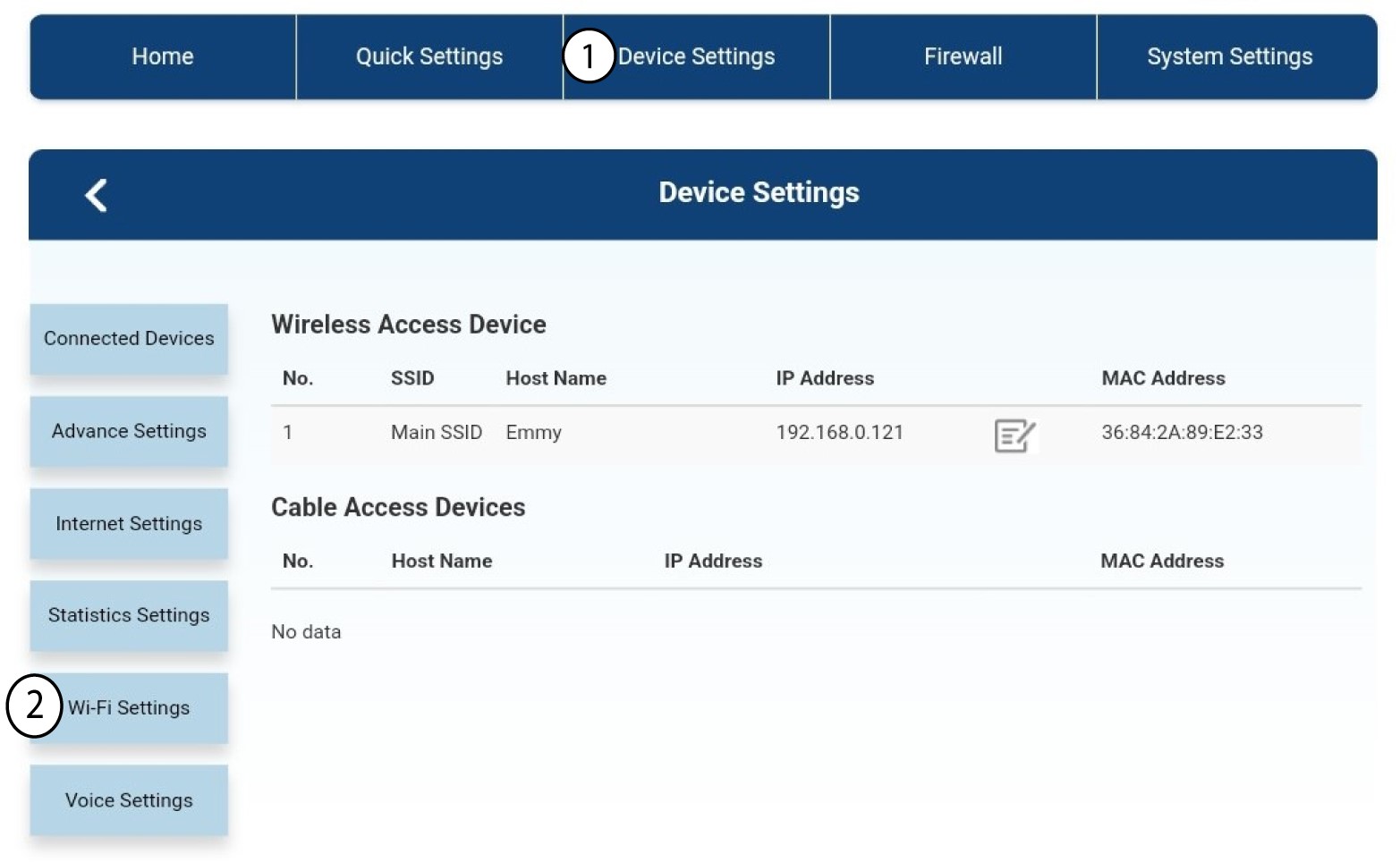
A continuación, haz clic en «Configuración del dispositivo » y, después, selecciona «Configuración de Wi-Fi».
3. Desactivarel Wi-Fi
En «Ajustes de Wi-Fi», selecciona «Wi-Fi» Switch. A continuación, haz clic en «Desactivado » box y en el botón «Aplicar ».
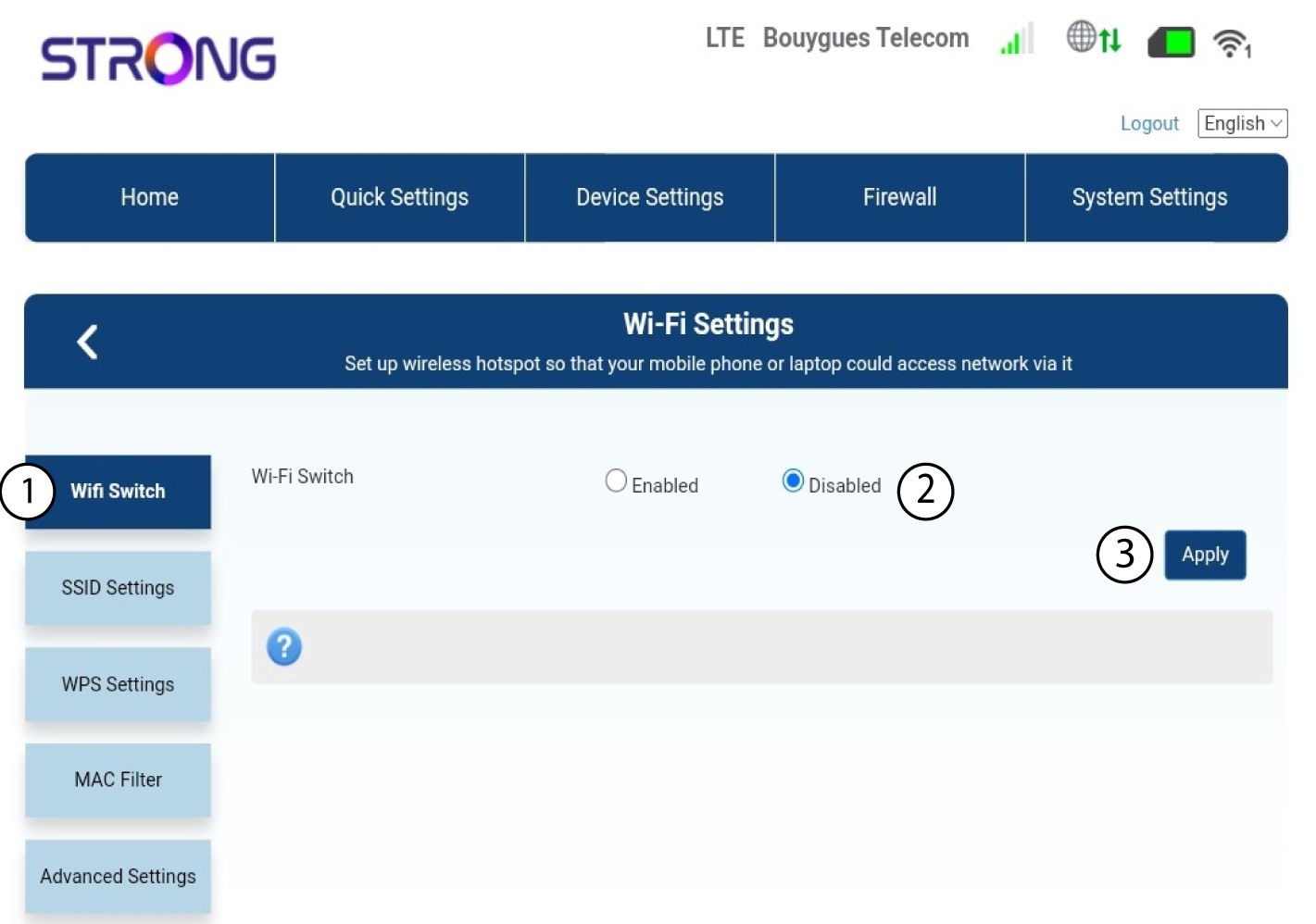

La red Wi-Fi del router está desactivada. Todos los dispositivos que estaban conectados anteriormente a la red se desconectarán automáticamente. Para reactivar el Wi-Fi, debes acceder a la interfaz de usuario web o también puedes restablecer el router a su configuración de fábrica.