4G AIRHOME 310 con antenas 4G desmontables
Todas las preguntas
4G AIRHOME 310 con antenas 4G desmontables
¿Qué puedo hacer en la interfaz de usuario web?
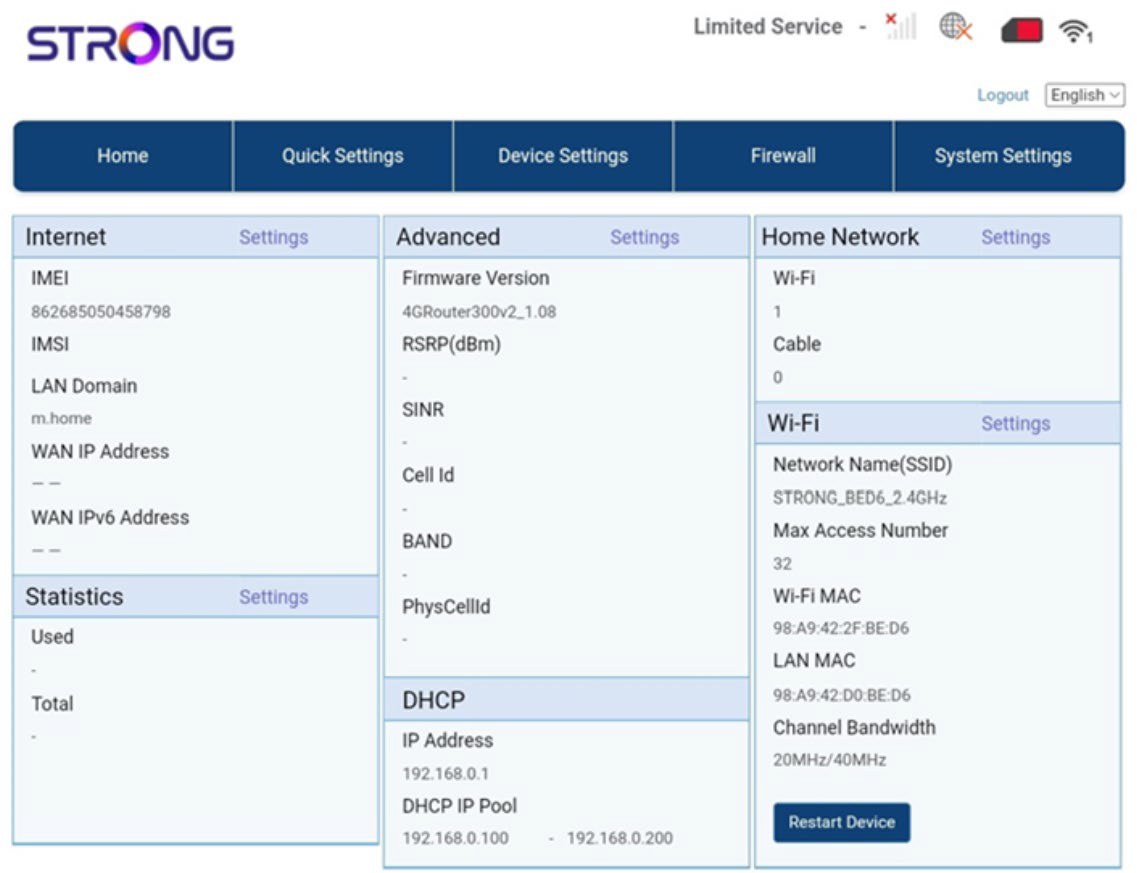
La interfaz de usuario web se divide en 5 secciones:
• Inicio: aquí puedes consultar la información principal sobre tu router, como el estado de la conexión a Internet, la versión del firmware, la dirección IP, datos sobre la red Wi-Fi y la red doméstica, etc.
• Ajustes rápidos: donde puedes editar tu SSID y contraseña.
• Ajustes del dispositivo: donde puedes ver el número de dispositivos conectados, gestionar la configuración de direcciones IP, los códigos PIN, los ajustes de la antena, los ajustes de Wi-Fi, los ajustes de Internet, etc.
• Cortafuegos: donde puedes configurar los parámetros de seguridad.
• Ajustes del sistema: donde puedes actualizar, reiniciar o editar tus ajustes.
Además, también puedes ver el estado de la red Wi-Fi, la red móvil y los datos.