
4G AIRHOME 310 con antenas 4G desmontables
Todas las preguntas
4G AIRHOME 310 con antenas 4G desmontables
¿Qué tipo de tarjeta SIM puedo introducir en mi router?
Debes introducir una tarjeta SIM de tamaño estándar en la ranura para tarjetas SIM del router 4G LTE 300. No tienes que preocuparte por el tamaño de tu tarjeta SIM, ya que en el paquete del router se incluyen adaptadores para ajustarla al tamaño adecuado. Debes introducir la tarjeta SIM antes de encender el dispositivo.
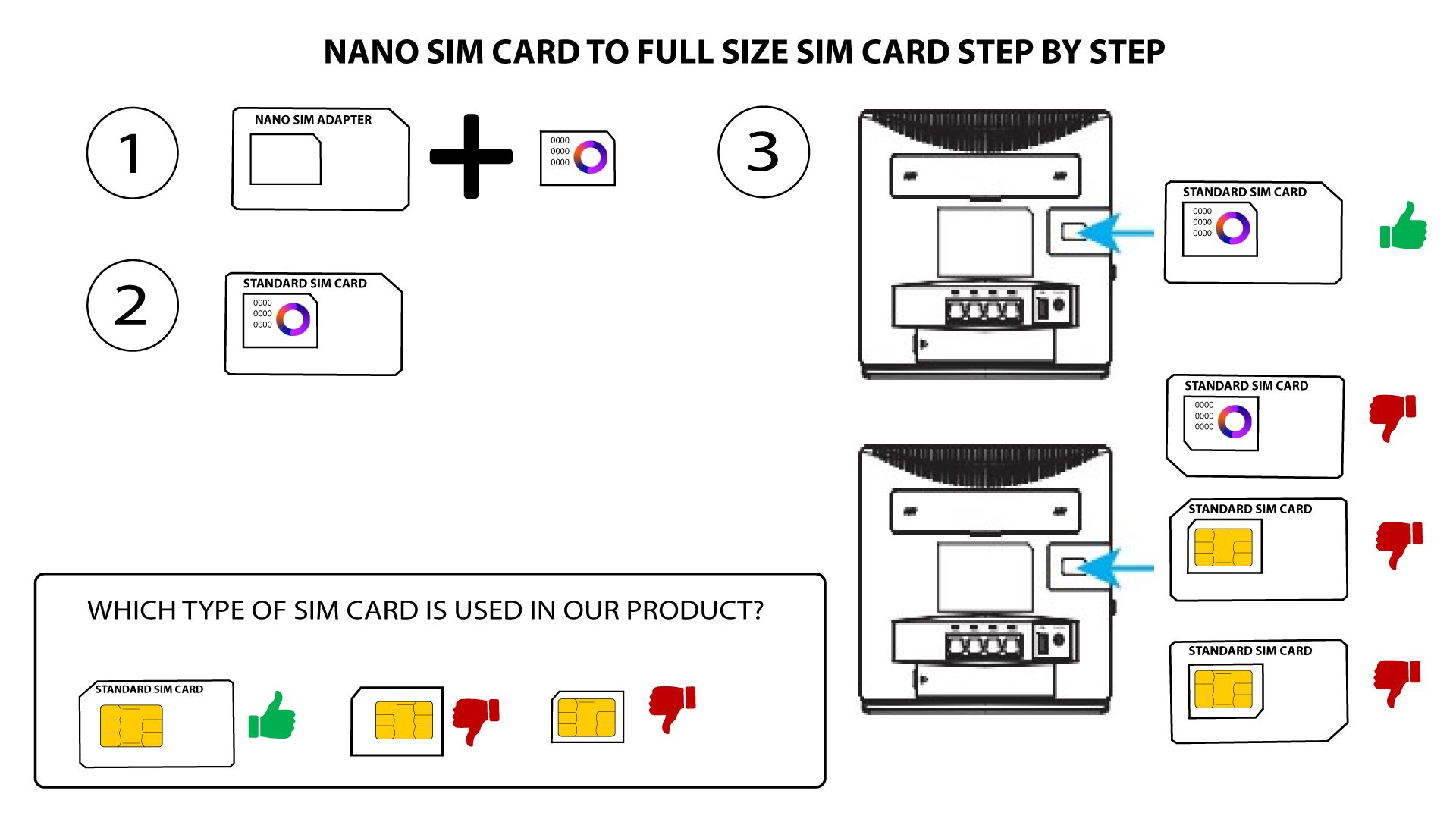
1. Caso1: Tarjeta Nano SIM
Una vez que hayas colocado la tarjeta SIM en el adaptador, manténla presionada contra el adaptador para que quede bien fijada. Coge el dispositivo con la mano e inserta la tarjeta SIM en la ranura, en la misma posición que se muestra en el esquema siguiente.
2CASO2: Tarjeta micro SIM
Una vez que hayas colocado la tarjeta SIM en el adaptador, manténla presionada contra el adaptador para que quede bien fijada. Coge el dispositivo con la mano e inserta la tarjeta SIM en la ranura, en la misma posición que se muestra en el esquema siguiente.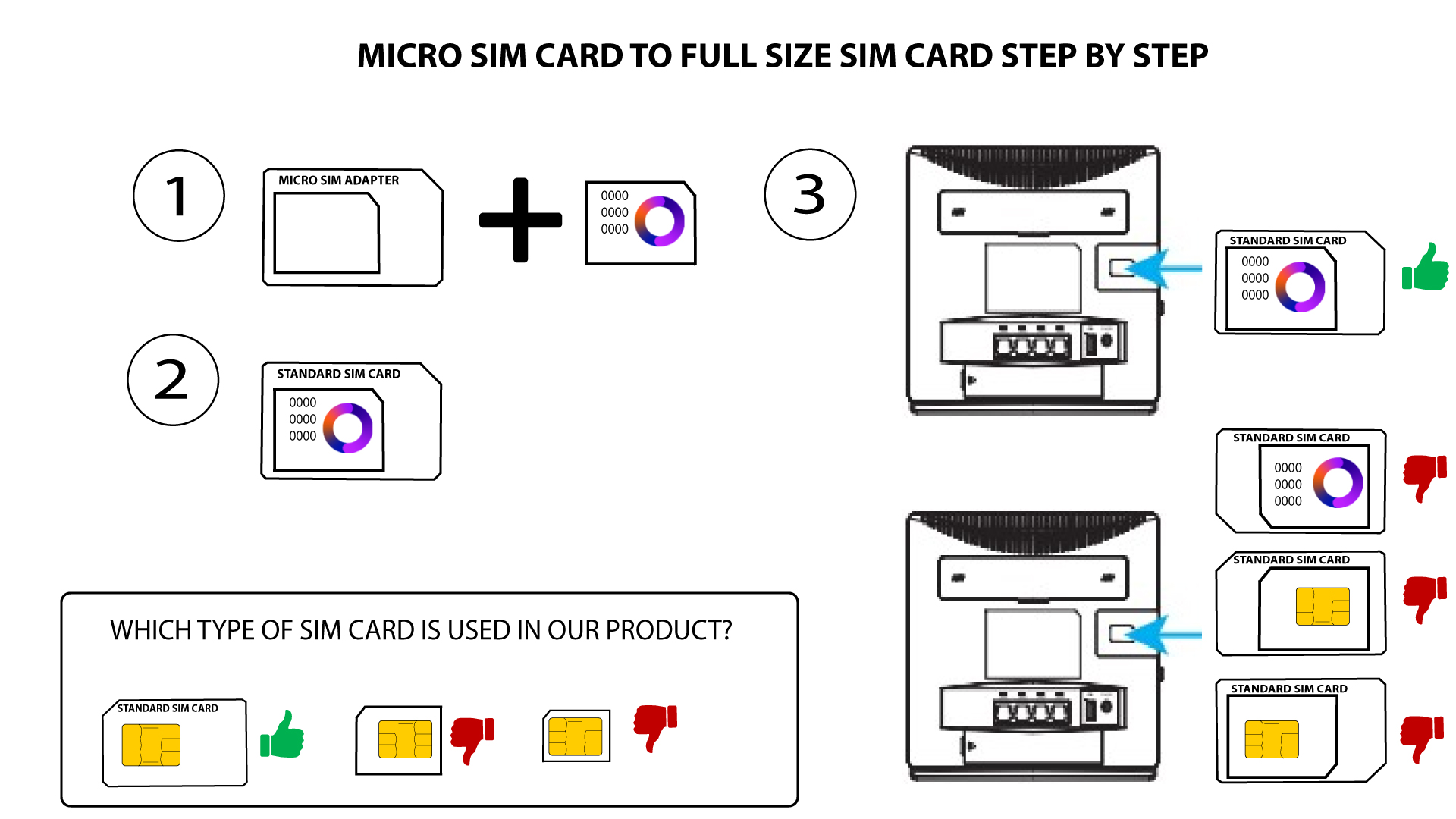

Asegúrate de que la tarjeta SIM esté bien colocada en el adaptador antes de introducirla en la ranura.
• Si el dispositivo no detecta la tarjeta SIM, comprueba su posición y si has introducido el adaptador correctamente.