
5G AIRHOME 1050 | Wi-Fi 6
All questions
Wi-Fi and network troubleshooting
How do I choose the network type?

Your router has one Wi-Fi network and two Mobile data networks either in 4G or 5G. You first need one SIM Card to activate the mobiles networks.
1Connect to the device
To access the network types, you must connect to the Web UI. To do so, enter the SSID (Wi-Fi Network Name) and Wi-Fi password of the router in your device:

2Access to the Web UI
Then, enter the following IP address in your browser: 192.168.0.1.

3Login
You must enter the Username and Then, click Login. For more information about the Logins please refer to the login procedure.

4Connection configuration
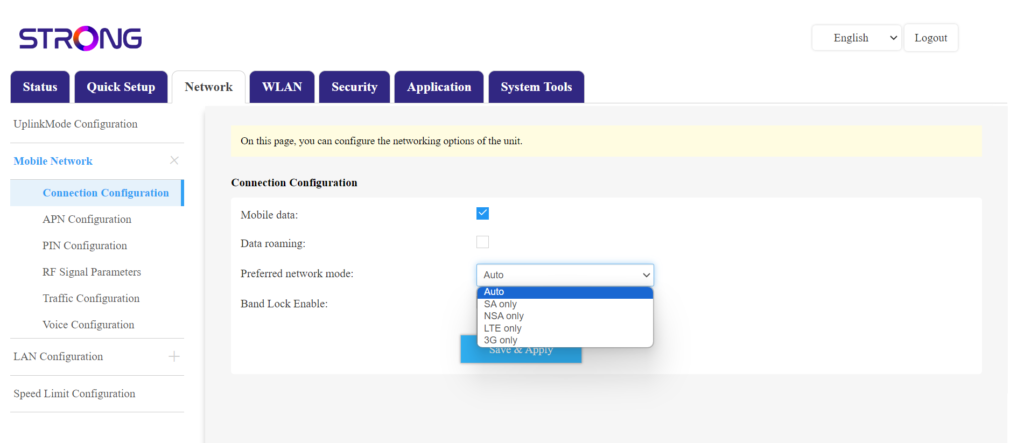
Click Network and select Connection Configuration.
Then, in the preferred network list select either NSA for (5G network) or LTE (for 4G Network) this will prevent your network from switching between the different types of networks. To choose the appropriate network please find a map of the antenna coverage of your location to see what is the best network available.
How do I connect my landline phone with the router?
Warning: Only one landline phone can be connected at the same time to the router.
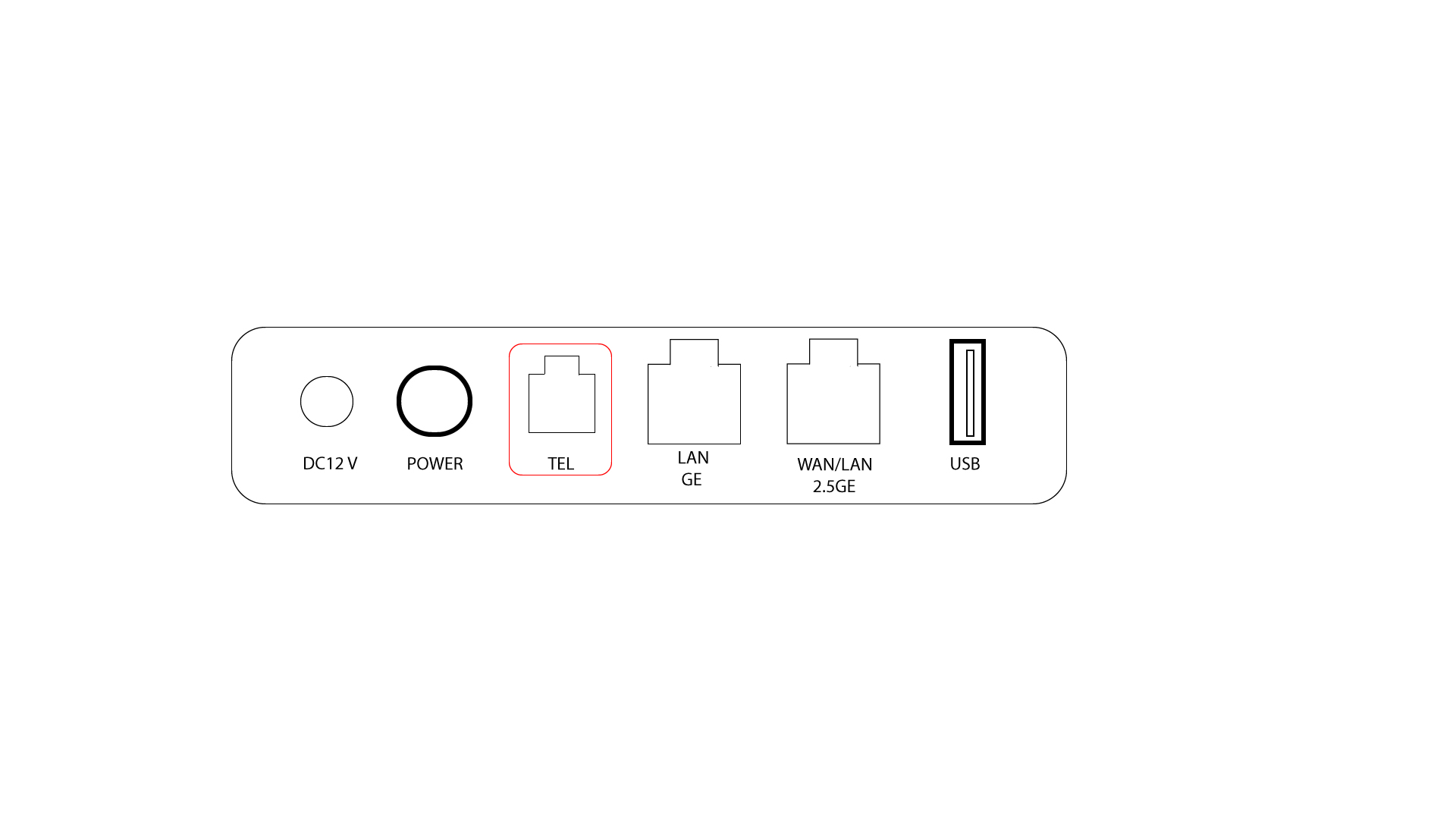
1TEL Port
The TEL port is at the rear side of the device. Simply connect your landline phone cable (RJ11) to this port and the process is finished. You can now make and receive call from your landline phone thanks to the AX 3000 router.
TIPS: The default caller ID format is FSK on 5GROUTERAX3000. Some operators may use another, non-compatible format; therefore, the phone number display on the LCD of the phone may not always be possible.
How many devices can I connect to the WI-FI of the device?
Each Wi-Fi Network (2.4 GHz and 5 GHz) allows a maximum of 128 devices. But you can connect up to 254 devices to the Wi-Fi of the device due to its type C IP address configuration.