4G AIRSPOT 220 mobiili Wi-Fi näytöllä
Ei löytynyt kohteita.
Ei löytynyt kohteita.
Kaikki kysymykset
4G AIRSPOT 220 mobiili Wi-Fi näytöllä
Ei löytynyt kohteita.
Ei löytynyt kohteita.
Miten voin vaihtaa SIM-kortin PIN-koodin?
SIM-kortin PIN-koodin vaihtaminen on mahdollista verkkokäyttöliittymässä. Toimi seuraavien ohjeiden mukaisesti. Sinun on ensin kirjauduttava verkkokäyttöliittymään.
1. Yhdistäreitittimen Wi-Fi-verkkoon
1.
Tätä varten syötä laitteeseesi reitittimen SSID (Wi-Fi-
verkon nimi) ja Wi-Fi-salasana.

2Siirryverkkokäyttöliittymän IP-osoitteeseen
Syötä sitten selaimeesi seuraava IP-osoite: 192.168.188.1

3Kirjaudu sisään
Syötä salasana. Napsauta sitten Kirjaudu sisään.

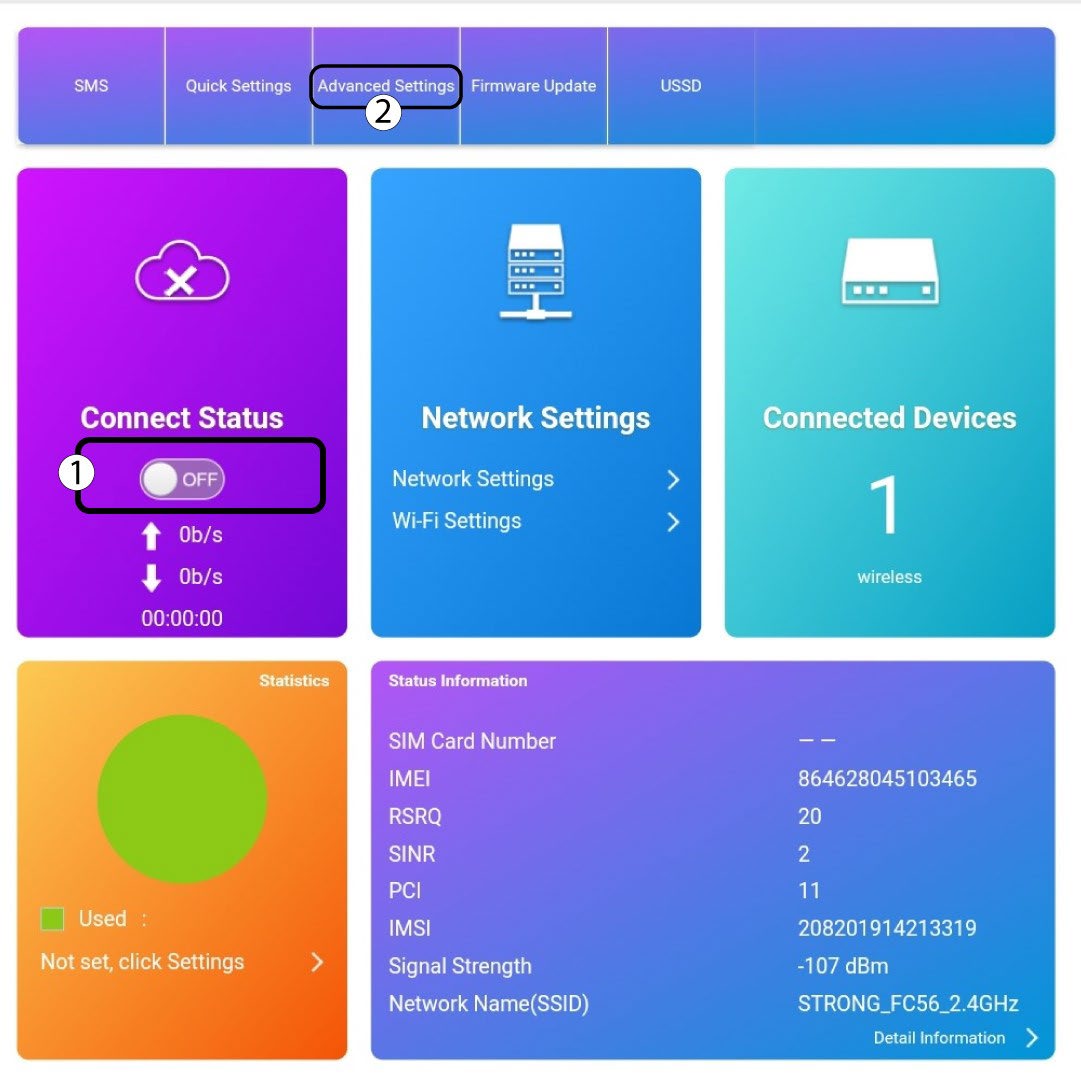
4Yhteydentila
Napsauta kytkintä ”Yhteyden tila” -osiossa ja valitse ”Lisäasetukset”
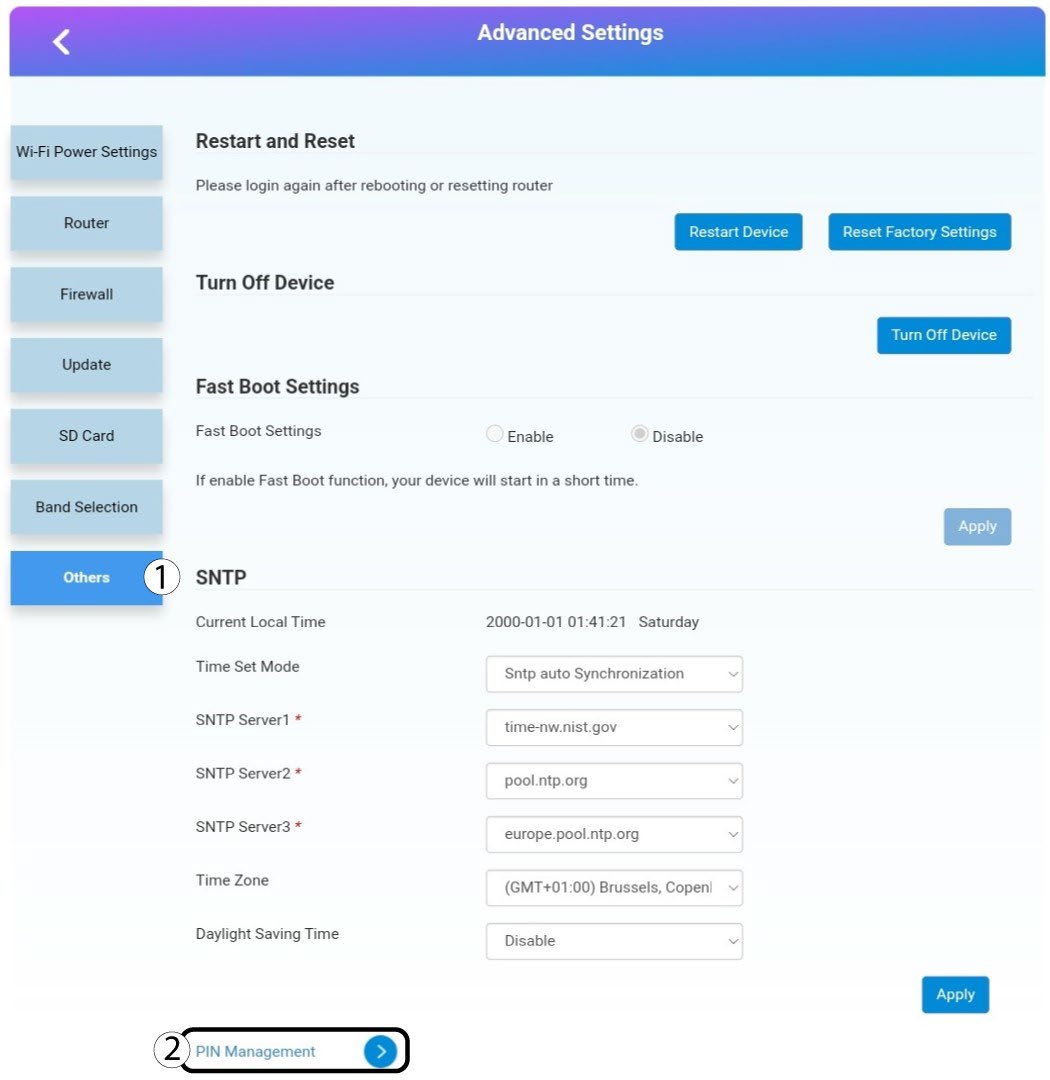
5. Lisäasetukset
Napsauta Muut. Napsauta sitten PIN-koodien hallinta.
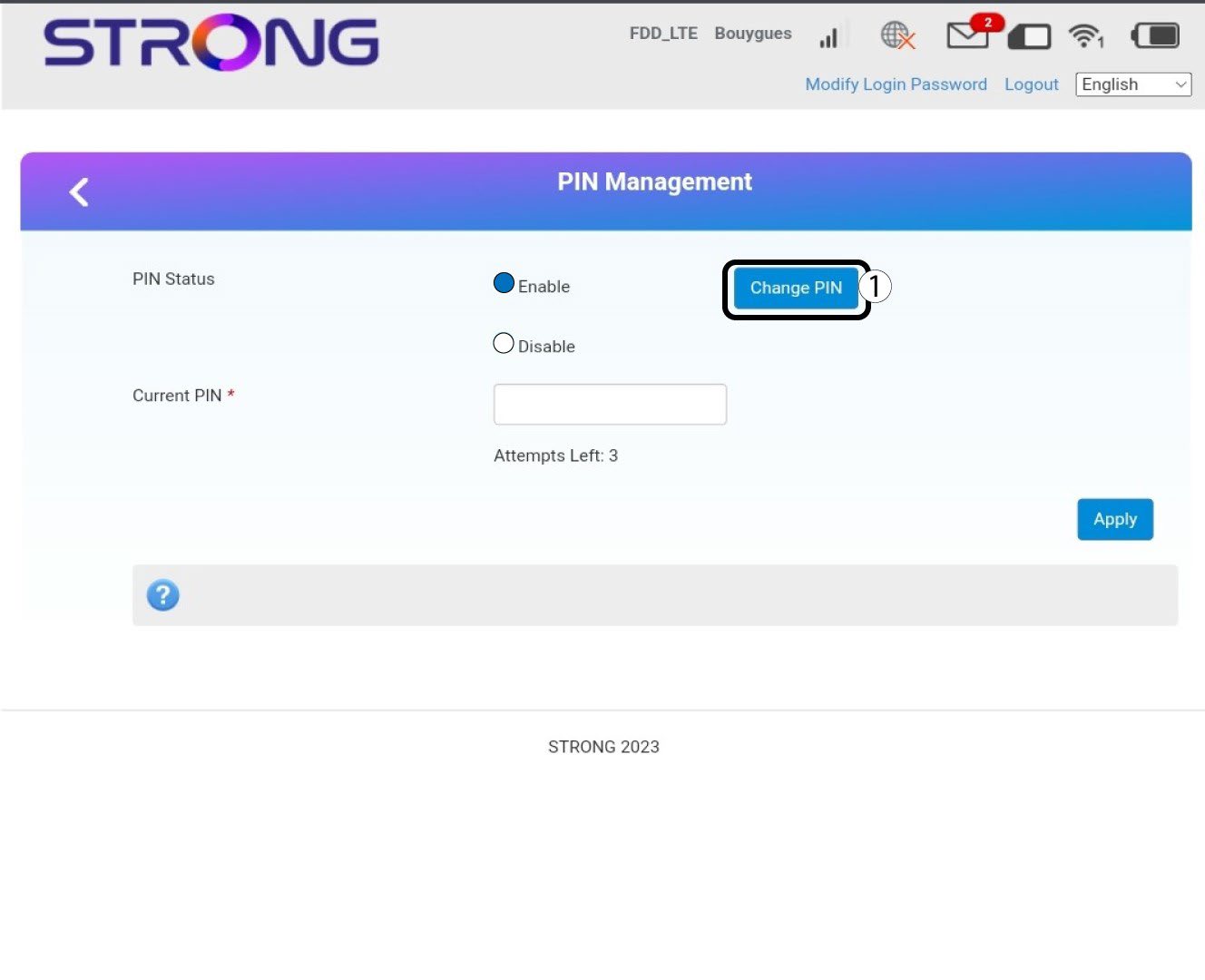
6Pin-hallinta
Napsauta ”Vaihda PIN-koodi”.
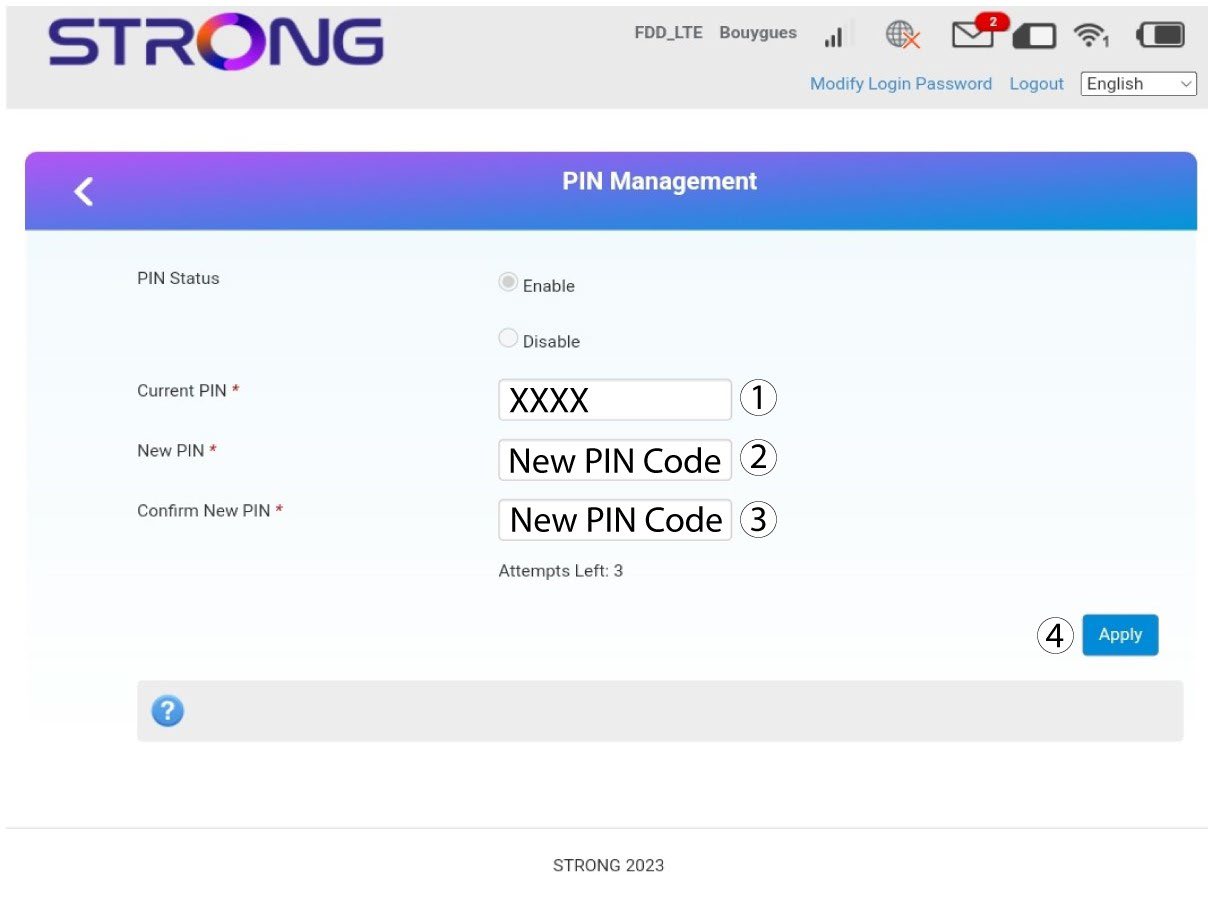
7Syötäuusi PIN-koodi
Syötä seuraavat tiedot ennen kuin napsautat ”Käytä”-painiketta:
· Nykyinen PIN-koodi: Syötä nykyinen PIN-koodisi.
· Uusi PIN-koodi: Syötä uusi PIN-koodisi.
· Vahvista uusi PIN-koodi: Syötä uusi PIN-koodi.