4G AIRSPOT 220 mobiili Wi-Fi näytöllä
Ei löytynyt kohteita.
Ei löytynyt kohteita.
Kaikki kysymykset
4G AIRSPOT 220 mobiili Wi-Fi näytöllä
Ei löytynyt kohteita.
Ei löytynyt kohteita.
Miten laite kytketään päälle ja pois päältä?
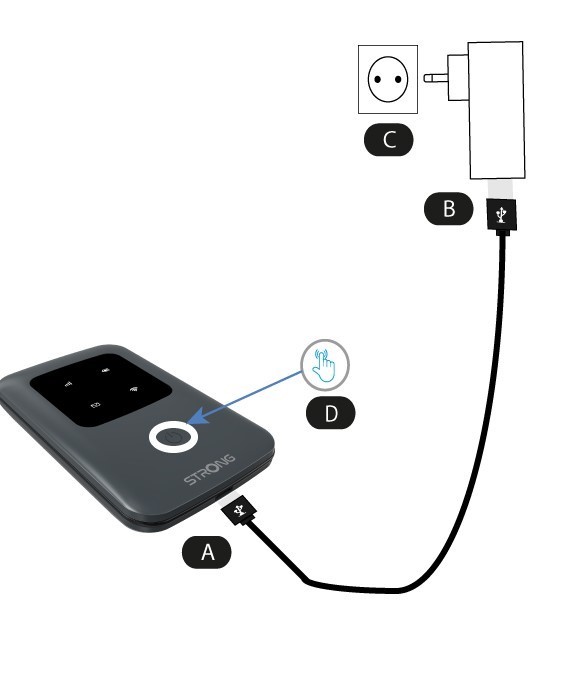
Laitteen käynnistämiseksi se on ladattava ennen käyttöä. Liitä tätä varten USB-kaapeli laitteeseen (A) ja pistoke (B) pistorasiaan.
1. Virtapainike
Liitä laitteen (A) USB-kaapeli virtalähteeseen (B). Liitä sitten kaapeli pistorasiaan (C) ja pidä virtapainiketta painettuna viiden sekunnin ajan (D).
Muutaman sekunnin kuluttua laitteen LED-valot syttyvät.
Sammuttaaksesi laitteen sinun tarvitsee vain painaa virtapainiketta ja pitää sitä painettuna 5 sekuntia.