4G AIRSPOT 220 mobiili Wi-Fi näytöllä
Ei löytynyt kohteita.
Ei löytynyt kohteita.
Kaikki kysymykset
4G AIRSPOT 220 mobiili Wi-Fi näytöllä
Ei löytynyt kohteita.
Ei löytynyt kohteita.
Miten päivitän laitteen laiteohjelmiston?
Kun olet kirjautunut verkkokäyttöliittymään, sinun on tarkistettava laitteesi laiteohjelmistoversio verkkokäyttöliittymän online-päivitystoiminnon avulla. Näin toimimalla laitteeseen asennetaan uusin laiteohjelmistoversio.
Jos reitittimesi ei ole ajan tasalla, katso alla olevat ohjeet laiteohjelmiston päivittämiseksi.
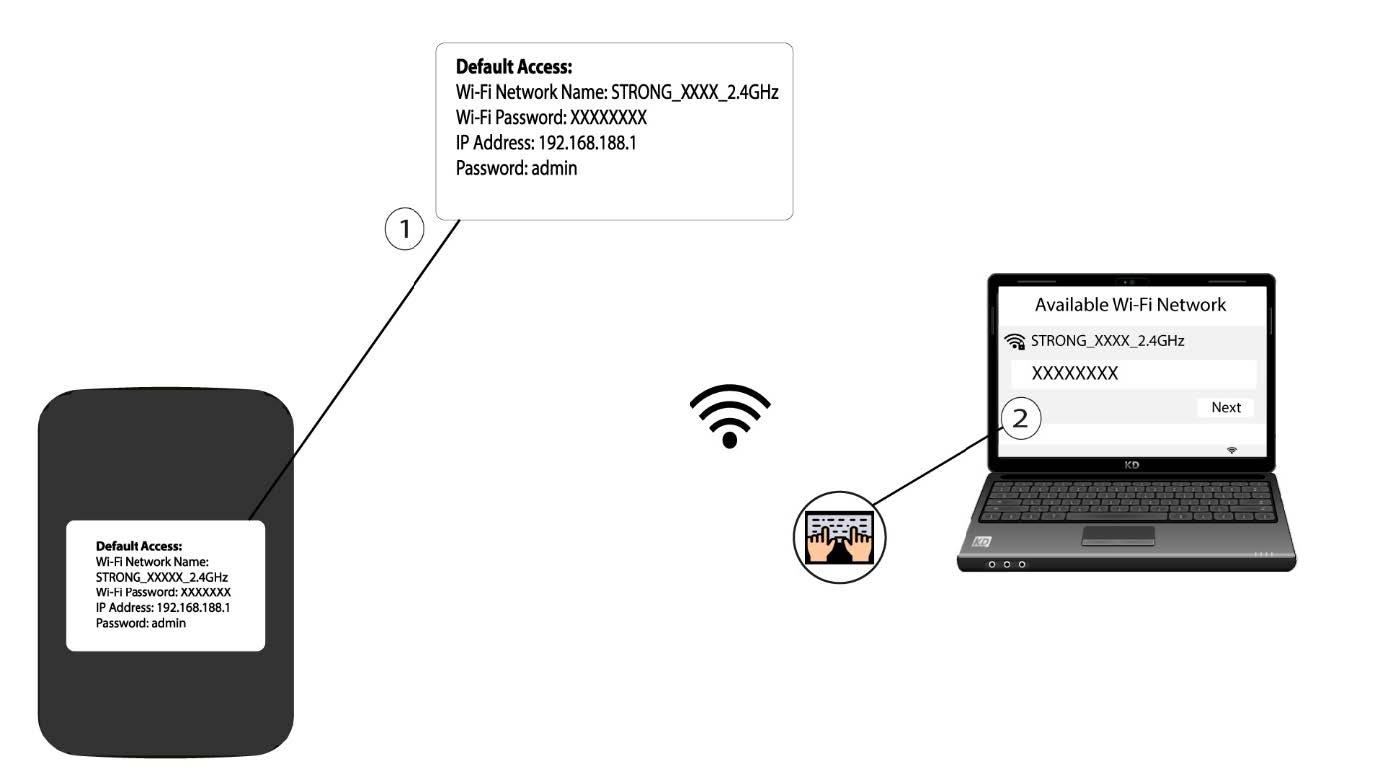
1. Yhdistäreitittimen Wi-Fi-verkkoon
- Laitteen laiteohjelmiston päivittämiseksi sinun on muodostettava yhteys reitittimesi Wi-Fi-verkkoon.
2Siirryverkkokäyttöliittymän IP-osoitteeseen
Syötä sitten selaimeesi seuraava IP- osoite: 192.168.188.1.

3Siirrykirjautumissivulle
Sinun on annettava salasana.

4Päivitys
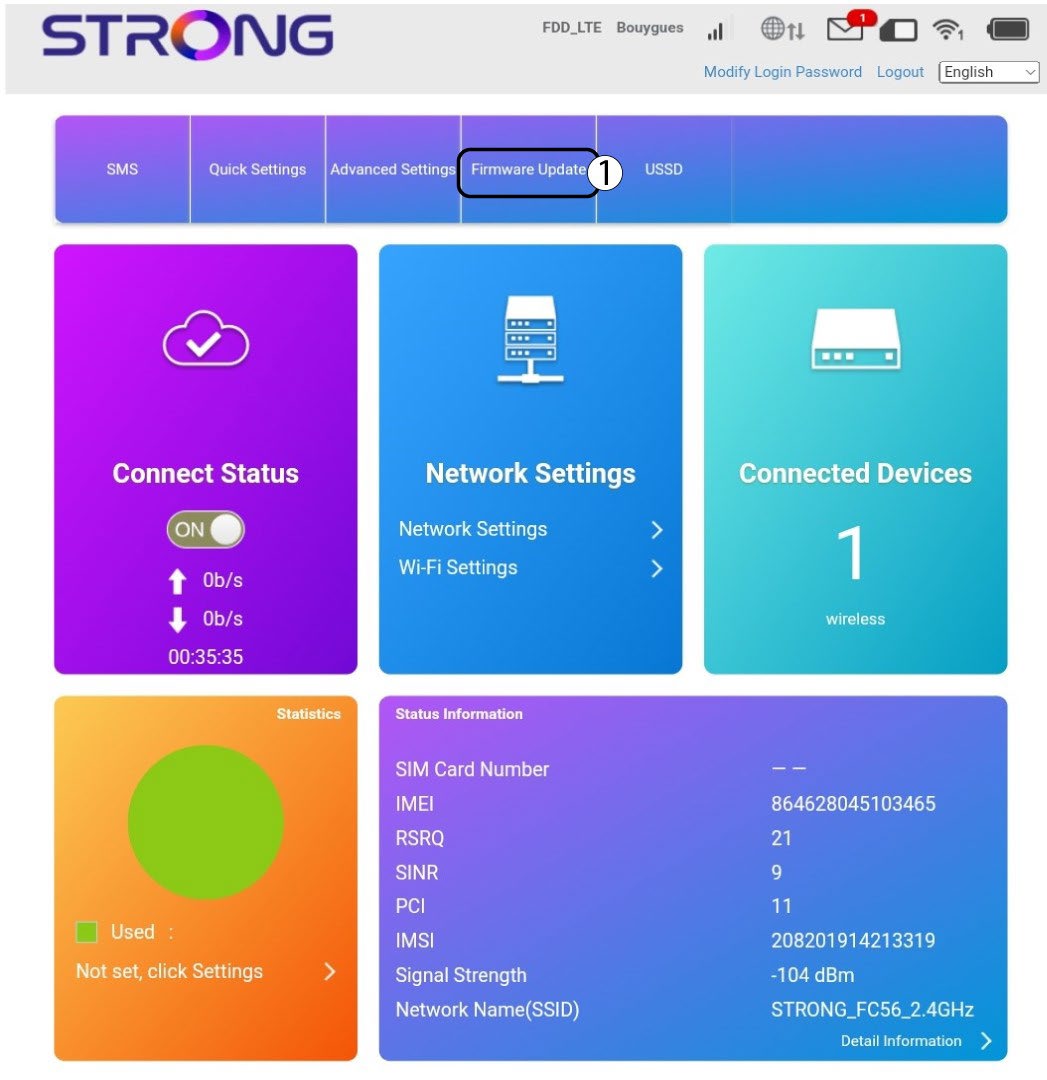
Napsauta ”Firmware Update” (Laiteohjelmiston päivitys).
5. Tarkista, onko uusia versioita saatavilla
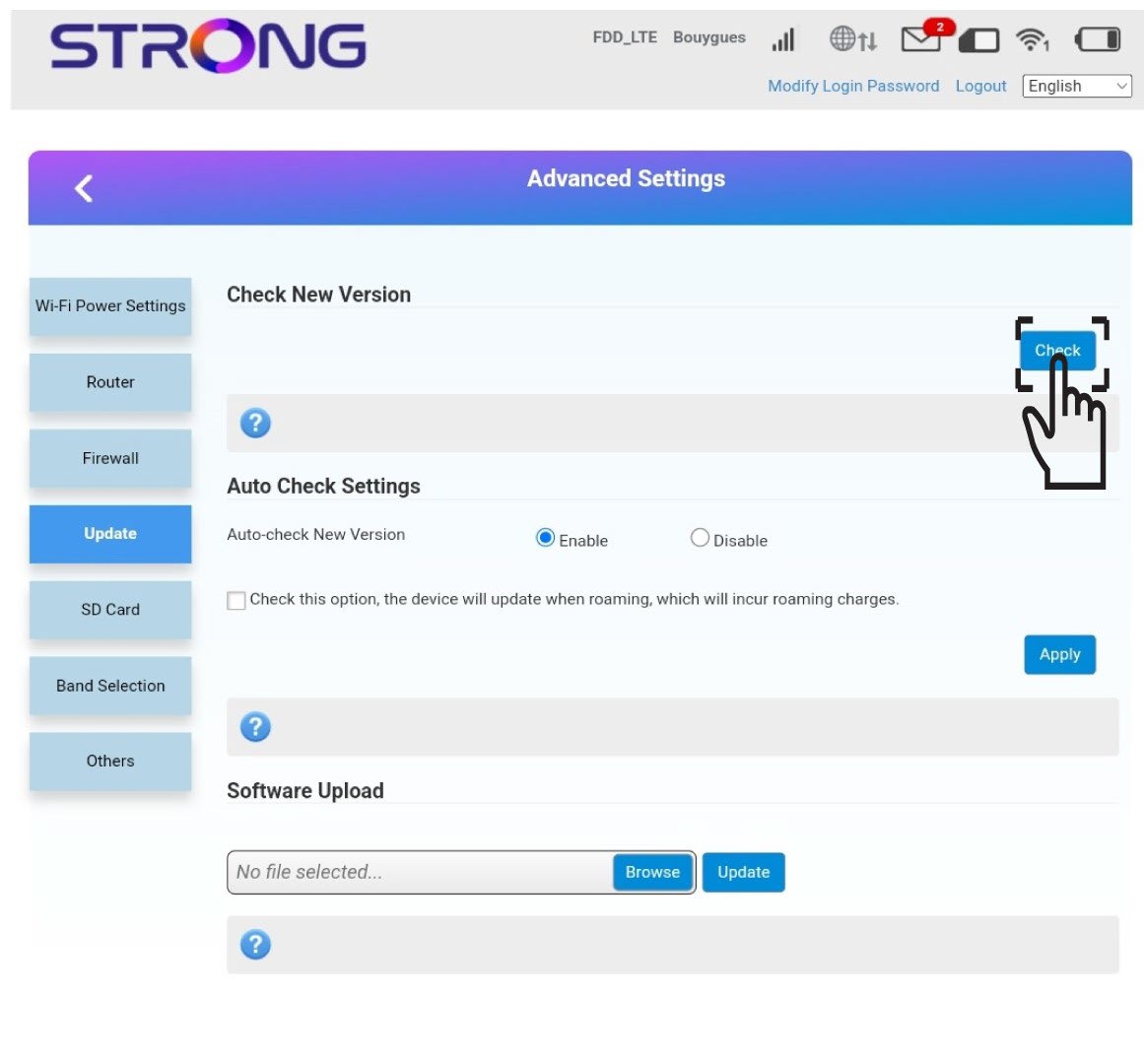
Napsauta Tarkista-painiketta Tarkista uusi versio -osiossa. Ohjelmiston uusin versio ladataan automaattisesti, ja sinun on muodostettava uusi yhteys Wi-Fi-verkkoon PIN-koodin syöttämistä varten.